Hi,
I think this is related to your Redis server version.
Can you check this? https://github.com/tporadowski/redis/releases/tag/v5.0.14
We will fix the problem in the next patch version.
For now, you can try:
[ExposeServices(typeof(MainSiderbarMenuItem))]
[Dependency(ReplaceServices = true)]
public partial class MyMainSiderbarMenuItem
{
    protected override void OnInitialized()
    {
        ActivateCurrentPage(null);
    }

    protected virtual void OnMenuItemClick(MenuItemViewModel currentMenuItem)
    {
        ActivateCurrentPage(currentMenuItem);
    }

    protected override void ActivateCurrentPage()
    {
        return;
    }

    protected virtual void ActivateCurrentPage(MenuItemViewModel currentMenuItem)
    {
        var menuItem = currentMenuItem ?? MenuItem;

        if (menuItem.MenuItem.Url.IsNullOrEmpty())
        {
            return;
        }

        var menuItemPath = menuItem.MenuItem.Url.Replace("~/", string.Empty).Trim('/');
        var currentPagePath = new Uri(NavigationManager.Uri.TrimEnd('/')).AbsolutePath.Trim('/');

        if (menuItemPath.TrimEnd('/').Equals(currentPagePath, StringComparison.InvariantCultureIgnoreCase) || currentMenuItem != null)
        {
            Menu.Activate(menuItem);
        }
    }
}
@inherits Volo.Abp.AspNetCore.Components.Web.LeptonTheme.Components.ApplicationLayout.Navigation.MainSiderbarMenuItem

@if (MenuItem.MenuItem.IsLeaf)
{
    var url = MenuItem.MenuItem.Url == null? "#" : MenuItem.MenuItem.Url.TrimStart('/', '~');

    <li class="@(MenuItem.IsActive ? "current" : "") @MenuItem.MenuItem.CssClass" id="@MenuItem.MenuItem.ElementId">
        <a href="@url" target="@MenuItem.MenuItem.Target" @onclick="() => OnMenuItemClick(MenuItem)">
            <span class="lp-icon">
                <i class="@(MenuItem.MenuItem.Icon ?? "")"></i>
            </span>
            <span class="lp-text">
                @MenuItem.MenuItem.DisplayName
            </span>
        </a>
    </li>
}
else
{
    <li class="@(MenuItem.IsActive ? "current" : "") has-drop">
        <a href="#" @onclick:preventDefault @onclick="ToggleMenu">
            <span class="lp-icon">
                <i class="@(MenuItem.MenuItem.Icon ?? "")"></i>
            </span>
            <span class="lp-text">
                @MenuItem.MenuItem.DisplayName
            </span>
            <span class="lp-arrow-icon" for="@MenuItem.MenuItem.ElementId">
                <i class="fa fa-chevron-down"></i>
            </span>
        </a>
        <ul class="@MenuItem.MenuItem.CssClass" id="@MenuItem.MenuItem.ElementId" style="display:@(MenuItem.IsOpen || MenuItem.IsActive ? "block" : "none")">
            @foreach (var childMenuItem in MenuItem.Items)
            {
                <MyMainSiderbarMenuItem Menu="@Menu" MenuItem="@childMenuItem"/>
            }
        </ul>
    </li>
}
Hi,
I will check it .
Solved, the problem related to RabbitMQ server.
Hi,
Here are some of the same topics, can you check them? https://stackoverflow.com/questions/62763225/i-get-an-error-when-i-add-migration-using-entity-framework-core
Hi,
Please email me when you are available. shiwei.liang@volosoft.com
Hi,
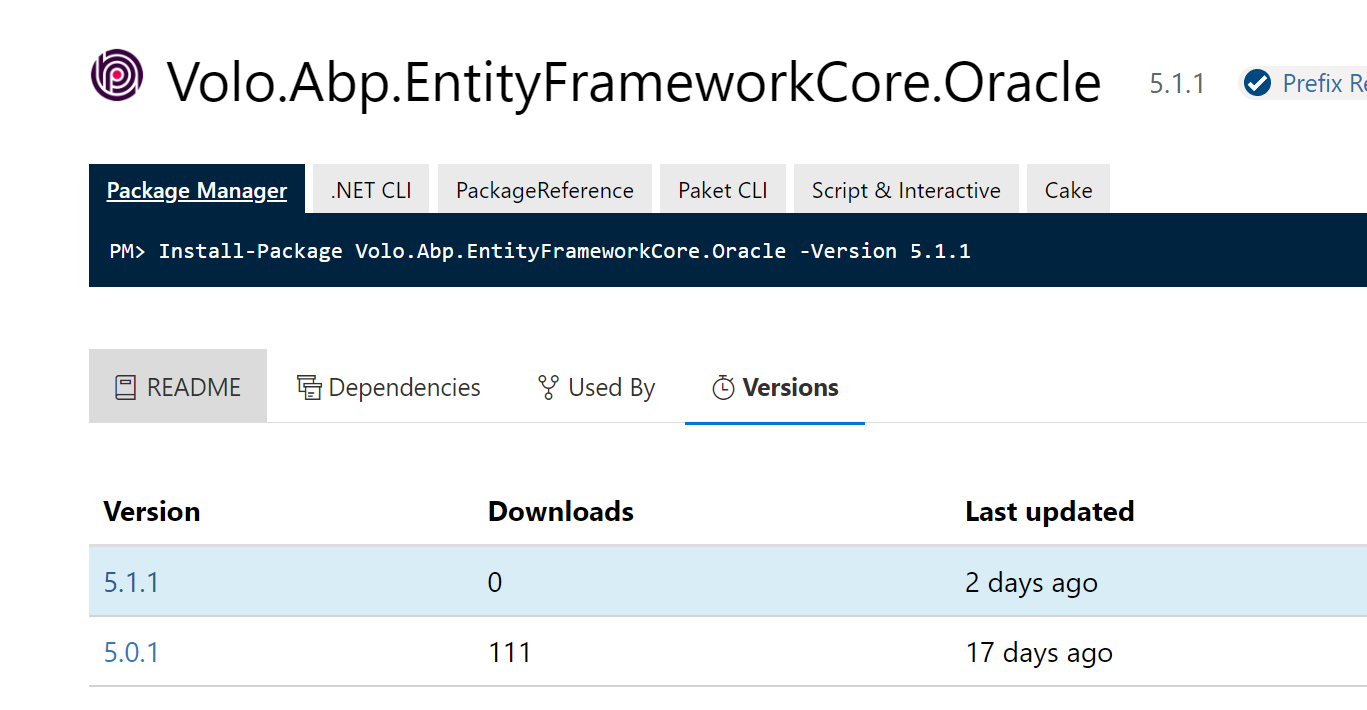
Yes, it available now.
https://www.nuget.org/packages/Volo.Abp.EntityFrameworkCore.Oracle/
Hi,
If the entity is not multi-tenant, then it will always switch to host
See https://github.com/abpframework/abp/blob/dev/framework/src/Volo.Abp.EntityFrameworkCore/Volo/Abp/Domain/Repositories/EntityFrameworkCore/EfCoreRepository.cs#L39
You can custom your own repository base and override GetDbContext and GetDbContextAsync methods.
See https://docs.abp.io/en/abp/latest/Entity-Framework-Core#set-default-repository-classes
If you don't want to delete the queue.
You can try:
[Dependency(ReplaceServices = true)]
public class MyRabbitMqMessageConsumer : RabbitMqMessageConsumer
{
    public MyRabbitMqMessageConsumer(IConnectionPool connectionPool, AbpAsyncTimer timer, IExceptionNotifier exceptionNotifier) : base(connectionPool, timer, exceptionNotifier)
    {
    }

    protected override Task TryCreateChannelAsync()
    {
        Queue.Arguments["x-dead-letter-exchange"] = Exchange.ExchangeName+"_dead_letter";;
        Queue.Arguments["x-dead-letter-routing-key"] = Queue.QueueName+"_dead_letter";
        return base.TryCreateChannelAsync();
    }
}

[Dependency(ReplaceServices = true)]
[ExposeServices(typeof(IRabbitMqMessageConsumerFactory))]
public class MyRabbitMqMessageConsumerFactory : IRabbitMqMessageConsumerFactory, ISingletonDependency, IDisposable
{
    protected IServiceScope ServiceScope { get; }

    public MyRabbitMqMessageConsumerFactory(IServiceScopeFactory serviceScopeFactory)
    {
        ServiceScope = serviceScopeFactory.CreateScope();
    }

    public IRabbitMqMessageConsumer Create(
        ExchangeDeclareConfiguration exchange,
        QueueDeclareConfiguration queue,
        string connectionName = null)
    {
        var consumer = ServiceScope.ServiceProvider.GetRequiredService<MyRabbitMqMessageConsumer>();
        consumer.Initialize(exchange, queue, connectionName);
        return consumer;
    }

    public void Dispose()
    {
        ServiceScope?.Dispose();
    }
}
Hi,
In 4.4 we use dead letter queues for RabbitMQ, But in 5.0 we introduced the inbox outbox pattern, so we no longer use the dead letter queue.
Sorry RabbitMQ does not support update queues, you may need to delete existing queues.
See https://dev.to/ottonova/how-and-why-we-updated-rabbitmq-queues-on-production-2h76









