hi
Toolbar is not part of the Body of each page, and thus it is not rendered inside the tab.
You can move the Toolbar component inside <Div Class="layout"><RouterTabs /></div>
You can also rewrite all components by downloading the LeptonX theme source code.
Thanks.
hi
Testing the LDAP configuration using your application might be complicated. Therefore you can use our test application. The following dotnet console app is for testing your LDAP configuration. Before using the configuration, test in this app and see if it works.
See https://github.com/abpframework/abp-samples/tree/master/AbpLdapSample
hi
We have such code for appsettings files if the app is running in a container. Can you try that?
These code exist in latest studio template project
app.UseRouting();
var configuration = context.GetConfiguration();
if (Convert.ToBoolean(configuration["AuthServer:IsOnK8s"]))
{
    app.Use(async (context, next) =>
    {
        if (context.Request.Path.Value != null &&
            context.Request.Path.Value.StartsWith("/appsettings", StringComparison.OrdinalIgnoreCase) &&
            context.Request.Path.Value.EndsWith(".json", StringComparison.OrdinalIgnoreCase))
        {
            // Set endpoint to null so the static files middleware will handle the request.
            context.SetEndpoint(null);
        }
        await next(context);
    });

    app.UseStaticFilesForPatterns("appsettings*.json");
}

app.MapAbpStaticAssets();
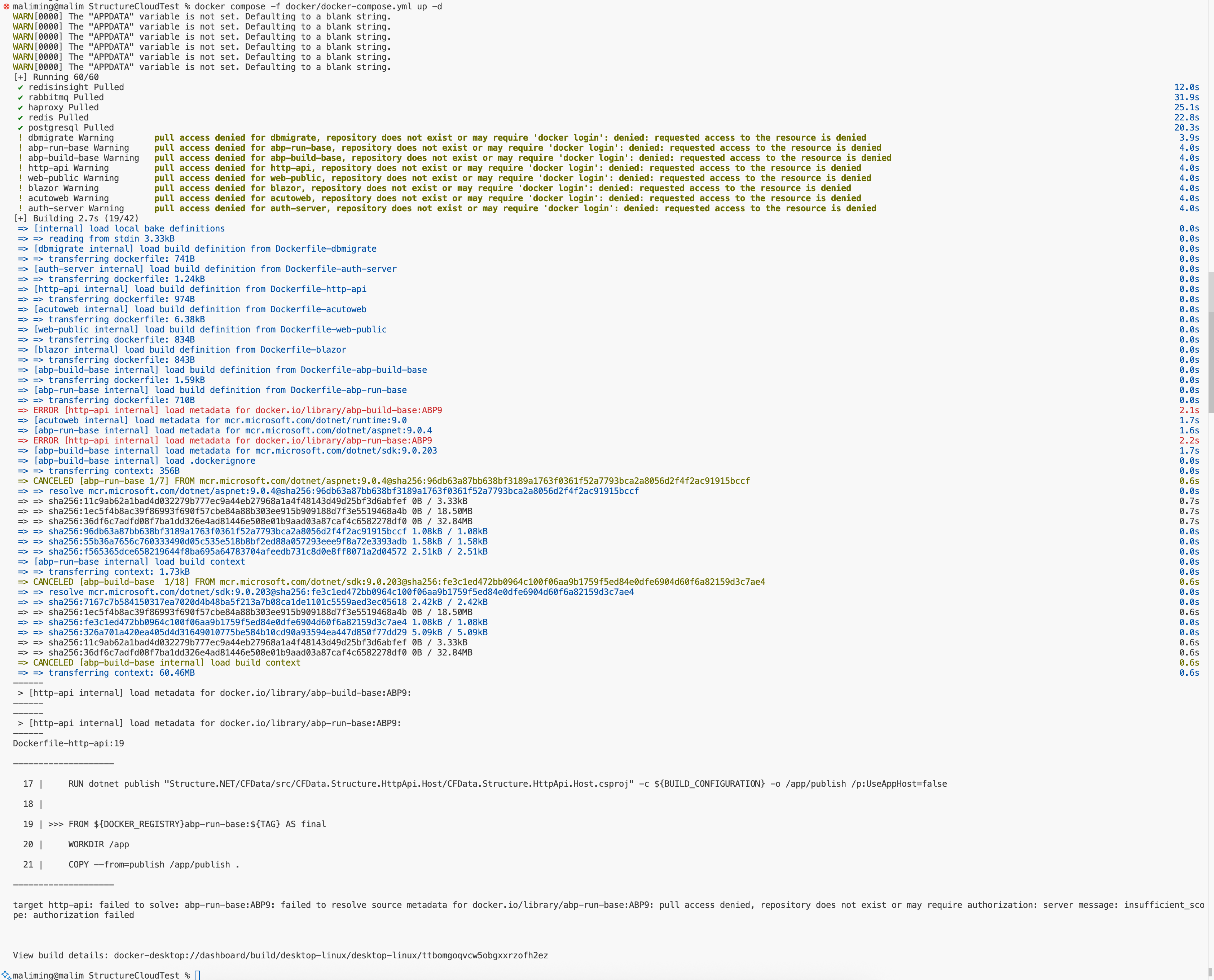
Docker compose failed
hi
You need to set the Kind to UTC first
Configure<AbpClockOptions>(options =>
{
 options.Kind = DateTimeKind.Utc;
});
See https://abp.io/docs/latest/framework/infrastructure/timing#clock-options
hi
What is your UI type?
Can you share a GIF to show the problem?
Can you share the logs.txt file?
https://abp.io/support/questions/8622/How-to-enable-Debug-logs-for-troubleshoot-problems
liming.ma@volosoft.com
Thanks
Great 👍
Hi
Override the layout file is the right way. You can ignore the AI’s answer.
Thanks.
hi
I don't have much to suggest, Microsoft's documentation basically covers it all.
Thanks.
Great. Can you share your solution?
Thanks.
hi
You don't need to add the entire account pro module source code to your solution.
You just need to add Login.cshtml and Login.cshtml files.
If you don't know how to add these two files. You can share your project with liming.ma@volosoft.com
I will add and send it back to you.
Thanks.









