Thanks. UrvinFinance.AuthServer.csproj seems no problem.
Can you share the full code of UrvinFinance.AuthServer and its dependencies?
I will download and build it.
Thanks.
hi
Can you share the full UrvinFinance.AuthServer.csproj file?
Thanks, I've replied to the email.
hi
Please remove AddIdentityServer from https://localhost:44321/ - Back office Web
Can you also share the module code of https://localhost:44321/ - Back office Web?
Thanks.
hi
liming.ma@volosoft.com
ok, can you share some screenshots or a GIF to show how you reached this page?
Thanks

Thanks. I have fixed it on the Create page. : )
hi
I think it will be released within two weeks.
You can override the EditUser page. If you need the page source code, You can send an email liming.ma@volosoft.com
Thanks.
hi
I can successfully create and update an ActionItem with the host admin credentials but I get the above 401 not authorized when calling the GET endpoint.
There must be an error with the token passed using the GET method. Your token is fine.
go to Postman and get a token via the TokenService using the host admin id and password. Create an ActionItem. Update and ActionItem. Get the ActionItem.
Can you share these request information (POSTMAN) details?
eg:
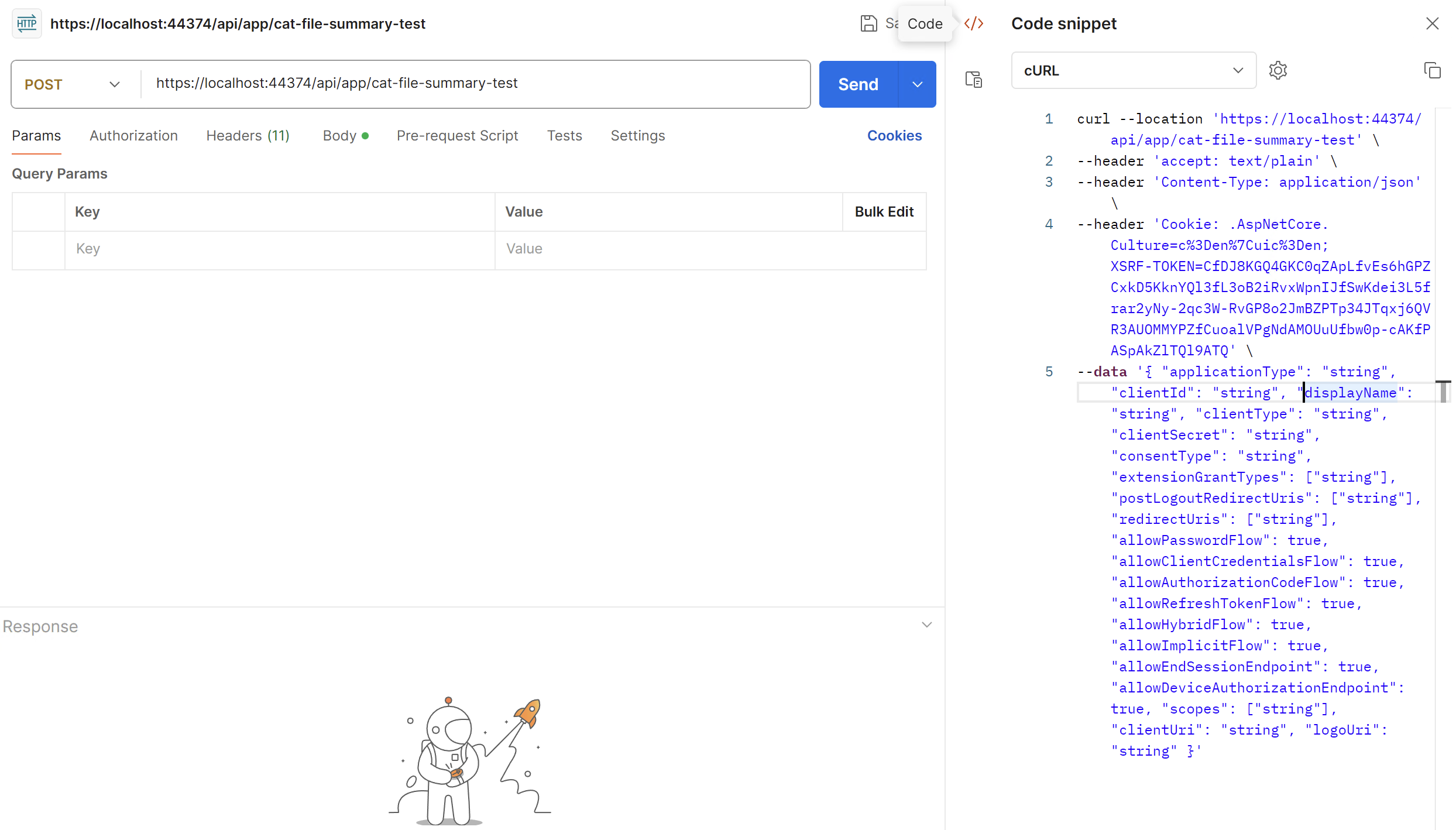
Thanks.
hi
I guess your blazor app is Blazor Server.
CurrentUserTenantResolveContributor in all projects.options.TenantResolvers.Insert(0, new CurrentUserTenantResolveContributor());
2.
What I expect to Happen: User visits tenant.uat.domain.io Application validates Tenant on Blazor app and directs to Account/Login on Auth Server Auth Server validates Tenant without using subdomain (limiting this to just point to auth.uat.domain.io) If no Subdomain or tenant resolved assume host If tenant resolved on blazor side from subdomain, then use that tenant for logging in as well via querystring or other methods of sharing.
2.1 Does your tenant work on a Blazor project?
2.2
directs to Account/Login on Auth Server
Auth Server can't know your current tenant of Blazor, which means you need to pass tenant info to Auth Server. eg: auth.uat.domain.io?__tenant=tenant1
CurrentUserTenantResolveContributorThanks.









