hi
The Blazor project needs the code and modules HttpApi.Client packages from Alfa5.HttpApi.Client.
It will be best if you clone the whole source code. Then, build in your pipeline.
Thanks.
hi
Try to add action for Themes\**\*.js and "Themes\**\*.css"
  <ItemGroup>
    <Content Include="Pages\**\*.js">
      <CopyToOutputDirectory>Always</CopyToOutputDirectory>
    </Content>
    <Content Include="Pages\**\*.css">
      <CopyToOutputDirectory>Always</CopyToOutputDirectory>
    </Content>
  </ItemGroup>

    <ItemGroup>
    <Content Include="Themes\**\*.js">
      <CopyToOutputDirectory>Always</CopyToOutputDirectory>
    </Content>
    <Content Include="Themes\**\*.css">
      <CopyToOutputDirectory>Always</CopyToOutputDirectory>
    </Content>
  </ItemGroup>
Thanks.
hi
I didn't receive the mail. Can you upload it to https://wetransfer.com/ then share the link?
Thanks
I have sent the mail.
hi
Should this mapper be in the Blazor project also (its only in the Client project)? I havent worked with the Blazor WebApp.. 🤷♂️
You should add the map configuration for both Blazor and Blazor.Client projects.
hi
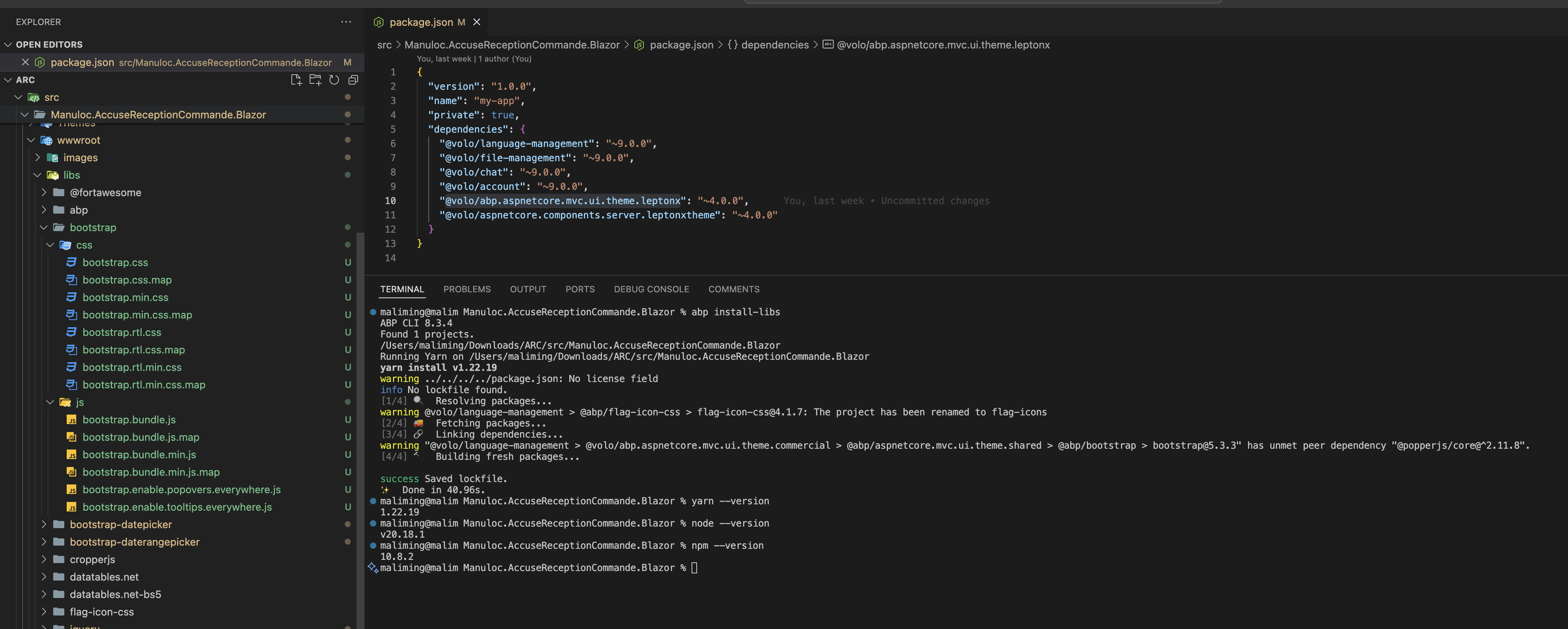
Please check your node. npm, and yarn version.
| package | url | |-------------------------------------------------------|----------------------------------------------------------------------------------------------------| | @volo/abp.aspnetcore.mvc.ui.theme.leptonx | npm | | @volo/abp.aspnetcore.mvc.ui.theme.commercial | npm | | @abp/aspnetcore.mvc.ui.theme.shared | npm | | @abp/bootstrap | npm |
hi
Can you share a simple project to reproduce the problem?
I will download the code and debug it locally.
liming.ma@volosoft.com
Thanks.
Hi
Please share the DLL file with liming.ma@volosoft.com
Hi
Can you try to remove the package-lock.json and yarn.lock files then re-run the abp install-libs command?









