hi
Yes, We will fix this in next version.
The fix code:
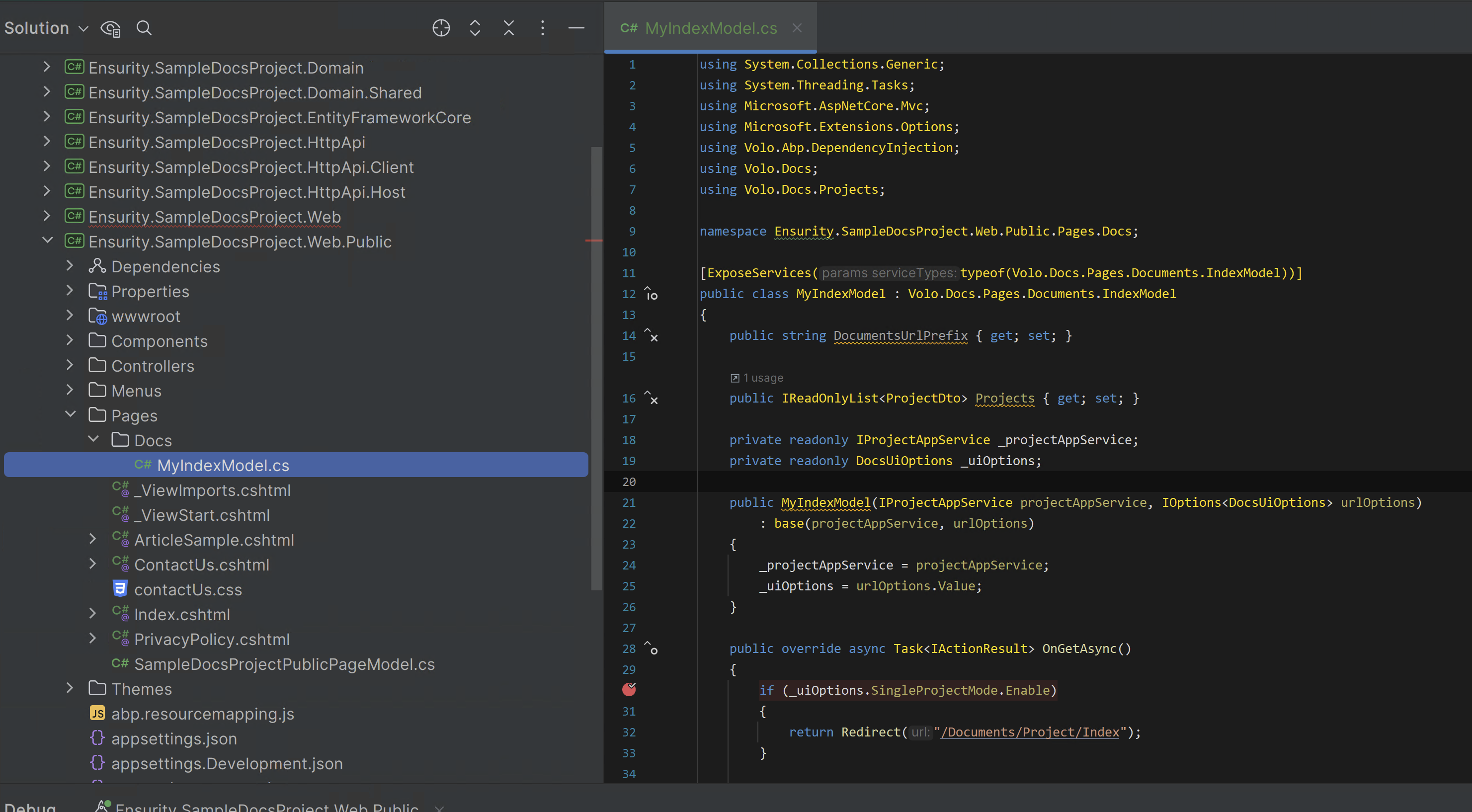
using System.Collections.Generic;
using System.Threading.Tasks;
using Microsoft.AspNetCore.Mvc;
using Microsoft.Extensions.Options;
using Volo.Abp.DependencyInjection;
using Volo.Docs;
using Volo.Docs.Projects;

namespace Ensurity.SampleDocsProject.Web.Public.Pages.Docs;

[ExposeServices(typeof(Volo.Docs.Pages.Documents.IndexModel))]
public class MyIndexModel : Volo.Docs.Pages.Documents.IndexModel
{
    public string DocumentsUrlPrefix { get; set; }

    public IReadOnlyList<ProjectDto> Projects { get; set; }

    private readonly IProjectAppService _projectAppService;
    private readonly DocsUiOptions _uiOptions;

    public MyIndexModel(IProjectAppService projectAppService, IOptions<DocsUiOptions> urlOptions)
        : base(projectAppService, urlOptions)
    {
        _projectAppService = projectAppService;
        _uiOptions = urlOptions.Value;
    }

    public override async Task<IActionResult> OnGetAsync()
    {
        if (_uiOptions.SingleProjectMode.Enable)
        {
            return Redirect("/Documents/Project/Index");
        }

        var listResult = await _projectAppService.GetListAsync();

        if (listResult.Items.Count == 1)
        {
            return Redirect($"/Documents/Project/{listResult.Items[0].ShortName}");
        }

        Projects = listResult.Items;

        return Page();
    }
}
hi
Can you try to use abp get-source Volo.Abp.LeptonXTheme.Pro --preview
hi
You can create a new question for these source codes when the new version is released, I will share the source code and refund your question ticket.
hi
The js code will do the follow work:
Both tabs will register a load event.
If one of the tabs logs in to the website, it will write the stateKey, and then the other tab will receive the storage change event, and you can refresh or redirect to the homepage(/).
Please ensure that the login and other pages have loaded this script
(function () {

    const stateKey = 'authentication-state-id';

    window.addEventListener('load', function () {
        if (!abp || !abp.currentUser) {
            return;
        }

        if (!abp.currentUser.isAuthenticated) {
            localStorage.removeItem(stateKey);
        } else {
            localStorage.setItem(stateKey, abp.currentUser.id);
        }

        window.addEventListener('storage', function (event) {

            if (event.key !== stateKey || event.oldValue === event.newValue) {
                return;
            }

            if (event.oldValue || !event.newValue) {
                window.location.reload();
            } else {
                location.assign('/')
            }
        });
    });

}());
hi
I will fix the redirect problem,
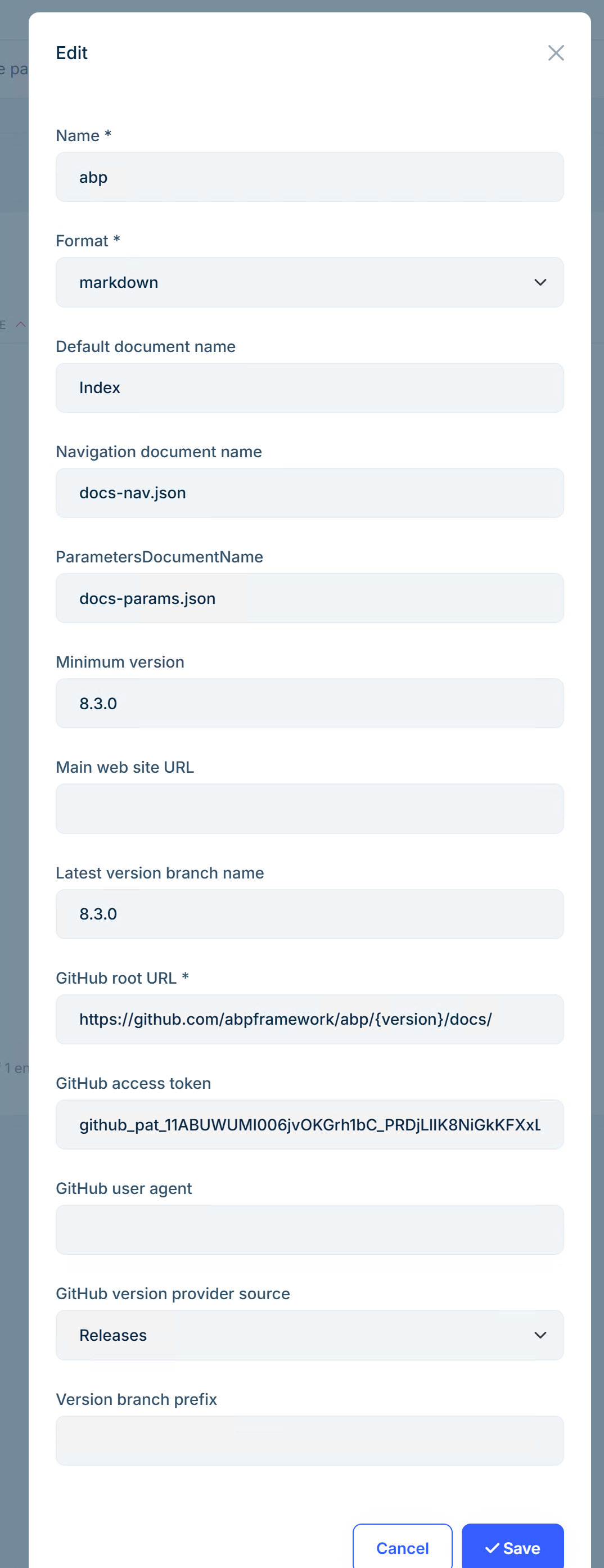
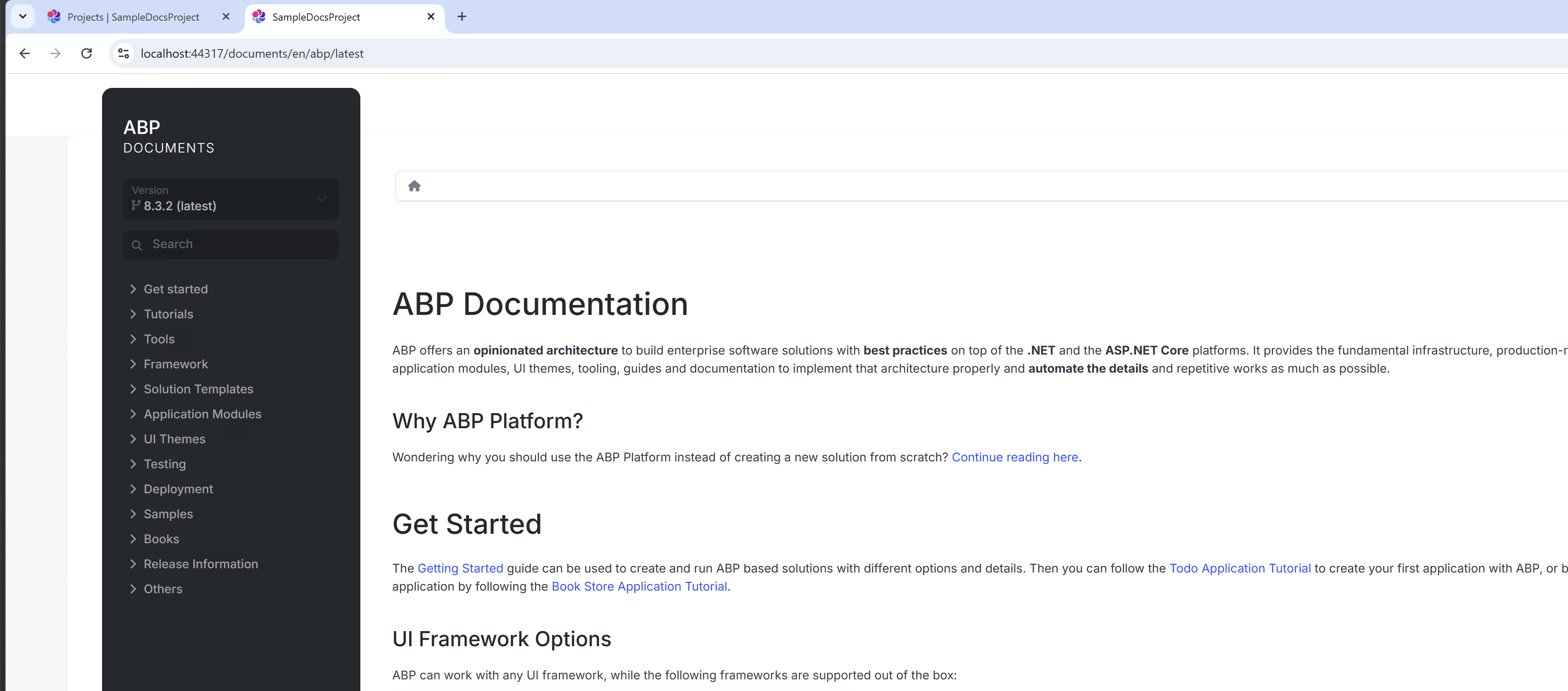
You can direct access the https://localhost:44317/documents/en/abp/latest
hi
Yes.
Do you mean that after clicking Logout on the web website, you are redirected to the public website?
👍
Has your problem solved?
hi
I checked the logs and it doesn't have any particular problem.
IDX10223: Lifetime validation failed. The token is expired. This is a normal log because your access_token has expired. There are also several error logs, which should be the browser/front end canceling the request.
Your problem is that the application can't respond. This situation is not like a code problem but more like a problem with the server. We can't troubleshoot the problem through the application logs.
I still have the following questions:
You should be able to view the history of performance indicators such as CPU and memory in Auzre.
Finally, you can consider changing the running environment for testing.
Sorry, I don't have much advice.









