: )
hi
May not be enough, and other services may get a table not found error. You'd better change this in all projects that reference or indirectly reference to AbpAuditLoggingEntityFrameworkCoreModule
hi
You can change this static variable in Program.cs of all projects
AbpAuditLoggingDbProperties.DbSchema = "xxx"
hi
You can try to remove the packageSourceMapping section from Nuget.Config file.
https://learn.microsoft.com/en-us/nuget/consume-packages/package-source-mapping
hi
Please try this
dotnet tool install -g volo.abp.cli --version 8.0.2 --add-source https://api.nuget.org/v3/index.json
hi
Is --add-source https://api.nuget.org/v3/index.json works?
hi
dotnet tool install-g volo.abp.cli --version 8.0.2 --add-source https://api.nuget.org/v3/index.json
Please check your NuGet.Config file.
https://learn.microsoft.com/en-us/nuget/consume-packages/configuring-nuget-behavior#config-file-locations-and-uses
hi
UseAuditing() middleware should be added to the ASP.NET Core request pipeline in order to create and save the audit logs. If you've created your applications using the startup templates, it is already added.
https://docs.abp.io/en/abp/latest/Audit-Logging#useauditing
hi
From where can i get my private key ??
https://commercial.abp.io/my-organizations/
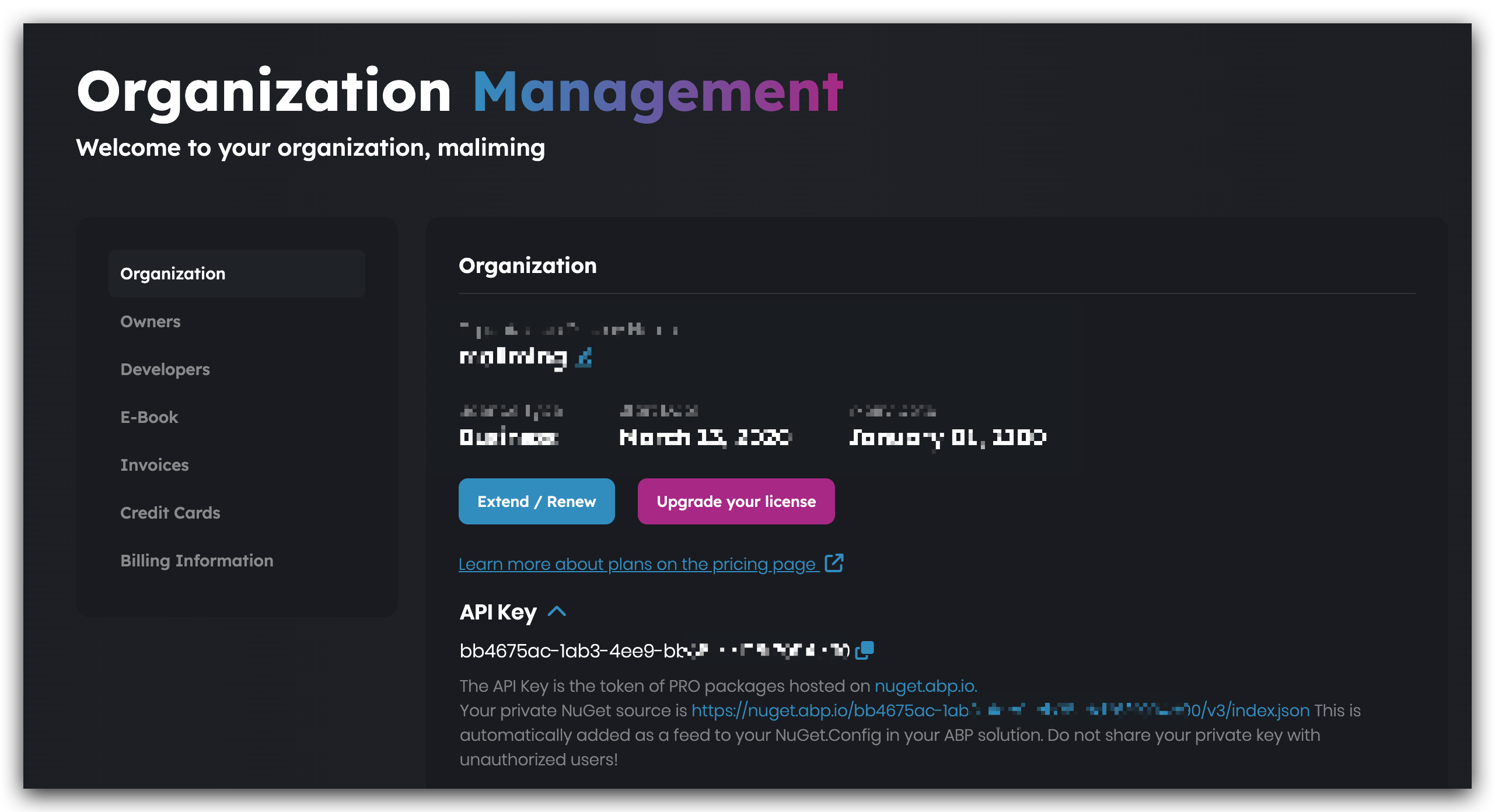
hi
options.UseSqlServer(); // add this line.
See https://docs.abp.io/en/abp/latest/Entity-Framework-Core#abpdbcontextoptions
Configure<AbpDbContextOptions>(options =>
{
    options.Configure<MyServiceDbContext>(c =>
    {
        c.UseSqlServer(b =>
        {
            b.MigrationsHistoryTable("__MyService_Migrations", MyServiceDbProperties.DbSchema);
        });
    });
    options.UseSqlServer(); // add this line.
});
or
Configure<AbpDbContextOptions>(options =>
{
    options.Configure<MyServiceDbContext>(c =>
    {
        c.UseSqlServer(b =>
        {
            b.MigrationsHistoryTable("__MyService_Migrations", MyServiceDbProperties.DbSchema);
        });
    });

    options.Configure<AbpAuditLoggingDbContext>(c =>
    {
        c.UseSqlServer...
    });
});









