hi
The required policy can be a permission name, if you want to hide/show a menu based on permission, You should define and check it.
https://docs.abp.io/en/abp/latest/Authorization#permission-system
hi
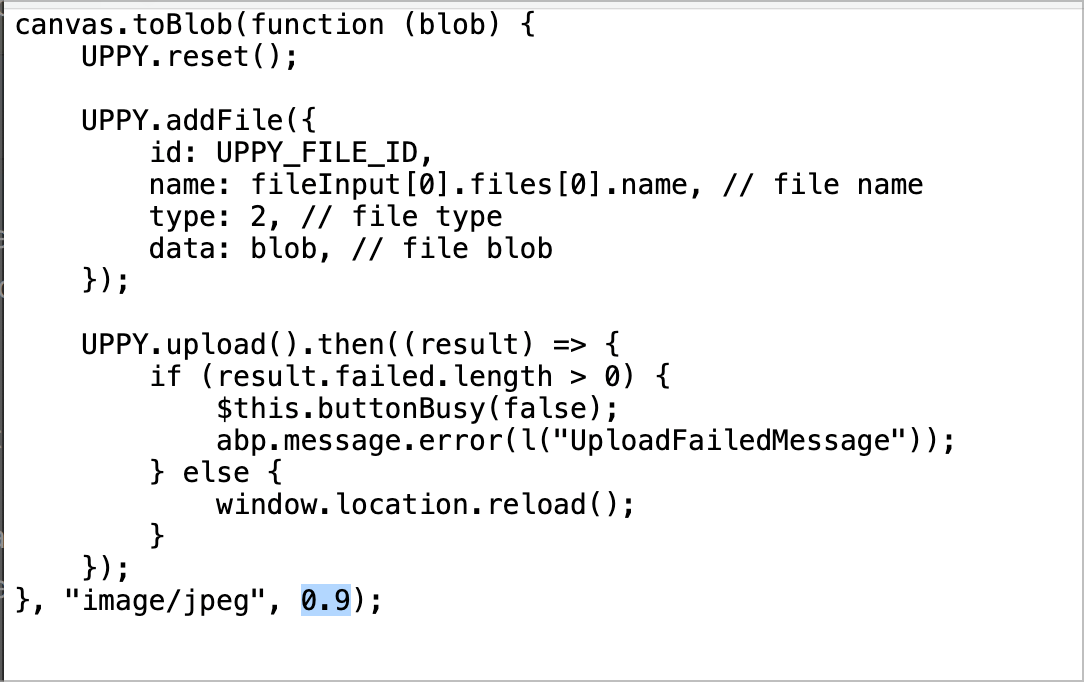
You only need to adjust the quality parameters to change the size of the image.
e.g. 0.85, 0.8.
hi
If the size is still large, you can change the quality parameter, e.g. 0.85, 0.8.
hi
Add the Default.js to the AuthServer project.
hi
I found the reason. You can add the third parameter(quality) to decrease the image size.
https://developer.mozilla.org/en-US/docs/Web/API/HTMLCanvasElement/toBlob#quality
A Number between 0 and 1 indicating the image quality to be used when creating images using file formats that support lossy compression (such as image/jpeg or image/webp). A user agent will use its default quality value if this option is not specified, or if the number is outside the allowed range.
Thanks. I will check your project asap.
The ticket has been refunded. 👍
You're right. Thanks
Thanks
Thanks. I will try it. You can also try opening the login page on Chrome in incognito mode.




