[maliming] said: hi
You are using
IdentityServerandOpenIddictin your web project.Please remove
IdentityServerfromcsprojand themodulefiles.Thanks.
It works now, thanks . I think you need to update that , cause it generated by Abp studio and Abp suite .. i didn't add it by myself
Regards
[maliming] said: liming.ma@volosoft.com
I shared the code with you by google drive here
This the sample project that i did the same scenario of my project
still not work with me.. can you please check
This is my status .. When clicking Login, verify the request is POST /Account/Login with status 302 only after your OnPostAsync runs. If you get 302 immediately and your breakpoint doesn’t hit, routing/middleware ordering or ApplicationPart is missing.
the ordering for routing/middleware is correct ..
but the section of add ApplicationPart is for old version i think .. my abp version is 9.3.6
what the right code for add Application Part
Hello Abp Support team,
We have issue with abp.account.pro
I have project abp v 9.3.6 with multi modules , when i included the source code of Account.pro module by using the abp suite , and it done fine , it replaced all the account packages on the projects to projects reference , but when run the logging it didn't work , i cleared the cookies . I tried to put break point on the login page on OnPostAsync() method but it didn't reach that when logging. I tried to clean and restore and deleted all bin and obj .. there is no error on build or running . but the logging not work it redirect to main page without logging . I created new empty project to just check the issue , but the same .. it didn't work ..
this are the modules that included to project for account
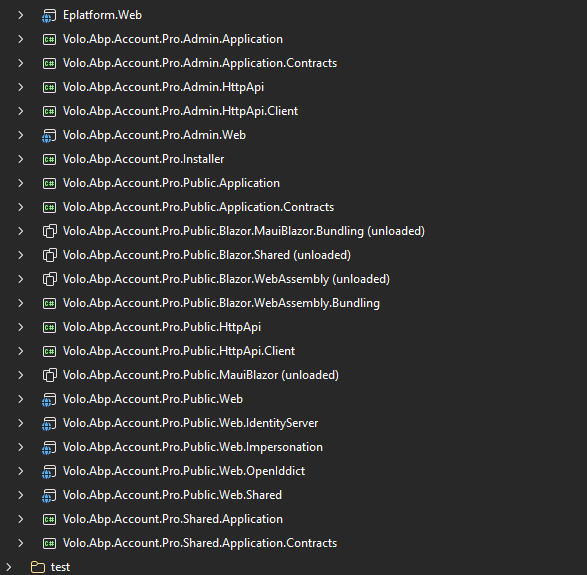
and i attached the logs when press login action
https://drive.google.com/file/d/1E9SChYsA1jp8h1Es98GRCilLVMioCVm6/view?usp=sharing
Please check that
Regards
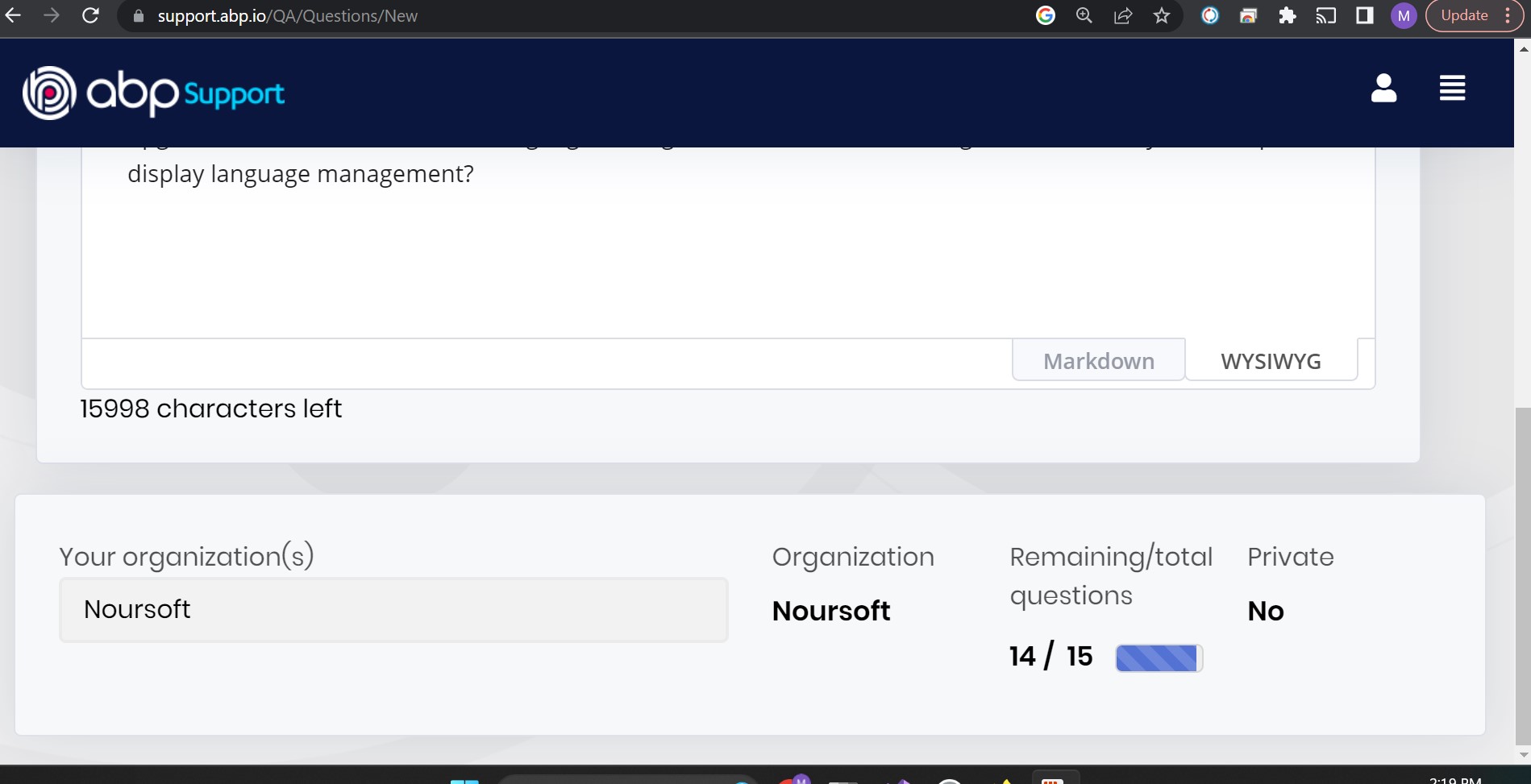
BTW how can I see my previous tickets? and why I cannot submit a new ticket although I still have 14 remaining tickets?!
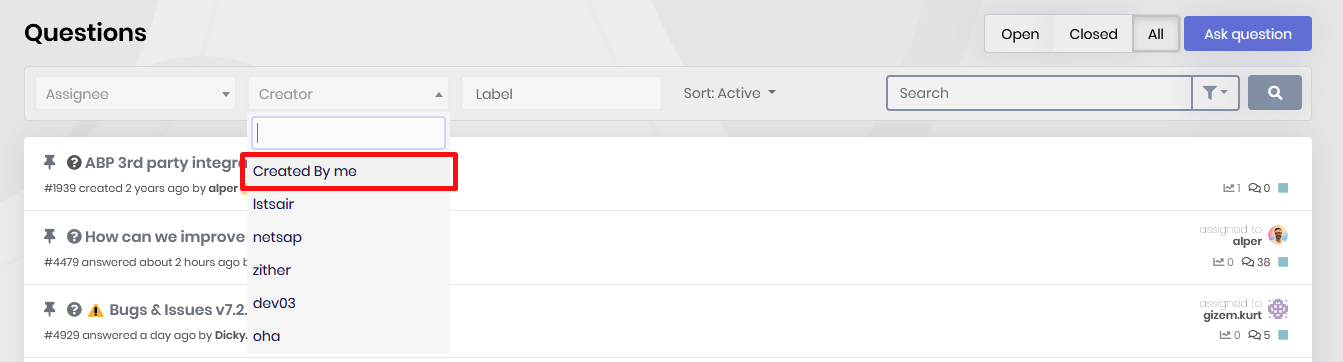
You can easily see your own tickets
this is the link for creating new question: https://support.abp.io/QA/Questions/New
if you cannot navigate to this URL, it means your permissions have recently been updated. try re-login to refresh your permissions.I can navigate to that url but I cannot see any submit button as in the following screenshot:
Have you tried logging out and logging in?
Yes I did
BTW how can I see my previous tickets? and why I cannot submit a new ticket although I still have 14 remaining tickets?!
You can easily see your own tickets
this is the link for creating new question: https://support.abp.io/QA/Questions/New if you cannot navigate to this URL, it means your permissions have recently been updated. try re-login to refresh your permissions.
I can navigate to that url but I cannot see any submit button as in the following screenshot:
hi
they got the following errors in their browser console:
What are the related logs of the backend app?
It shows no error in the logs.txt file.
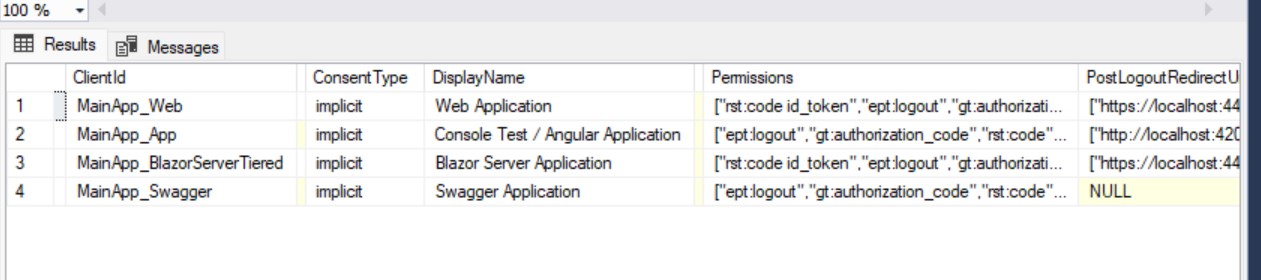
as you see these remained as localhost. you need to change these address according to your prod domain
I changed them and restart the app but still have the same issue!
These are fields in
OpenIddictApplicationstable.
- RedirectUris
- ClientUris
- PostLogoutRedirectUris
These are the only fields in OpenIddictApplications table that we have, I changed for the web application record only but still the same issue: