Within Internet Explorer, I still cannot login and cannot do anything.
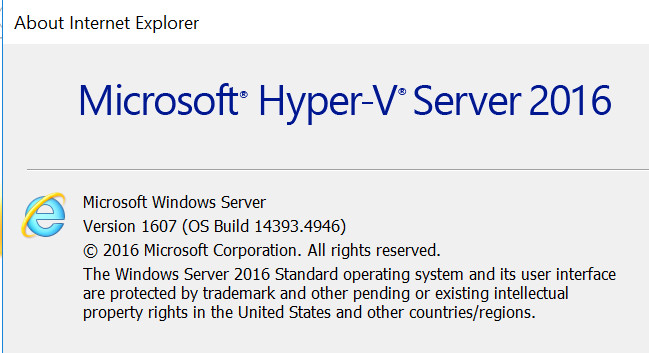
Please check the console of IE. what's the version?
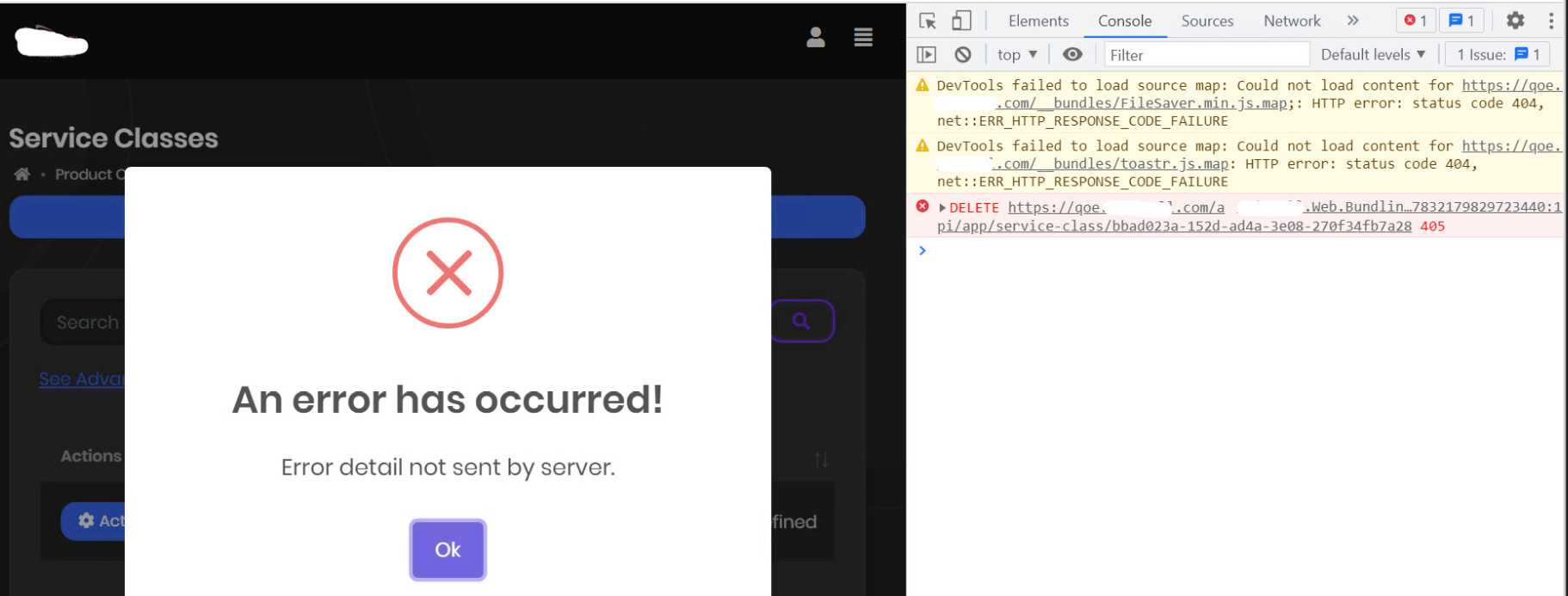
HTTP 405
See https://mozartec.com/asp-net-core-error-405-methods-not-allowed-for-put-and-delete-requests-when-hosted-on-iis/
Hi,
Thank you so much. After modifying my web.config by following your instruction, i can add/edit/delete by using Google Chrome.
Within Internet Explorer, I still cannot login and cannot do anything. Why is it like that? How to solve it?
Hello sir,
Thanks so much for your reply and support.
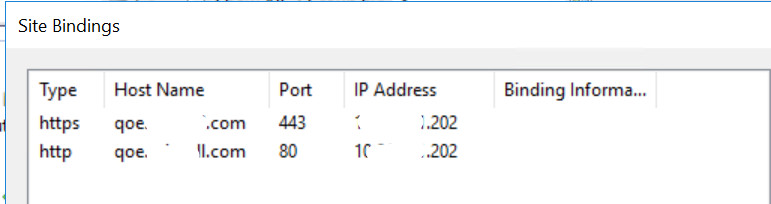
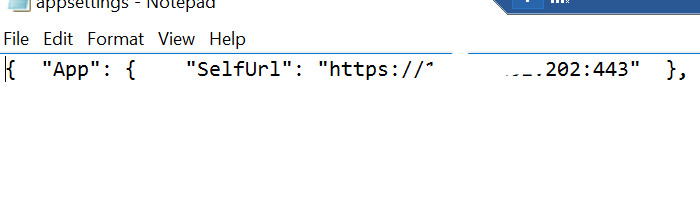
I go to my server and i add a new site binding, but i still see the same errors.
Please see the attached images. If you find any missing at my side, i appreciate.
Within Internet Explorer, I cannot login and cannot do anything. However, if i use Google Chrome to browse it, I can login and View and Add information. BUT I cannot Delete or Edit. Please see the following error when I am trying to delete:
hi
Microsoft.AspNetCore.Antiforgery.AntiforgeryValidationException System.Net.Http.HttpRequestException: The SSL connection could not be established, see inner exception.
Please share the full error info. includes request start and end.
Hello,
On my IIS, i add a trusted SSL certificate, and now there is NO error for the following: *System.Net.Http.HttpRequestException: The SSL connection could not be established, see inner exception. ---> System.Security.Authentication.AuthenticationException: The remote certificate is invalid according to the validation procedure: RemoteCertificateNameMismatch *
=====>>>THE REMAINING ERRORS ARE : 2022-03-18 08:54:37.514 +03:00 [INF] End processing HTTP request after 9.7556ms - 200 2022-03-18 08:54:37.514 +03:00 [INF] Request finished HTTP/1.1 GET https://qoe.myproject.com/health-status - - - 200 - application/json 9.2139ms 2022-03-18 08:54:45.521 +03:00 [INF] Request starting HTTP/2 POST https://qoe.myproject.com/Account/Login application/x-www-form-urlencoded 497 2022-03-18 08:54:45.538 +03:00 [INF] Executing endpoint '/Account/Login' 2022-03-18 08:54:45.539 +03:00 [INF] Route matched with {page = "/Account/Login", action = "", controller = "", area = ""}. Executing page /Account/Login 2022-03-18 08:54:45.539 +03:00 [INF] Skipping the execution of current filter as its not the most effective filter implementing the policy Microsoft.AspNetCore.Mvc.ViewFeatures.IAntiforgeryPolicy 2022-03-18 08:54:45.541 +03:00 [INF] Antiforgery token validation failed. The required antiforgery cookie ".AspNetCore.Antiforgery.oLLsTIB8lzc" is not present. Microsoft.AspNetCore.Antiforgery.AntiforgeryValidationException: The required antiforgery cookie ".AspNetCore.Antiforgery.oLLsTIB8lzc" is not present. at Microsoft.AspNetCore.Antiforgery.DefaultAntiforgery.ValidateRequestAsync(HttpContext httpContext) at Microsoft.AspNetCore.Mvc.ViewFeatures.Filters.ValidateAntiforgeryTokenAuthorizationFilter.OnAuthorizationAsync(AuthorizationFilterContext context) 2022-03-18 08:54:45.541 +03:00 [INF] Authorization failed for the request at filter 'Microsoft.AspNetCore.Mvc.ViewFeatures.Filters.AutoValidateAntiforgeryTokenAuthorizationFilter'. 2022-03-18 08:54:45.546 +03:00 [INF] Executing StatusCodeResult, setting HTTP status code 400 2022-03-18 08:54:45.546 +03:00 [INF] Executed page /Account/Login in 7.7423ms 2022-03-18 08:54:45.546 +03:00 [INF] Executed endpoint '/Account/Login' 2022-03-18 08:54:45.826 +03:00 [INF] Request finished HTTP/2 POST https://qoe.myproject.com/Account/Login application/x-www-form-urlencoded 497 - 302 - - 305.0401ms 2022-03-18 08:54:45.831 +03:00 [INF] Request starting HTTP/2 GET https://qoe.myproject.com/Error?httpStatusCode=400 - - 2022-03-18 08:54:45.835 +03:00 [INF] Executing endpoint 'Volo.Abp.AspNetCore.Mvc.UI.Theme.Shared.Controllers.ErrorController.Index (Volo.Abp.AspNetCore.Mvc.UI.Theme.Shared)' 2022-03-18 08:54:45.839 +03:00 [INF] Route matched with {action = "Index", controller = "Error", area = "", page = ""}. Executing controller action with signature System.Threading.Tasks.Task`1[Microsoft.AspNetCore.Mvc.IActionResult] Index(Int32) on controller Volo.Abp.AspNetCore.Mvc.UI.Theme.Shared.Controllers.ErrorController (Volo.Abp.AspNetCore.Mvc.UI.Theme.Shared). 2022-03-18 08:54:45.868 +03:00 [INF] Executing ViewResult, running view ~/Views/Error/Default.cshtml. 2022-03-18 08:54:45.903 +03:00 [INF] Authorization failed. These requirements were not met: PermissionRequirement: SettingManagement.Emailing 2022-03-18 08:54:45.903 +03:00 [INF] Authorization failed. These requirements were not met: PermissionRequirement: AbpIdentity.SettingManagement 2022-03-18 08:54:45.905 +03:00 [INF] Authorization failed. These requirements were not met: PermissionRequirement: LeptonThemeManagement.Settings 2022-03-18 08:54:45.905 +03:00 [INF] Authorization failed. These requirements were not met: PermissionRequirement: AbpAccount.SettingManagement 2022-03-18 08:54:45.905 +03:00 [INF] Authorization failed. These requirements were not met: PermissionRequirement: CmsKit.SettingManagement
I add this following into my MyProjectWebModule.cs:
private void ConfigureAuthentication(ServiceConfigurationContext context, IConfiguration configuration) { context.Services.AddAuthentication() .AddJwtBearer(options => { options.Authority = configuration["AuthServer:Authority"]; options.RequireHttpsMetadata = Convert.ToBoolean(configuration["AuthServer:RequireHttpsMetadata"]); ; options.Audience = "MyProject";
           * options.BackchannelHttpHandler = new HttpClientHandler()
            {
                ServerCertificateCustomValidationCallback = HttpClientHandler.DangerousAcceptAnyServerCertificateValidator
            };*

        });
}
****** I still get the following error:
Antiforgery token validation failed. The required antiforgery cookie ".AspNetCore.Antiforgery.oLLsTIB8lzc" is not present.
Microsoft.AspNetCore.Antiforgery.AntiforgeryValidationException: The required antiforgery cookie ".AspNetCore.Antiforgery.oLLsTIB8lzc" is not present.
.......
..............
System.Net.Http.HttpRequestException: The SSL connection could not be established, see inner exception.
---> System.Security.Authentication.AuthenticationException: The remote certificate is invalid according to the validation procedure: RemoteCertificateNameMismatch
https://zoom.us/j/95815890202?pwd=VnZaVXl6MTM2OWV4M2czcVdVbzlQUT09
It shows Invalid Meeting ID.
By the way, my problem is similar to this ticket but they use Angular. https://support.abp.io/QA/Questions/1179/Cannot-login-through-api
My log is like the following. Can you help? 2022-03-17 10:33:38.696 +03:00 [INF] Antiforgery token validation failed. The required antiforgery cookie ".AspNetCore.Antiforgery.oLLsTIB8lzc" is not present. Microsoft.AspNetCore.Antiforgery.AntiforgeryValidationException: The required antiforgery cookie ".AspNetCore.Antiforgery.oLLsTIB8lzc" is not present. at Microsoft.AspNetCore.Antiforgery.DefaultAntiforgery.ValidateRequestAsync(HttpContext httpContext) at Microsoft.AspNetCore.Mvc.ViewFeatures.Filters.ValidateAntiforgeryTokenAuthorizationFilter.OnAuthorizationAsync(AuthorizationFilterContext context)
https://docs.microsoft.com/en-us/aspnet/core/tutorials/publish-to-iis?view=aspnetcore-6.0&tabs=netcore-cli
If my site has error, why i can run it with both Debug and Release on VS 2022? Certificate error is shown because I use https and i don't have a trusted certificate. If i use normal http => it won't show.
In log, why does it show: 1/ PermissionRequirement: AbpAccount.SettingManagement? 2/ System.InvalidOperationException: An invalid request URI was provided. Either the request URI must be an absolute URI or BaseAddress must be set.
Do i have to configure something in my project before publishing on the server?
hi
can i copy manually the folder libs and paste in bin/Release/net6.0/publish/wwwroot/libs ?
You can try this. Copy wwwrrot to the IIS website directory.
Hi,
I follow your instruction.
1/ i publish my web again in VS 2022 2/ I manually copy libs folder and paste it in wwwroot 3/ I sftp to my server and put it under c:\inetpub\wwwroot\qoe 4/ i restart my site in IIS manager
I can browse it but it looks not fully correct. My logo is not shown and the theme is not fully shown properly. After I login, it brings me to show Error 400 - httpStatusCode=400. Please see the attached images.
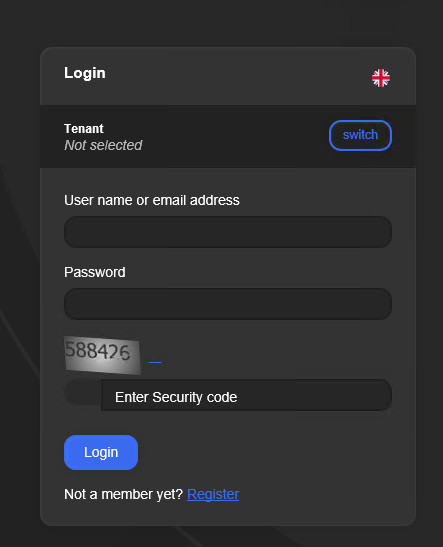
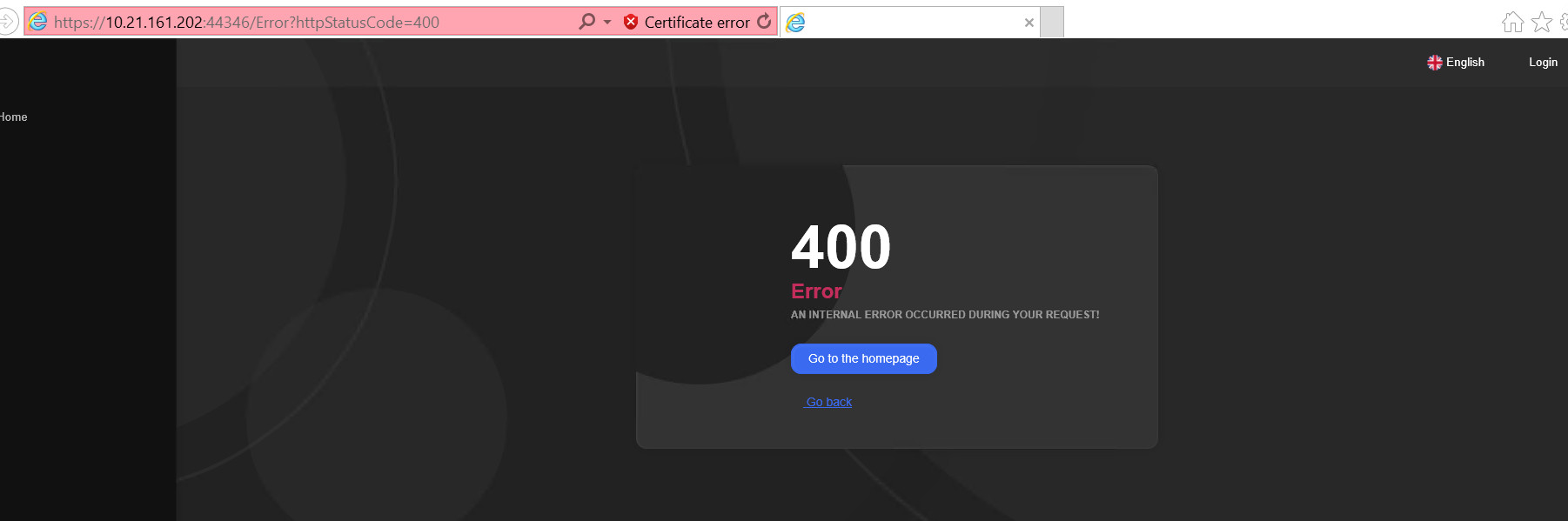
The following is the some logs:
=================================================================== System.InvalidOperationException: An invalid request URI was provided. Either the request URI must be an absolute URI or BaseAddress must be set. at System.Net.Http.HttpClient.PrepareRequestMessage(HttpRequestMessage request) at System.Net.Http.HttpClient.CheckRequestBeforeSend(HttpRequestMessage request) at System.Net.Http.HttpClient.SendAsync(HttpRequestMessage request, HttpCompletionOption completionOption, CancellationToken cancellationToken) at System.Net.Http.HttpClient.GetAsync(Uri requestUri) at HealthChecks.UI.Core.HostedService.HealthCheckReportCollector.GetHealthReport(HealthCheckConfiguration configuration) 2022-03-16 12:19:21.321 +03:00 [INF] Notification is sent on same window time. 2022-03-16 12:19:22.220 +03:00 [INF] > Minified /libs/devextreme/js/dx.all.js (4951064 bytes -> 4898570 bytes) 2022-03-16 12:19:22.253 +03:00 [INF] > Minified /libs/devextreme/js/dx.aspnet.mvc.js (8857 bytes -> 3525 bytes) 2022-03-16 12:19:22.258 +03:00 [INF] > Minified /libs/devextreme/js/dx.aspnet.data.js (13456 bytes -> 4550 bytes) 2022-03-16 12:19:22.287 +03:00 [INF] Bundled __bundles/Asiacell.Web.Bundling.DevExtremeScriptContributor.40C91FA5677011A0B991F380F3039C38.js (8175615 bytes) 2022-03-16 12:19:22.681 +03:00 [INF] Authorization failed. These requirements were not met: PermissionRequirement: SettingManagement.Emailing 2022-03-16 12:19:22.683 +03:00 [INF] Authorization failed. These requirements were not met: PermissionRequirement: AbpIdentity.SettingManagement 2022-03-16 12:19:22.689 +03:00 [INF] Authorization failed. These requirements were not met: PermissionRequirement: LeptonThemeManagement.Settings 2022-03-16 12:19:22.691 +03:00 [INF] Authorization failed. These requirements were not met: PermissionRequirement: AbpAccount.SettingManagement 2022-03-16 12:19:22.692 +03:00 [INF] Authorization failed. These requirements were not met:
......
2022-03-16 12:22:01.511 +03:00 [ERR] GetHealthReport threw an exception when trying to get report from /health-status configured with name Asiacell Health Status. System.InvalidOperationException: An invalid request URI was provided. Either the request URI must be an absolute URI or BaseAddress must be set. at System.Net.Http.HttpClient.PrepareRequestMessage(HttpRequestMessage request) at System.Net.Http.HttpClient.CheckRequestBeforeSend(HttpRequestMessage request) at System.Net.Http.HttpClient.SendAsync(HttpRequestMessage request, HttpCompletionOption completionOption, CancellationToken cancellationToken) at System.Net.Http.HttpClient.GetAsync(Uri requestUri) at HealthChecks.UI.Core.HostedService.HealthCheckReportCollector.GetHealthReport(HealthCheckConfiguration configuration)
2022-03-16 12:20:02.061 +03:00 [INF] Request starting HTTP/2 GET https://10.21.161.202:44346/__bundles/Asiacell.Web.Bundling.DevExtremeScriptContributor.40C91FA5677011A0B991F380F3039C38.js?_v=637830191622998915 - - 2022-03-16 12:20:02.061 +03:00 [INF] The file /__bundles/Asiacell.Web.Bundling.DevExtremeScriptContributor.40C91FA5677011A0B991F380F3039C38.js was not modified 2022-03-16 12:20:02.061 +03:00 [INF] Request finished HTTP/2 GET https://10.21.161.202:44346/__bundles/Asiacell.Web.Bundling.DevExtremeScriptContributor.40C91FA5677011A0B991F380F3039C38.js?_v=637830191622998915 - - - 304 - application/javascript 0.4689ms 2022-03-16 12:20:02.062 +03:00 [INF] Request starting HTTP/2 GET https://10.21.161.202:44346/__bundles/Lepton.Global.BF1167448374F84512EABF50AAAB3042.js?_v=637830191639694672 - - 2022-03-16 12:20:02.062 +03:00 [INF] The file /__bundles/Lepton.Global.BF1167448374F84512EABF50AAAB3042.js was not modified 2022-03-16 12:20:02.062 +03:00 [INF] Request finished HTTP/2 GET https://10.21.161.202:44346/__bundles/Lepton.Global.BF1167448374F84512EABF50AAAB3042.js?_v=637830191639694672 - - - 304 - application/javascript 0.4423ms
CopyToPublishDirectory
I follow you by adding in MyProject.Web.csproj and i rebuild my solution but i get the following errors:

Did you publish the
wwwrootdirectory? To restore thewwwrootdirectory usingabp install-libs
On my local laptop, i run abp install-libs and all required libraries are copied to MyProject.Web/wwwroot/libs. However abp libraries and some of other libraries are not copied to bin/Release/net6.0/publish/wwwroot/libs, after I published from Visual Studio Community 2022 (64-bit)
In this case, can i copy manually the folder libs and paste in bin/Release/net6.0/publish/wwwroot/libs ?









