Hi,
no, I'm not able to apply this as I'm not using ClientId and ClientSecret in my application anywhere
Are you sure about that? There should be clientId and clientSecret in your code, to define the OIDC client so you can login through your auth-server. Please search it through your application. (ClientId is typically probably is your application name, and clientSecret can be
1q2w3E*if you haven't changed it but, you should check your HttpApiHost project orDbMigratorproject's appsettings.json file)
we are using external login; can I use that ClientId and ClientSecret ?
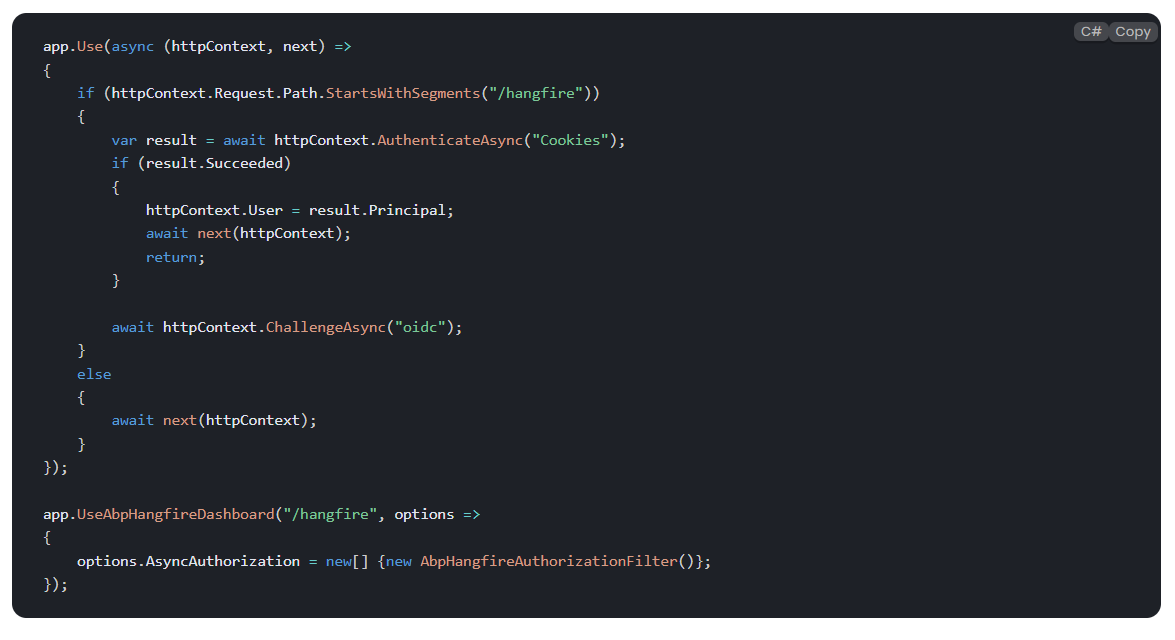
Hi, for dashboard authorization please refer to our documentation: https://abp.io/docs/latest/framework/infrastructure/background-jobs/hangfire#dashboard-authorization
Hi, can you confirm if I'll update hangfire code, it will be applicable for all background jobs added in application ?
Yes. When you integrate Hangfire, it replaces the default background job manager, and Hangfire’s own job manager will be used instead.
Hi, I referred document, I added permission, but it is not working, I'm getting 401 status code on accessing the dashboard even if permission is added, it is working in local but after deployment as my UI and backend is deployed on different server, I'm not able to access, what is the possible solution with this scenario?
Did you apply the all steps described at https://abp.io/docs/latest/framework/infrastructure/background-jobs/hangfire#dashboard-authorization-in-api-projects?
1-)
2-)
If you applied, can you share the error log?
no, I'm not able to apply this as I'm not using ClientId and ClientSecret in my application anywhere, but it is expecting these 2 properties, can I skip it? or can you help me to understand what is the use of these properties?
Hi, for dashboard authorization please refer to our documentation: https://abp.io/docs/latest/framework/infrastructure/background-jobs/hangfire#dashboard-authorization
Hi, can you confirm if I'll update hangfire code, it will be applicable for all background jobs added in application ?
Yes. When you integrate Hangfire, it replaces the default background job manager, and Hangfire’s own job manager will be used instead.
Hi, I referred document, I added permission, but it is not working, I'm getting 401 status code on accessing the dashboard even if permission is added, it is working in local but after deployment as my UI and backend is deployed on different server, I'm not able to access, what is the possible solution with this scenario?
Can you please confirm one more thing, using hangfire will execute multiple jobs at the same time as multithreading?
Yes, Hangfire can execute multiple jobs concurrently using background threads. It utilizes multithreading based on the number of worker threads configured in the Hangfire Server. By default, Hangfire can process several jobs in parallel depending on your server's capacity and configuration.
It is working when I'm using [Queue("default")], is it fine to use default queue ?
Yes, it's perfectly fine to use the "default" queue in Hangfire. In fact, if you don't specify a queue explicitly, Hangfire will automatically use the "default" queue for all background jobs.
But it should normally work with other queues, I'll investigate this.
Hi, can you confirm if I'll update hangfire code, it will be applicable for all background jobs added in application ?
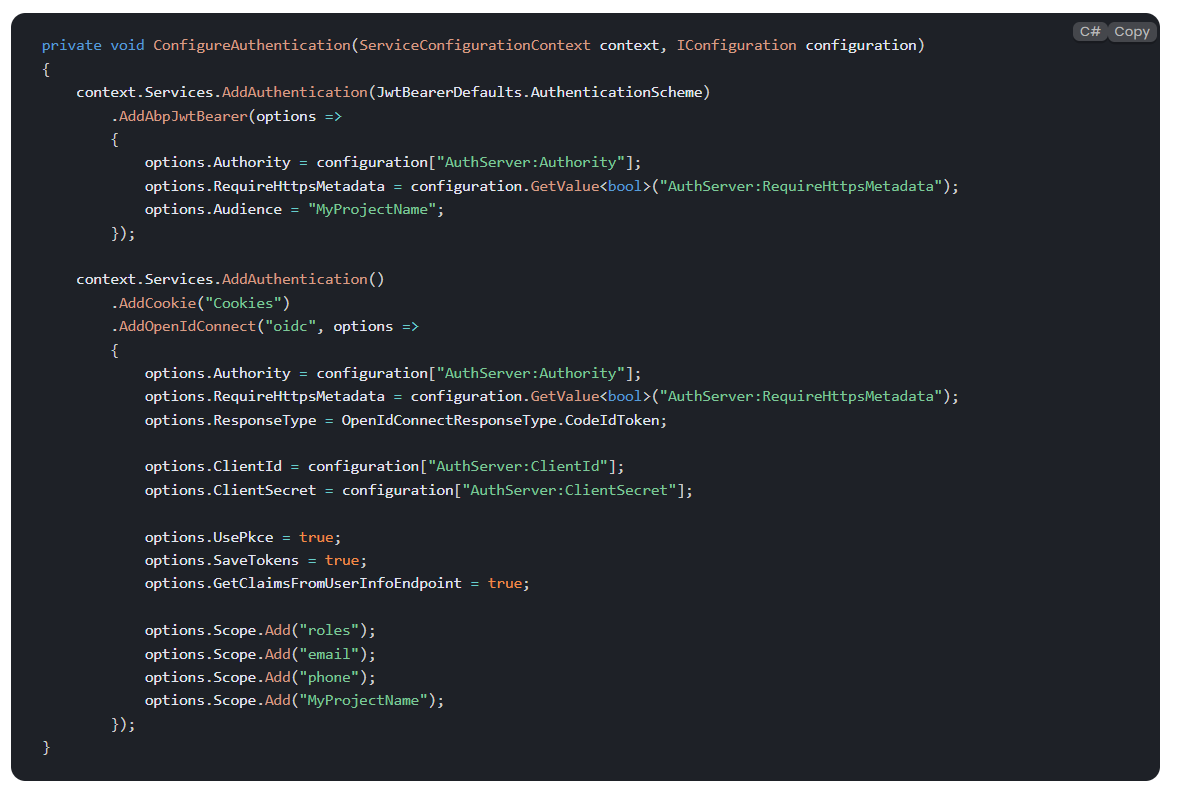
Also, for dashbaord I want to add below code
private void ConfigureAuthentication(ServiceConfigurationContext context, IConfiguration configuration) { context.Services.AddAuthentication(JwtBearerDefaults.AuthenticationScheme) .AddAbpJwtBearer(options => { options.Authority = configuration["AuthServer:Authority"]; options.RequireHttpsMetadata = configuration.GetValue<bool>("AuthServer:RequireHttpsMetadata"); options.Audience = "MyProjectName"; });
context.Services.AddAuthentication()
    .AddCookie("Cookies")
    .AddOpenIdConnect("oidc", options =>
    {
        options.Authority = configuration["AuthServer:Authority"];
        options.RequireHttpsMetadata = configuration.GetValue<bool>("AuthServer:RequireHttpsMetadata");
        options.ResponseType = OpenIdConnectResponseType.CodeIdToken;

        options.ClientId = configuration["AuthServer:ClientId"];
        options.ClientSecret = configuration["AuthServer:ClientSecret"];

        options.UsePkce = true;
        options.SaveTokens = true;
        options.GetClaimsFromUserInfoEndpoint = true;

        options.Scope.Add("roles");
        options.Scope.Add("email");
        options.Scope.Add("phone");
        options.Scope.Add("MyProjectName");
    });
}
can you please help me to understand what should be the ClientId and ClientSecret as in my existing setting I'm not using these 2 properties.
Can you please confirm one more thing, using hangfire will execute multiple jobs at the same time as multithreading?
I'm trying to implement hangfire but as soon as I put Queue attribute, my job is not executing,
pls help me to understand if any other step is required, I'm following https://abp.io/docs/latest/framework/infrastructure/background-jobs/hangfireHi, did you configure a storage for Hangfire as follows in your module class?:
      context.Services.AddHangfire(config =>
      {
          config.UseSqlServerStorage(configuration.GetConnectionString("Default"));
      });
Also, if you followed the Manual Installation process, then ensure your application has the related DependOn attribute with the hangfiremodule:
[DependsOn(typeof(AbpBackgroundJobsHangfireModule))]Yes, I have added
context.Services.AddHangfire(config => { config.UseSqlServerStorage(configuration.GetConnectionString("Default")); });also, I used API CLI for installation abp add-package Volo.Abp.BackgroundJobs.HangFire
It is working when I'm using [Queue("default")], is it fine to use default queue ?
I'm trying to implement hangfire but as soon as I put Queue attribute, my job is not executing,
pls help me to understand if any other step is required, I'm following https://abp.io/docs/latest/framework/infrastructure/background-jobs/hangfireHi, did you configure a storage for Hangfire as follows in your module class?:
context.Services.AddHangfire(config => { config.UseSqlServerStorage(configuration.GetConnectionString("Default")); });Also, if you followed the Manual Installation process, then ensure your application has the related DependOn attribute with the hangfiremodule:
[DependsOn(typeof(AbpBackgroundJobsHangfireModule))]
Yes, I have added
context.Services.AddHangfire(config =>
{
config.UseSqlServerStorage(configuration.GetConnectionString("Default"));
});

also, I used API CLI for installation
abp add-package Volo.Abp.BackgroundJobs.HangFire

Hi,
if I get 10 requests from users, so will it process 10 requests at the same time or it will process request picked by each server which means 2 requests at the same time.
This will depend entirely on your configuration. For example:
app.UseHangfireServer(new BackgroundJobServerOptions
{
    WorkerCount = 10 // or any number you need
});
You can configure the degree of parallelism manually like above. See more: https://docs.hangfire.io/en/latest/background-processing/configuring-degree-of-parallelism.html
When I'm processing the background job, I'm calling the external services, and I need to wait for the response to complete the request so with hangfire, will it also wait the existing request to complete, or it will start next request parallelly.
I am not an expert on Hangfire, but when I check their documentation, I see that you can add throttling or concurrency limiters. See: https://docs.hangfire.io/en/latest/background-processing/throttling.html
I'm trying to implement hangfire but as soon as I put Queue attribute, my job is not executing,
 pls help me to understand if any other step is required, I'm following https://abp.io/docs/latest/framework/infrastructure/background-jobs/hangfire
Hi,
Would you consider to use RabbitMQ or HangFire provider for background jobs? It is possible to process messages in parallel with them. See: https://github.com/abpframework/abp/issues/5217 and https://abp.io/docs/latest/framework/infrastructure/background-jobs/hangfire
Thank you, I'm considering hangfire but I want to understand how smooth will it be to switch from default ABP background job to hangfire, also how hangfire works? e.g. if I get 10 requests from users, so will it process 10 requests at the same time or it will process request picked by each server which means 2 requests at the same time. When I'm processing the background job, I'm calling the external services, and I need to wait for the response to complete the request so with hangfire, will it also wait the existing request to complete, or it will start next request parallelly.
protected override void HandlePropertiesBeforeSave() { var entries = ChangeTracker.Entries().ToList(); foreach (var entry in entries) { HandleExtraPropertiesOnSave(entry);
        if (entry.State.IsIn(EntityState.Modified, EntityState.Deleted))
        {
            UpdateConcurrencyStamp(entry);
        }
    }

    foreach (var entry in AbpEfCoreNavigationHelper.GetChangedEntityEntries().Where(x => x.State == EntityState.Unchanged))
    {
        UpdateConcurrencyStamp(entry);
    }
}
Hi, as it is override in dbcontext class, can you please confirm if it can impact the performance?