The same goes for Volo.Abp.LeptonXLiteTheme
abp get-source Volo.Abp.LeptonXLiteTheme --version 5.4.0 --output-folder /tmp/lite-check
[12:48:08 ERR] Downloading source code failed for: Volo.Abp.LeptonXLiteTheme
Volo.Abp.Studio.AbpStudioException: Exception of type
'Volo.Abp.Studio.AbpStudioException' was thrown.
at async Task Volo.Abp.Studio.Modules.Installing.SourceCodeDownloader.
DownloadSourceCodeAsync(string moduleName, string targetFolder, string
version, bool includeNightly)
at async Task Volo.Abp.Studio.Cli.Commands.StudioGetSourceCommand.ExecuteAsync
(CommandLineArgs commandLineArgs)
at async Task Volo.Abp.Studio.Cli.StudioCliService.RunInternalAsync(
CommandLineArgs commandLineArgs)
at async Task Volo.Abp.Studio.Cli.StudioCliService.RunAsync(string[] args)
Hi,
Thanks for the quick investigation and for the refund. I really appreciate your help. I'll wait for the fix.
Have a great day!
└─[$] abp get-source Volo.Abp.LeptonXTheme -v 5.4.0 [10:36:08 [10:37:07 INF] Downloading source code of Volo.Abp.LeptonXTheme (v5.4.0) [10:37:07 INF] Output folder: /Users/rex/Downloads/tmp [10:37:24 ERR] Downloading source code failed for: Volo.Abp.LeptonXTheme Volo.Abp.Studio.AbpStudioException: Exception of type 'Volo.Abp.Studio.AbpStudioException' was thrown. at async Task Volo.Abp.Studio.Modules.Installing.SourceCodeDownloader.
How can I correctly obtain the specific version I want?
└─[$] abp get-source Volo.Abp.LeptonXTheme.Pro -v 5.4.0 [11:13:23] [11:13:26 INF] Downloading source code of Volo.Abp.LeptonXTheme.Pro (v5.4.0) [11:13:26 INF] Output folder: /Users/rex/Downloads/tmp No module was found with this name! Here is the list of available modules:
Volo.Abp.Account.Pro Volo.Abp.AuditLogging.Pro Volo.Abp.Gdpr Volo.Abp.Identity.Pro Volo.Abp.LanguageManagement Volo.Abp.LeptonTheme Volo.Abp.LeptonXTheme Volo.Abp.LeptonXLiteTheme Volo.Abp.OpenIddict.Pro
abp version volo.abp.studio.cli 3.0.6 Volo.Abp.Studio.Cli
Let’s check it again ourselves to make sure.
Using ABP 8, here is the online URL: https://imm.koimpact.tw/
Ok
You can see the issue by referencing both themes in the same project: typeof(AbpAspNetCoreMvcUiLeptonThemeModule) typeof(AbpAspNetCoreMvcUiLeptonXThemeModule)

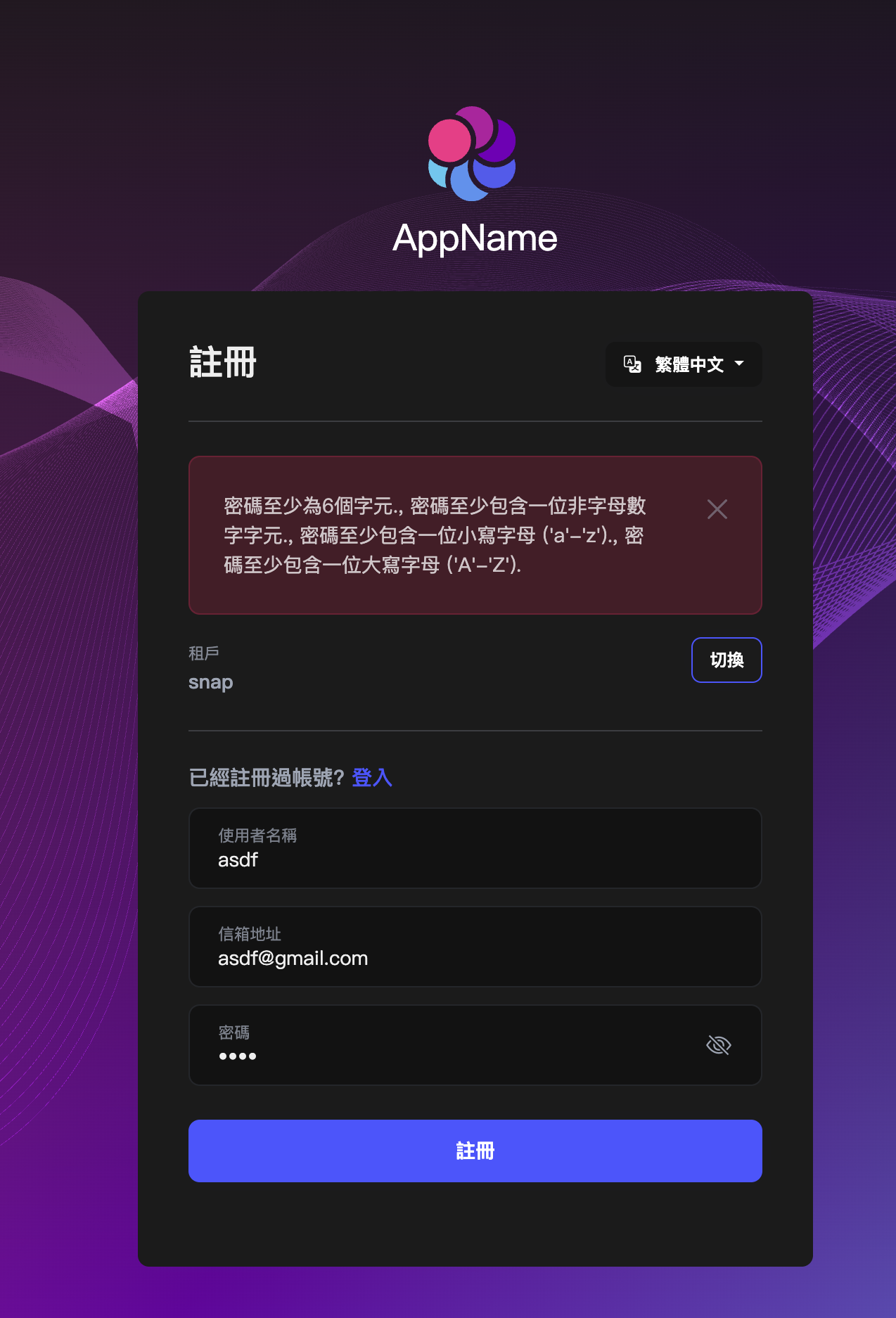
The issue is the same for both frontend and backend - we have not overridden Account/Register. Here are the online URLs: https://www.snapglobal.shop (Snap tenant) https://mulan.reni.com.tw (Please switch to the Snap tenant)









