Hello again, Thank you for reporting this problem It will be fixed by the next patch release. You can follow the process through these links:
You can use this component as a workaround until we release a fix.
import { StopPropagationDirective } from '@abp/ng.core';
import { ButtonComponent } from '@abp/ng.theme.shared';
import { NgClass } from '@angular/common';
import { Component, Renderer2 } from '@angular/core';

@Component({
  selector: 'app-my-button',
  template: `
    <button
      #button
      [id]="buttonId"
      [attr.type]="buttonType"
      [attr.form]="formName"
      [ngClass]="buttonClass"
      [disabled]="loading || disabled"
      (click.stop)="click.next($event); abpClick.next($event)"
      (focus)="focus.next($event); abpFocus.next($event)"
      (blur)="blur.next($event); abpBlur.next($event)"
    >
      <i [ngClass]="icon" class="me-1" aria-hidden="true"></i><ng-content></ng-content>
    </button>
  `,
  imports: [NgClass, StopPropagationDirective],
})
export class MyButton extends ButtonComponent {
  constructor(renderer: Renderer2) {
    super(renderer);
  }
}
I will also be processing a refund for this ticket. You can let us know if you need further assistance. Thank you for your cooperation.
If you are just extend the service, you can use this import instead:
const IdleSessionModalComponent = (
        await import("@volo/abp.ng.account/admin")
      ).IdleSessionModalComponent;
However, If you want to override the service by importing the source code, it will complain about this import. You can fix this by adding these relative paths to your tsconfig.json. You need to change the path according to your file structure:
"@volo/abp.ng.account": [
        "../modules/Volo.Abp.Account.Pro/angular/projects/account/src/public-api.ts"
      ],
      "@volo/abp.ng.account/admin": [
        "../modules/Volo.Abp.Account.Pro/angular/projects/account/admin/src/public-api.ts"
      ],
      "@volo/abp.ng.account/public": [
        "../modules/Volo.Abp.Account.Pro/angular/projects/account/public/src/public-api.ts"
      ],
      "@volo/abp.ng.account/admin/config": [
        "../modules/Volo.Abp.Account.Pro/angular/projects/account/admin/config/src/public-api.ts"
      ],
      "@volo/abp.ng.account/public/config": [
        "../modules/Volo.Abp.Account.Pro/angular/projects/account/public/config/src/public-api.ts"
      ],
      "@volo/abp.ng.account/public/proxy": [
        "../modules/Volo.Abp.Account.Pro/angular/projects/account/public/proxy/src/public-api.ts"
      ]
Hello,
If you are using the latest version of the source code, it is about the Angular version incompatibility. Since we updated the latest ABP version to Angular v20, the DOCUMENT import is changed from @angular/common library to @angular/core library.
Yes, I have used a module based application with the version you have provided.
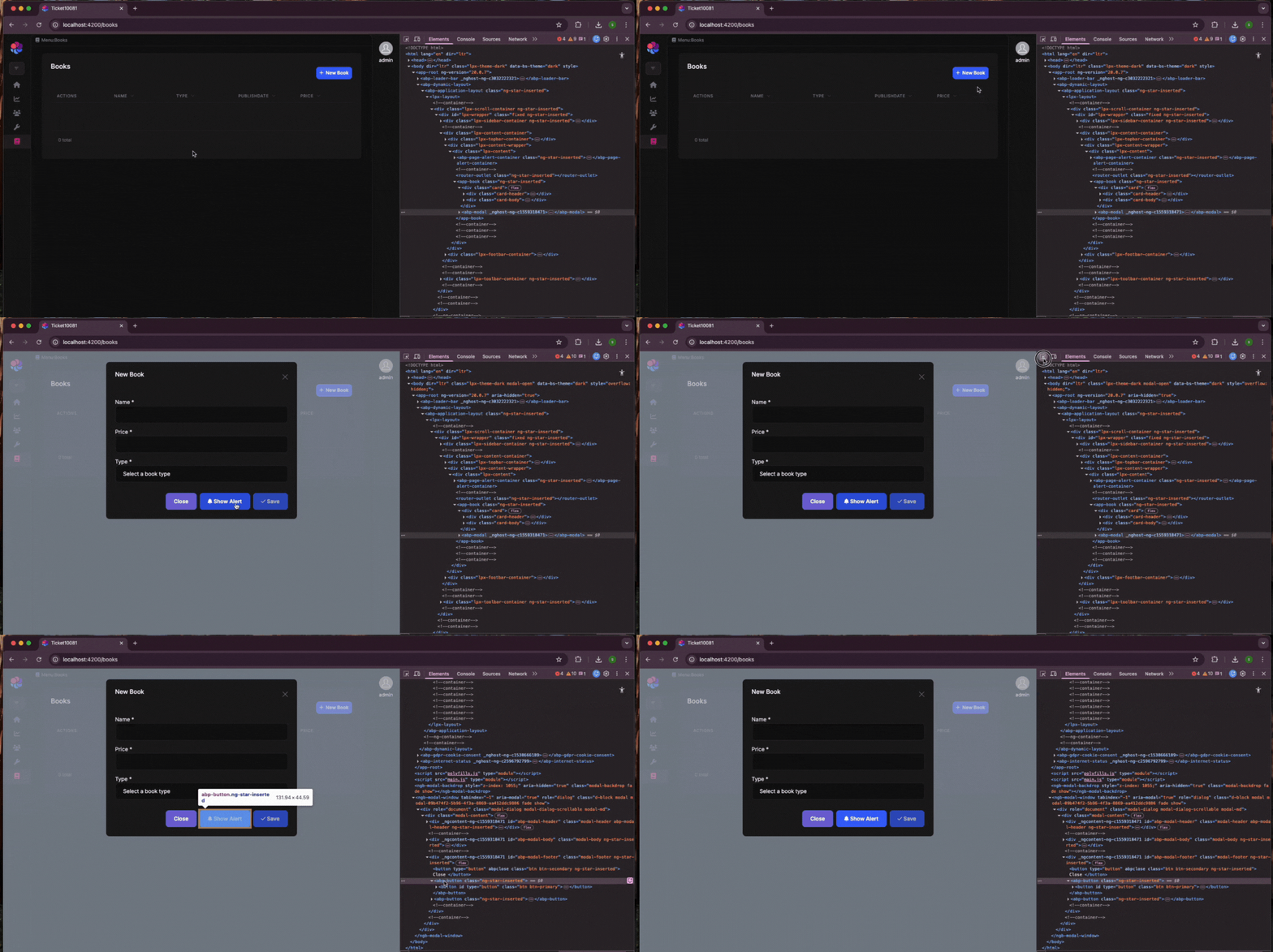
Could you also try using click instead of abpClick?
Hello, I have created a modal that has an abp-button element inside. However, I could not produce the same problem on my end. That would be the best if you could provide more details on your issue.
Hello, Thank you for your response. If you encounter any more problems regarding the standalone migration, you can check this article.
You can also let us know if you need further assistance. Thank you for your cooperation.
Hello,
This behavior is intentional. To clarify, the breadcrumb displays the hierarchy for the current page. It is not meant to navigate to the identity page when you are on users, as that page does not exist in our setup.
I recommend checking the related source code for the Lepton X Pro module, which you can find in the suite tool documentation here: https://abp.io/docs/latest/suite/source-code.
Below is a list of components you may want to review.
BreadcrumbServiceBreadcrumbRouteListenerServiceBreadcrumbComponentYou can let us know if you need further assistance. Thank you for your cooperation.
Hello again,
Thank you for responding. If you prefer, you can share a minimal, reproducible example and I can check your sample. Here is my e-mail address: sumeyye.kurtulus@volosoft.com.
Thank you again for explaining the problem. I was able to produce it on my end.
If you are using lepton theme and replace the account layout with the key below
    this.replaceableComponentsService.add({
      key: eThemeLeptonComponents.AccountLayout,
      component: AccountLayoutComponent,
    });
You may be missing an import in your AccountLayoutComponent for ThemeSharedModule .
—
If you are using the lepton-x theme and replace the same component using the key below:
    this.replaceableComponentsService.add({
      key: eThemeLeptonXComponents.AccountLayout,
      component: AccountLayoutComponent,
    });
You will also need to replace the TenantBox component like this:
    this.replaceableComponentsService.add({
      key: eAccountComponents.TenantBox,
      component: MyTenantBoxComponent,
    });
Here is how tenant box component should look like until we publish a fix for this switch problem
import { AsyncPipe } from '@angular/common';
import { Component, inject } from '@angular/core';
import { FormsModule } from '@angular/forms';
import { AutofocusDirective, LocalizationPipe } from '@abp/ng.core';
import { ButtonComponent, ModalCloseDirective, ModalComponent } from '@abp/ng.theme.shared';
import { TenantBoxService } from '@volo/abp.ng.account.core';
import { TenantBoxComponent } from '@volosoft/abp.ng.theme.lepton-x/account';

@Component({
  selector: 'my-tenant-box',
  template: `
    @if ((service.currentTenant$ | async) || {}; as currentTenant) {
    <hr />
    <div>
      <div class="tenant-switch-box">
        <div class="row">
          <div class="col pr-1 pb-2">
            <h6 class="m0">
              {{ 'AbpUiMultiTenancy::Tenant' | abpLocalization }}
            </h6>
            <i>{{ currentTenant.name || ('AbpUiMultiTenancy::NotSelected' | abpLocalization) }}</i>
          </div>

          <div class="col-auto pl-1">
            <a
              id="abp-tenant-switch-link"
              class="btn btn-sm btn-outline-primary float-end pointer"
              (click)="service.onSwitch()"
              href="javascript:void(0)"
            >
              {{ 'AbpUiMultiTenancy::Switch' | abpLocalization }}
            </a>
          </div>
        </div>
      </div>
    </div>
    <hr />

    <abp-modal [(visible)]="service.isModalVisible" [busy]="service.modalBusy" size="md">
      <ng-template #abpHeader>
        <h5>{{ 'AbpUiMultiTenancy::SwitchTenant' | abpLocalization }}</h5>
      </ng-template>
      <ng-template #abpBody>
        <form (ngSubmit)="service.save()">
          <div class="mt-2">
            <div class="form-group">
              <label for="name">{{ 'AbpUiMultiTenancy::Name' | abpLocalization }}</label>
              <input
                [(ngModel)]="service.name"
                type="text"
                id="name"
                name="tenant"
                class="form-control"
                autofocus
              />
            </div>
            <p>{{ 'AbpUiMultiTenancy::SwitchTenantHint' | abpLocalization }}</p>
          </div>
        </form>
      </ng-template>
      <ng-template #abpFooter>
        <button abpClose type="button" class="btn btn-outline-primary">
          {{ 'AbpAccount::Cancel' | abpLocalization }}
        </button>
        <abp-button
          type="abp-button"
          iconClass="fa fa-check"
          (click)="service.save()"
          [disabled]="currentTenant?.name === service.name"
        >
          {{ 'AbpAccount::Save' | abpLocalization }}
        </abp-button>
      </ng-template>
    </abp-modal>
    }
  `,
  imports: [
    ModalCloseDirective,
    ModalComponent,
    ButtonComponent,
    LocalizationPipe,
    AutofocusDirective,
    AsyncPipe,
    FormsModule,
  ],
  providers: [TenantBoxService],
})
export class MyTenantBoxComponent extends TenantBoxComponent {
  protected readonly service = inject(TenantBoxService);
}
You can let us know if you need further assistance. Thank you for your cooperation.
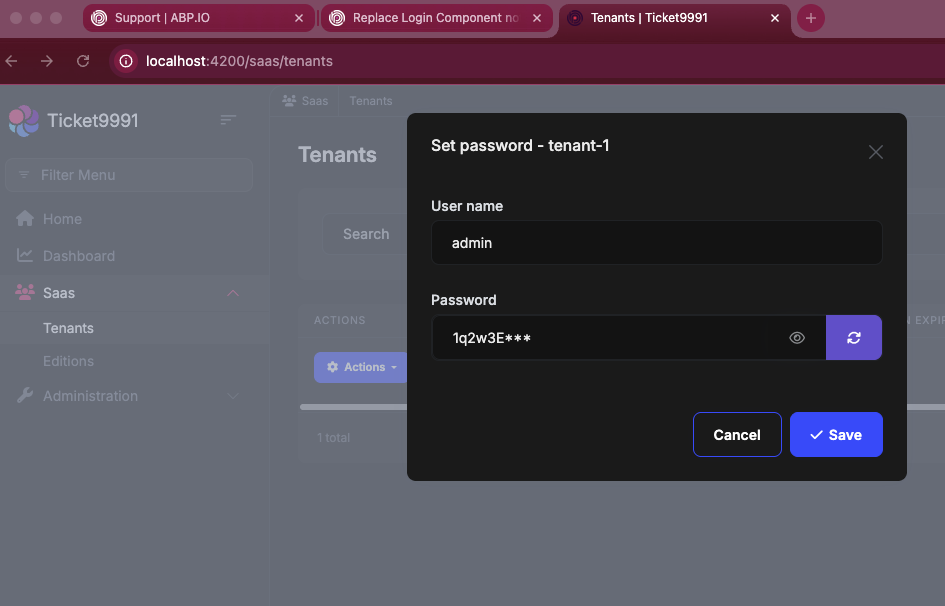
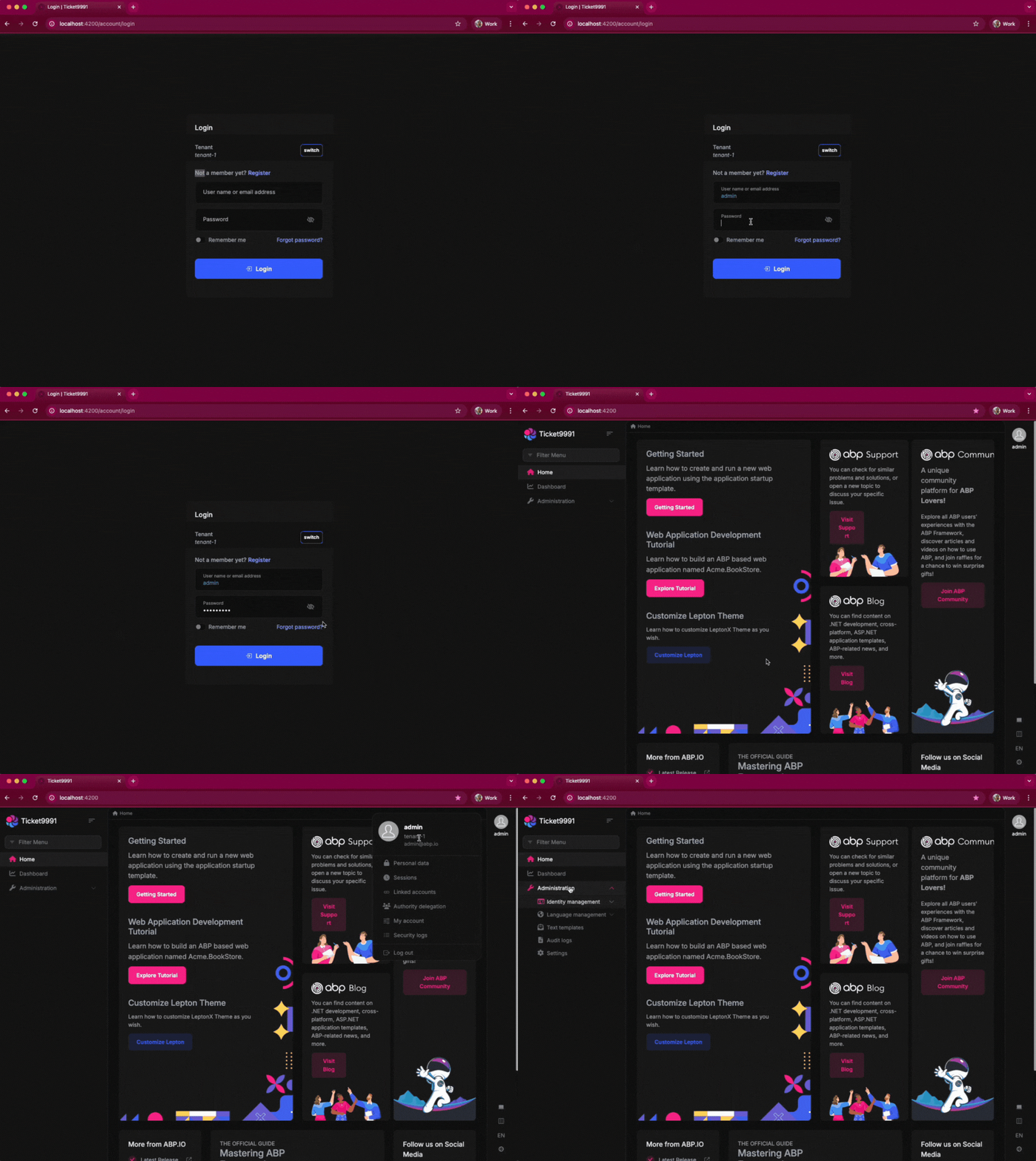
Thank you again for sharing these steps. If you have configured a different password for your tenant, you need to use the configured password while switching.
Here, I have set a password for tenant-1 as 1q2w3E*** and I use this while logging in as admin to the tenant-1 account.