






 ABP Contributor Program

Announcing .NET Aspire Integration for ABP Microservice Template
We are excited to announce the integration of Aspire into the ABP microservice solution, available starting with ABP Studio v2.0.0. This integration brings a unified development experience for building, running, debugging, and deploying distributed applications. With Aspire, you can now orchestrate your entire microservice ecosystem with a single command, eliminating complex configurations and making local development effortless.
What is Aspire?
Aspire is a cloud-ready stack designed to streamline the development of distributed applications. It provides:
- Orchestration: A code-first approach to defining and running distributed applications, managing dependencies, and launch order.
- Integrations: Pre-built components for common services (databases, caches, message brokers) with automatic configuration.
- Tooling: A developer dashboard for real-time monitoring of logs, traces, metrics, and resource health.
- Service Discovery: Automatic service-to-service communication without hardcoded endpoints.
- Observability: Built-in OpenTelemetry support for distributed tracing, metrics, and structured logging.
How Does It Work with ABP?
When you enable Aspire in an ABP microservice solution, you get a fully integrated development experience where:
- All microservices, gateways, and applications are orchestrated through a single entry point (AppHost).
- Infrastructure containers (databases, Redis, RabbitMQ, Elasticsearch, etc.) are managed as code.
- OpenTelemetry, health checks, and service discovery are automatically configured for all projects via the shared ServiceDefaults project.
Enabling Aspire in Your Solution
When creating a new microservice solution via ABP Studio:
- In the solution creation wizard, look for the "Aspire Integration" step.
- Toggle the option to enable Aspire.
- Complete the wizard—Aspire projects will be generated along with your solution.
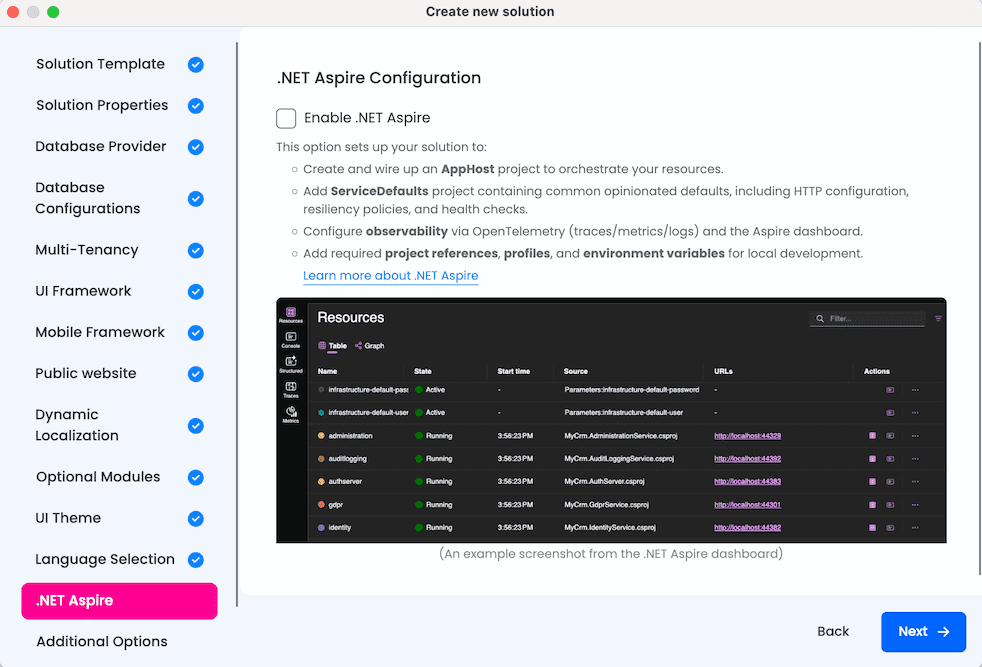
Solution Structure Changes
When Aspire is enabled, two additional projects are added to your solution:
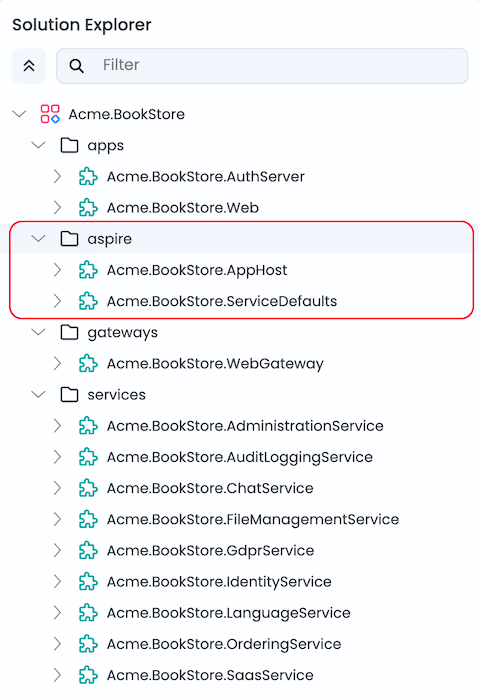
AppHost (Orchestrator)
AppHost is the Aspire orchestrator project that declares all resources (services, databases, containers, applications) and their dependencies in C# code. It provides:
- Centralized orchestration: Start your entire microservice ecosystem with a single command.
- Code-first infrastructure: Databases, Redis, RabbitMQ, Elasticsearch, and observability tools are defined programmatically.
- Dependency management: Services start in the correct order using
WaitFor()declarations. - Automatic configuration: Connection strings, endpoints, and environment variables are injected automatically.
ServiceDefaults
ServiceDefaults is a shared library that provides common cloud-native configuration for all projects in the solution. Every service uses the same observability, health check, and resilience patterns.
| Feature | Description |
|---|---|
| OpenTelemetry | Tracing, metrics, and structured logging with automatic instrumentation |
| Health Checks | /health and /alive endpoints for Kubernetes-style probes |
| Service Discovery | Automatic resolution of service endpoints |
| HTTP Resilience | Retry policies, timeouts, and circuit breakers for HTTP clients |
Running the Solution with Aspire
Running your microservice solution has never been easier:
- Open Solution Runner in ABP Studio.
- Select the Aspire profile.
- Run
AppHost.
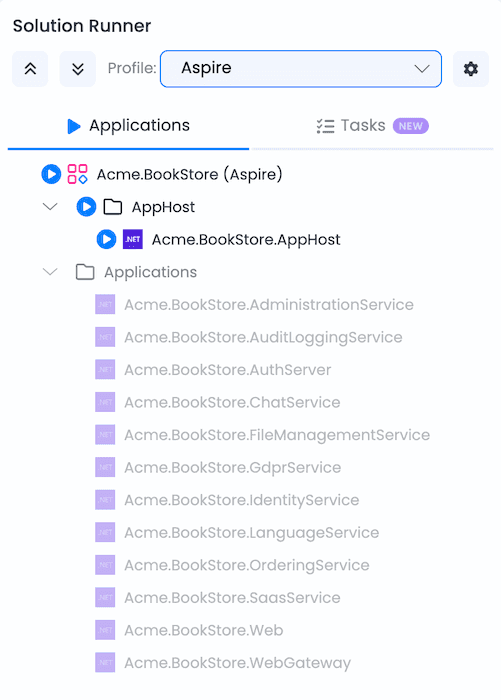
AppHost automatically:
- Starts all infrastructure containers (database, Redis, RabbitMQ, Elasticsearch, etc.).
- Launches all microservices, gateways, and applications in dependency order.
- Injects connection strings and environment variables.
- Opens the Aspire Dashboard for monitoring.
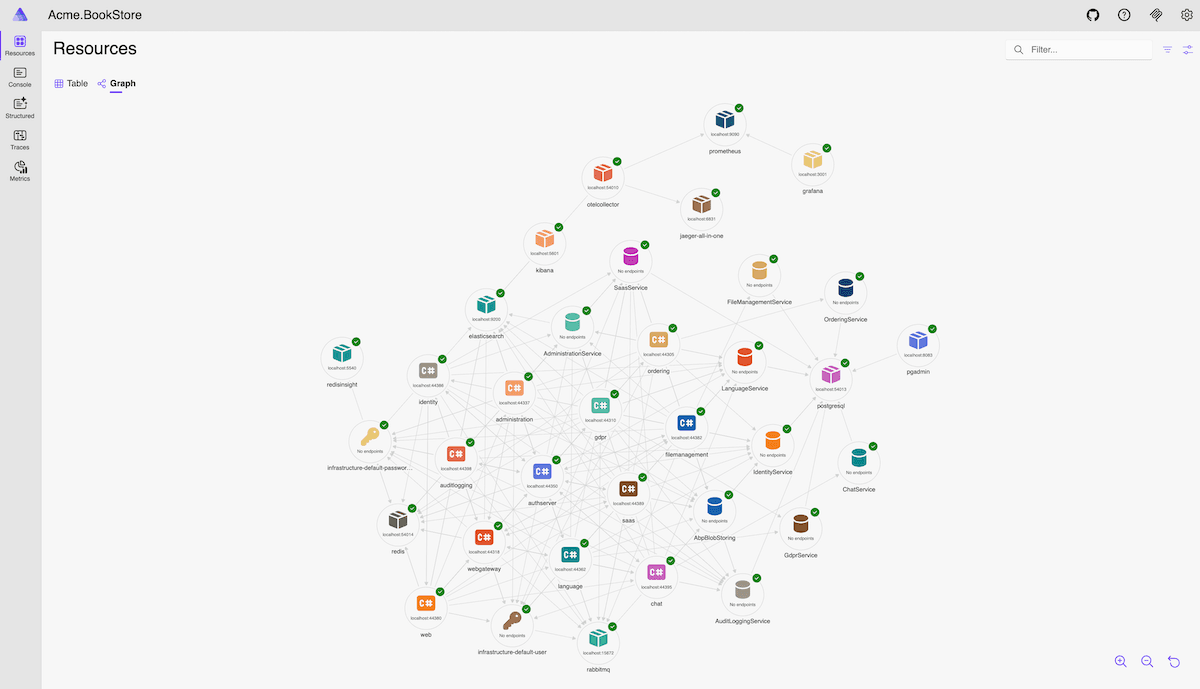
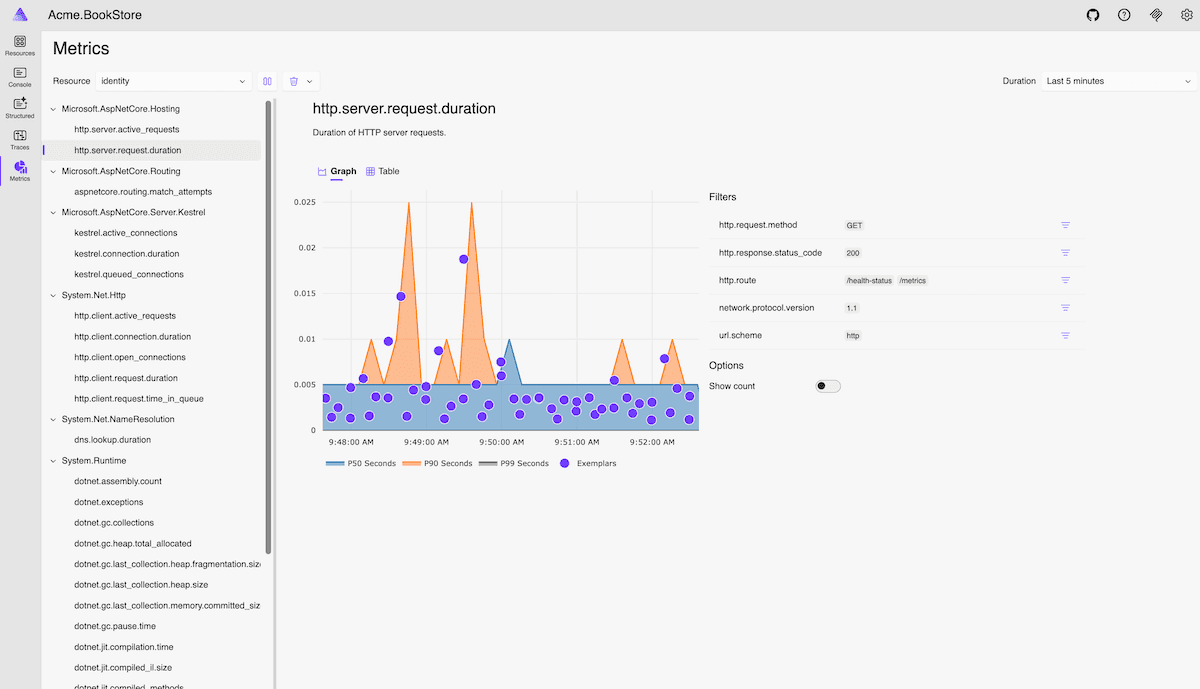
Aspire Dashboard
The Aspire Dashboard provides real-time tracking of your application's state. It enables you to monitor logs, traces, metrics, and environment configurations in an intuitive UI.
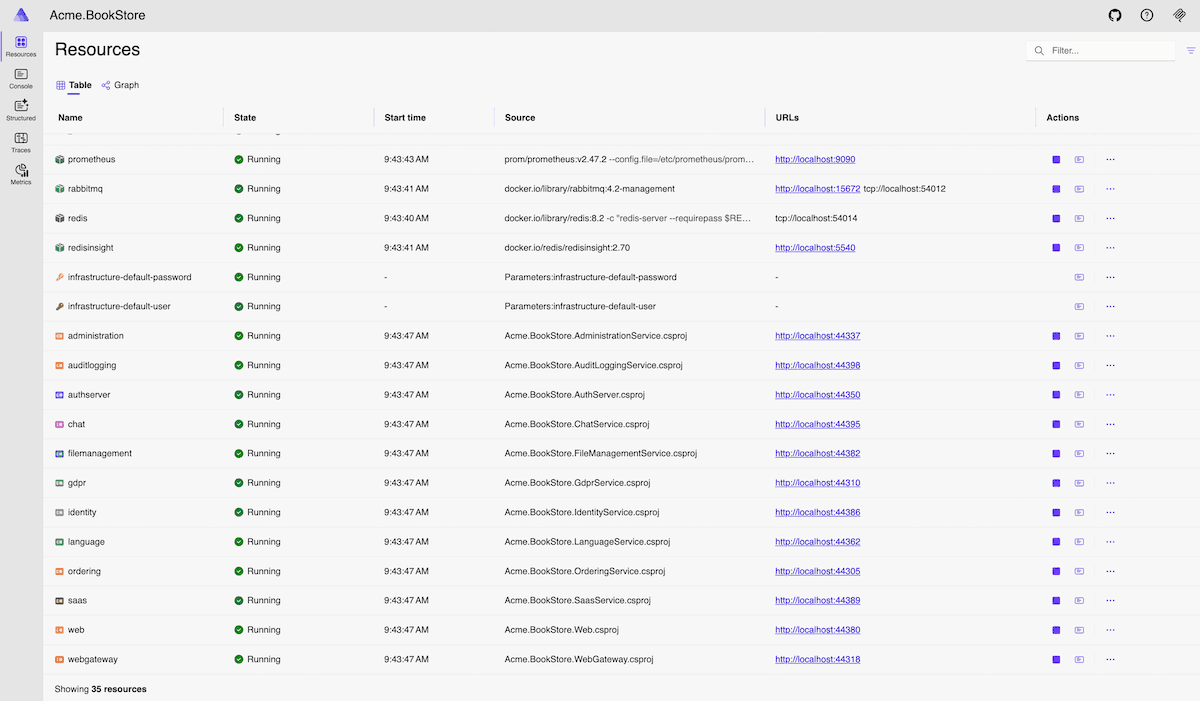
Key Dashboard Features
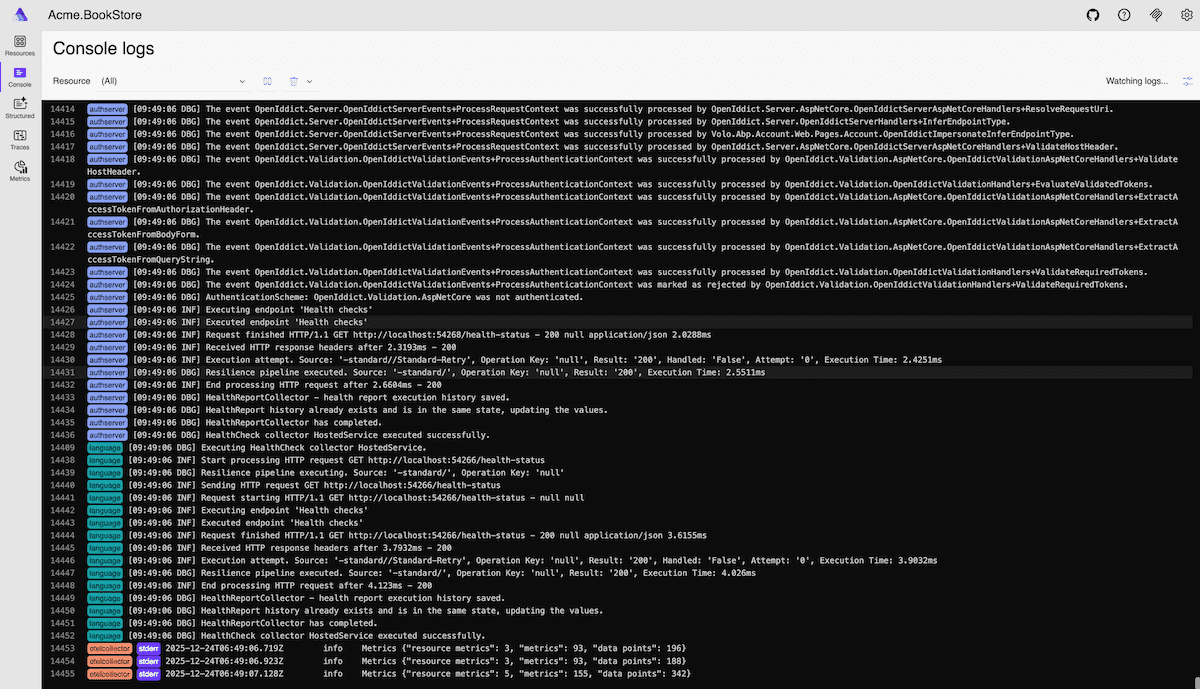
Console Logs
Display console logs from all resources in real-time. Filter by resource and log level to quickly find relevant information during development and debugging.
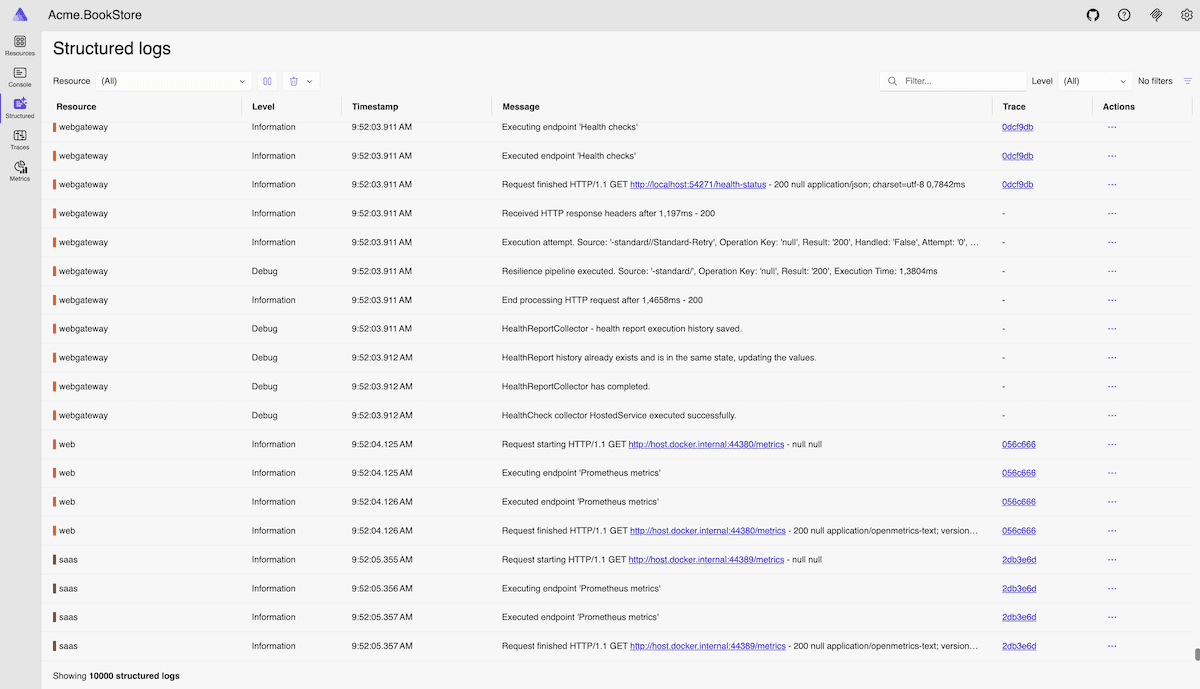
Structured Logs
View structured logs from all resources with advanced filtering capabilities. Search and filter logs by resource, log level, timestamp, and custom properties.
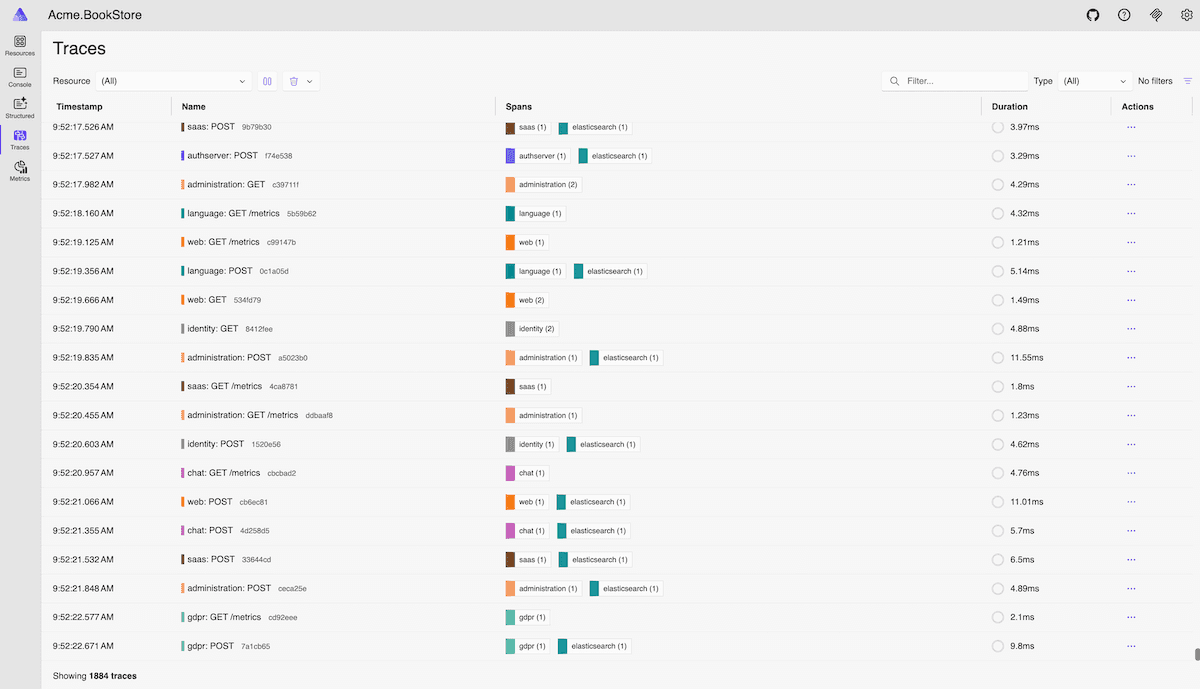
Distributed Traces
Explore distributed traces across your microservices to understand request flows and identify performance bottlenecks.
Metrics
Monitor real-time metrics including HTTP requests, response times, garbage collection, memory usage, and custom metrics.
Pre-Configured Observability Tools
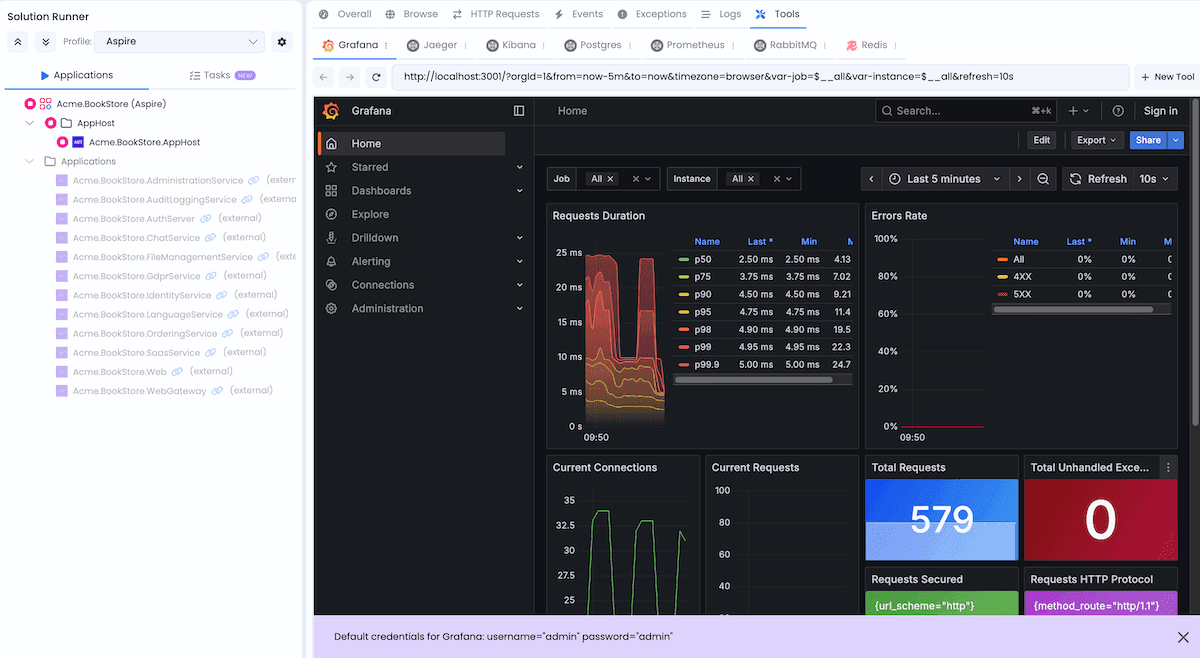
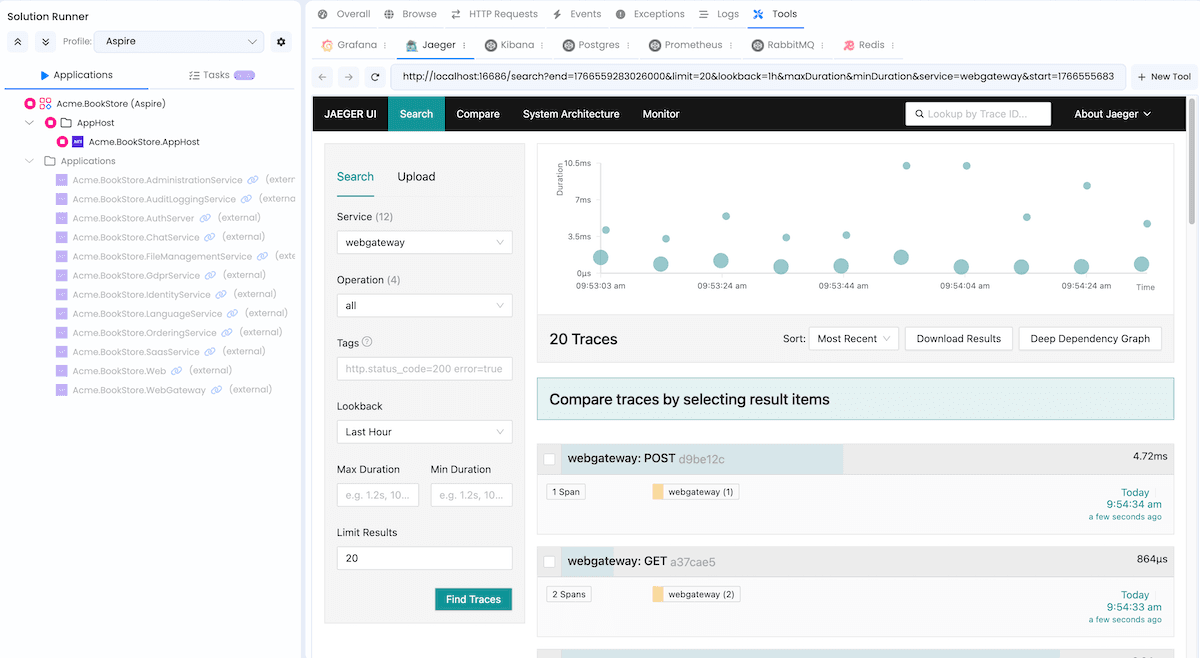
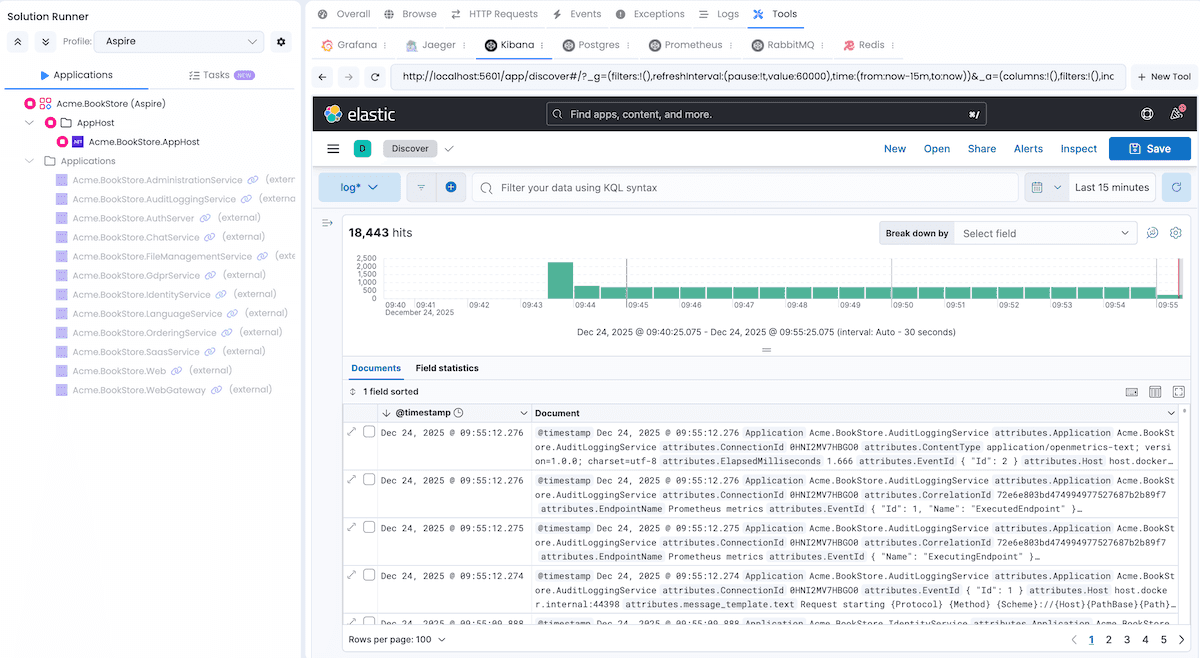
AppHost comes with pre-configured observability and management tools:
Grafana
Visualization and analytics platform for monitoring metrics with interactive dashboards.
Jaeger
Distributed tracing system to monitor and troubleshoot problems across microservices.
Kibana
Visualization tool for Elasticsearch data with search and data visualization capabilities for logs.
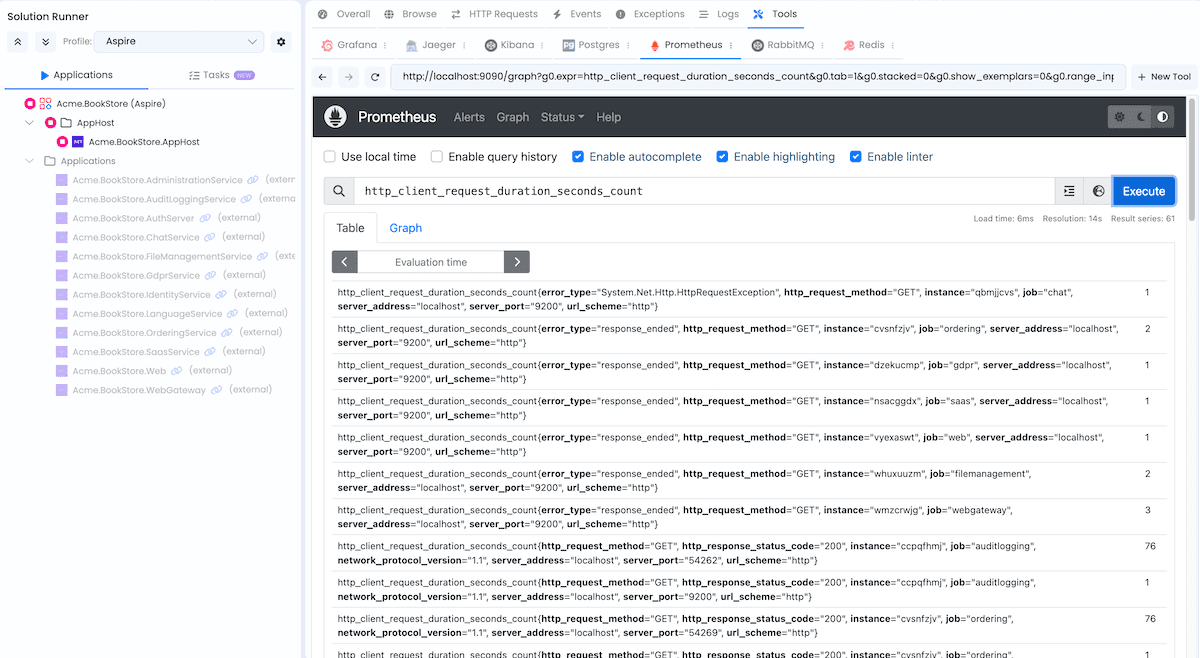
Prometheus
Monitoring and alerting toolkit that collects and stores metrics as time series data.
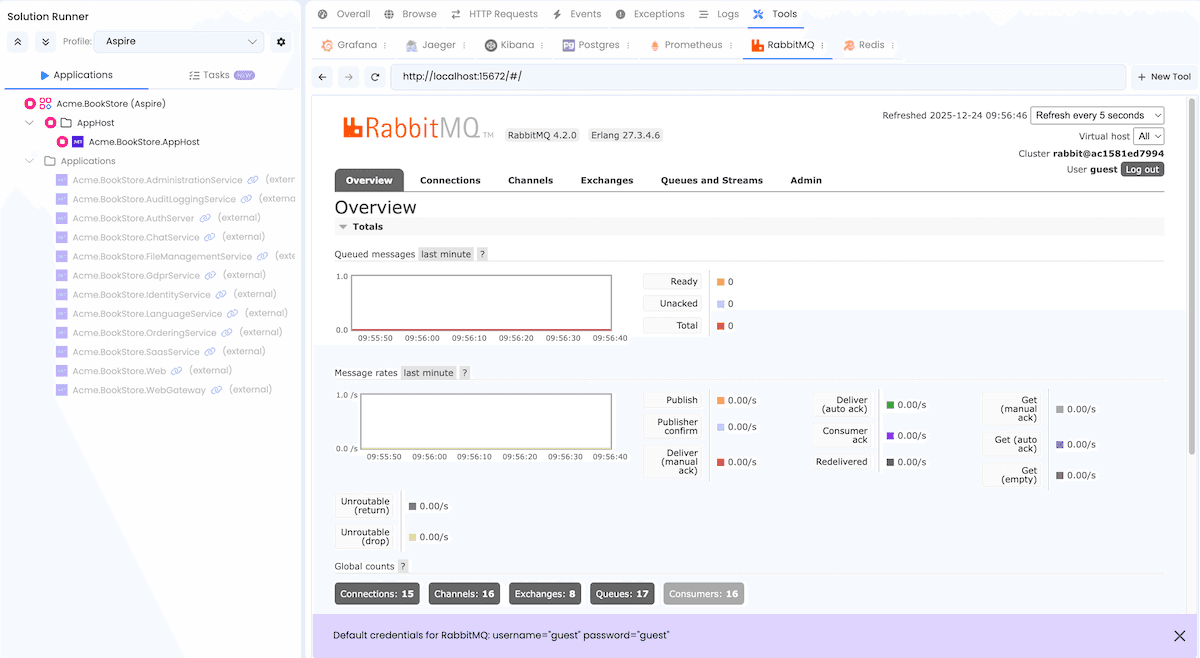
RabbitMQ Management
Web-based interface for managing and monitoring the RabbitMQ message broker.
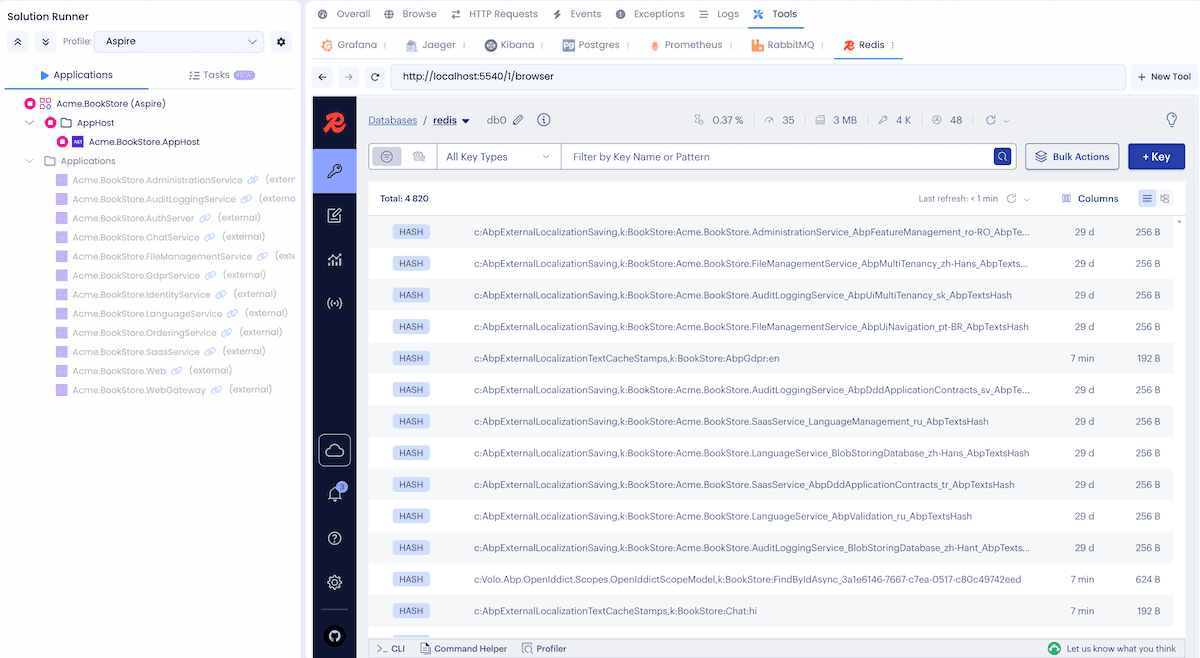
Redis Insight
Visual tool for Redis that allows you to browse data, run commands, and monitor performance.
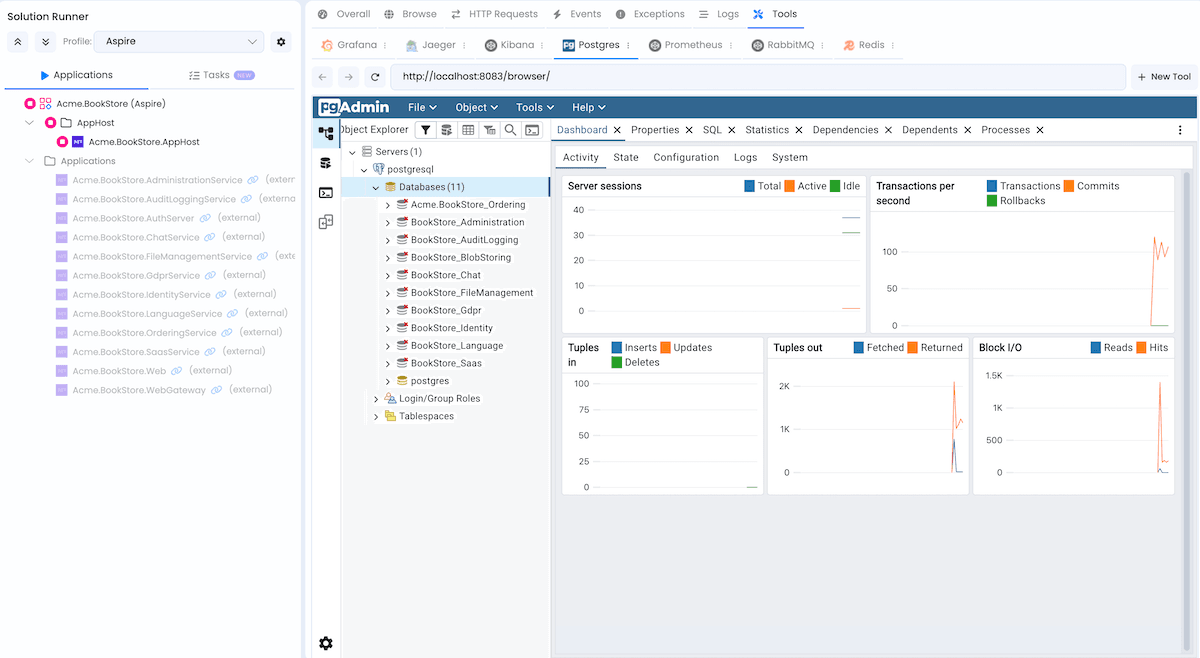
Database Admin Tools
The database management admin tool varies by database type:
| Database | Tool |
|---|---|
| SQL Server | DBeaver CloudBeaver |
| MySQL | phpMyAdmin |
| PostgreSQL | pgAdmin |
| MongoDB | Mongo Express |
Get Started Today
Ready to experience the power of Aspire with ABP? Create a new microservice solution in ABP Studio and enable the Aspire integration option. For detailed documentation, visit our Aspire Integration documentation.
To learn more about Aspire, visit: https://aspire.dev
We are excited to bring this integration to you and can't wait to hear your feedback. If you have any questions or suggestions, please drop a comment below.
Happy coding!
The Volosoft Team
Comments
No one has commented yet, be the first to comment!