Hey,
Yes, I can create new folders. And if I do it in a new folder (e.g. C:\temp\tee), it still does not work.
[13:13:34 INF] Downloading source code of Volo.Abp.LeptonXTheme (v3.3.4)
[13:13:34 INF] Output folder: ...
[13:13:35 ERR] Downloading source code failed for: Volo.Abp.LeptonXTheme
Volo.Abp.Studio.AbpStudioException: Exception of type 'Volo.Abp.Studio.AbpStudioException' was thrown.
at async Task Volo.Abp.Studio.Modules.Installing.SourceCodeDownloader.DownloadSourceCodeAsync(string moduleName,
string targetFolder, string version, bool includeNightly) in
D:\ci\Jenkins\workspace\abp-studio-release\abp-studio\src\Volo.Abp.Studio.Domain\Volo\Abp\Studio\Modules\Installing
\SourceCodeDownloader.cs:55
at async Task Volo.Abp.Studio.Cli.Commands.StudioGetSourceCommand.ExecuteAsync(CommandLineArgs commandLineArgs) in
D:\ci\Jenkins\workspace\abp-studio-release\abp-studio\src\Volo.Abp.Studio.Cli.Core\Commands
StudioGetSourceCommand.cs:66
at async Task Volo.Abp.Studio.Cli.StudioCliService.RunInternalAsync(CommandLineArgs commandLineArgs) in
D:\ci\Jenkins\workspace\abp-studio-release\abp-studio\src\Volo.Abp.Studio.Cli.Core\StudioCliService.cs:325
at async Task Volo.Abp.Studio.Cli.StudioCliService.RunAsync(string[] args) in
D:\ci\Jenkins\workspace\abp-studio-release\abp-studio\src\Volo.Abp.Studio.Cli.Core\StudioCliService.cs:104
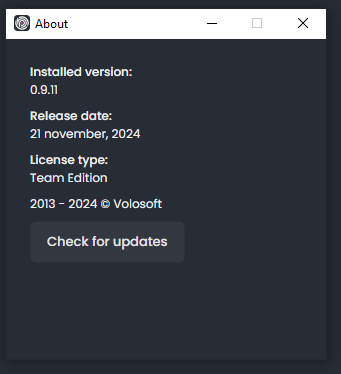
I am on the latest version.

For an upgrade comparison, I need versions 8.3.4 and 8.1.0.
My mail address is: merijngeurts@frontis.nl
Suggestion: Maybe it helps if the message of AbpStudioException gets printed or logged, in the future?
Thanks in advance,
already tried that. and also: .NET 8 gives the same error.
>dotnet --version
9.0.100
yes, I am logged in. I also tried to logout and login, to be sure.
already tried that. I also tried to clear the nuget cache, no effect.
dotnet tool install -g Volo.Abp.Studio.Cli You can invoke the tool using the following command: abp Tool 'volo.abp.studio.cli' (version '0.9.11') was successfully installed. x>abp get-source Volo.Abp.LeptonXThemeabp get-source Volo.Abp.LeptonXTheme [12:24:28 INF] You are running the second generation of the ABP CLI. If you're interested in the legacy CLI, see https://abp.io/new-cli [12:24:28 WRN] Volo.Abp.Studio.Extensions.StandardSolutionTemplates extension not found in the NuGet cache. Directory: x [12:24:28 INF] Volo.Abp.Studio.Extensions.StandardSolutionTemplates (v: 0.9.11) extension trying install from the NuGet
🕖 Checking extensions... 🧩 Extensions downloaded: Volo.Abp.Studio.Extensions.StandardSolutionTemplatesolutionTemplates (v: 0.9.11) package downlo🚲 The CLI is restarting to apply the changes with arguments: get-source Volo.Abp.LeptonXTheme
x>[12:24:52 INF] You are running the second generation of the ABP CLI. If you're interested in the legacy CLI, see https://abp.io/new-cli [12:24:52 INF] Downloading source code of Volo.Abp.LeptonXTheme (Latest) [12:24:52 INF] Output folder: x [12:24:54 ERR] Downloading source code failed for: Volo.Abp.LeptonXTheme Volo.Abp.Studio.AbpStudioException: Exception of type 'Volo.Abp.Studio.AbpStudioException' was thrown. at async Task Volo.Abp.Studio.Modules.Installing.SourceCodeDownloader.DownloadSourceCodeAsync(string moduleName, string targetFolder, string version, bool includeNightly) at async Task Volo.Abp.Studio.Cli.Commands.StudioGetSourceCommand.ExecuteAsync(CommandLineArgs commandLineArgs) at async Task Volo.Abp.Studio.Cli.StudioCliService.RunInternalAsync(CommandLineArgs commandLineArgs) at async Task Volo.Abp.Studio.Cli.StudioCliService.RunAsync(string[] args)









