ABP Commercial 7.4.2 / Blazor Server / EF / Non tiered / Separate Host and Tenant DBs / Lepton Theme
Hi,
How can I get the password complexity requirements setup in ABP Settings for use in JS on the front-end Registration page?
Is there a Service that can be injected for use in the Registration page?
I tried the following, but it returns the default password settings from MS instead of the values set in the ABP Settings page.
private readonly IdentityOptions _identityOptions;

public nVisionRegisterModel(IOptions<IdentityOptions> identityOptions) : base ()
{
    _identityOptions = identityOptions.Value;

}
Thanks in advance!
Thank you for the confirmation on this @liangshiwei
ABP Commercial 7.4.2 / Blazor Server / EF / Non tiered / Separate Host and Tenant DBs / Lepton Theme
Hi
After an upgrade from 7.2.1 to 7.4.2, we noticed a new column 'User Count' in role administration.
The count seems to include users that have been soft deleted which we believe is misleading to users.
Please advise.
Regards, Brian
Excellent, that worked.
Thanks @mailiming !
ABP Commercial 7.4.2 / Blazor Server / EF / Non tiered / Separate Host and Tenant DBs / Lepton Theme
Hi,
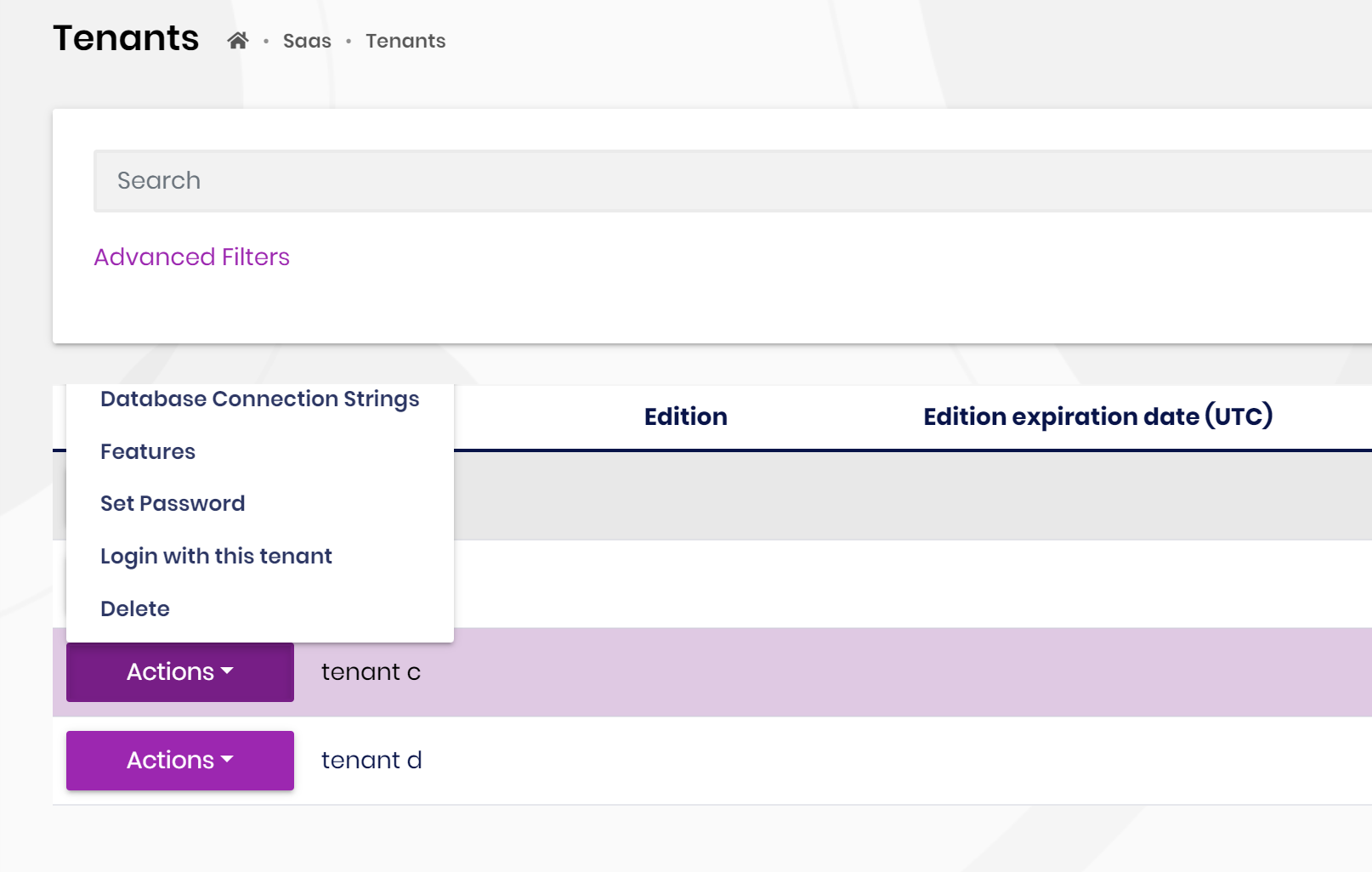
Depending on the number of items in a grid and the number of items in an action menu drop down, the action menu drop down items can be cut-off and not visible. See below for an example in the tenant management grid where the 'edit' action is not visible outside the grid's border.
Any suggestions or work arounds to always make sure that all action items are shown?
Ok, thank you for confirming.
This may be the limitation of Blazor server.
Hi, for the Lepton Theme (not LeptonX), isn't the side menu loaded using MVC and not Blazor Server? From what I understand, the Blazor Server application is actually a hybrid MVC/Blazor Server app.
Thanks...
A follow up question....
In the authenticator app, the application is identified using the .NET project name <company>.<app>.Blazor, How can we customize the application name registered with the user's authenticator app?
Thanks @maliming!
I forgot about install-libs, that worked :-)
Hi @mailiming,
{
  "version": "1.0.0",
  "name": "my-app",
  "private": true,
  "dependencies": {
    "@volo/abp.aspnetcore.mvc.ui.theme.lepton": "~7.4.2",
    "@volo/abp.aspnetcore.components.server.leptontheme": "~7.4.2",
    "@volo/cms-kit-pro.admin": "~7.4.2",
    "@volo/account": "~7.4.2"
  }
}









