5.0.0-rc2 highlight of menu item with NavigationManager.NavigateTo()
Those highlights menu item: /page /page?id=12345 /page?12345
This doesn't work: /page/12345
We generally solved the active menu item problem. But for now, it will not work on the following patterns:
/users/{id}
/catalog/dresses/{CATALOG_ID}
https://support.abp.io/QA/Questions/2209#answer-2ff13a81-fdaf-5f46-f0da-3a00b902c975
I could not reproduce this problem. Here are my steps:
1.abp new BzTestApp -csf -d mongodb --preview -u blazor
2. I run BzTestApp.DbMigrator
3. I run abp suite command then create the Author entity and Book entity. Also, the Author entity has a Navigation property to the Book entity. I configured the navigation property as Required marked and UI pick type set to typehead.
Here are the configuration files of my entities created by Suite:
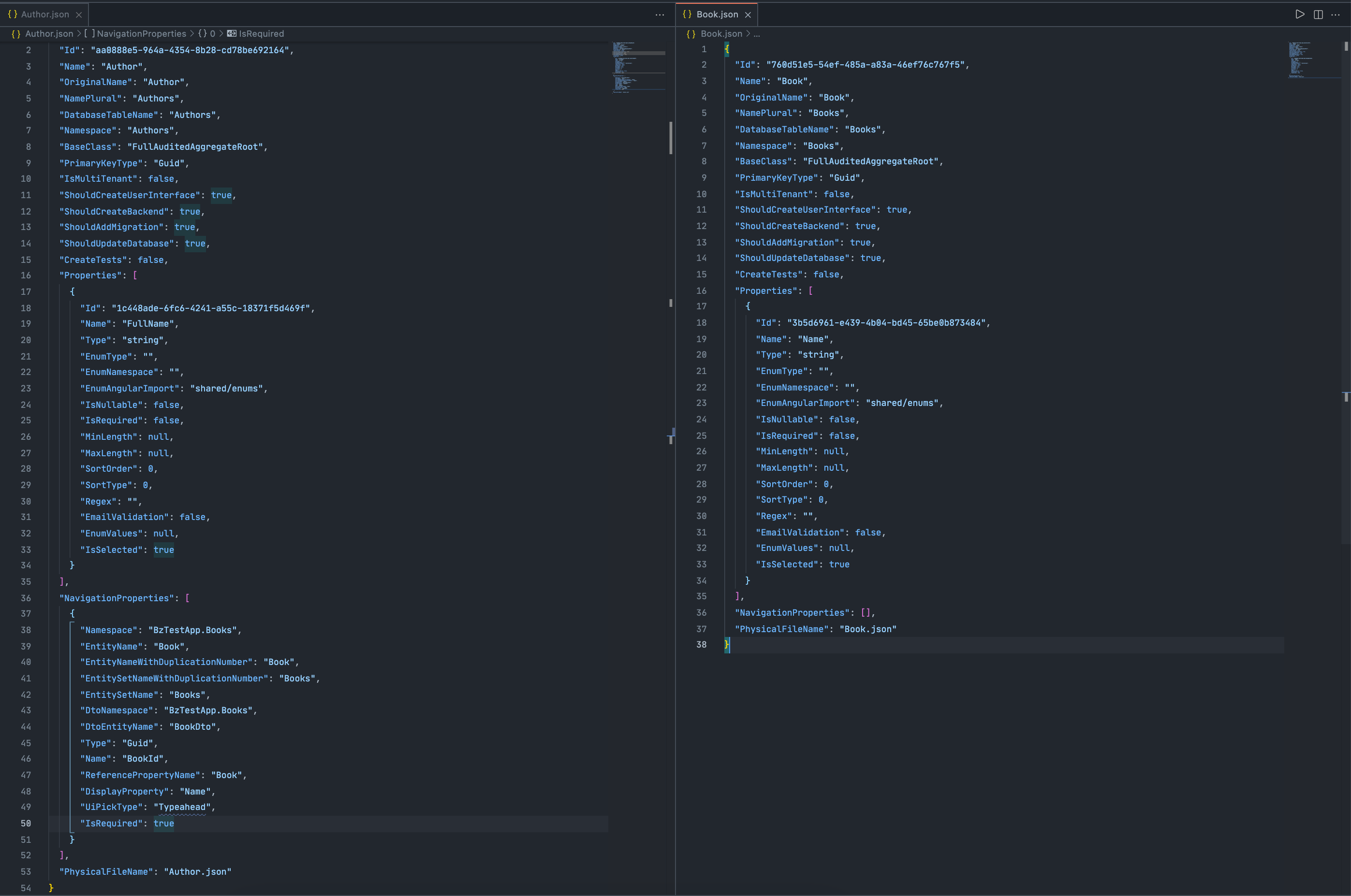
Then I run the app.
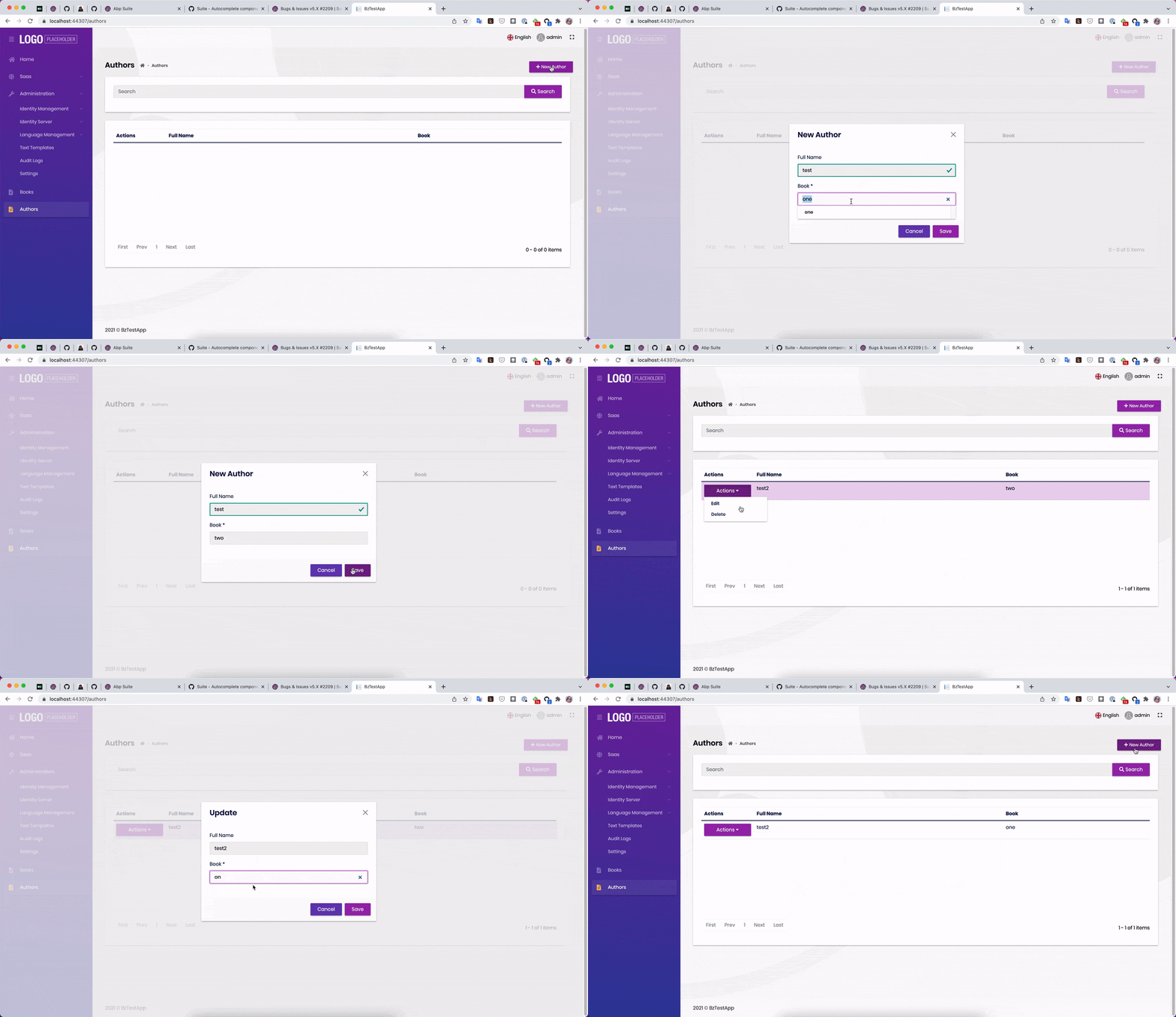
PS: Both Suite and the app I created have version v5.0.0-rc.2
I'm trying to understand your use case, will back-office application pages require a specific role but not end-points, aren't they?
If so, a code like the one below might work for you:
options.Conventions.AuthorizeFolder("/YourFolderName", MyProjectNamePermissions.Backoffice.Default);
I would like to share a little more information on the subject 😊
ABP extends ASP.NET Core Authorization by adding permissions as auto policies and allowing the authorization system to be usable in the application services too. Therefore, you can refer to these documents on the subject 👇👇
No problem, you can always download EasyCrm 😊
Please check the link below 👇👇 https://docs.abp.io/en/commercial/latest/samples/easy-crm
Sorry for the misunderstanding, my mistake, I should have looked into your comments further.
We do not currently intend to support older versions of Oracle. However, this does not mean that your question does not have a solution. I leave a sample code below.
MvcOracleProjectDbContext.cs
        protected override void OnModelCreating(ModelBuilder builder)
        {
            base.OnModelCreating(builder);

            /* Include modules to your migration db context */

            builder.ConfigurePermissionManagement();
            builder.ConfigureSettingManagement();
            builder.ConfigureBackgroundJobs();
            builder.ConfigureAuditLogging();
            builder.ConfigureIdentityPro();
            builder.ConfigureIdentityServer();
            builder.ConfigureFeatureManagement();
            builder.ConfigureLanguageManagement();
            builder.ConfigurePayment();
            builder.ConfigureSaas();
            builder.ConfigureTextTemplateManagement();
            builder.ConfigureBlobStoring();

            builder.Entity<ClientRedirectUri>(redirectUri =>
            {
                redirectUri.ToTable(AbpIdentityServerDbProperties.DbTablePrefix + "ClientRedirectUris", AbpIdentityServerDbProperties.DbSchema);

                redirectUri.HasKey(x => new { x.ClientId, x.RedirectUri });

                redirectUri.Property(x => x.RedirectUri).HasMaxLength(20).IsRequired(); // Updated line
            });
        }
As you can see from the code, I set the HasMaxLength of a property in the existing ABP table to 20.
Then I created a new migration, you can see the result below:
        protected override void Up(MigrationBuilder migrationBuilder)
        {
            migrationBuilder.AlterColumn<string>(
                name: "RedirectUri",
                table: "IdentityServerClientRedirectUris",
                type: "NVARCHAR2(20)",
                maxLength: 20,
                nullable: false,
                oldClrType: typeof(string),
                oldType: "NVARCHAR2(2000)",
                oldMaxLength: 2000);
        }

        protected override void Down(MigrationBuilder migrationBuilder)
        {
            migrationBuilder.AlterColumn<string>(
                name: "RedirectUri",
                table: "IdentityServerClientRedirectUris",
                type: "NVARCHAR2(2000)",
                maxLength: 2000,
                nullable: false,
                oldClrType: typeof(string),
                oldType: "NVARCHAR2(20)",
                oldMaxLength: 20);
        }
You are free to change the name of the table, column name, or anything like this.
Hi 👋,
Do you have EasyCrm source code?
If you have EasyCrm source code, you can examine the codes of the Account and Contact pages for Blazor UI.
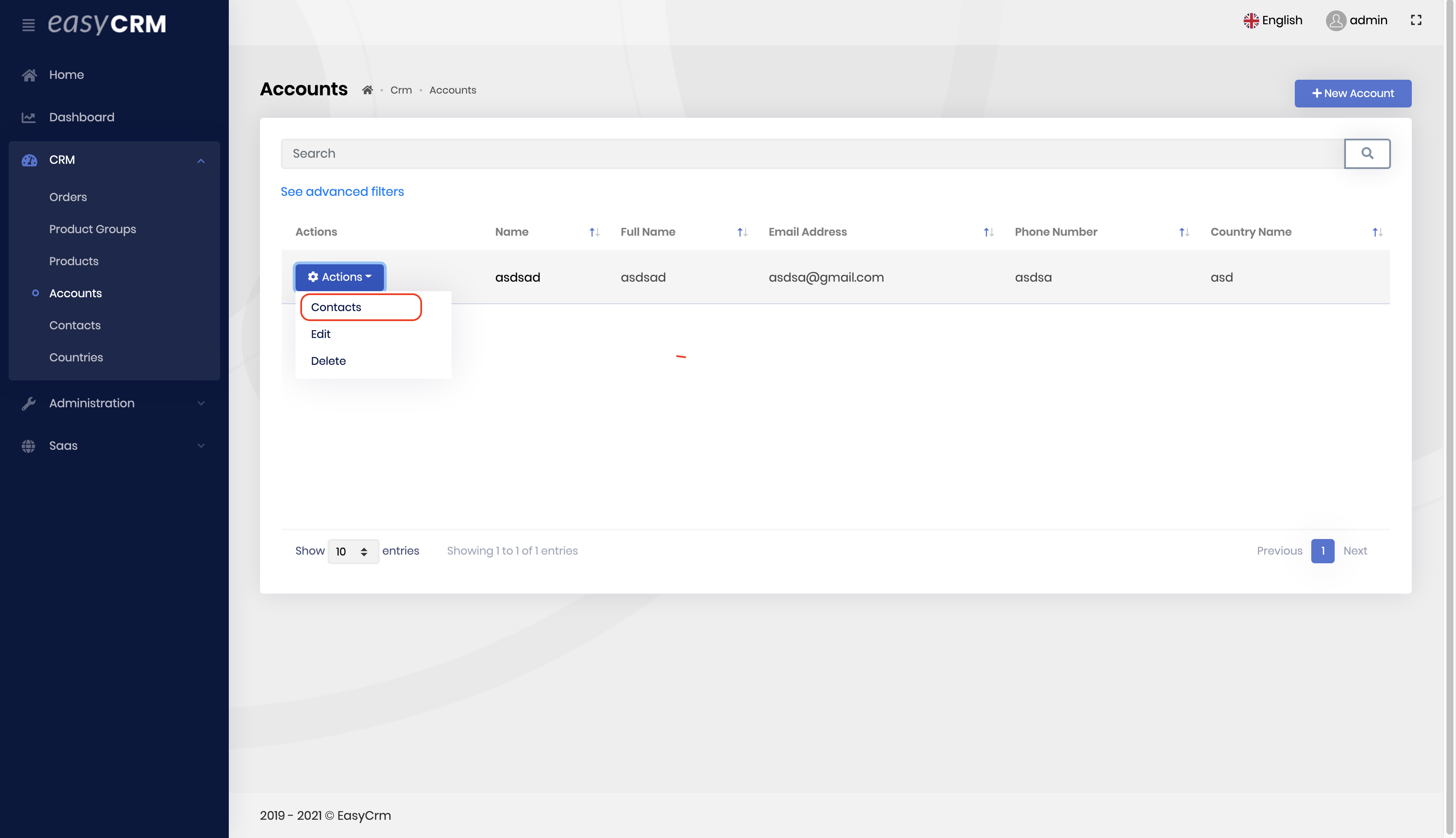
Below you can see the definitions of AbpOrganizationUnits:
migrationBuilder.CreateTable(
                name: "AbpOrganizationUnits",
                columns: table => new
                {
                    Id = table.Column<Guid>(type: "RAW(16)", nullable: false),
                    TenantId = table.Column<Guid>(type: "RAW(16)", nullable: true),
                    ParentId = table.Column<Guid>(type: "RAW(16)", nullable: true),
                    Code = table.Column<string>(type: "NVARCHAR2(95)", maxLength: 95, nullable: false),
                    DisplayName = table.Column<string>(type: "NVARCHAR2(128)", maxLength: 128, nullable: false),
                    ExtraProperties = table.Column<string>(type: "NVARCHAR2(2000)", nullable: true),
                    ConcurrencyStamp = table.Column<string>(type: "NVARCHAR2(40)", maxLength: 40, nullable: true),
                    CreationTime = table.Column<DateTime>(type: "TIMESTAMP(7)", nullable: false),
                    CreatorId = table.Column<Guid>(type: "RAW(16)", nullable: true),
                    LastModificationTime = table.Column<DateTime>(type: "TIMESTAMP(7)", nullable: true),
                    LastModifierId = table.Column<Guid>(type: "RAW(16)", nullable: true),
                    IsDeleted = table.Column<bool>(type: "NUMBER(1)", nullable: false, defaultValue: false),
                    DeleterId = table.Column<Guid>(type: "RAW(16)", nullable: true),
                    DeletionTime = table.Column<DateTime>(type: "TIMESTAMP(7)", nullable: true)
                },
                constraints: table =>
                {
                    table.PrimaryKey("PK_AbpOrganizationUnits", x => x.Id);
                    table.ForeignKey(
                        name: "FK_AbpOrganizationUnits_AbpOrganizationUnits_ParentId",
                        column: x => x.ParentId,
                        principalTable: "AbpOrganizationUnits",
                        principalColumn: "Id",
                        onDelete: ReferentialAction.Restrict);
                });
It's the same as yours, but after your last words, I did a little research and found that this is related to the Oracle version.
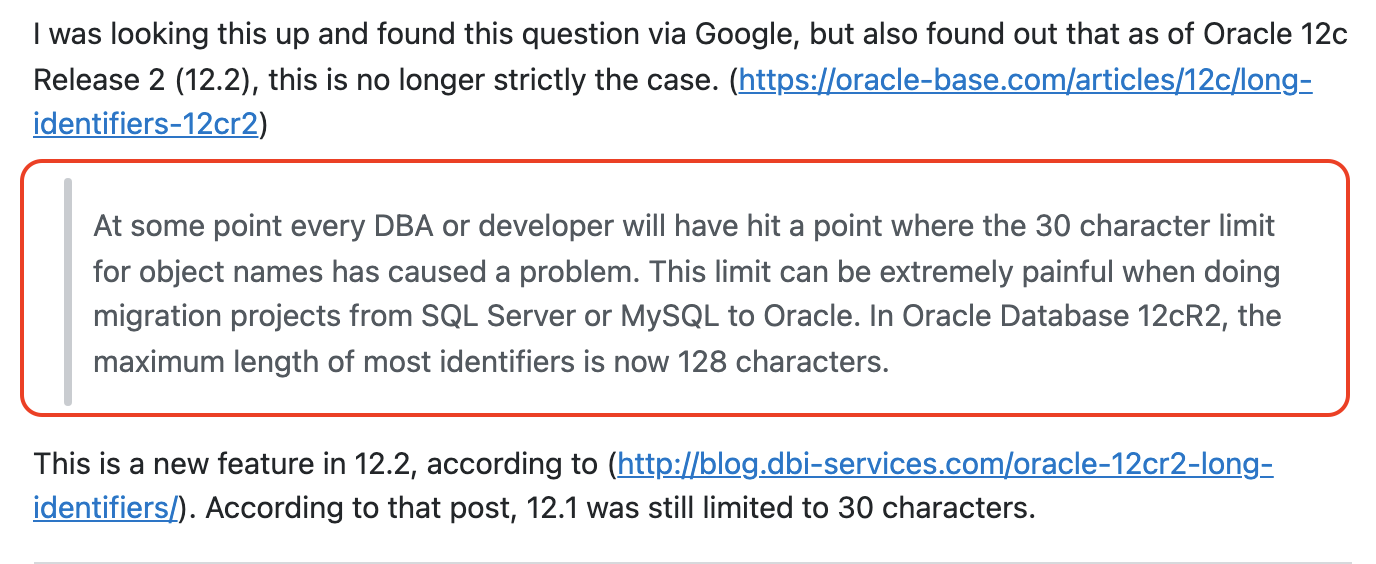
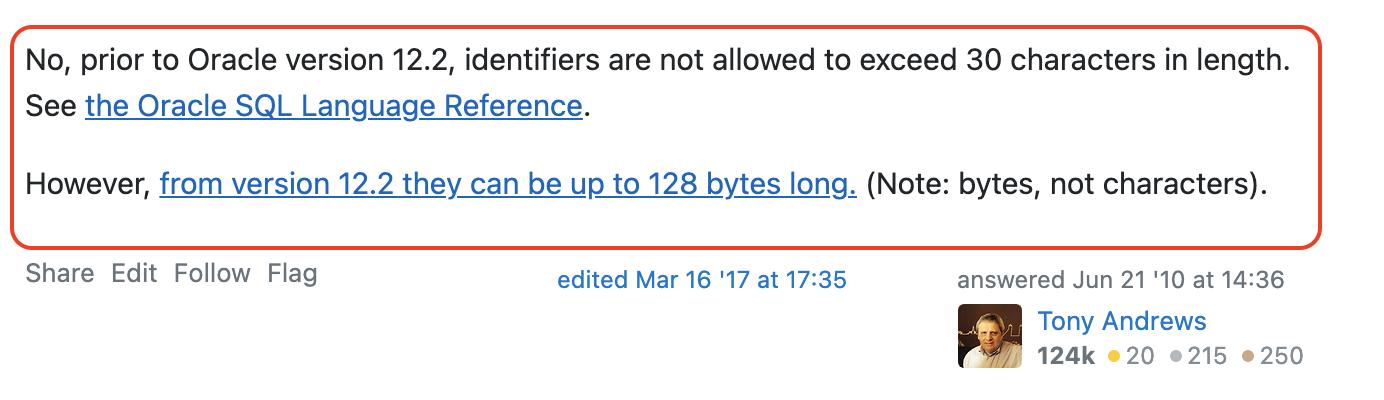
Since the Oracle version I am using is 12.2.0.1, I did not have any problems, you are probably using a lower version.
As you know, ABP is customizable, so it will not be too difficult to do what you say.
IsActive property has been added to User with ABP 5.0.*. If you do not want to upgrade your application to version 5.0.*, you can add a similar property and set this property to false when the user first registers. You update the PasswordExpireDate(how you can add PasswordExpireDate to User will be mentioned later) and IsActive property when the password is reset. Thus, the user cannot login to the application without resetting the password.
I wrote the following code as a small example for you to override a service.
I created a folder named IdentityUser in the MyProjectName.Application project and I created a class called MyIdentityUserAppService in the IdentityUser folder.
MyIdentityUserAppService.cs
[Dependency(ReplaceServices = true)]
[ExposeServices(typeof(IIdentityUserAppService), typeof(IdentityUserAppService), typeof(MyIdentityUserAppService))]
public class MyIdentityUserAppService : IdentityUserAppService, IIdentityUserAppService
{
    public MyIdentityUserAppService(
        IdentityUserManager userManager,
        IIdentityUserRepository userRepository,
        IIdentityRoleRepository roleRepository,
        IOrganizationUnitRepository organizationUnitRepository,
        IIdentityClaimTypeRepository identityClaimTypeRepository,
        IdentityProTwoFactorManager identityProTwoFactorManager,
        IOptions<IdentityOptions> identityOptions,
        IDistributedEventBus distributedEventBus) :
        base(
            userManager,
            userRepository,
            roleRepository,
            organizationUnitRepository,
            identityClaimTypeRepository,
            identityProTwoFactorManager,
            identityOptions,
            distributedEventBus)
    {
    }

    public override async Task<IdentityUserDto> CreateAsync(IdentityUserCreateDto input)
    {
        // Set isActive to false in ABP 5.0.*

        var identityUserDto = await base.CreateAsync(input);

        // send email

        // set password expiry duration -  userSetProperty("PasswordExpireDate", DateTime.Now.AddMonths(3));

        // something that you need

        return identityUserDto;
    }
}
To trigger this code, you need to enter the application with the admin user and click Users from the Identity Management area and add a new user, I just wrote it as an example. You can do the necessary actions where I added it as a comment line.
You need to customize the PasswordReset method as I did in this code because you want to update IsActive and PasswordExpireDate when the user resets their password.
You can refer to this document for Overriding Services.
Also, this article shows you how to customize User under "The AppUser Entity & Custom Properties". By following the relevant part of this article, you can add a property named PasswordExpireDate to the User and then query accordingly.
Of course you need to create a background worker that runs daily and there you have to update the user towards your needs or or you can send them an email reminding them to reset their password.
Can you enter the URL of your Angular application in the section that says Logout URL in Manage Azure Active Directory in Azure portal and try?
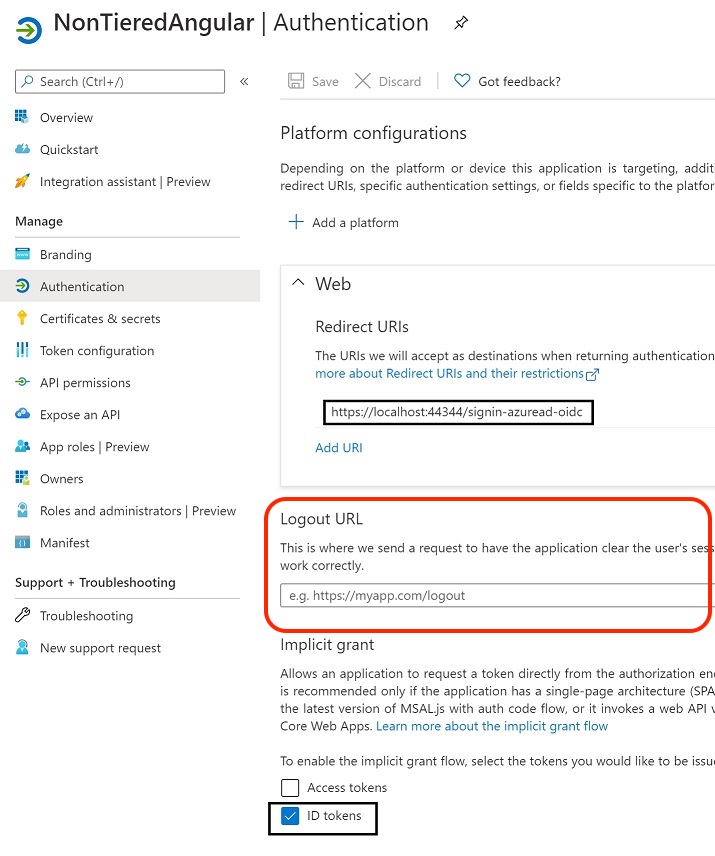
If you encounter the same problem again, can you open DevTools of your browser when you see in page the text "You have been signed out and you will be redirected soon" and check if there is an error on the Console?
Hi 👋,
Thank you for your research 🙏🙏
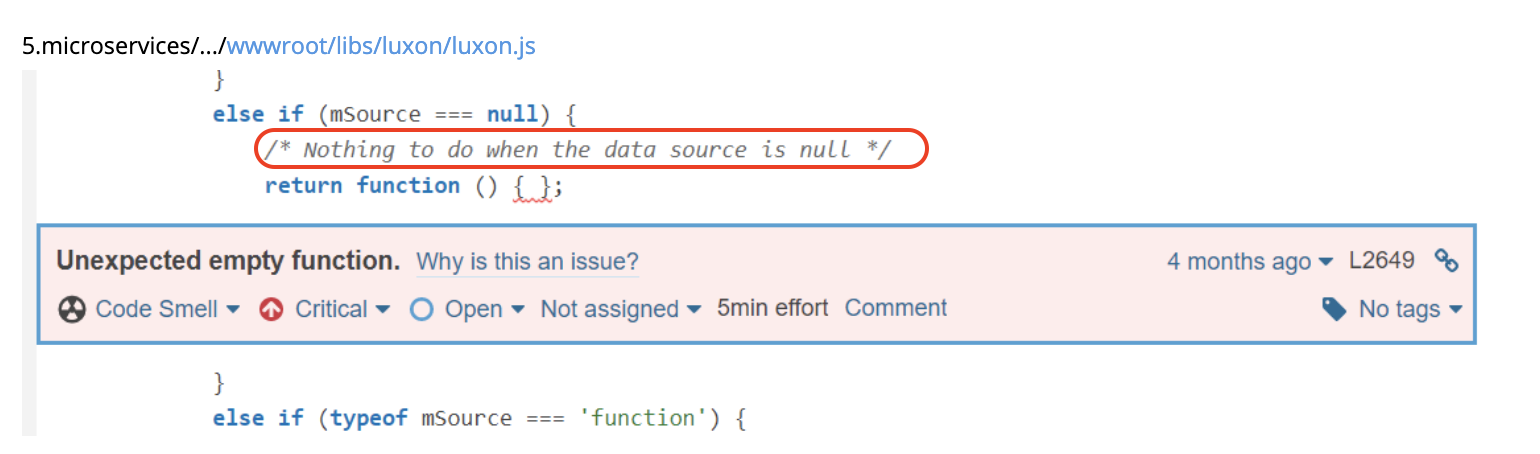
However, almost all of these packages are not related to ABP. ABP just acts as a wrapper.
Therefore, it would be more correct to open the related errors in the relevant repository, but I do not think that these are errors.
For example, in the image below, the author of the package has already left a comment.
If you really need to customize it, you can refer to this stackoverflow question.









