Check the docs before asking a question: https://abp.io/docs/latest
Check the samples to see the basic tasks: https://abp.io/docs/latest/samples
The exact solution to your question may have been answered before, and please first use the search on the homepage.
Provide us with the following info:
🧐 Hint: If you are using the ABP Studio, you can see all the information about your solution from the configuration window, which opens when you right-click on the solution and click on the Solution Configuration button.
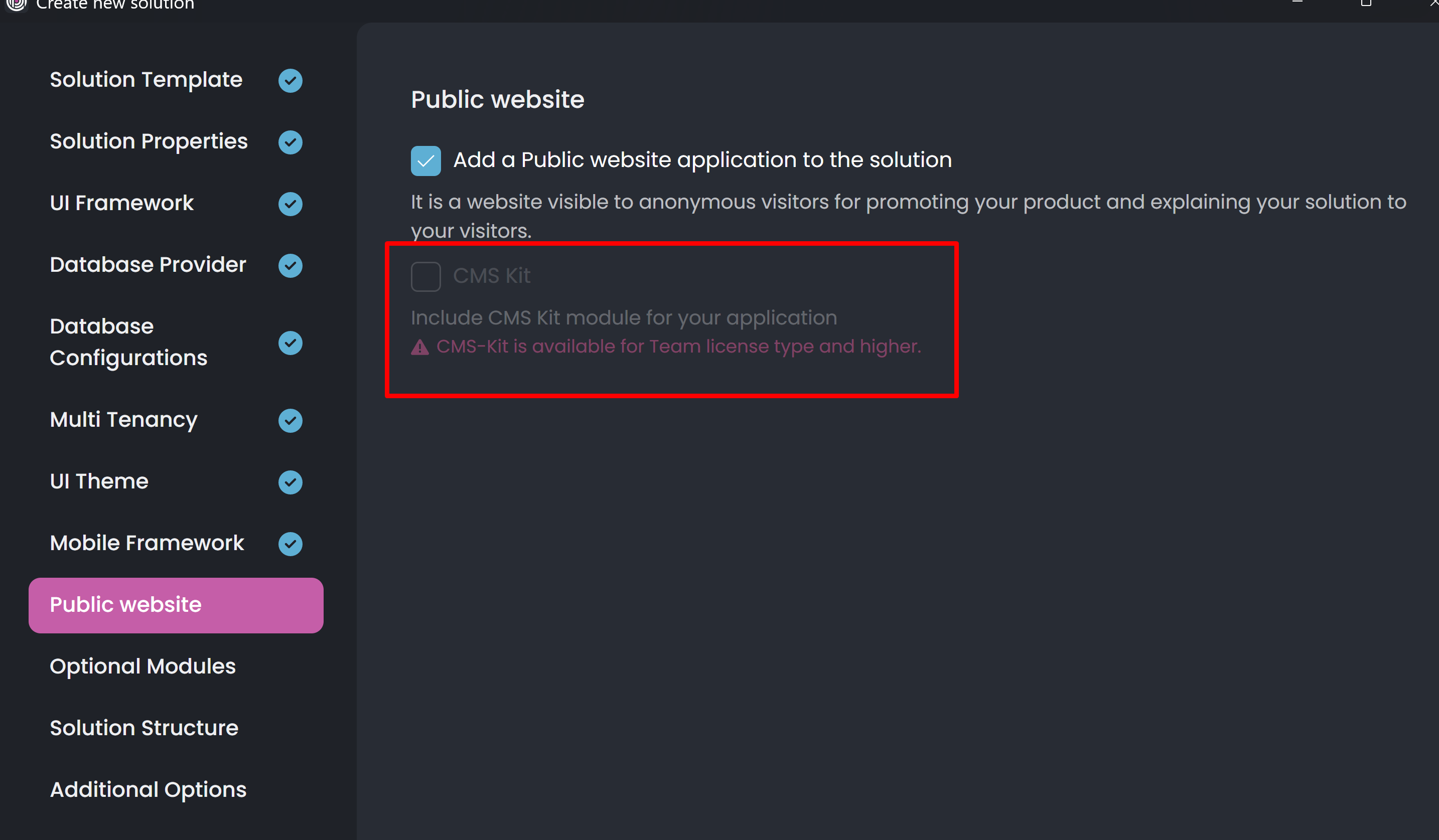
Hi,
I am deploying a tiered blazor server app in iis on a virtual machine hosted in azure using github actions and a pipeline to execute the webdeploy when a push was done, but i am having trouble with an specific project (maui project) that misses the android sdk to finish the build and followingly the webdeploy.
I'll share my workflow first:
name: Deploy Entire App using Web Deploy

on:
  push:
    branches:
      - main

jobs:
  build-and-deploy:
    runs-on: self-hosted

    steps:
    - name: Checkout code
      uses: actions/checkout@v3

    - name: Setup .NET
      uses: actions/setup-dotnet@v3
      with:
        dotnet-version: '9.0'

    - name: Install MAUI Workloads
      run: dotnet workload restore

    - name: Restore dependencies
      run: dotnet restore

    - name: Build project
      run: dotnet build --configuration Release

    # Publicar e Deploy do AuthServer
    - name: Publish AuthServer
      run: dotnet publish ./src/Alfa5.AuthServer/Alfa5.AuthServer.csproj -c Release -o ./publish/AuthServer

    - name: Deploy using Web Deploy
      run: |
        "C:\Program Files\IIS\Microsoft Web Deploy V3\msdeploy.exe" `
        -verb:sync `
        -source:contentPath="./publish/AuthServer" `
        -dest:iisApp="webdepauthserveralfa5",wmsvc=***,username=***,password=***,authType=Basic `
        -allowUntrusted

    # Publicar e Deploy do Blazor
    - name: Publish Blazor
      run: dotnet publish ./src/Alfa5.Blazor/Alfa5.Blazor.csproj -c Release -o ./publish/Blazor

    - name: Deploy using Web Deploy
      run: |
        "C:\Program Files\IIS\Microsoft Web Deploy V3\msdeploy.exe" `
        -verb:sync `
        -source:contentPath="./publish/Blazor" `
        -dest:iisApp="webdepblazoralfa5",wmsvc=***,username=***,password=***,authType=Basic `
        -allowUntrusted

    # Publicar e Deploy do HttpApiHost
    - name: Publish Blazor
      run: dotnet publish ./src/Alfa5.HttpApi.Host/Alfa5.HttpApi.Host.csproj -c Release -o ./publish/HttpApi.Host

    - name: Deploy using Web Deploy
      run: |
        "C:\Program Files\IIS\Microsoft Web Deploy V3\msdeploy.exe" `
        -verb:sync `
        -source:contentPath="./publish/HttpApi.Host" `
        -dest:iisApp="webdephttpapihostalfa5",wmsvc=***,username=***,password=***,authType=Basic `
        -allowUntrusted
Iam confused cause I did the webdeploy manually and dont needed to manage these android dependencies, cause I dont even need them, my plans don't involve mobile apps for now. But I wonder if that are solutions for this instead of simply removing that project, because in long terms I will need to solve this.
I already tried to install the sdk from android studio on the virtual machine. Already tried to add the chocolatey command to install the sdk on the workflows. None of them worked.
Run dotnet build --configuration Release
  Determining projects to restore...
Error: C:\Program Files\dotnet\packs\Microsoft.Android.Sdk.Windows\35.0.24\tools\Xamarin.Android.Tooling.targets(62,5): error XA5300: The Android SDK directory could not be found. Install the Android SDK by following the instructions at: https://aka.ms/dotnet-android-install-sdk [C:\Users\opsadmin\actions-runner-2\_work\alfa5webdeploytest\alfa5webdeploytest\src\Alfa5.Maui\Alfa5.Maui.csproj::TargetFramework=net9.0-android]
Error: C:\Program Files\dotnet\packs\Microsoft.Android.Sdk.Windows\35.0.24\tools\Xamarin.Android.Tooling.targets(62,5): error XA5300: To use a custom SDK path for a command line build, set the 'AndroidSdkDirectory' MSBuild property to the custom path. [C:\Users\opsadmin\actions-runner-2\_work\alfa5webdeploytest\alfa5webdeploytest\src\Alfa5.Maui\Alfa5.Maui.csproj::TargetFramework=net9.0-android]
I would like to know if I am doing this correctly, because i am trying to deploy it this way its been a while, there are some documentation of webdeploying tiered apps using github actions?
Thanks :)
Hi,
I am trying to make the deployment of a single project (Alfa5.Blazor) of a tiered app on iis server in a virtual machine hosted in azure, using webdeploy and github actions to update automatically the files when a push was done.
The workflow that I configured is this:
name: Deploy to IIS using Web Deploy

on:
  push:
    branches:
      - main

jobs:
  build-and-deploy:
    runs-on: self-hosted

    steps:
    - name: Checkout code
      uses: actions/checkout@v3

    - name: Setup .NET
      uses: actions/setup-dotnet@v3
      with:
        dotnet-version: '9.0'

    - name: Remove ABP NuGet source if exists
      run: |
        dotnet nuget remove source ABP
        if ($?) { Write-Host "Source ABP removed." } else { Write-Host "Source ABP not found." }

    - name: Add ABP NuGet source
      run: dotnet nuget add source https://nuget.abp.io/***/v3/index.json --name ABP --username *** --password ***

    - name: Restore dependencies
      run: dotnet restore

    - name: Build project
      run: dotnet build --configuration Release --no-restore

    - name: Publish application
      run: dotnet publish -c Release -o ./publish

    - name: Deploy using Web Deploy
      run: |
        "C:\Program Files\IIS\Microsoft Web Deploy V3\msdeploy.exe" `
        -verb:sync `
        -source:contentPath="./publish" `
        -dest:iisApp="webdeployblazor",wmsvc=***,username="***",password=***,authType=Basic `
        -allowUntrusted
The app is tiered, so the project needs project dependencies that are referred in another directories, above the root of the project. But i am deploying just a single project, so to get around this problema I create a directory named "projectDependencies" and imported the necessary dependencies to inside it.
Inicially was working, but when I finished the importations of the project dependencies an another error was called, about circular dependencies. I already checked if really was circular dependencies in the project but I couldn't find none.
I will show the dependencies next:
Alfa5.Blazor:
<ItemGroup> <ProjectReference Include="projectDependencies/Alfa5.Blazor.Client.csproj" /> <ProjectReference Include="projectDependencies/Alfa5.HttpApi.Client.csproj" /> </ItemGroup>
Alfa5.Blazor.Client:
<ItemGroup> <ProjectReference Include="Alfa5.HttpApi.Client.csproj" /> </ItemGroup>
Alfa5.HttpApi.Client:
<ItemGroup> <ProjectReference Include="Alfa5.Application.Contracts.csproj" /> </ItemGroup>
Alfa5.Application.Contracts:
<ItemGroup> <ProjectReference Include="Alfa5.Domain.Shared.csproj" /> </ItemGroup>
Alfa5.Domain.Shared: None
This made me think if there are another thing that I missed, of if its a problem caused about some abp package that are confliting or if this what i am doing is even possible. I am accepting any solutions, cause is just a test, the next step that i would try was to deploy the whole app when a push was done, identifying what changed and making the webdeploy, but it will be way more complicated.
Run dotnet build --configuration Release --no-restore
C:\Users\opsadmin\actions-runner\_work\webdeploytest\webdeploytest\Alfa5.Blazor.csproj : warning NU1608: Detected package version outside of dependency constraint: HtmlSanitizer 8.1.870 requires AngleSharp (= 0.17.1) but version AngleSharp 1.1.2 was resolved.
C:\Users\opsadmin\actions-runner\_work\webdeploytest\webdeploytest\Alfa5.Blazor.csproj : warning NU1608: Detected package version outside of dependency constraint: HtmlSanitizer 8.1.870 requires AngleSharp.Css (= 0.17.0) but version AngleSharp.Css 1.0.0-beta.144 was resolved.
C:\Users\opsadmin\actions-runner\_work\webdeploytest\webdeploytest\projectDependencies\Alfa5.Blazor.Client.csproj : warning NU1608: Detected package version outside of dependency constraint: HtmlSanitizer 8.1.870 requires AngleSharp (= 0.17.1) but version AngleSharp 1.1.2 was resolved.
C:\Users\opsadmin\actions-runner\_work\webdeploytest\webdeploytest\projectDependencies\Alfa5.Blazor.Client.csproj : warning NU1608: Detected package version outside of dependency constraint: HtmlSanitizer 8.1.870 requires AngleSharp.Css (= 0.17.0) but version AngleSharp.Css 1.0.0-beta.144 was resolved.
C:\Users\opsadmin\actions-runner\_work\webdeploytest\webdeploytest\projectDependencies\Alfa5.HttpApi.Client.csproj : warning NU1608: Detected package version outside of dependency constraint: HtmlSanitizer 8.1.870 requires AngleSharp (= 0.17.1) but version AngleSharp 1.1.2 was resolved.
C:\Users\opsadmin\actions-runner\_work\webdeploytest\webdeploytest\projectDependencies\Alfa5.HttpApi.Client.csproj : warning NU1608: Detected package version outside of dependency constraint: HtmlSanitizer 8.1.870 requires AngleSharp.Css (= 0.17.0) but version AngleSharp.Css 1.0.0-beta.144 was resolved.
C:\Users\opsadmin\actions-runner\_work\webdeploytest\webdeploytest\projectDependencies\Alfa5.Domain.Shared.csproj : warning NU1608: Detected package version outside of dependency constraint: HtmlSanitizer 8.1.870 requires AngleSharp (= 0.17.1) but version AngleSharp 1.1.2 was resolved.
C:\Users\opsadmin\actions-runner\_work\webdeploytest\webdeploytest\projectDependencies\Alfa5.Domain.Shared.csproj : warning NU1608: Detected package version outside of dependency constraint: HtmlSanitizer 8.1.870 requires AngleSharp.Css (= 0.17.0) but version AngleSharp.Css 1.0.0-beta.144 was resolved.
C:\Users\opsadmin\actions-runner\_work\webdeploytest\webdeploytest\projectDependencies\Alfa5.Application.Contracts.csproj : warning NU1608: Detected package version outside of dependency constraint: HtmlSanitizer 8.1.870 requires AngleSharp (= 0.17.1) but version AngleSharp 1.1.2 was resolved.
C:\Users\opsadmin\actions-runner\_work\webdeploytest\webdeploytest\projectDependencies\Alfa5.Application.Contracts.csproj : warning NU1608: Detected package version outside of dependency constraint: HtmlSanitizer 8.1.870 requires AngleSharp.Css (= 0.17.0) but version AngleSharp.Css 1.0.0-beta.144 was resolved.
C:\Program Files\dotnet\sdk\9.0.101\Microsoft.Common.CurrentVersion.targets(2132,5): error MSB4006: There is a circular dependency in the target dependency graph involving target "ResolveProjectReferences". [C:\Users\opsadmin\actions-runner\_work\webdeploytest\webdeploytest\projectDependencies\Alfa5.Application.Contracts.csproj]
C:\Program Files\dotnet\sdk\9.0.101\Microsoft.Common.CurrentVersion.targets(2132,5): error MSB4006: There is a circular dependency in the target dependency graph involving target "ResolveProjectReferences". [C:\Users\opsadmin\actions-runner\_work\webdeploytest\webdeploytest\projectDependencies\Alfa5.Domain.Shared.csproj]

Build FAILED.

C:\Users\opsadmin\actions-runner\_work\webdeploytest\webdeploytest\Alfa5.Blazor.csproj : warning NU1608: Detected package version outside of dependency constraint: HtmlSanitizer 8.1.870 requires AngleSharp (= 0.17.1) but version AngleSharp 1.1.2 was resolved.
C:\Users\opsadmin\actions-runner\_work\webdeploytest\webdeploytest\Alfa5.Blazor.csproj : warning NU1608: Detected package version outside of dependency constraint: HtmlSanitizer 8.1.870 requires AngleSharp.Css (= 0.17.0) but version AngleSharp.Css 1.0.0-beta.144 was resolved.
C:\Users\opsadmin\actions-runner\_work\webdeploytest\webdeploytest\projectDependencies\Alfa5.Blazor.Client.csproj : warning NU1608: Detected package version outside of dependency constraint: HtmlSanitizer 8.1.870 requires AngleSharp (= 0.17.1) but version AngleSharp 1.1.2 was resolved.
C:\Users\opsadmin\actions-runner\_work\webdeploytest\webdeploytest\projectDependencies\Alfa5.Blazor.Client.csproj : warning NU1608: Detected package version outside of dependency constraint: HtmlSanitizer 8.1.870 requires AngleSharp.Css (= 0.17.0) but version AngleSharp.Css 1.0.0-beta.144 was resolved.
C:\Users\opsadmin\actions-runner\_work\webdeploytest\webdeploytest\projectDependencies\Alfa5.HttpApi.Client.csproj : warning NU1608: Detected package version outside of dependency constraint: HtmlSanitizer 8.1.870 requires AngleSharp (= 0.17.1) but version AngleSharp 1.1.2 was resolved.
C:\Users\opsadmin\actions-runner\_work\webdeploytest\webdeploytest\projectDependencies\Alfa5.HttpApi.Client.csproj : warning NU1608: Detected package version outside of dependency constraint: HtmlSanitizer 8.1.870 requires AngleSharp.Css (= 0.17.0) but version AngleSharp.Css 1.0.0-beta.144 was resolved.
C:\Users\opsadmin\actions-runner\_work\webdeploytest\webdeploytest\projectDependencies\Alfa5.Domain.Shared.csproj : warning NU1608: Detected package version outside of dependency constraint: HtmlSanitizer 8.1.870 requires AngleSharp (= 0.17.1) but version AngleSharp 1.1.2 was resolved.
C:\Users\opsadmin\actions-runner\_work\webdeploytest\webdeploytest\projectDependencies\Alfa5.Domain.Shared.csproj : warning NU1608: Detected package version outside of dependency constraint: HtmlSanitizer 8.1.870 requires AngleSharp.Css (= 0.17.0) but version AngleSharp.Css 1.0.0-beta.144 was resolved.
C:\Users\opsadmin\actions-runner\_work\webdeploytest\webdeploytest\projectDependencies\Alfa5.Application.Contracts.csproj : warning NU1608: Detected package version outside of dependency constraint: HtmlSanitizer 8.1.870 requires AngleSharp (= 0.17.1) but version AngleSharp 1.1.2 was resolved.
C:\Users\opsadmin\actions-runner\_work\webdeploytest\webdeploytest\projectDependencies\Alfa5.Application.Contracts.csproj : warning NU1608: Detected package version outside of dependency constraint: HtmlSanitizer 8.1.870 requires AngleSharp.Css (= 0.17.0) but version AngleSharp.Css 1.0.0-beta.144 was resolved.
C:\Program Files\dotnet\sdk\9.0.101\Microsoft.Common.CurrentVersion.targets(2132,5): error MSB4006: There is a circular dependency in the target dependency graph involving target "ResolveProjectReferences". [C:\Users\opsadmin\actions-runner\_work\webdeploytest\webdeploytest\projectDependencies\Alfa5.Application.Contracts.csproj]
C:\Program Files\dotnet\sdk\9.0.101\Microsoft.Common.CurrentVersion.targets(2132,5): error MSB4006: There is a circular dependency in the target dependency graph involving target "ResolveProjectReferences". [C:\Users\opsadmin\actions-runner\_work\webdeploytest\webdeploytest\projectDependencies\Alfa5.Domain.Shared.csproj]
    10 Warning(s)
    2 Error(s)
Time Elapsed 00:00:02.45 Error: Process completed with exit code 1.
Thanks :)
Provide us with the following info:
🧐 Hint: If you are using the ABP Studio, you can see all the information about your solution from the configuration window, which opens when you right-click on the solution and click on the Solution Configuration button.
I created a new Blazor Server using ABP Studio. The application configuration is listed below, copied from ABP Studio Configuration. This a new application build.
- **Template**: app
- **Created ABP Studio Version**: 0.9.6 - **Tiered**: No - **UI Framework**: blazor-server - **Theme**: leptonx - **Theme Style**: system - **Database Provider**: ef - **Database Management System**: sqlserver - **Separate Tenant Schema**: Yes - **Mobile Framework**: maui - **Public Website**: Yes - **Optional Modules**: * GDPR * FileManagement * TextTemplateManagement * LanguageManagement * AuditLogging * SaaS * Chat * OpenIddictAdmin
The new application was copied to another machine where I´m doing some tests about the deployment. The first thing is to transfer the application, run the migration etc. BUT the new PC isn´t logged in to my Commercial Account, because the future server will not also logged in to the commercial account.
When running the application (example the Web-Public, or Blazor) it runs very slowly, the time to load the page on the browser is too high. I´ve tried to diagnose the situation running the application through a Windows command prompt, running "DOTNET RUN" to see what happens.
I found many calls to license server getting error, maybe it is running in endless looping affecting the performance of the new application. I understood that it is not needed to LogIn to Commercial Account to run the application.
The below picture shows the errors:

What should I do to avoid these endless calls to License Server? Also to improve the response time of the application?
Check the docs before asking a question: https://abp.io/docs/latest
Check the samples to see the basic tasks: https://abp.io/docs/latest/samples
The exact solution to your question may have been answered before, and please first use the search on the homepage.
Provide us with the following info:
🧐 Hint: If you are using the ABP Studio, you can see all the information about your solution from the configuration window, which opens when you right-click on the solution and click on the Solution Configuration button.

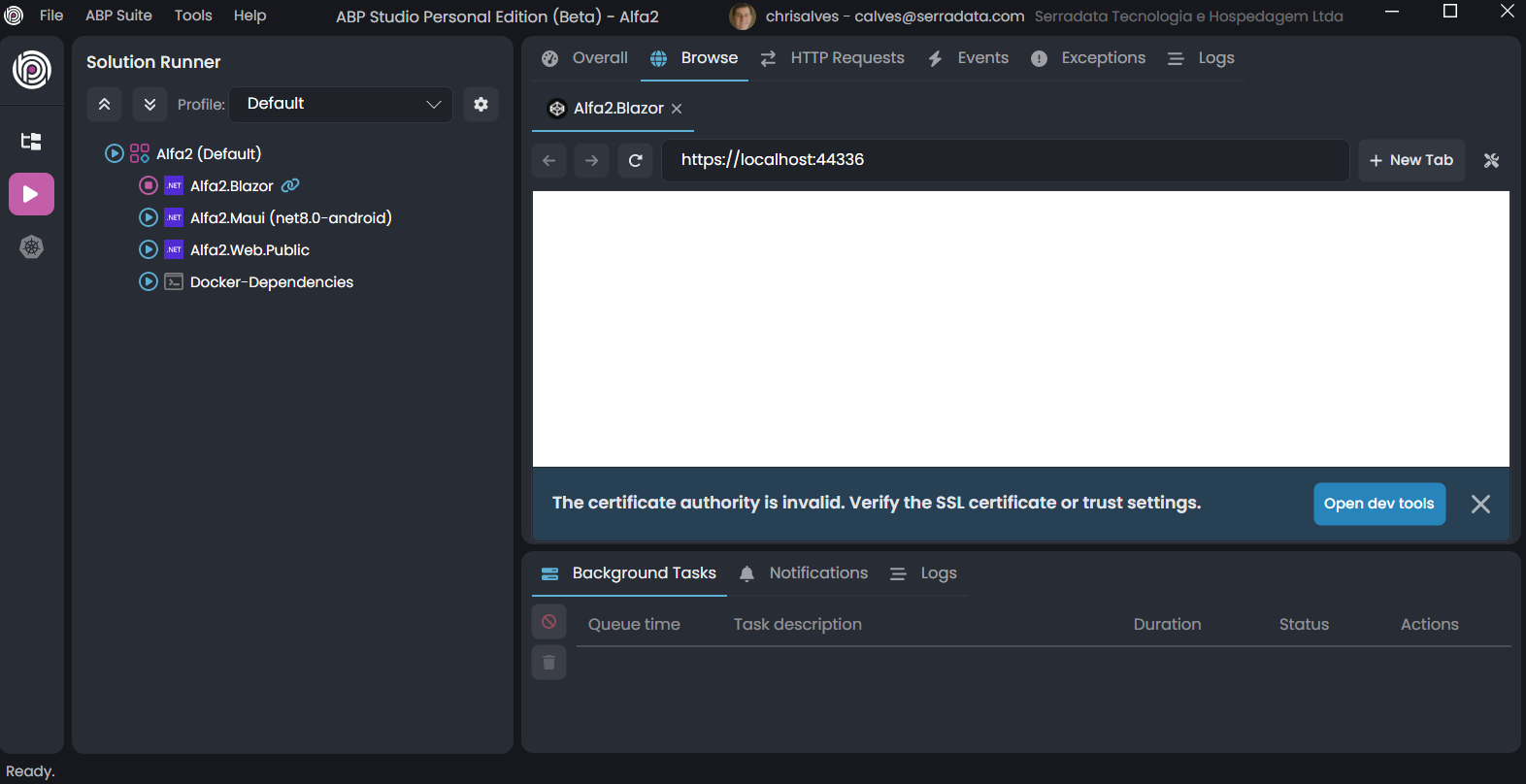
The below picture shows the browser requesting the valid certificate. There is no instructions about the files to be updated in the code to pass the local certificate path.
Check the docs before asking a question: https://docs.abp.io/en/commercial/latest/ Check the samples, to see the basic tasks: https://docs.abp.io/en/commercial/latest/samples/index The exact solution to your question may have been answered before, please use the search on the homepage.
If you're creating a bug/problem report, please include followings:
I updated the ABP and ABP suite to 6.0.0-rc.1 (Prerelease) today and tried to create a sample application to discover the new features announced on 6.0.0-rc.1 (Prerelease).
I just launched ABP Suite, and selected the following fields to create the application and figured out that the applicantion does not run in my local computer. I believe that something is missing in the SUITE when creating the solution. The stable version (5.3.3) works very well, but the prerelease is failing)
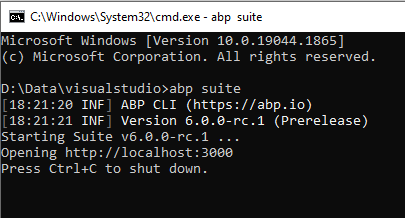
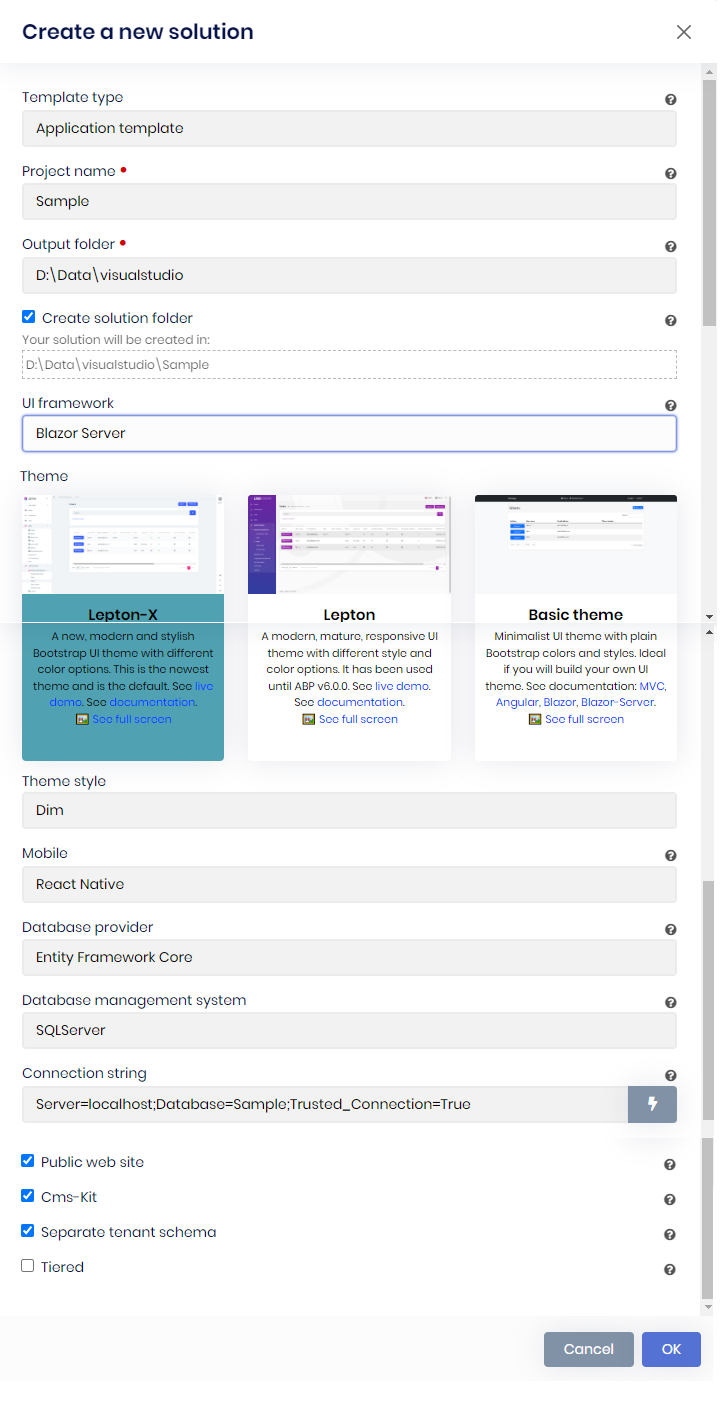
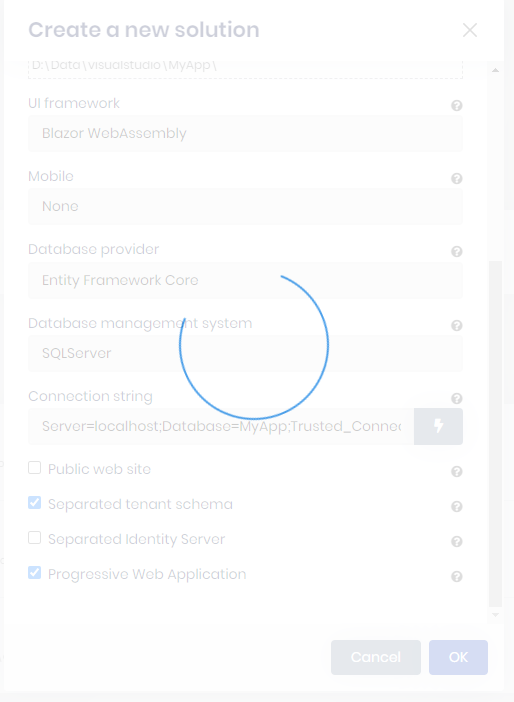
Here below is the outputs from ABP suite command line screen.
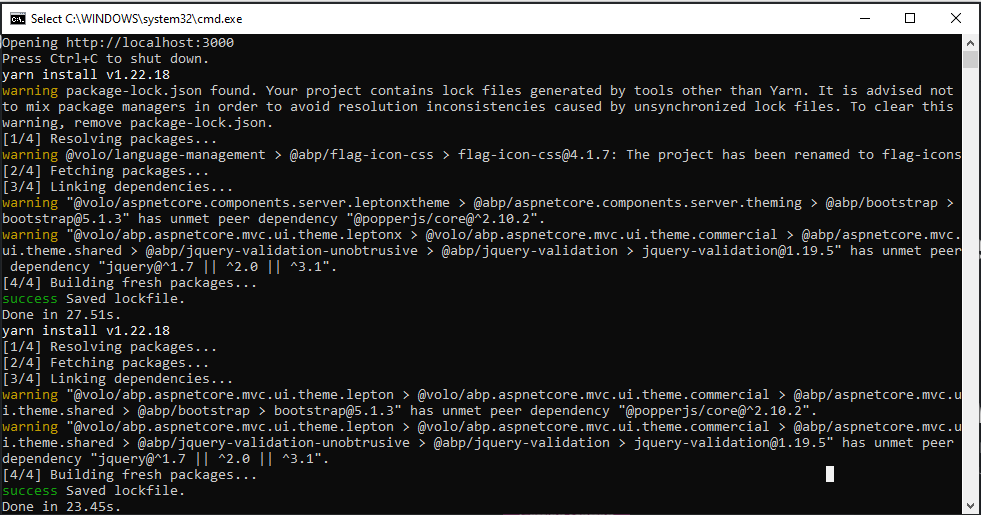
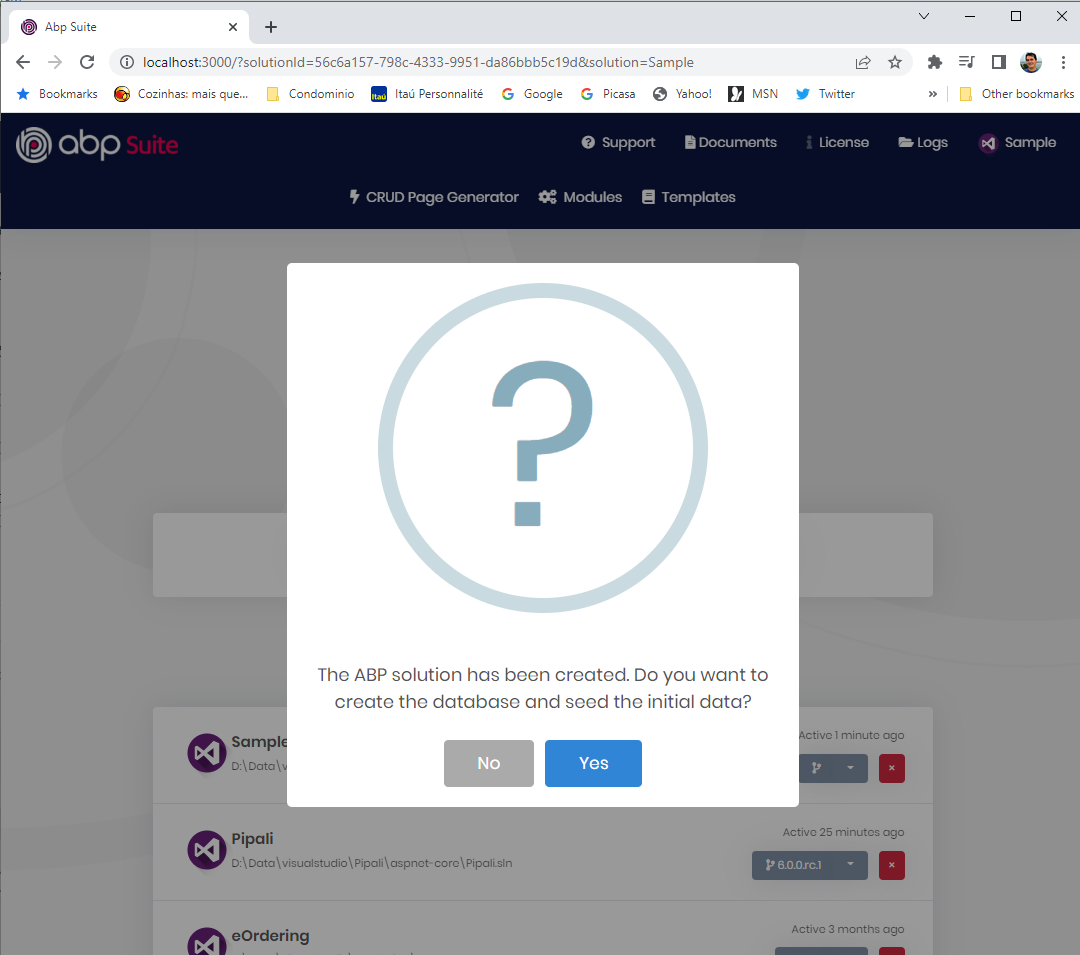
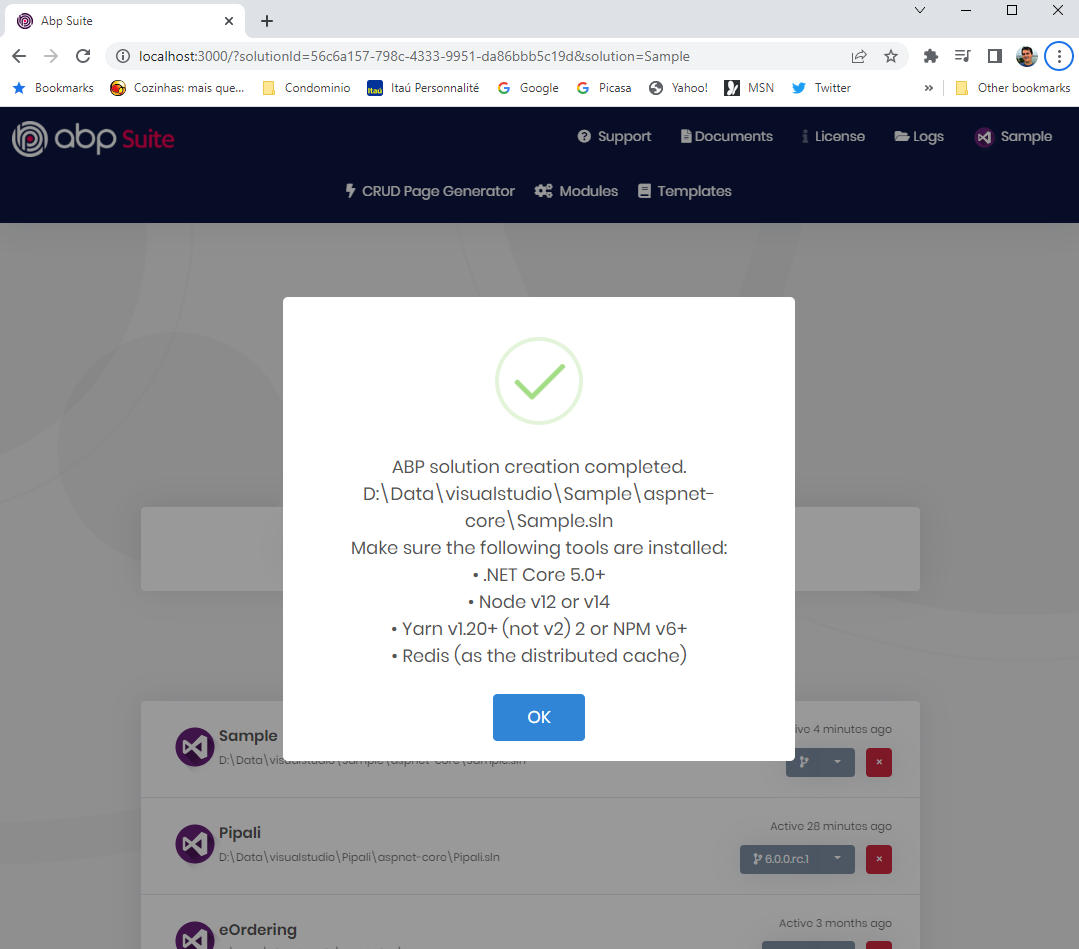
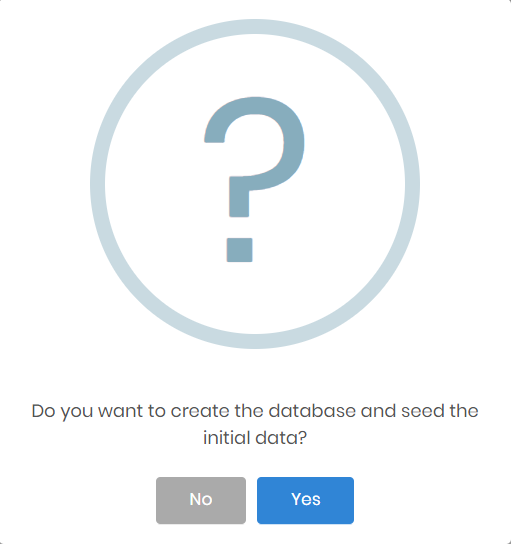
Here is the Wizard asking for initial build and seed
After this, I´ve tried to run the application using Visual Studio, but after the browser launches the application, nothing is shown in the browser, many alerts appears in the Visual Studio outputs, and many error messages appear in the Server side.
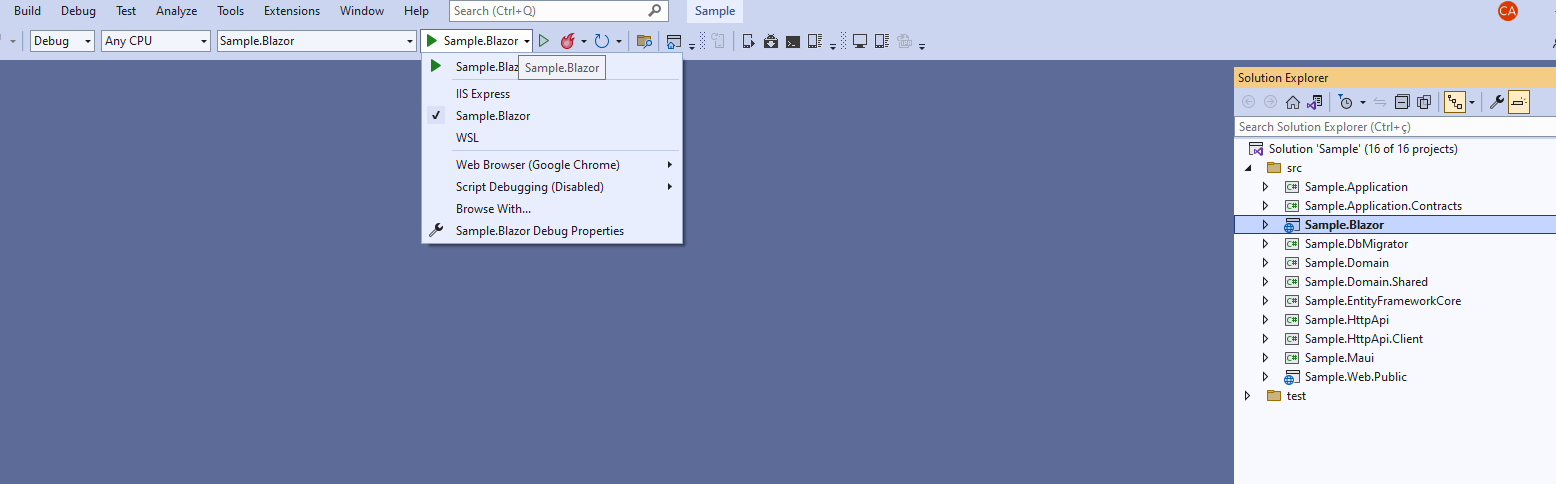
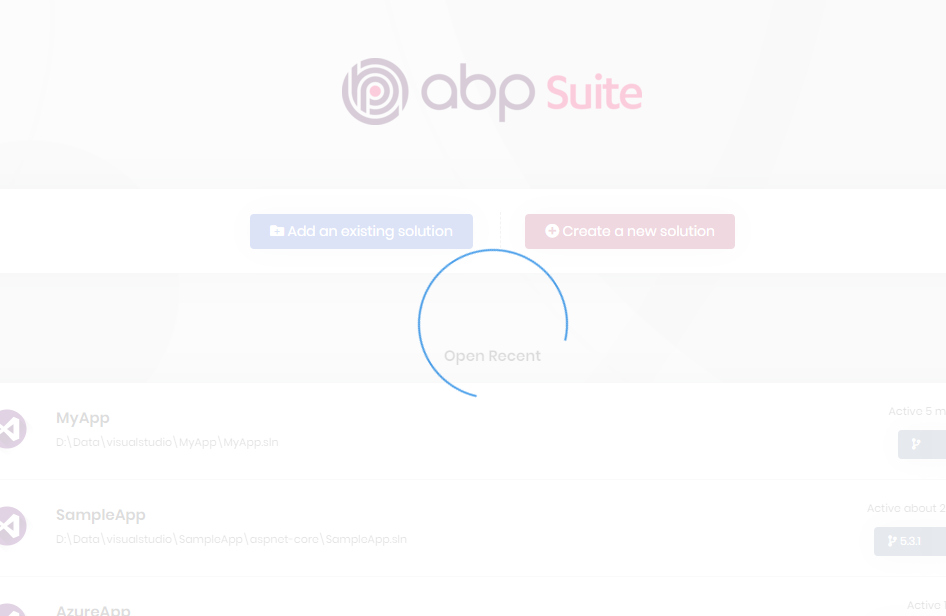
Here is the initial step to build and run the sample application
Multiples warnings on Visual Studio presented below:
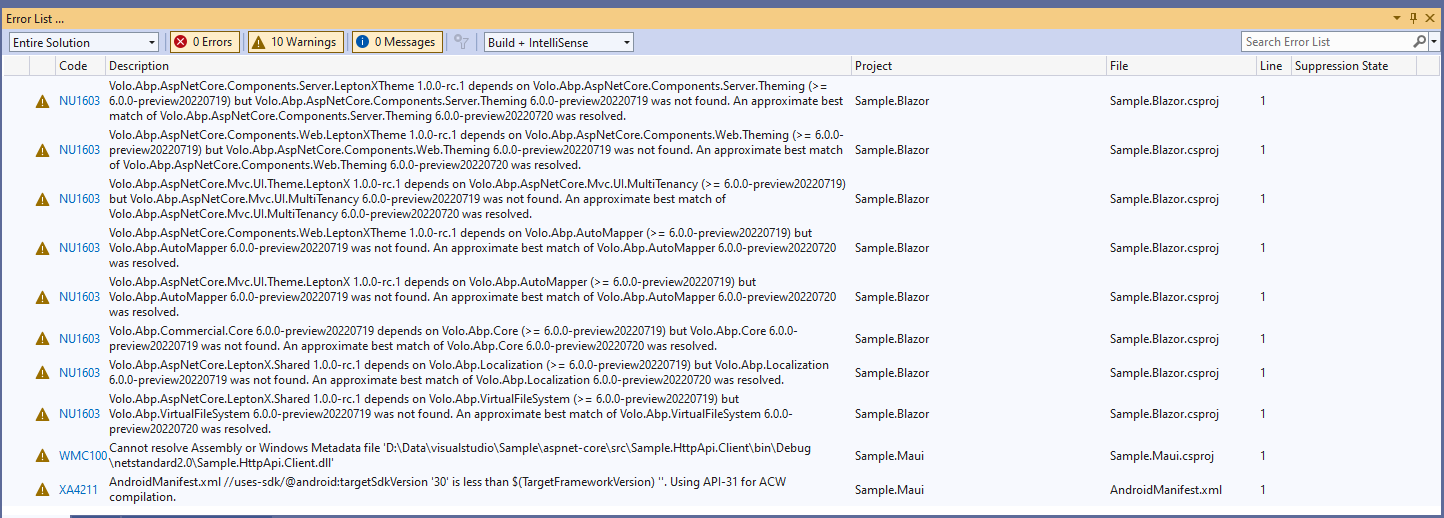
The building output has warnings:
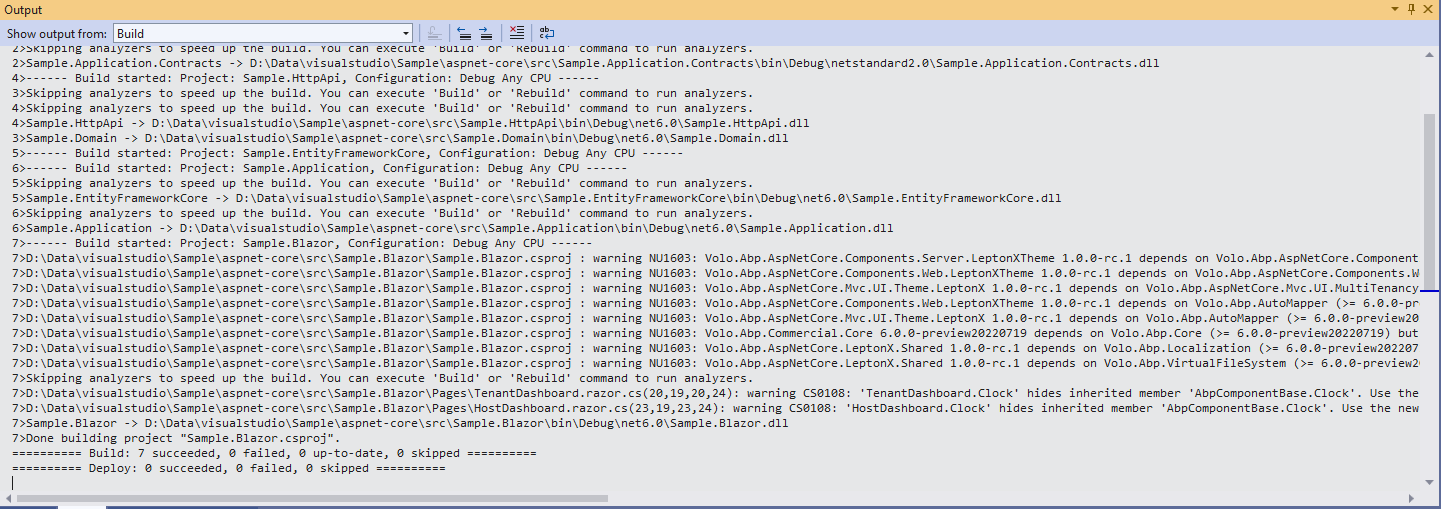
<br>
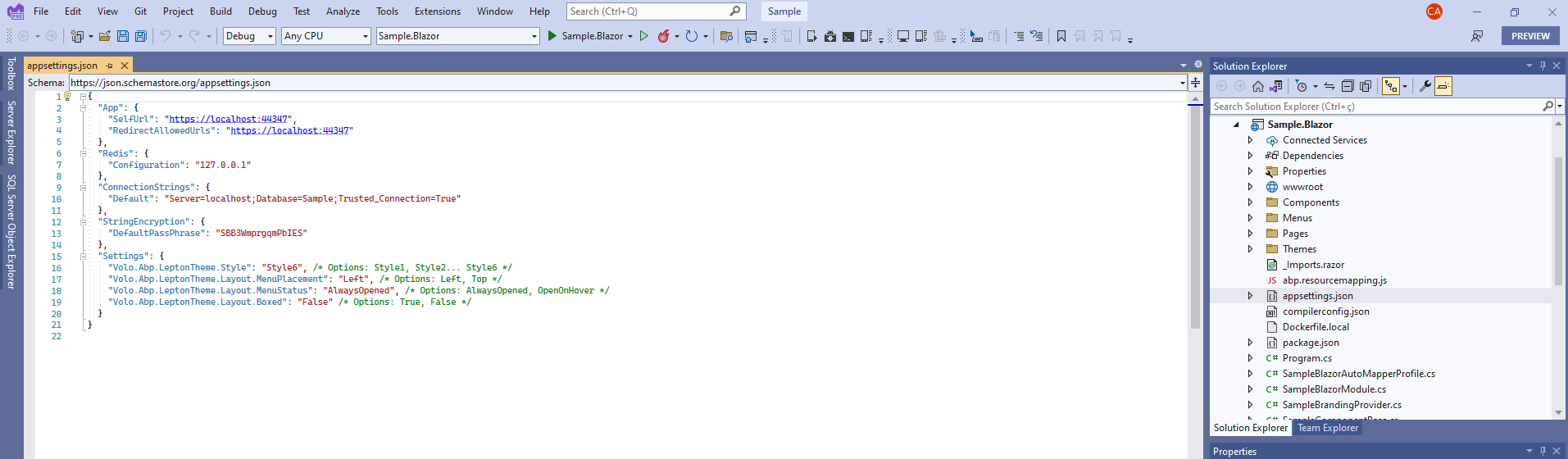
Additionally, the appsettings.json does not contain the Authentication Server or remote server:
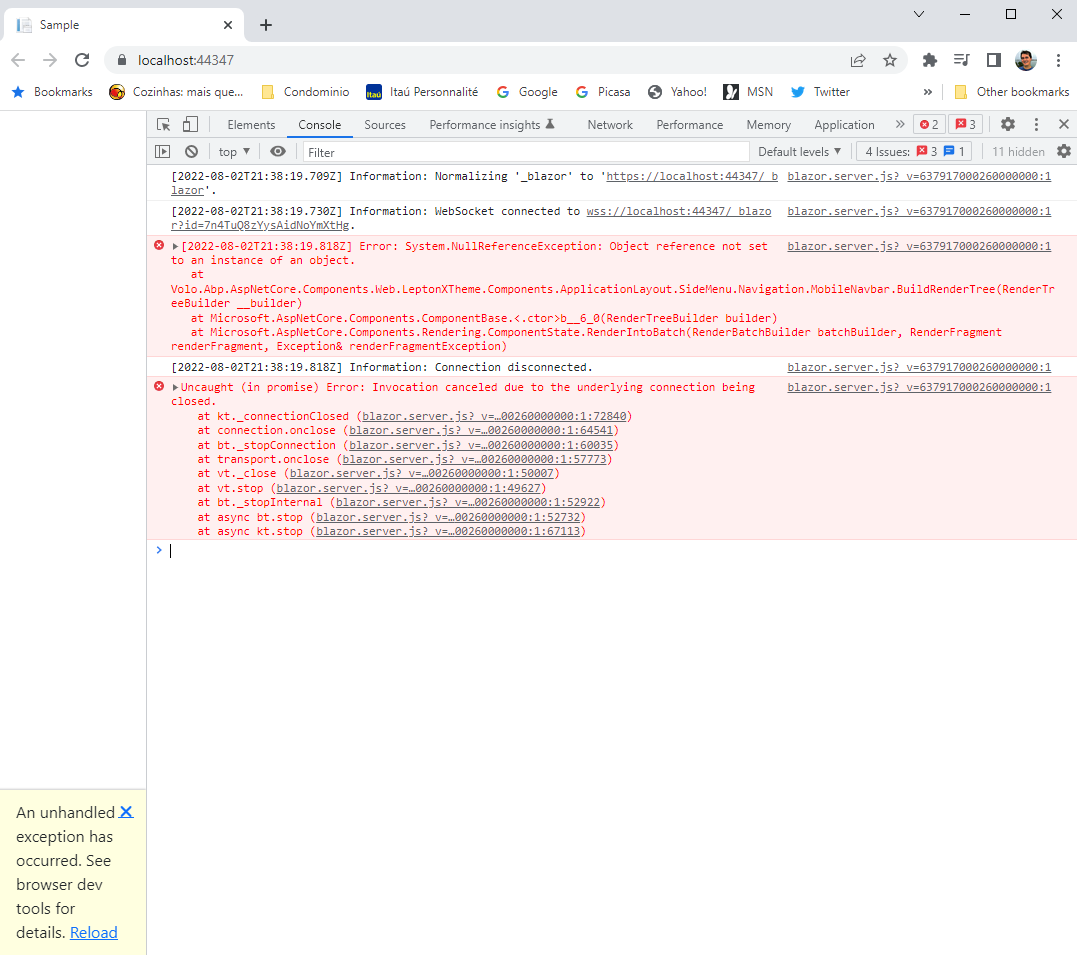
There are many errors in the Console of DEV Tools of Chrome:
Please, help.
Check the docs before asking a question: https://docs.abp.io/en/commercial/latest/ Check the samples, to see the basic tasks: https://docs.abp.io/en/commercial/latest/samples/index The exact solution to your question may have been answered before, please use the search on the homepage.
If you're creating a bug/problem report, please include followings:
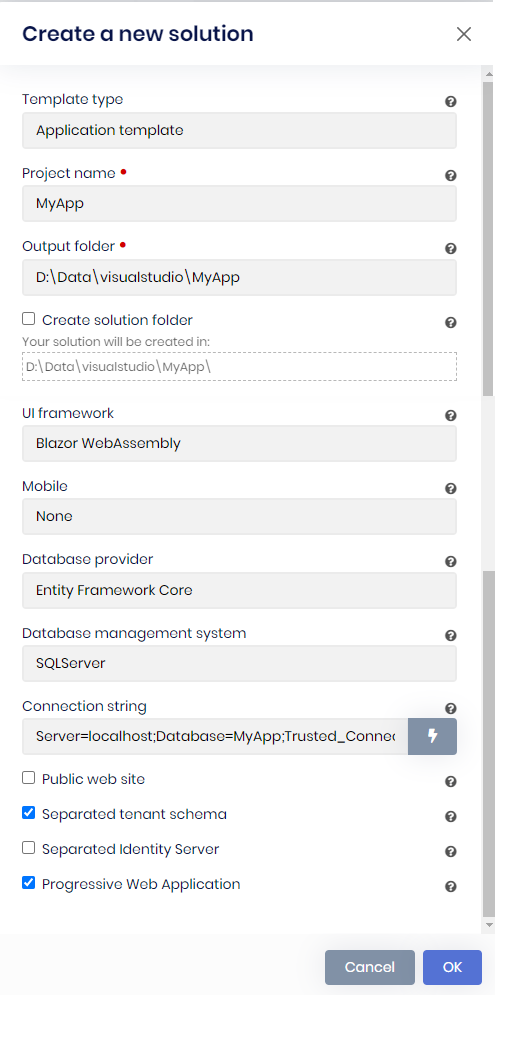
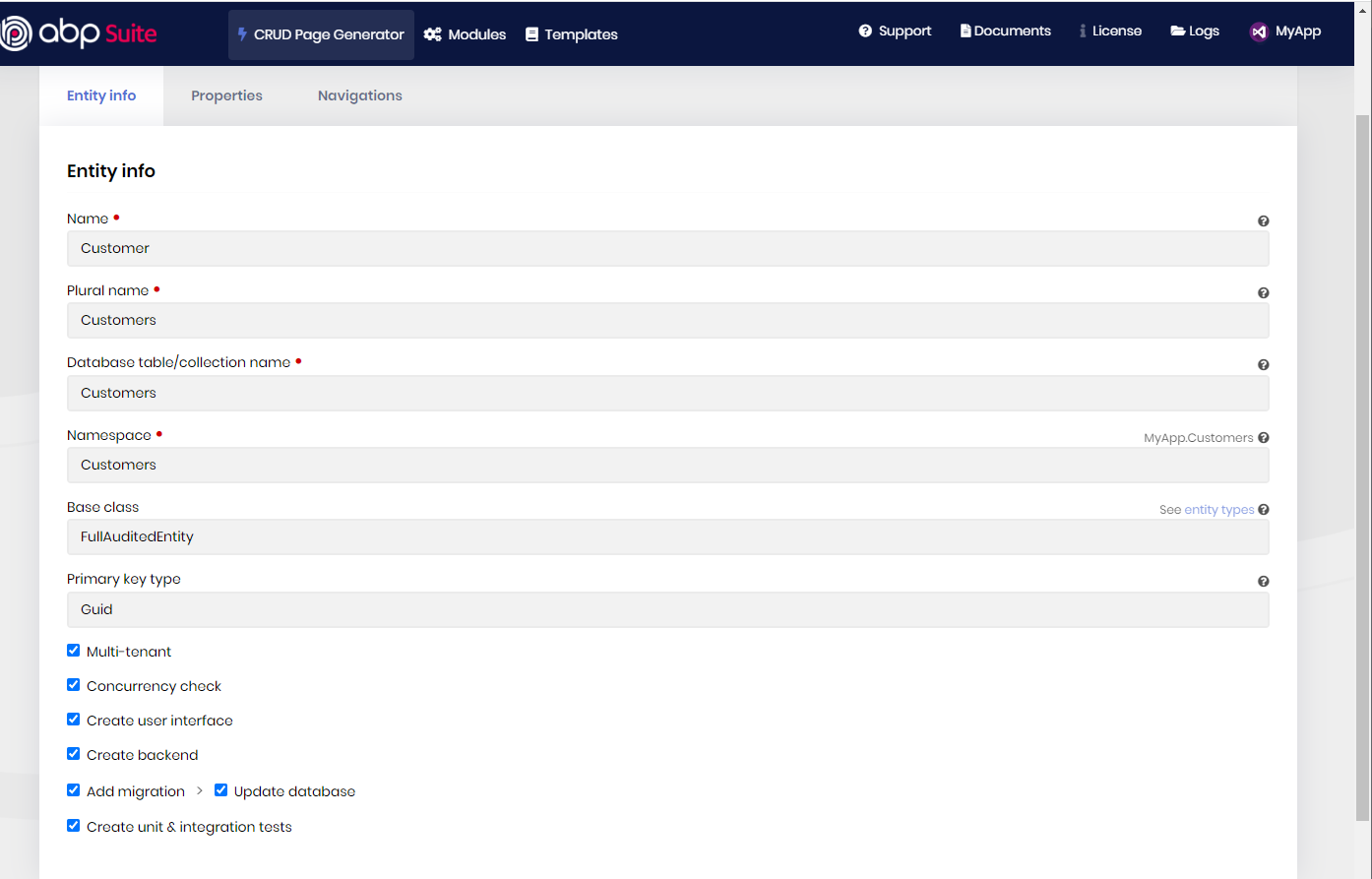 (Entity)
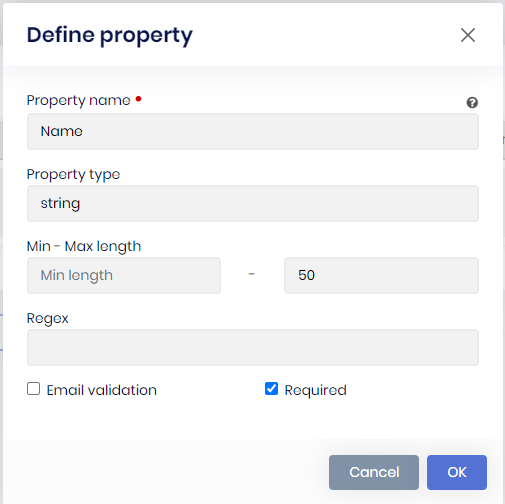 (Property)
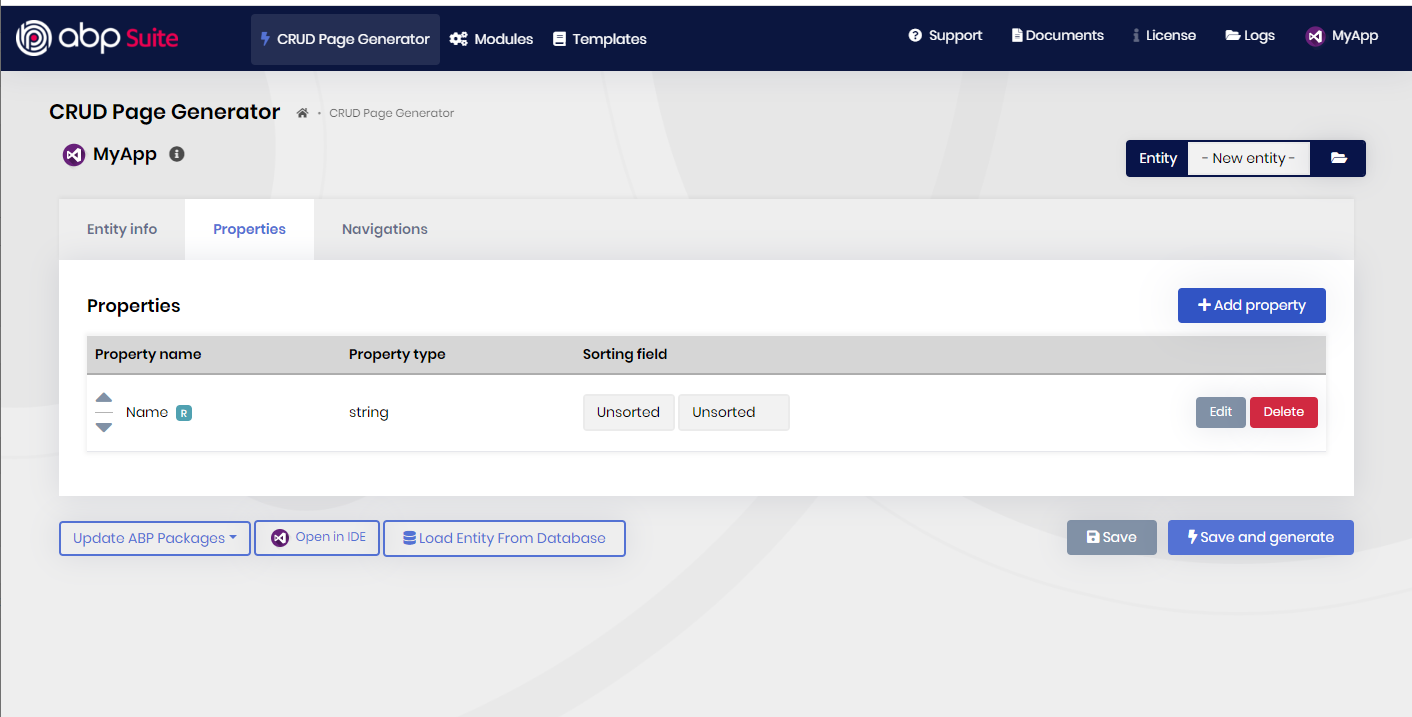 7. Hit the buton "Save and generate".
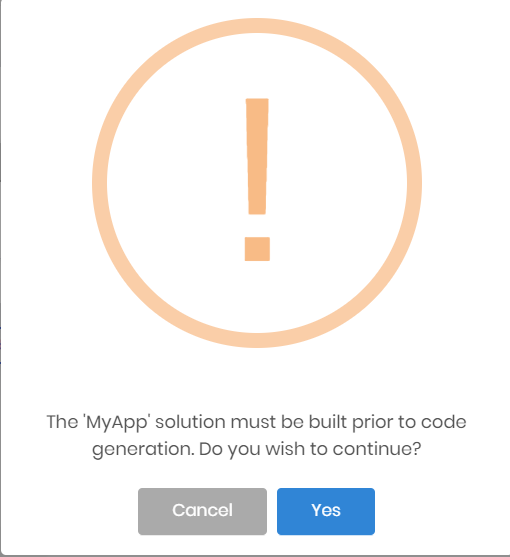
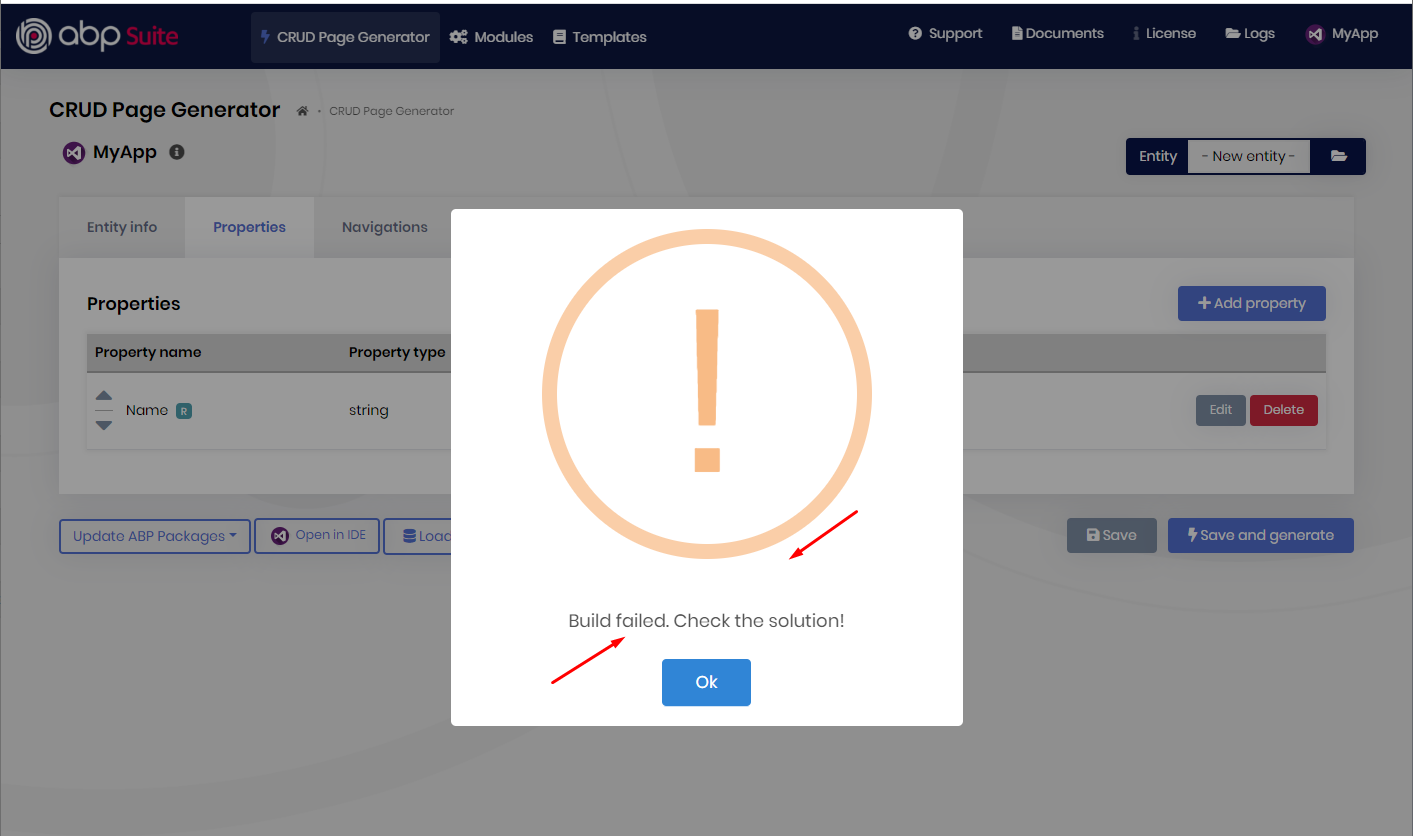
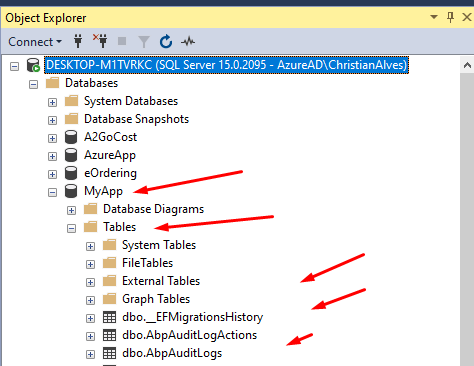
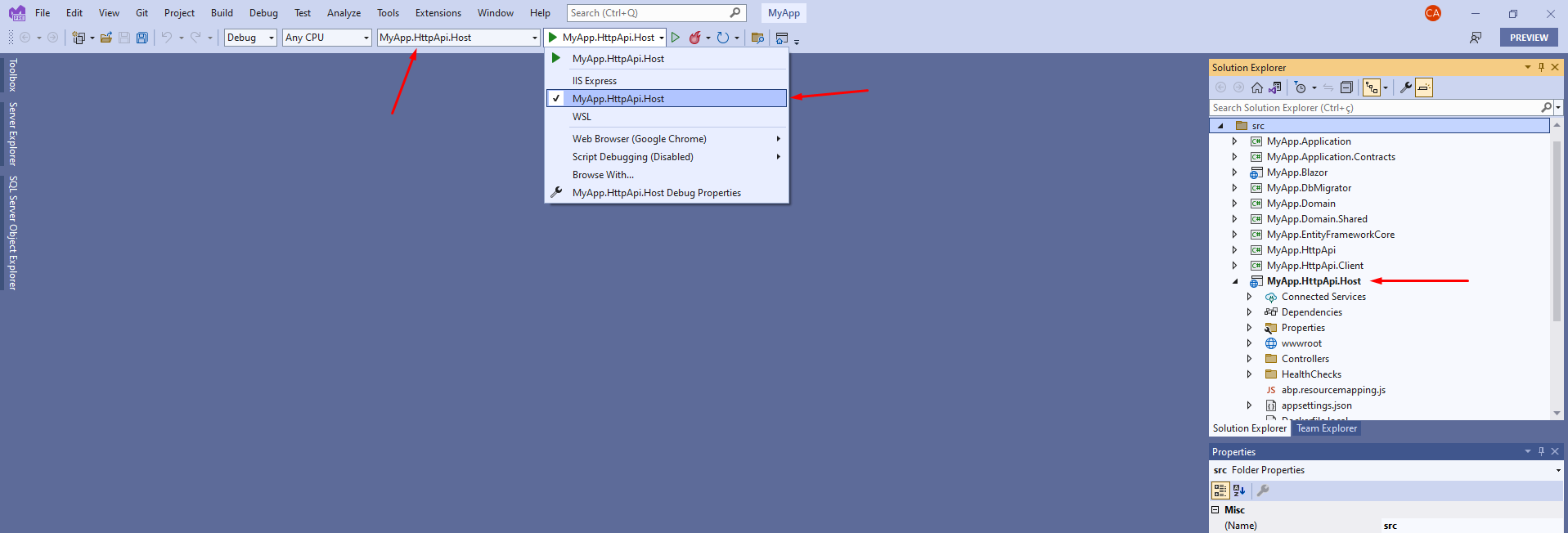
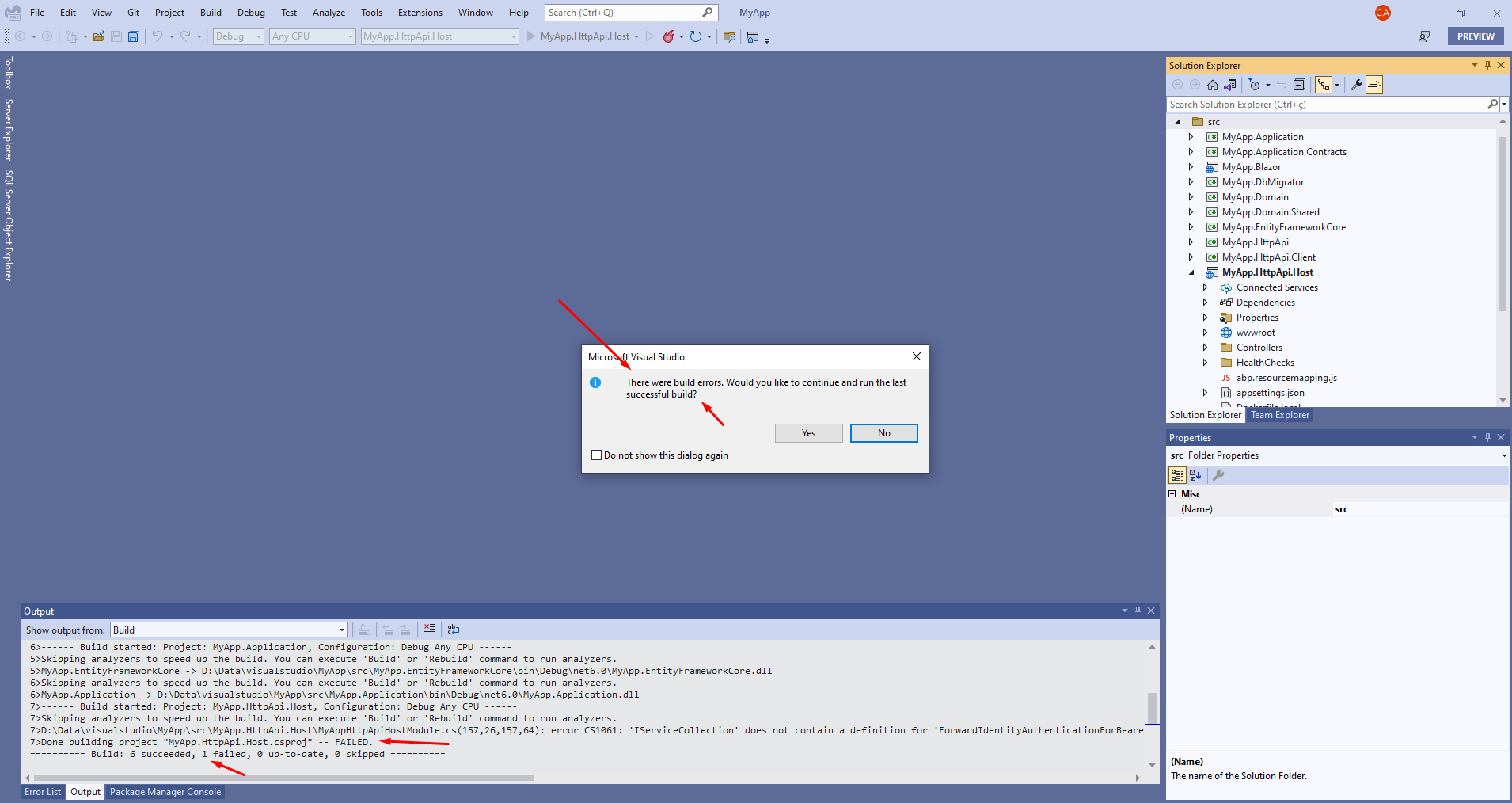

Severity Code Description Project File Line Suppression State Error CS1061 'IServiceCollection' does not contain a definition for 'ForwardIdentityAuthenticationForBearer' and no accessible extension method 'ForwardIdentityAuthenticationForBearer' accepting a first argument of type 'IServiceCollection' could be found (are you missing a using directive or an assembly reference?) MyApp.HttpApi.Host D:\Data\visualstudio\MyApp\src\MyApp.HttpApi.Host\MyAppHttpApiHostModule.cs 157 Active
I´ve tried to create this app many times, without success. ABP Suite only works fine if the feature "Public Web Site" is selected in the begining of the process. I have other applications created with sucess if the feature "Public Web Site" is selectec. I´m trying to create a new application withou "Public Web Site" because I do want to avoid to install Redis Cache, required by the Public Web Site.
I believe this is an error injected recently in the ABP Suite.
Check the docs before asking a question: https://docs.abp.io/en/commercial/latest/ Check the samples, to see the basic tasks: https://docs.abp.io/en/commercial/latest/samples/index The exact solution to your question may have been answered before, please use the search on the homepage.
If you're creating a bug/problem report, please include followings:
I will present the settings prepared to publish the application. No sensitive information.
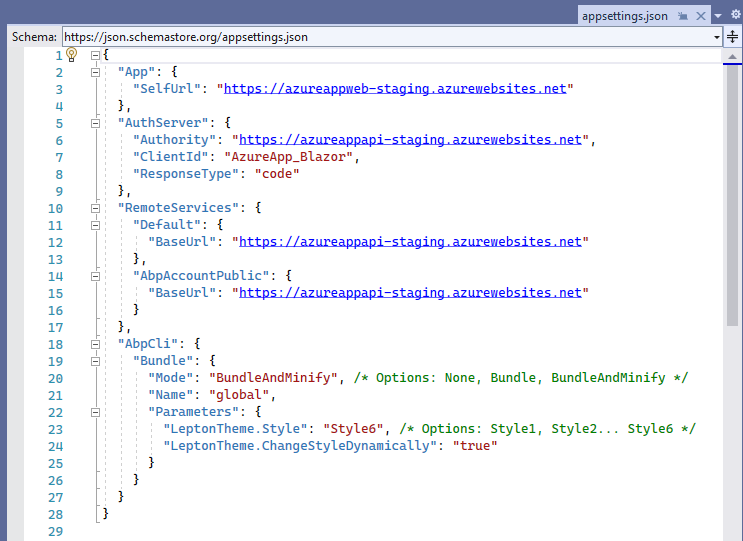
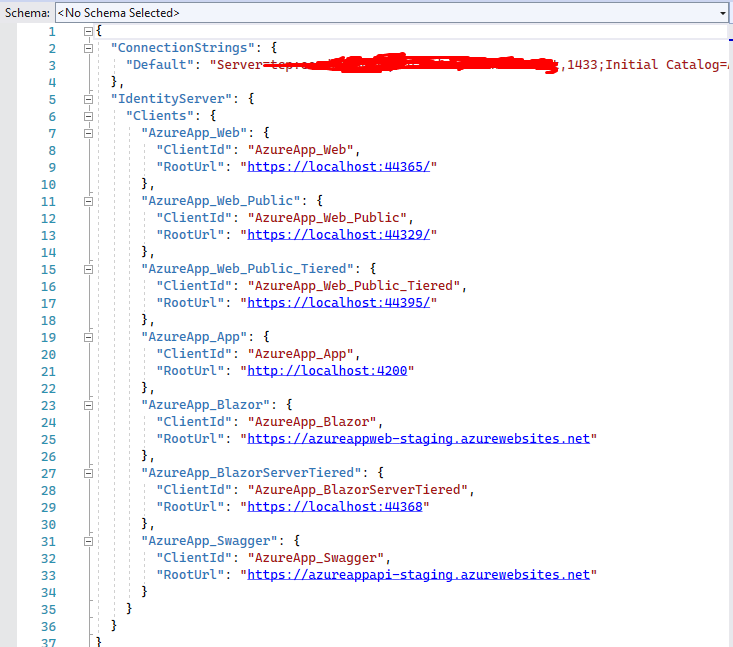
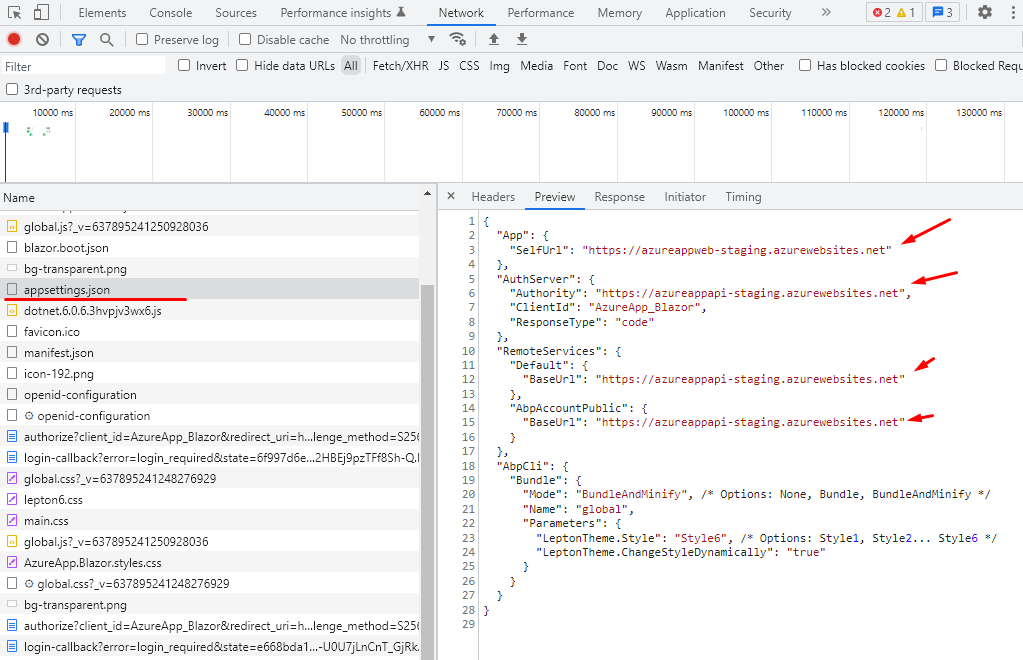
appsettings.json file for Blazor project is presented below containing the new Blazor and HttpApi.Host endpoints.
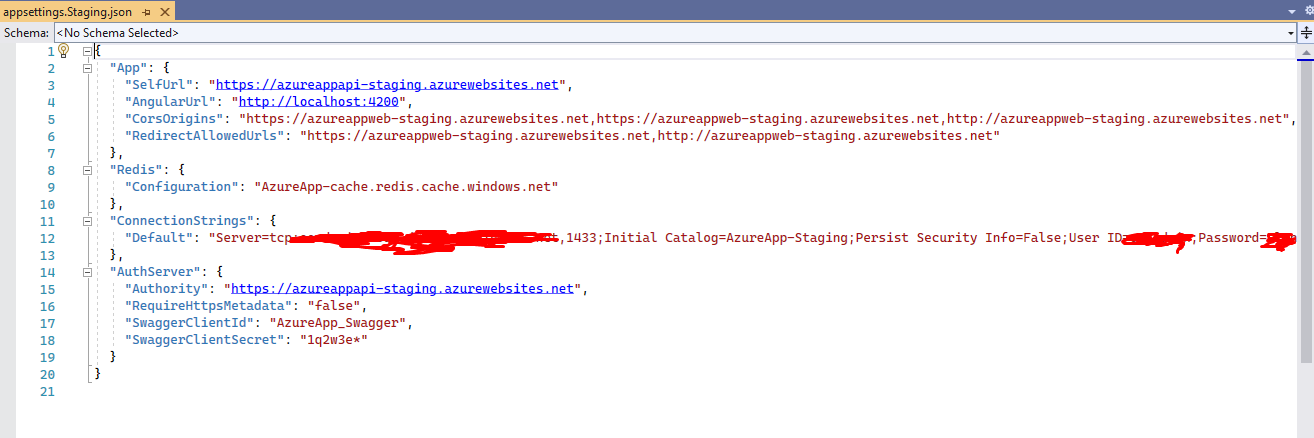
appsettings.json file for HttpApi.Host project is presented below containing the CorsOrigins and RedirectAllowedUrls containg the Blazor endpoint.
appsettings.json file for DbMigrator project is presented below, with the endpoints for Blazor and the API defined for the remote servers.
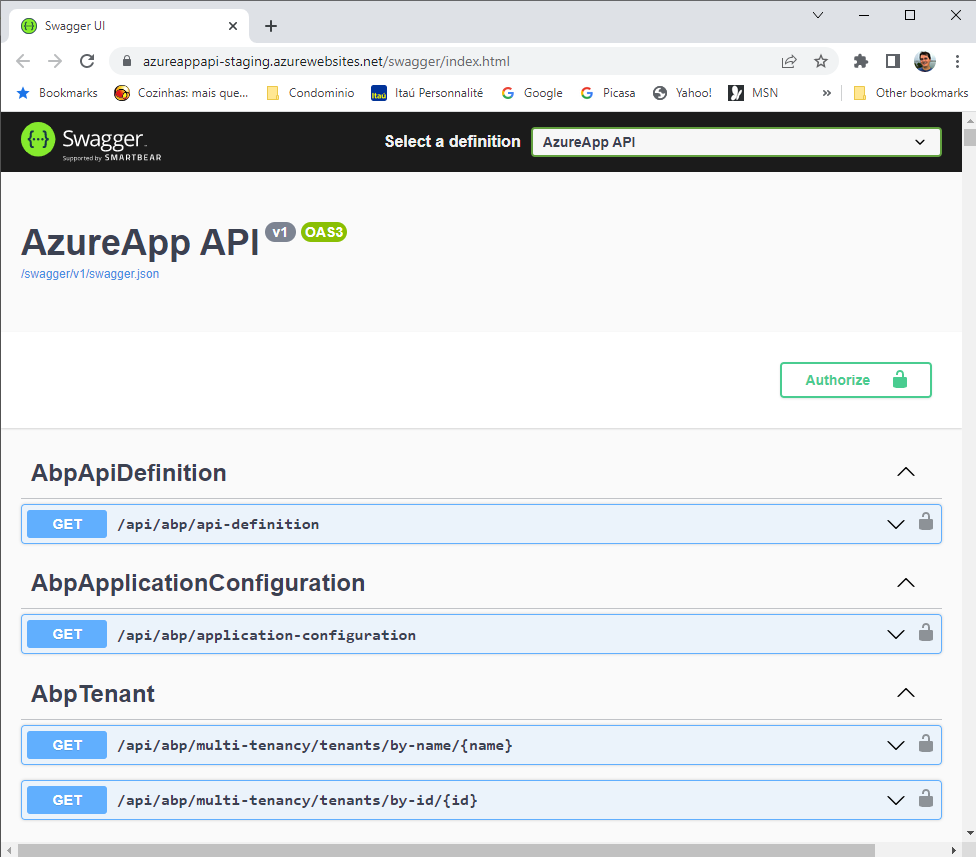
After the publish is done, the Swagger runs fine, so the API endpoint seems to be well configured as presented below:
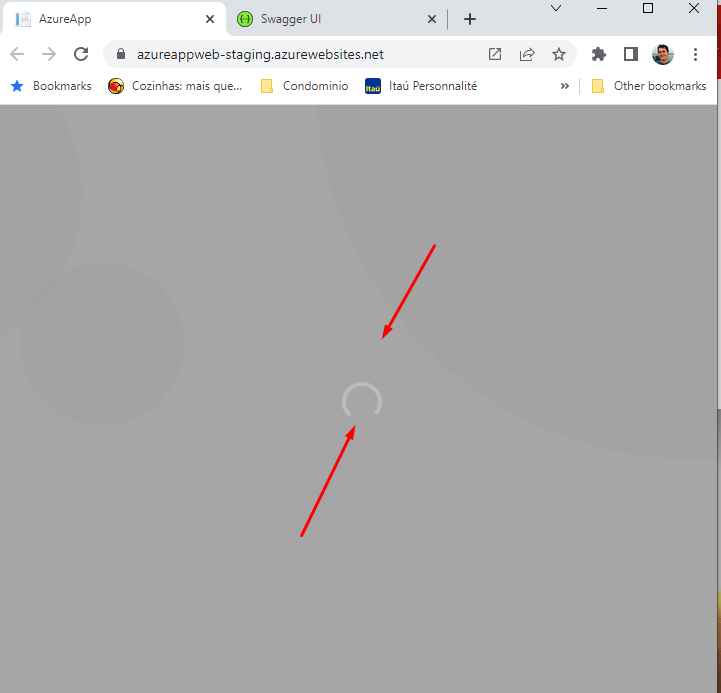
But the Blazor front end is loading endless as presented below:
I´ve already rebuilt the application to avoid mistakes. I searched on the web, also on the ABP support and community and reviewed the settings. I found many other folks having the same issue reported in the support and comunity. I believe there is a trick that is missed by blog authors on community also in the answers from support tickets found.
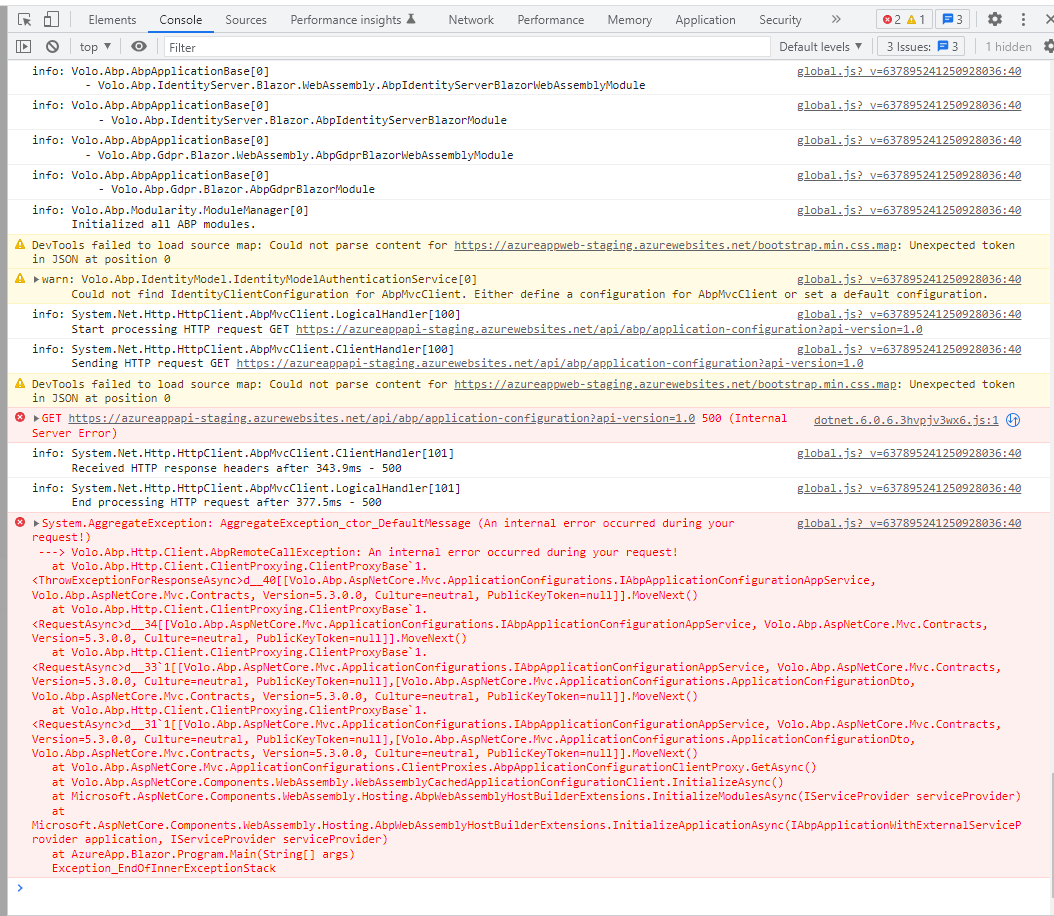
Here is the symptons found using the "Dev tools" available in the Google Chrome browser:
here is an additional information on the "network" available in the "Dev tools" presenting many failures:
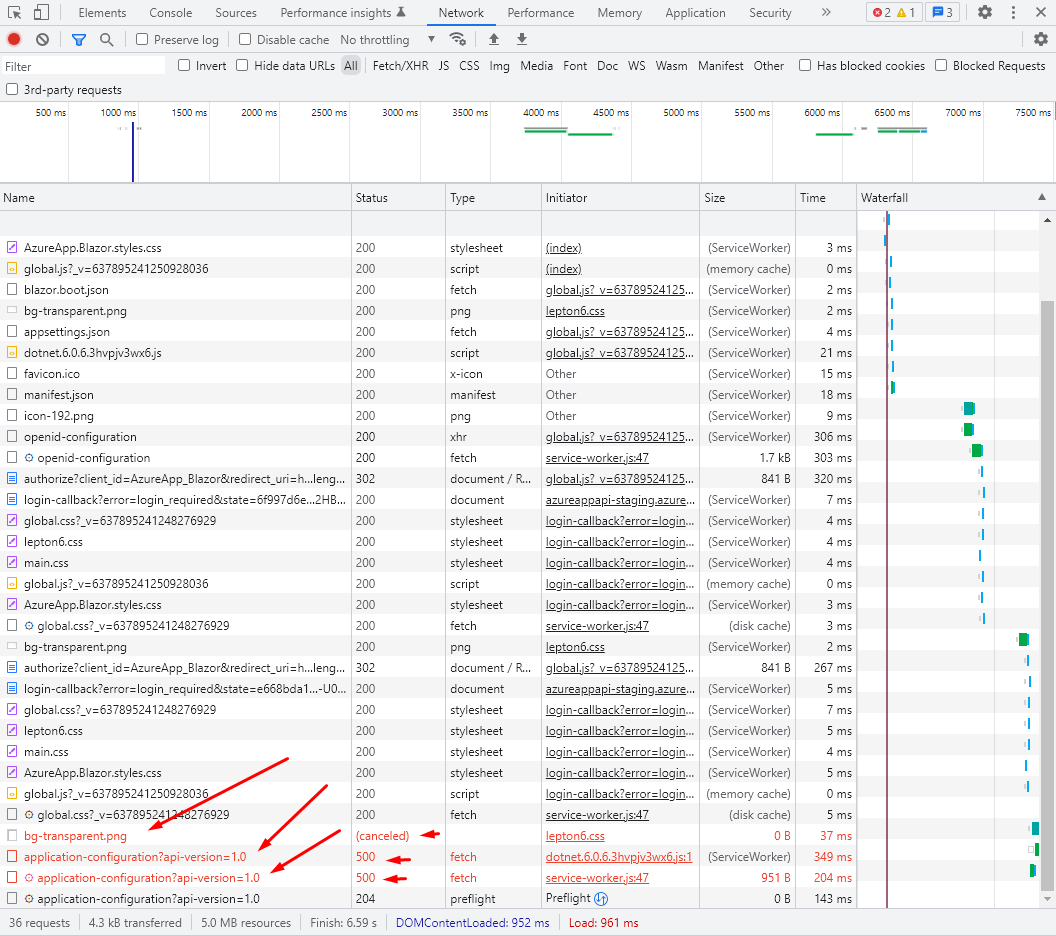
Here is the check-point about the endpoint being pointed correctly by the Blazor app:
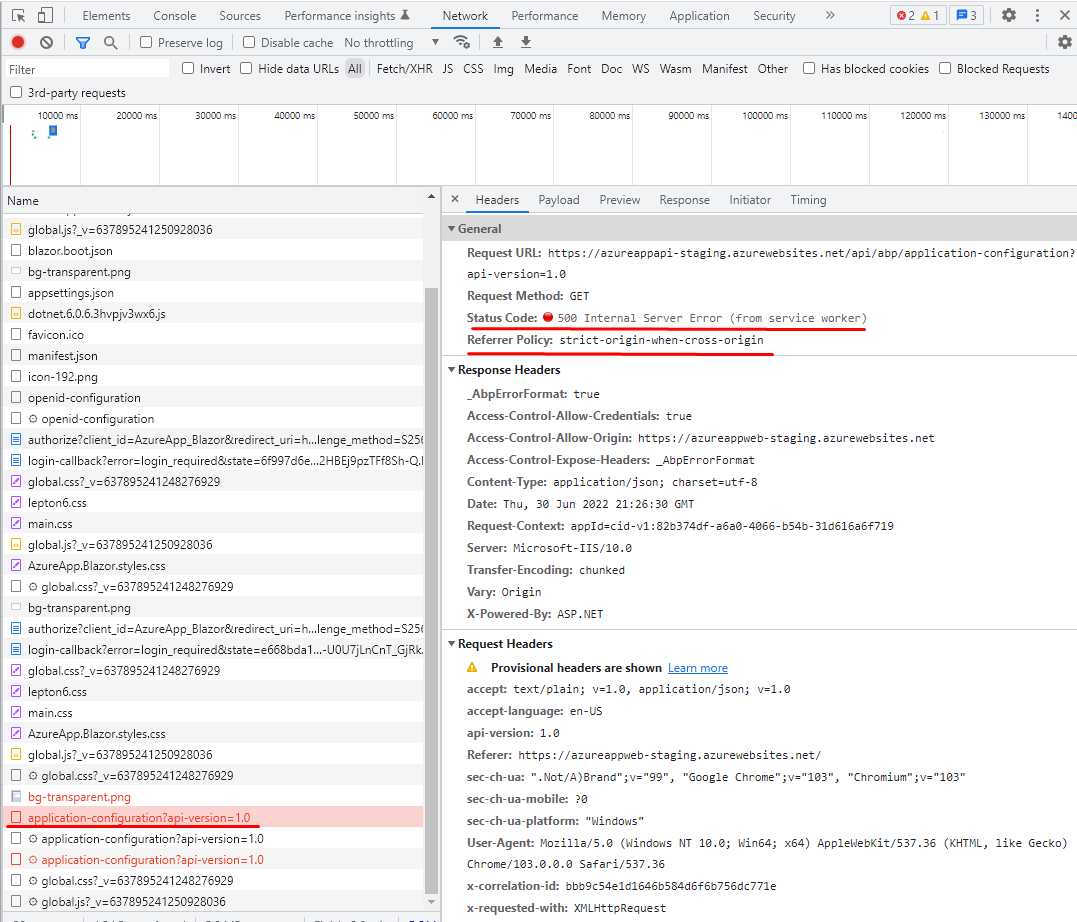
Here are the detailed screens that might be the problem:
Screen 1:
Screen 2:
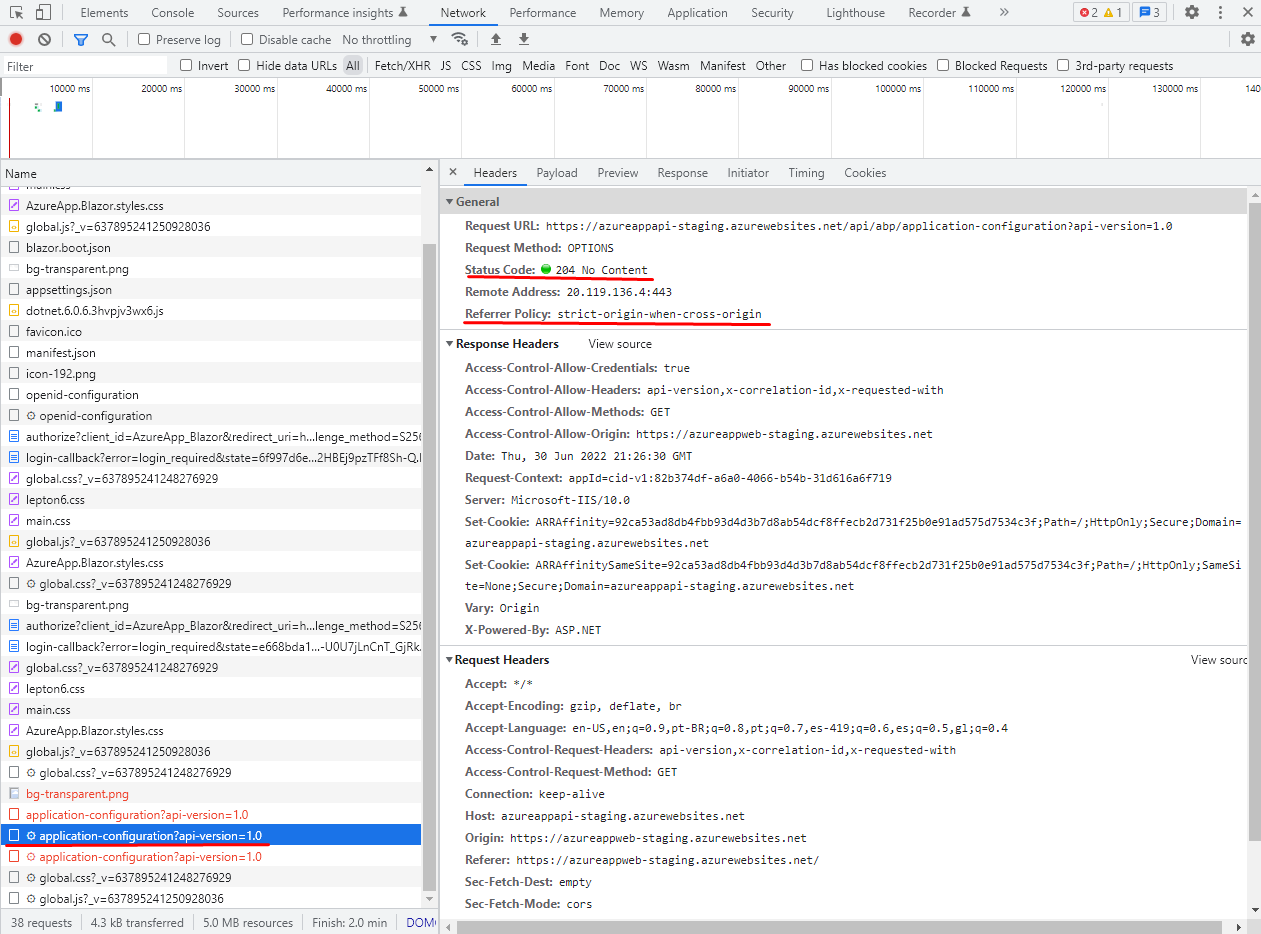
Screen 3:
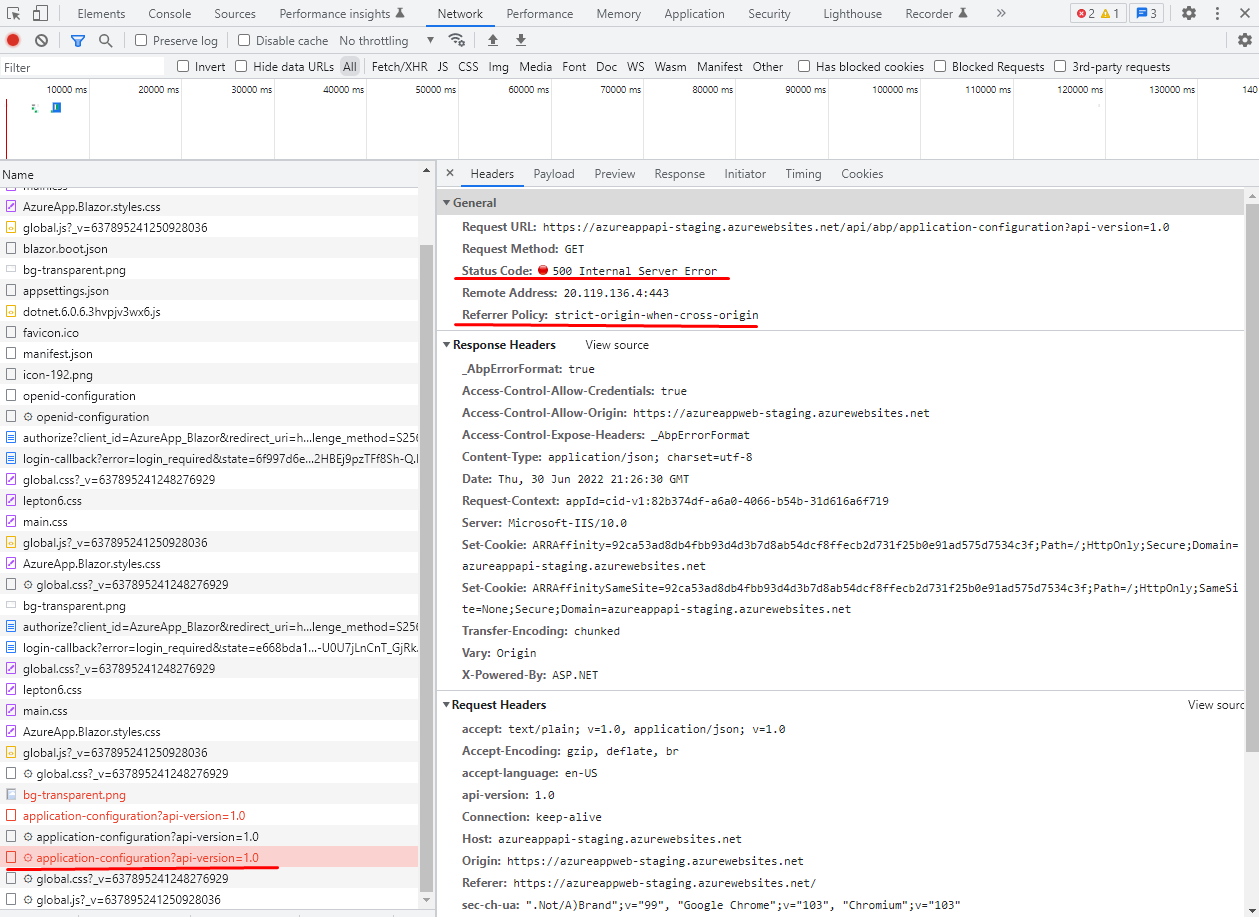
Screen 4:
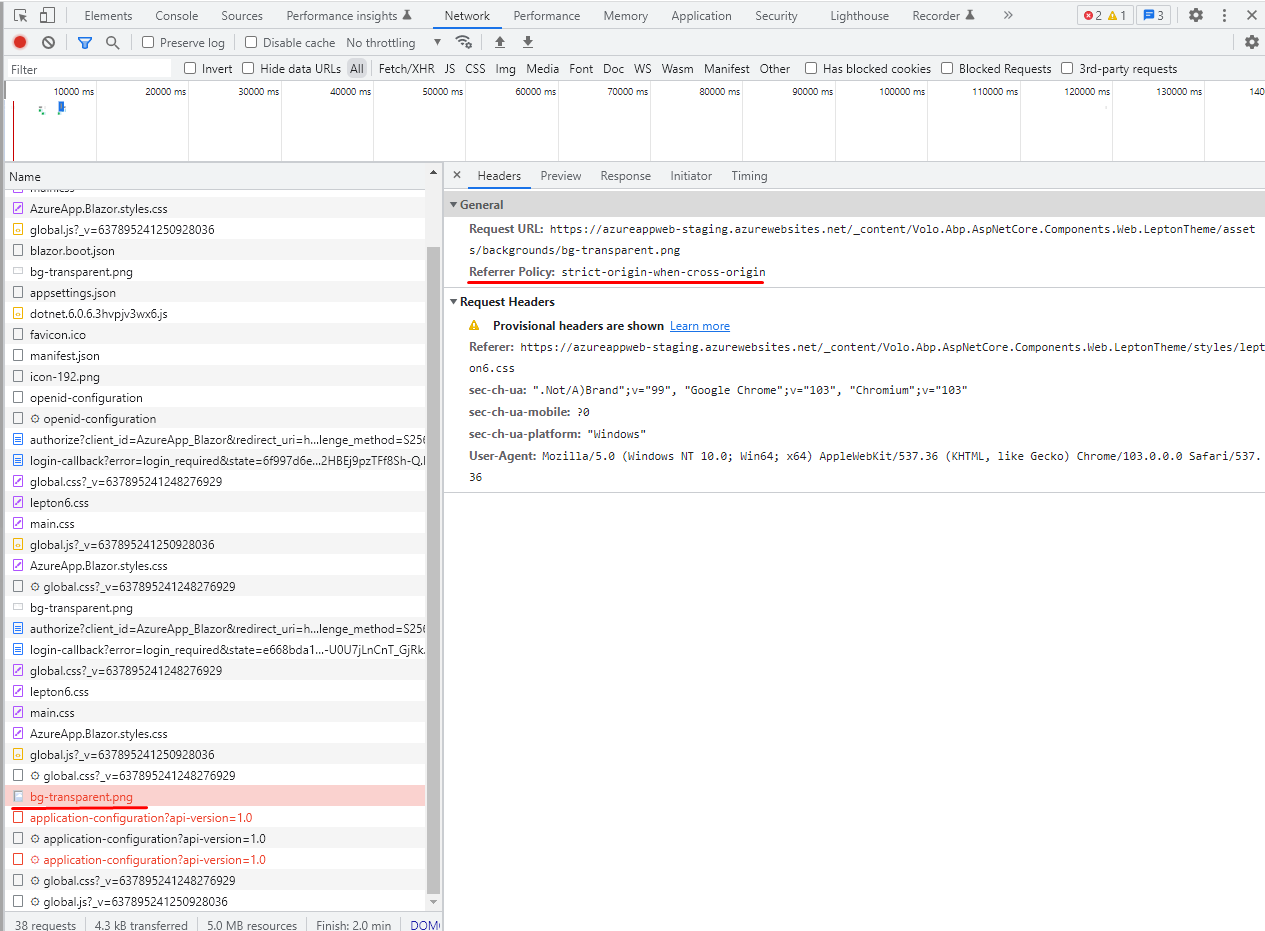
I´m really blocked for a long time trying to find a solution by myself but I was not able to find what is going wrong with the settings.
Please help on this! 😊
Best Regards,
Christian
<br> <br> <br>
Check the docs before asking a question: https://docs.abp.io/en/commercial/latest/ Check the samples, to see the basic tasks: https://docs.abp.io/en/commercial/latest/samples/index The exact solution to your question may have been answered before, please use the search on the homepage.
If you're creating a bug/problem report, please include followings:
I created Solution containg a Blazor App, Web API ({appname}.HttpApi.Host) and Public Website using ABP Suite as shown by the picture below:
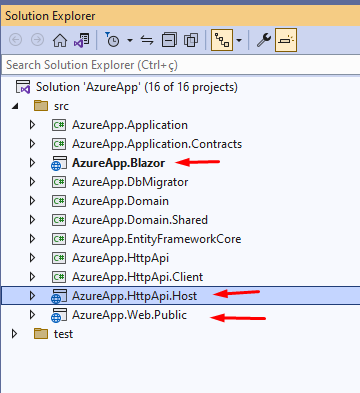
At this moment the solution was created with no additional entities. The solution containing multiples projects (Blazor App, Wep API, Public WebSite) was synchronized with Github repository, additionally it was created 3 branches named "Development", "Staging" and "Main" to allow 3 distinct environments for the software lifecycle.
We created the Microsoft Azure WebApps integrated with Github using the standard Azure wizard during the WebApp creation process (using the wizard), and just set manually the project path to the CSPROJ file in the YAML for each project. We created a "Azure Cache for Redis" service in Microsoft Azure to support the "Public Website" considering the documentation requirements to have Redis available for caching the Public Website. We created 3 distinct database instances using Azure SQL Server to support each of 3 environments.
The WebAPI is published on each AzureWebApp pointing to the right database instance.
How can we propagate the Database Migrations when we create or change any Entity using ABP Suite? In the Local Database at my PC where I´m running ABP Suite, the changes were applied automatically by ABP Suite. Once I sync with the remote repository and commit using Github to "Development" branch, the Github automation starts a new deployment to Azure WebApp instance but I could not find a way to apply the changes to remote database instance automatically, the only way I could do this migration was by running manually the project DbMigrator existing in my PC (using DOTNET RUN inside the DbMigrator folder) pointing to the remote Database Instance, applying the changes manually. How can I apply the migration/changes to the Database when the new release of the WebAPI is deployed and is required to update the database instance? Is there any solution embebed WebAPI project to verify the database instance and apply the migrations?
Best regards,
Christian
If you're creating a bug/problem report, please include followings:
Hi Folks,
I developed a simple application using Blazor WebAssembly to be hosted in Microsoft Azure, througth the Static Web App technology. The application name is eOrdering, the ideia is to be an application to allow small bakeries and restaurants to offer Online Ordering to their customers for takeawey or delivery of products.
The projects inside the Solution are named using ABP convention like eOrdering.Blazor, eOrdering.HttpApi.Host etc.
To create the Azure Machine is quite simple cause Azure offers a Wizard to set the machine and the Github settings to get access repository/branch to implement the CI-CD automation.
The machine has a public and fixed host name like https://somename.azure.com but it can be changed in the future for a custom domain name.
The beauty of this ci-cd is to allow to update the app version inside the machine when there is a new version published in Github. Everytime I commit the branch, the Github updates the Azure Machine content. It is very common nowadays but I´m describing here to make the case clear.
I have 3 branches in the GitHub (Development, Test, Production) and each of them is integrated with a distinct Azure Machine. Once there is an update in the Development branch, the new code is automatically deployed to Azure Machine-dev and need to access the correct API. When there is a change in the Test branch, the new code is automatically deployed to Azure Machine-tst, and the same situation occurs when updating the Production branch.
In my personal PC where I have ABP installed and Visual Studio to run, I can see the both applications running correctly (the API and the FrontEnd) but when I publish them to Azure, the FrontEnd doesn't find the API.
What kind of configuration should I need to add to Blazor frontend application (or another dependency project) to allow the application understands that is being hosted by a given machine and use the correct path to start the communication with the correct backend API (in the case the project eOrdering.HttpApi.Host) hosted in another manhine)?
Many thanks!









