Hi!
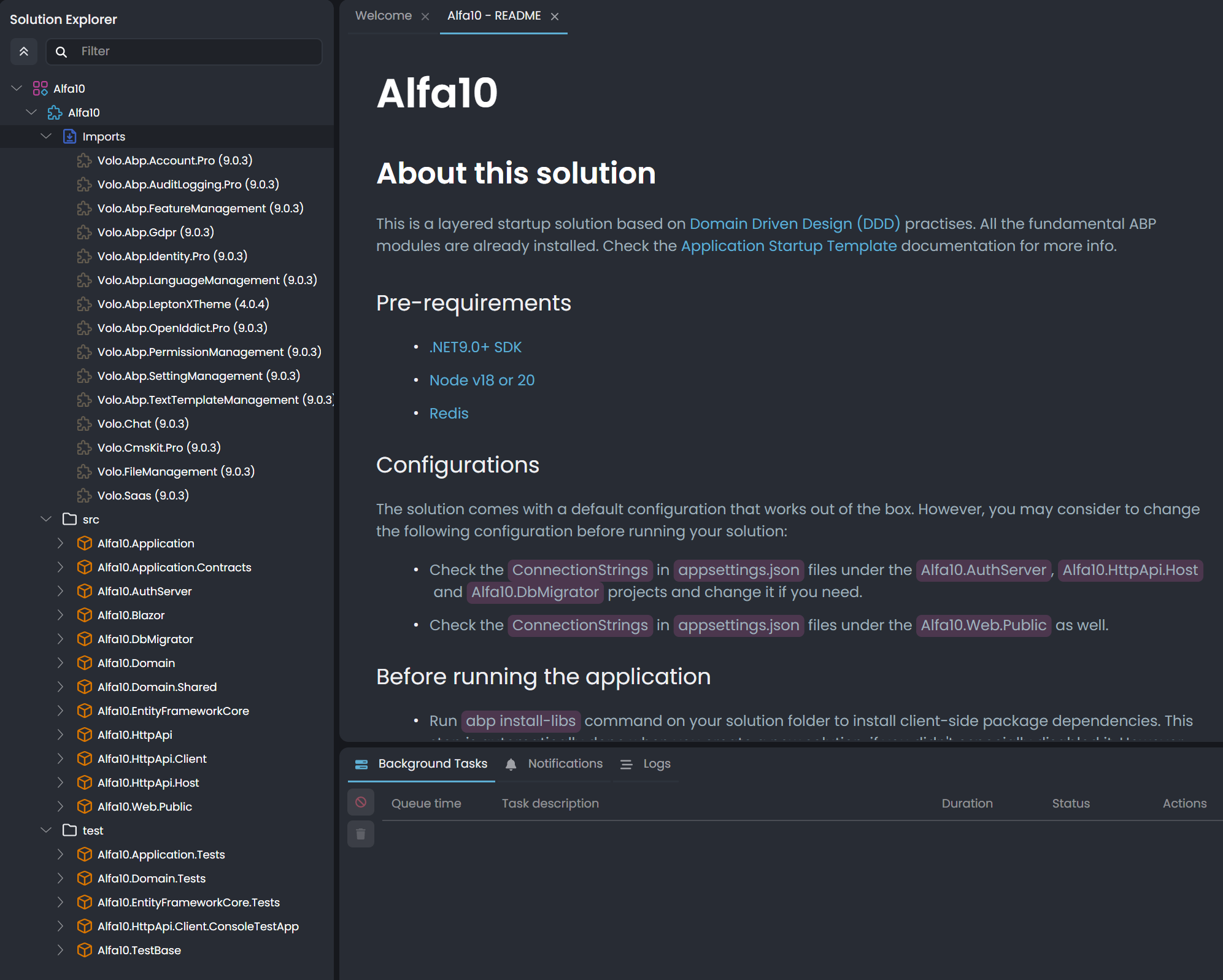
Here is the explorer view from the application created using Studio 0.9.20 that is hanging (Http.Api.Host is not starting).
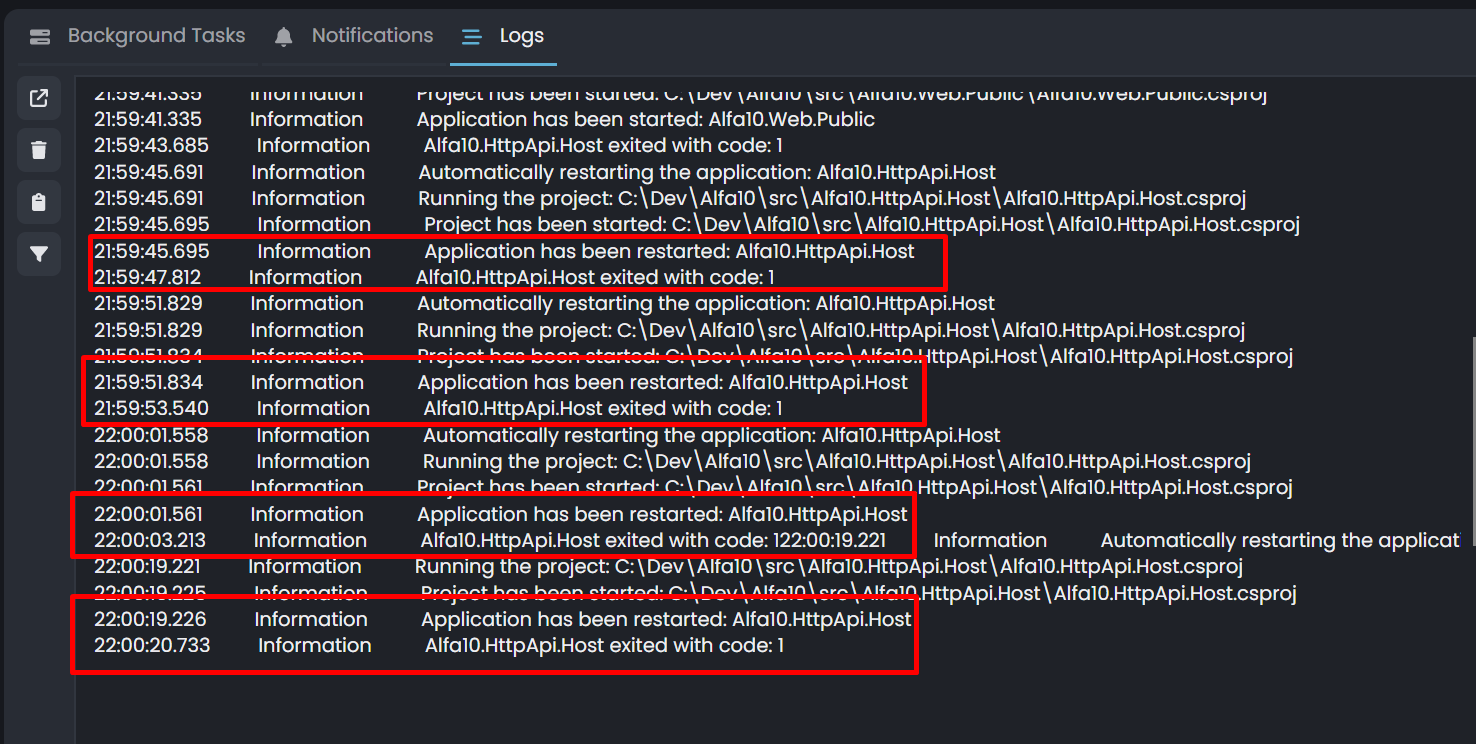
Here is the screenshot related to endless restarting of the HttpApi.Host
<br>
<br>
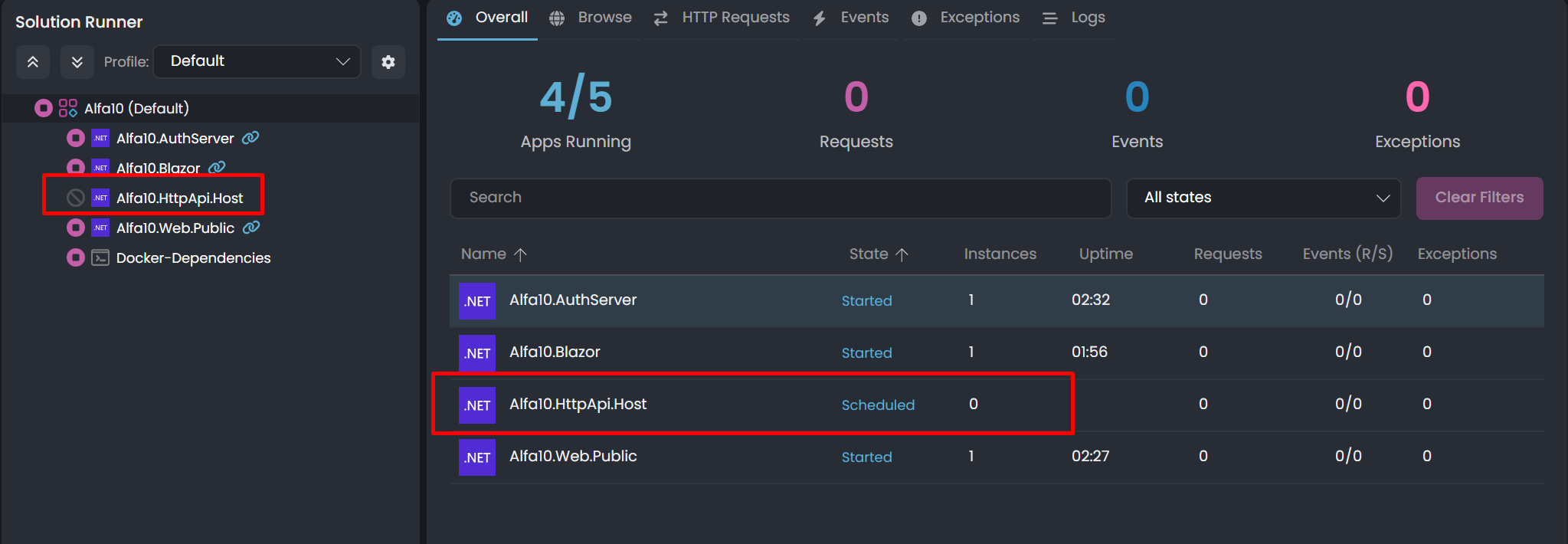
Here is the screenshot of the solution runner showing the endless restarting project
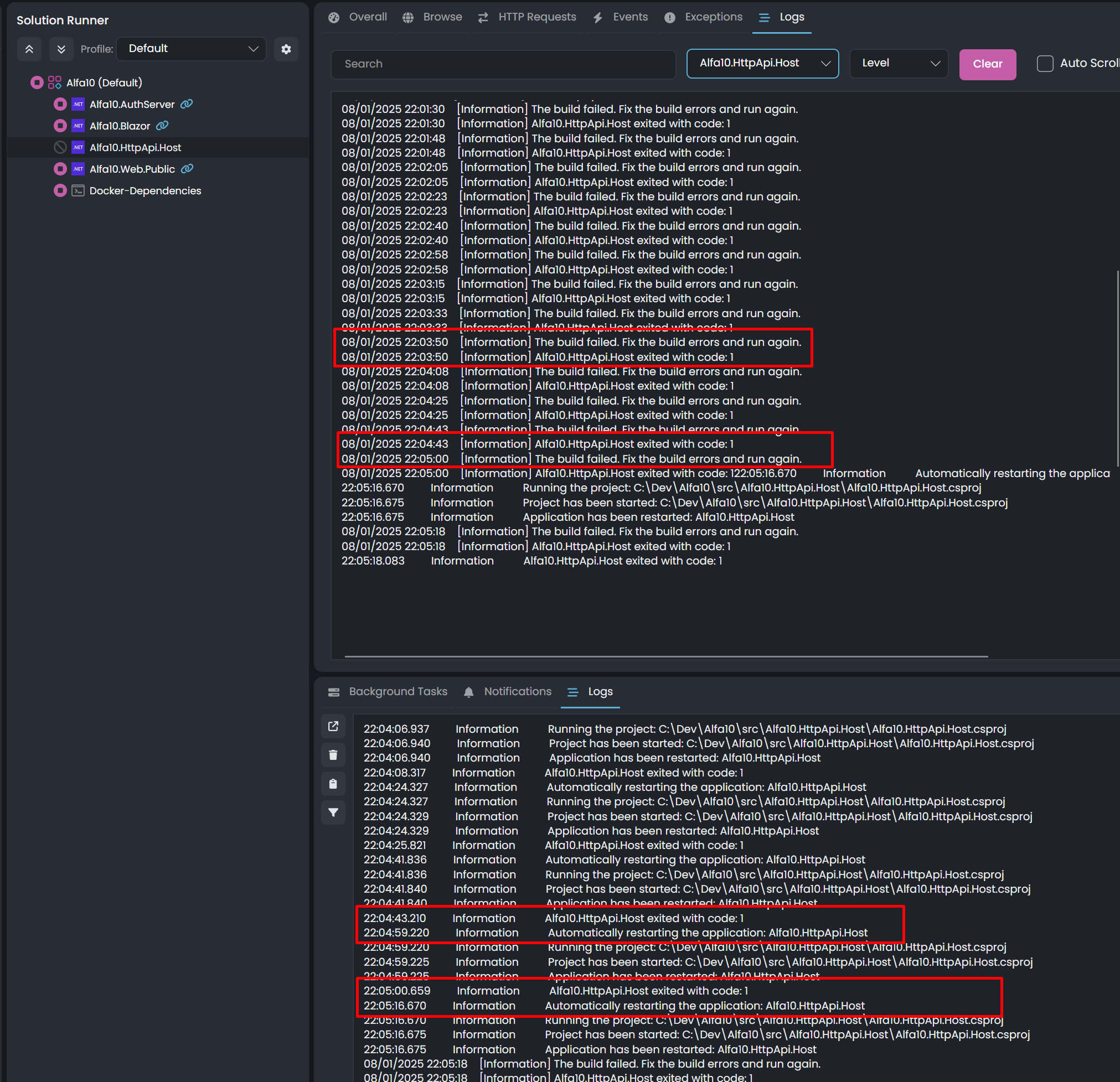
And here is the possible cause, when tried to run on the terminal mode. The sample CRUD on Studio 0.9.20 is missing something when the CRUD sample is included in the solution creation process.
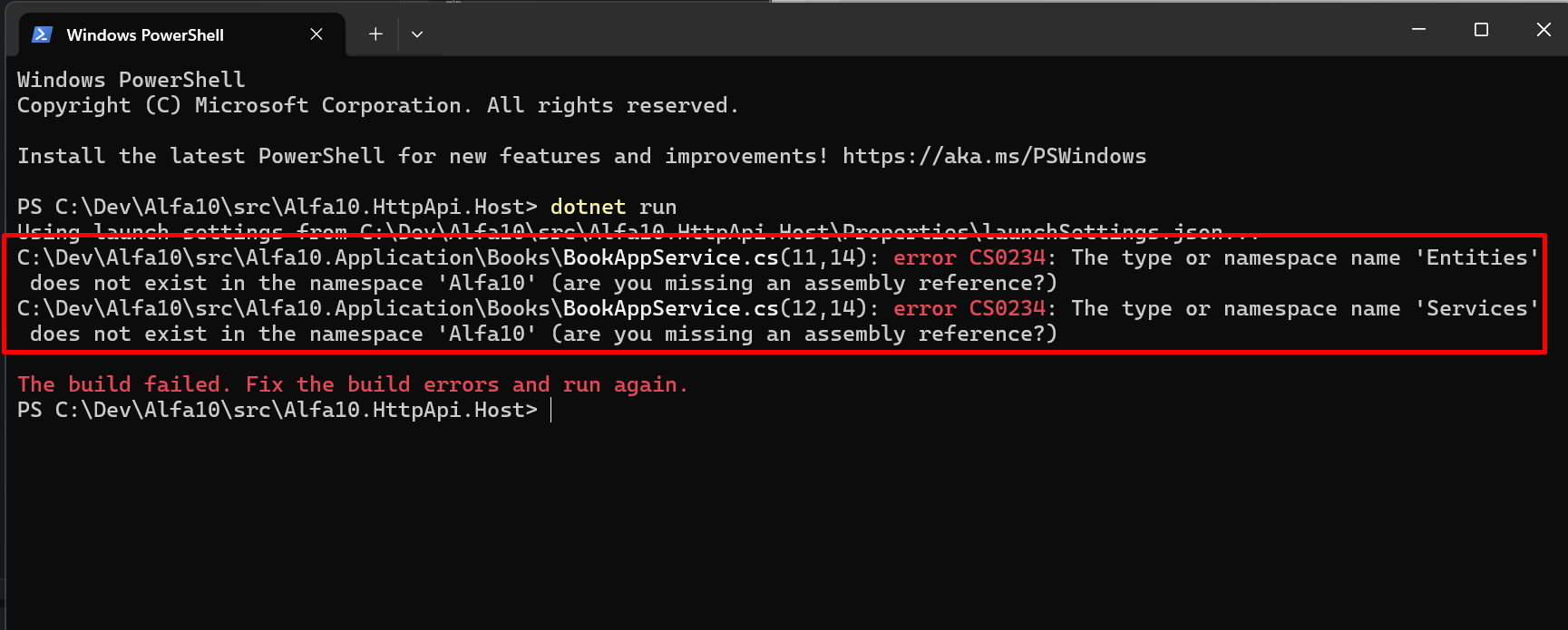
Helo!! I noticed about the new version 0.9.20 and just updated my ABP Studio version to this current, that is a great news!
Using the new version, I tried to create a new solution with same steps of the previous one (created when I opened this ticket) and the CMS is being always mandatory (even having a checkbox, it always has its box checked when going to next button).
The solution was created with success but the solution is hanging to run, the project API.HOST is restarting endless and I believe that there is anything related to this release generating bug on Http.Api.Host because this project is hanging and doesn´t start on ABP Studio, in a endless process, having "exit code: 1" endless.
I´m not able to create a solution without CMS Kit to test if the problem is related to the new ABP Studio release or if it is related to the inclusion of CMS in the solution.
The previous solution created just before open this ticket still working fine and starts very quick without restarting any project.
Can you help on that?
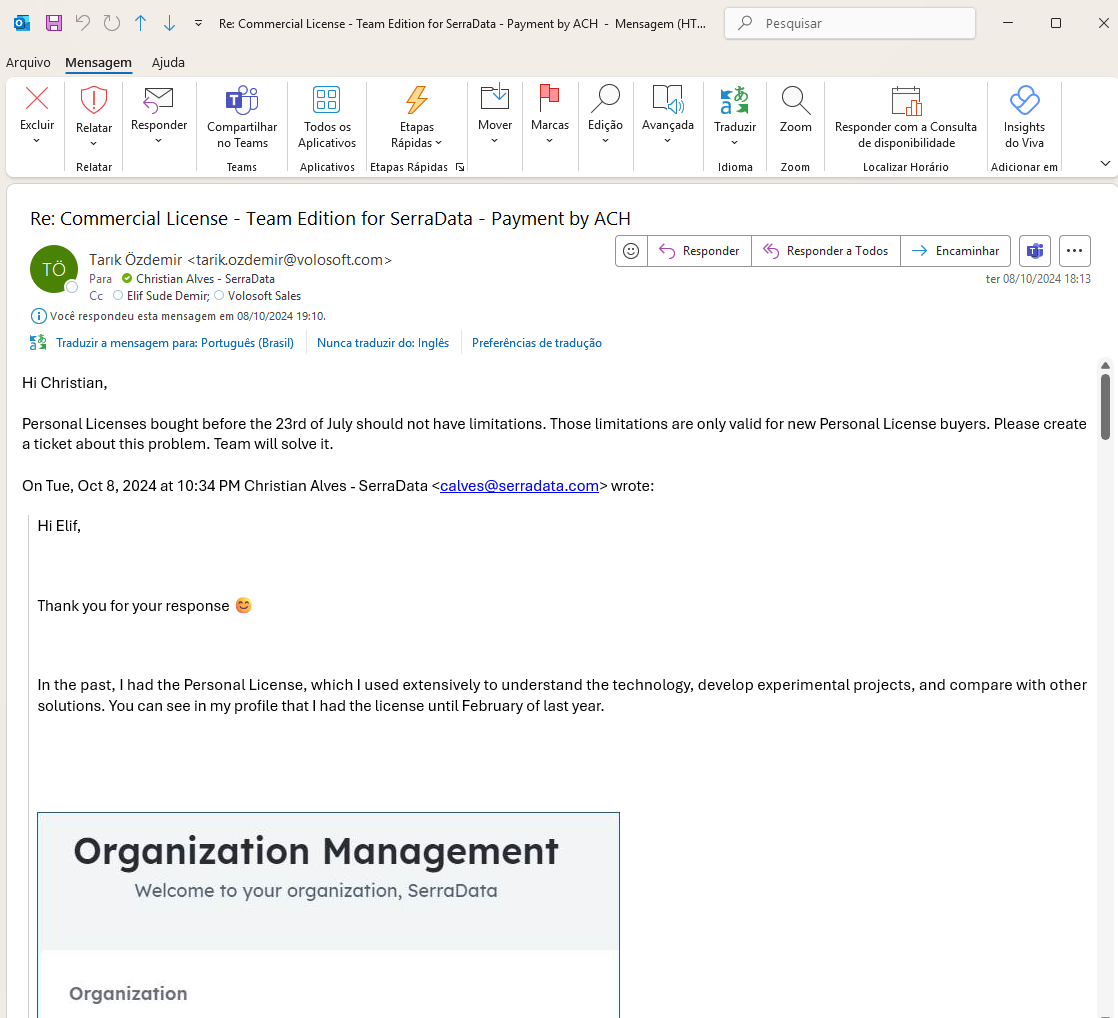
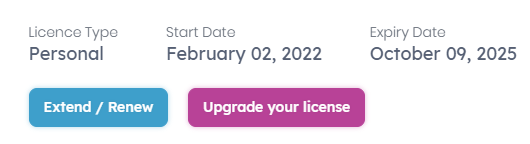
Hi Sr. Please take a look at the email below, I believe there is a misunderstand about the which version should apply these restrictions. As you will see, Tarik mentioned that Personal Licenses bought before July 23rd, 2024 should not have the restrictions, the restrictions apply only for new subscribers.
Can you please review internally based on the email below?
Many thanks!
Hi,
Appreciate your answer, helped a lot.
Now i am facing another problem, my workflow doesn't work as I expected in the deploy step, the runner accuse an error that the site was not found, but I checked a lot of times and the name was correct, I already added it in the iis manager and in the hosts file but didn't work.
I already checked iis, web management service and the firewall, all of them are ok.
my actual workflow is:

name: Deploy Entire App using Web Deploy

on:
  push:
    branches:
      - main

jobs:
  build-and-deploy:
    runs-on: windows-latest

    steps:
    - name: Checkout code
      uses: actions/checkout@v3

    - name: Setup .NET
      uses: actions/setup-dotnet@v3
      with:
        dotnet-version: '9.0'

    - name: Restore dependencies
      run: dotnet restore

    - name: Build project
      run: dotnet build --configuration Release

    - name: Publish AuthServer
      run: dotnet publish ./src/Alfa5.AuthServer/Alfa5.AuthServer.csproj -c Release -o ./publish/AuthServer

    - name: List published files #debug
      run: dir ./publish/AuthServer

    - name: Deploy AuthServer using Web Deploy
      run: |
        & "C:\Program Files\IIS\Microsoft Web Deploy V3\msdeploy.exe" `
        -verb:sync `
        -source:contentPath=./publish/AuthServer `
        -dest:iisApp=webdepauthserveralfa5,wmsvc=https://52.168.74.165:8172/msdeploy.axd ,username=***,password=***,authType=Basic `
        -allowUntrusted

    - name: Publish Blazor
      run: dotnet publish ./src/Alfa5.Blazor/Alfa5.Blazor.csproj -c Release -o ./publish/Blazor

    - name: Deploy Blazor using Web Deploy
      run: |
        & "C:\Program Files\IIS\Microsoft Web Deploy V3\msdeploy.exe" `
        -verb:sync `
        -source:contentPath=./publish/Blazor `
        -dest:iisApp=webdepblazoralfa5,wmsvc=https://52.168.74.165:8172/msdeploy.axd,username=***,password=***,authType=Basic `
        -allowUntrusted

    - name: Publish HttpApiHost
      run: dotnet publish ./src/Alfa5.HttpApi.Host/Alfa5.HttpApi.Host.csproj -c Release -o ./publish/HttpApi.Host

    - name: Deploy HttpApiHost using Web Deploy
      run: |
        & "C:\Program Files\IIS\Microsoft Web Deploy V3\msdeploy.exe" `
        -verb:sync `
        -source:contentPath=./publish/HttpApi.Host `
        -dest:iisApp=webdephttpapihostalfa5,wmsvc=https://52.168.74.165:8172/msdeploy.axd,username=***,password=***,authType=Basic `
        -allowUntrusted
The error message is:
Run & "C:\Program Files\IIS\Microsoft Web Deploy V3\msdeploy.exe" `
  & "C:\Program Files\IIS\Microsoft Web Deploy V3\msdeploy.exe" `
  -verb:sync `
  -source:contentPath=./publish/AuthServer `
  -dest:iisApp=webdepauthserveralfa5,wmsvc=https://52.168.74.165:8172/msdeploy.axd,username=sdtweb01\opsadmin,*** `
  -allowUntrusted
  shell: C:\Program Files\PowerShell\7\pwsh.EXE -command ". '{0}'"
  env:
    DOTNET_ROOT: C:\Program Files\dotnet

Error Code: ERROR_SITE_DOES_NOT_EXIST
More Information: Site '.' does not exist.  Learn more at: https://go.microsoft.com/fwlink/?LinkId=221672#ERROR_SITE_DOES_NOT_EXIST.
Error: Object of type 'contentPath' and path './publish/AuthServer' cannot be created.
Error count: 1.
Error: Process completed with exit code 1.
The steps are the same as the first question that I made, thanks :)
Hi,
The digital certificate defined by the ABP Studio when creating the application already exists in the Blazor folder.
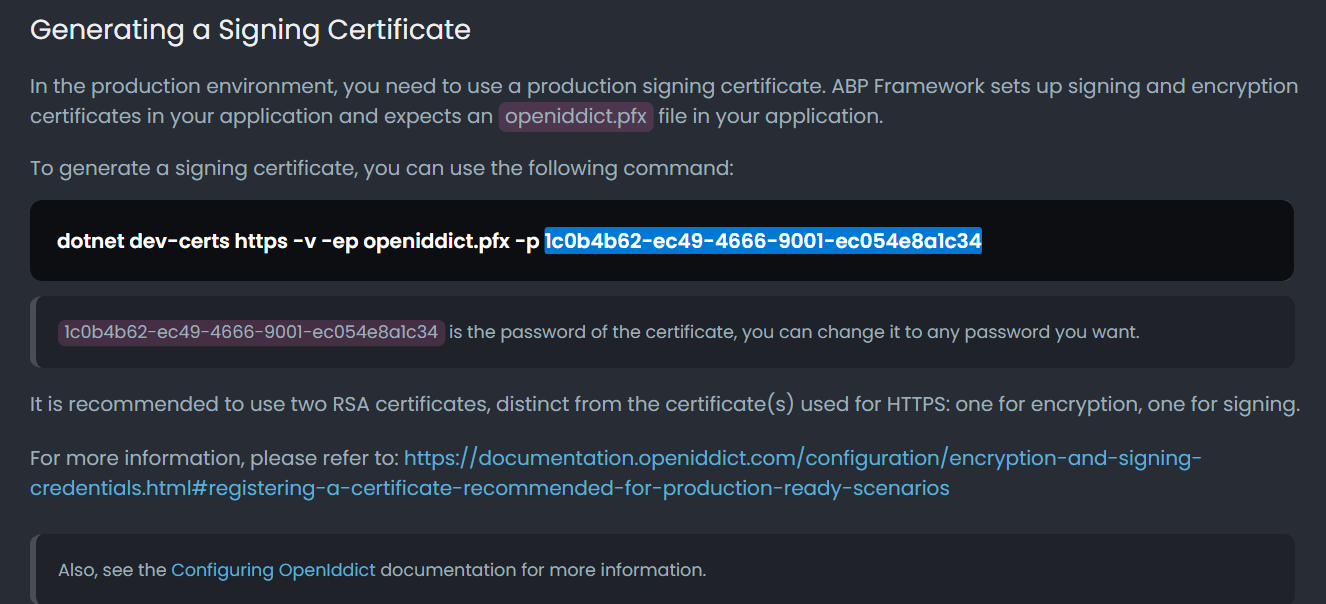
I added "--trust" option at the end of ABP Studio command example and now it is working. The ABP Studio is missing the --Trust option at the end of the example command.
hi
I tried to replace the Redis Cache "Configuration" in the appsettings.json with the AzureApp-Cache connection string but after this, the Swagger doesn´t load and gets error. I´ve tried to add only the password after the Redis Server separeted by Comma, but it also did not work.
Please share the related error logs.
Hi Maliming, Thanks for your return. Here is the new log, containing data from today (July 6th, 2022): https://sasdsupport.blob.core.windows.net/serverlogs/azureappapi-staging-logs-2022-07-06.txt
I´ve made some tentatives to solve. I updated the solution files to ABP Commercial 5.3.1 including all packages using the ABP Suite feature as you can see in the CLI outputs:
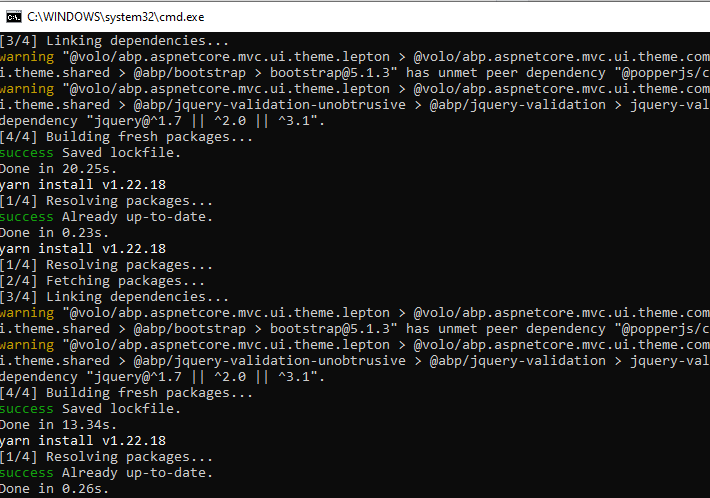
After this, I build the entire solution using Visual Studio 2022.
After this I updated the Redis Configuration in file appsettings.json as presented in the picture below.
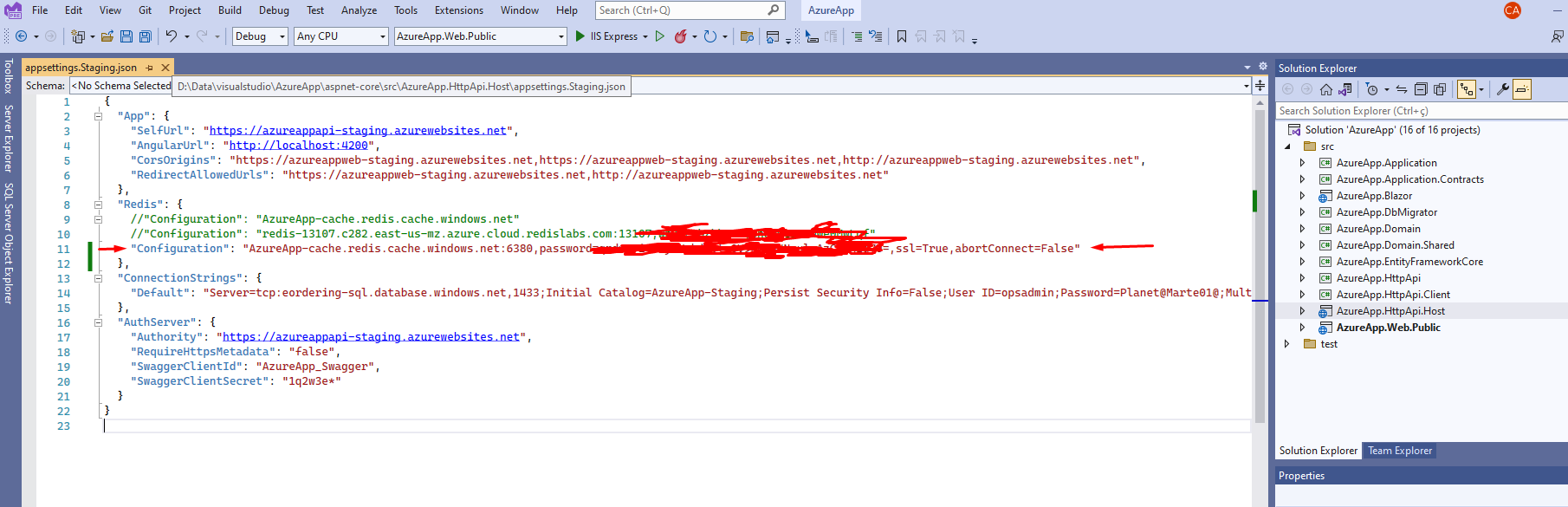
I´m not sure what is the root cause, I believe it could be the version of ABP. Now the Application is working.
Hi Maliming, I reported an error about the ABP tool created with ABP Suite, using the ABP default process, and it is not working on the remote servers. Someone in the Support side requested to submit the Log to investigate what can be the error. You are sending an Article from Microsoft and I do not understand the why you are sending this article for me, because the Azure Cache is configured correctly. The problem is certainly related to the configuration of ABP application side, and there is not information on how to configure the application to run correctly with the Azure Redis Cache. Please send to this ticket the step by step process to make configure the Redis Cache, what shoud be done in the ABP Commercial/framework, to allow the applicatioin works correctly.
Thanks,
Christian
using Microsoft.AspNetCore.Extensions.DependencyInjection
Thanks. I added this "Using" and now it is building correctly.
Thanks
On screenshot 3 you get 500 error. Can you share the related error logs of azureappapi-staging. The logs can be found under the Logs folder with the name logs.txt
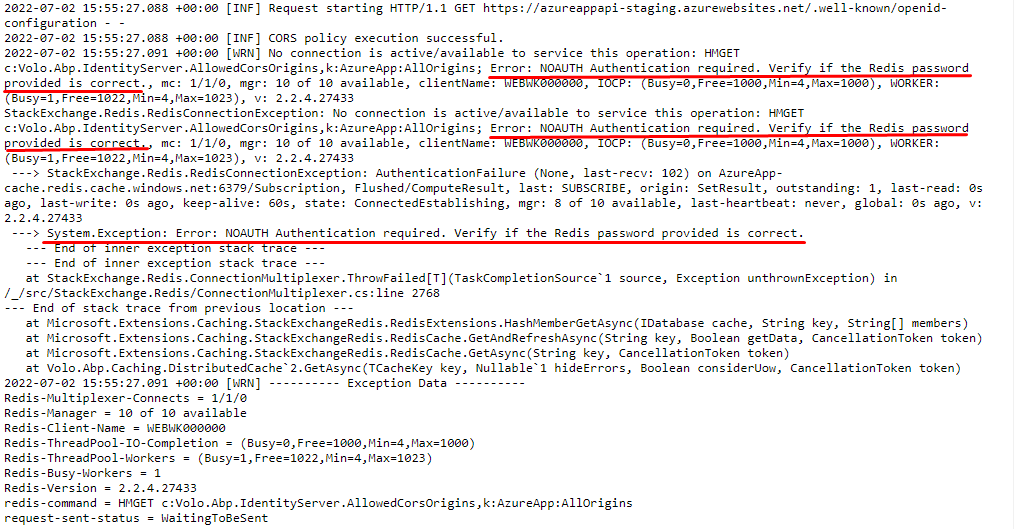
Hi! Thanks for you return. I took longer because I was trying to find a root cause, but I found in the log some traces of Redis Cache endpoint requesting the credentials. The log.txt file is available in the URL from my Azure blog storage (public access for read/download) https://sasdsupport.blob.core.windows.net/serverlogs/azureappapi-staging-logs.txt Below I present a cut of the log file where I found Error message and the Systems Exception related. I believe it is required to pass the credentials, but I did not find how to do this. Additionally, I found in Azure Redis Cache Service a connection string to be used by the application, so if it is possible to pass the connection string, it also can be a trial for the solution.
<br>
Additionally, I found these options on Azure Redis Cache available for usage, but I do not know how to apply it on ABP.IO I hided the Primary and Seondary secrets, but I belive we need to use the connection string in ABP.IO.
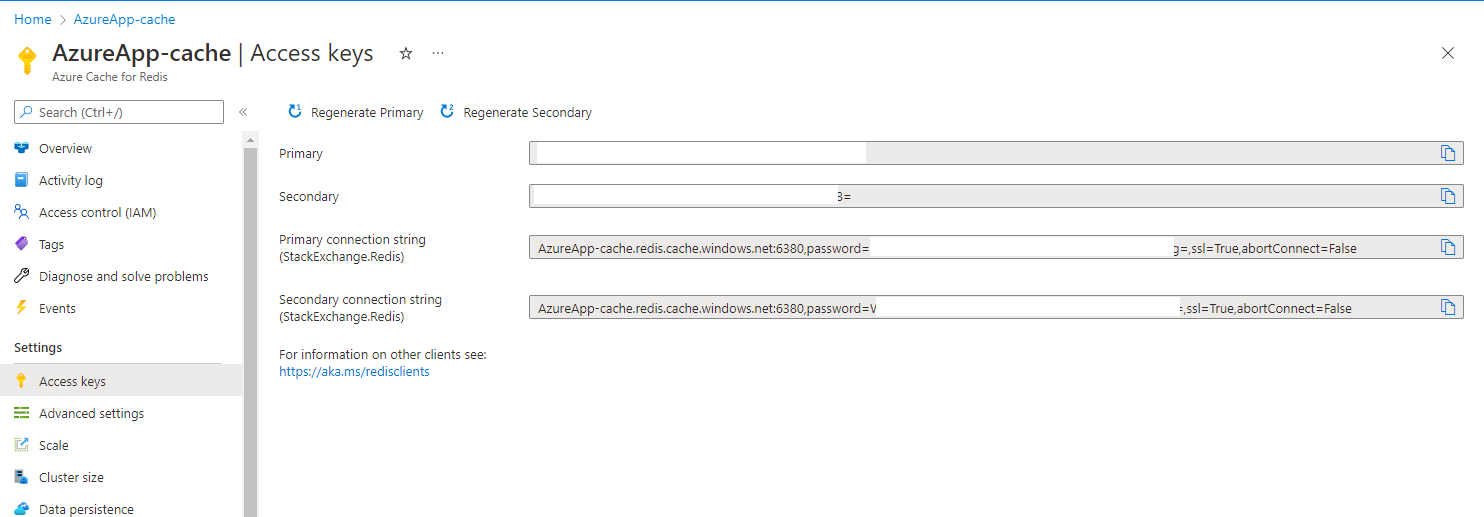
I tried to replace the Redis Cache "Configuration" in the appsettings.json with the AzureApp-Cache connection string but after this, the Swagger doesn´t load and gets error. I´ve tried to add only the password after the Redis Server separeted by Comma, but it also did not work.
Please, give a help! 😊
Hi Folks, I´m returning with the setup of Azure Webapp service and I´m facing problem on Blazor endpoint. Here is a summary explanation about the environment: -> 1 Azure Webapp Service for the API (project {AppName}.HttpApi.Host) -> 1 Azure Webapp Service for the Blazor Wasm (project {AppName}.Blazor)
in both Azure Webapp Service instances, the ASPNETCORE_ENVIRONMENT configuration is defined to Staging.
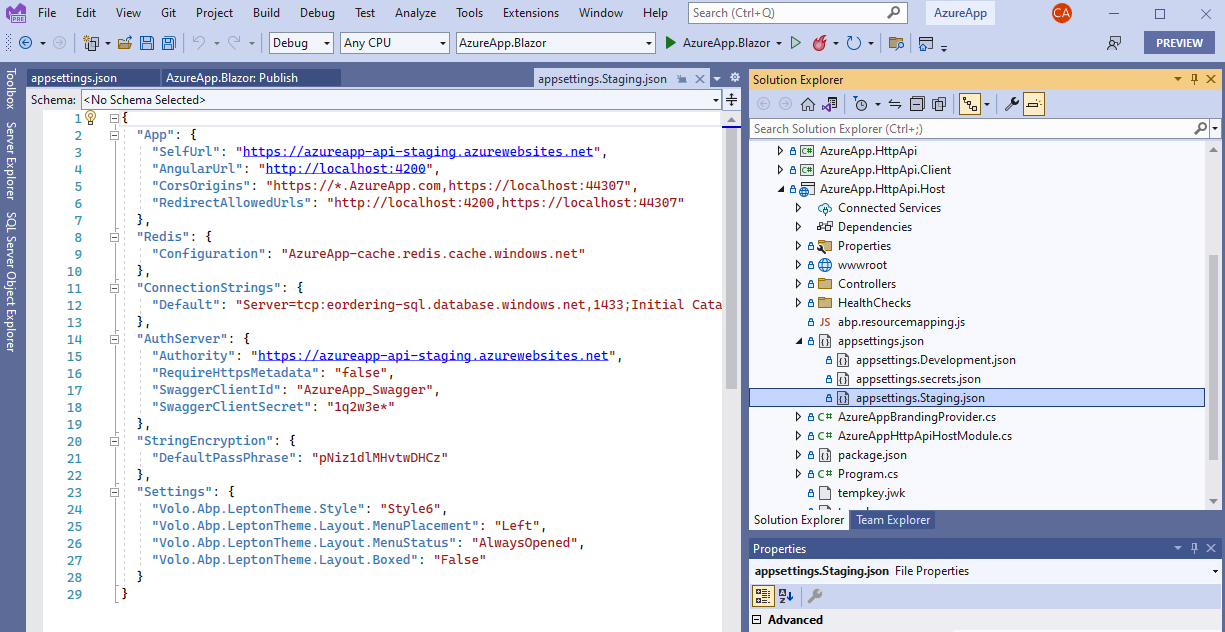
In both projects the files aspsettings.Staging.json exist and have the recommended URL set for the public endpoints.
I believe that the ABP default template for Blazor UI need extra configuration to work correctly on Azure Webapp Service because in my local PC the application runs sucessfully but on the Web, the Blazor endpoint is still waiting for anything instead of load the home webpage.
I created this appliction to debug the Deployment on Azure Webapp Services, so the application doesn´t have any sensitive information and then I will present here the real scenario without restrictions.
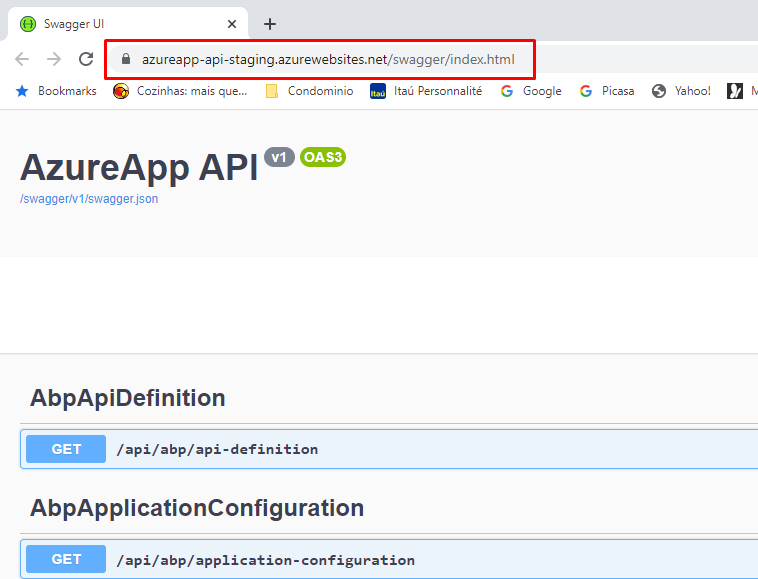
Here below is the API running on a real URL: https://azureapp-api-staging.azurewebsites.net/swagger/index.html (project {AppName}.HttpApi.Host existing in the Solution created by ABP Suite)
 Here below is the aspsetting file content related to the API project {AppName}.HttpApi.Host poiting to Azure Webapp services
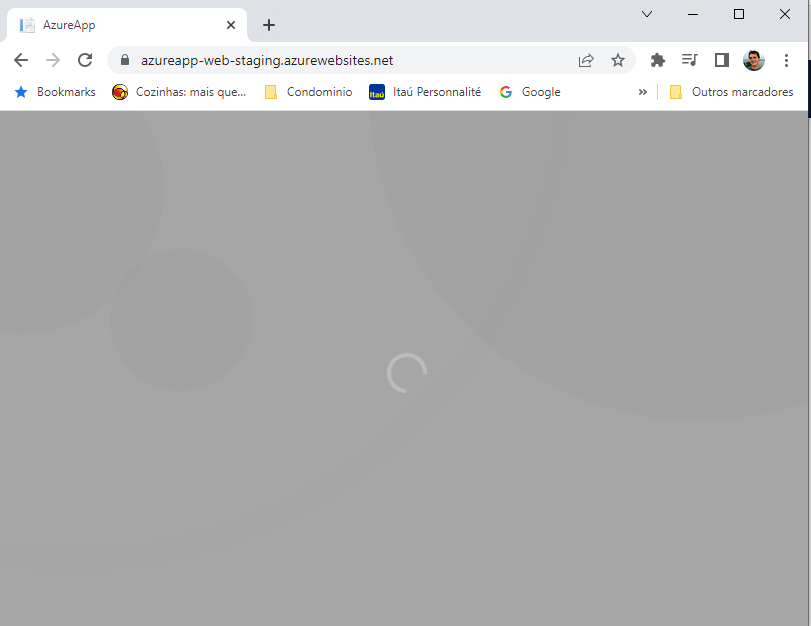
<br> The Blazor App is presented below. Here below is the WebApp running on a real URL: https://azureapp-web-staging.azurewebsites.net/ (project {AppName}.Blazor existing in the Solution created by ABP Suite)
<br>
Here below is the loaded information about the aspsettings file that was loaded in the Browser (the Blazor app). It was collected using the "Developer Tools" existing in Google Chrome browser. The same information appears when using MS Edge Browser.
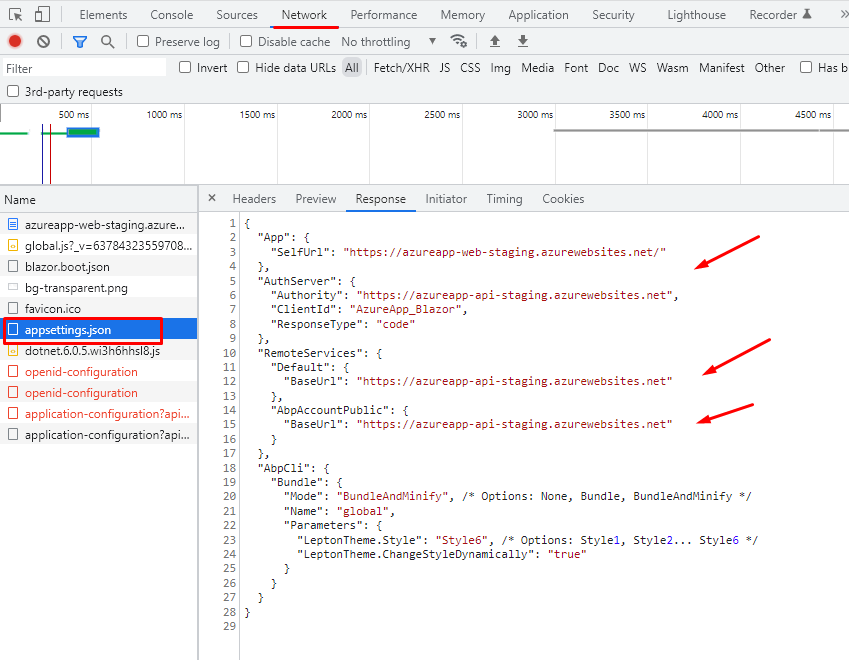
By this screen shot, it seems to be poiting to the correct API endpoint but the application does not load, the application keeps waiting for any answers indefinitely.
Please give help me to understand what need to be changed or fixed to have the ABP application deployed using Azure Webapp Services, because in the local PC the application is running fine.









