The AI generated response is how I thought this functioned, which is why (as indicated in my OP) I created an app service that is decorated with [AllowAnonymous] and calls _tenantAppService.CreateAsync(input).
Somehow, this is still throwing an authorization error. I have emailed a Google Drive link to my project files in case you are able to find a bug or some miconfiguration.
Charlie
Asking again to be prioritized or reassigned.
I need this bumped up in priority. It's been nearly 3 weeks since I opened this ticket, and I still haven't received enough help to resolve this. I made some progress but I cannot get past the authorization error I encountered in my last message and this delay is slowing down development.
Charlie
Thank you for the detailed write-up. This will be very helpful as a reference as I am working on this.
My main question currently has to do with the last message I sent. I am getting a "Exception of type 'Volo.Abp.Authorization.AbpAuthorizationException' was thrown" error on the "await _tenantAppService.CreateAsync(input);" line. The code I provided looks functionally similar to yours, so I am unsure as to why I am receiving this authorization exception in my app service.
I'm assuming part of this is because the page itself is accessible to non-tenant users, but that is necessary figuring the only people registering will be those who are not yet tenants.
Please advise me on how to resolve this. Let me know if you want a copy of the project files for review.
Thanks, Charlie
I'm not sure why I haven't received a response yet; it's been 10 days since I last received a reply. Either way, perhaps I can receive some help in terms of if the direction I am going is correct, and how to create a tenant programmatically (since I wasn't able to find it in the documentation).
Here is my page model for my registration page that will handle creating the tenant and subscribing the edition to that tenant:
[AllowAnonymous]
public class RegisterModel : ArmadaPageModel
{
    private readonly ITenantAppService _tenantAppService;
    private readonly IMultiTenancyAppService _multiTenancyAppService;
    private readonly IEditionAppService _editionAppService;
    private readonly ISubscriptionAppService _subscriptionAppService;
    private readonly ICurrentTenant _currentTenant;

    public RegisterModel(
        ITenantAppService tenantAppService,
        IMultiTenancyAppService multiTenancyAppService,
        IEditionAppService editionAppService,
        ISubscriptionAppService subscriptionAppService,
        ICurrentTenant currentTenant)
    {
        _tenantAppService = tenantAppService;
        _multiTenancyAppService = multiTenancyAppService;
        _editionAppService = editionAppService;
        _subscriptionAppService = subscriptionAppService;
        _currentTenant = currentTenant;
    }

    [BindProperty]
    public RegisterTenantViewModel Input { get; set; } = new();

    public async Task OnGetAsync()
    {
        List<EditionDto> editions = await _multiTenancyAppService.GetEditionsAsync();
        List<SelectListItem> editionSelectItems = editions.Select(e => new SelectListItem
        {
            Text = e.DisplayName,
            Value = e.Id.ToString()
        }).ToList();

        Input.AvailableEditions = editionSelectItems;
    }

    public async Task<IActionResult> OnPostAsync()
    {
        if (!ModelState.IsValid)
        {
            await OnGetAsync(); // reload editions
            return Page();
        }

        // Confirm we are NOT in tenant context
        if (_currentTenant.Id != null)
        {
            throw new Exception("Cannot register a tenant while already in a tenant context.");
            //return Forbid(); // Registration should only be done as host
        }

        //var tenantDto = await _tenantAppService.CreateAsync(new SaasTenantCreateDto
        //{
        //    Name = Input.TenantName,
        //    AdminEmailAddress = Input.Email,
        //    AdminPassword = Input.Password,
        //    EditionId = Input.EditionId
        //});

        var tenantDto = await _multiTenancyAppService.CreateTenantAsync(new SaasTenantCreateDto
        {
            Name = Input.TenantName,
            AdminEmailAddress = Input.Email,
            AdminPassword = Input.Password,
            EditionId = Input.EditionId
        });

        // 2. Manually switch to new tenant context
        using (_currentTenant.Change(tenantDto.Id))
        {
            // 3. Create subscription with edition ID
            var subscription = await _subscriptionAppService.CreateSubscriptionAsync(
                Input.EditionId,
                tenantDto.Id
            );

            // 4. Redirect to Stripe or confirmation
            //return Redirect(subscription.PaymentUrl);
        }

        return Page();
    }
}
I also created an appservice called MultiTenancyAppService which helps me populate the editions dropdown, as well as attempt to create a tenant (since calling tenantAppService.CreateAsync() was throwing an authorization error):
[AllowAnonymous]
public class MultiTenancyAppService : ArmadaIOAppService, IMultiTenancyAppService
{
    private readonly IRepository<Edition, Guid> _editionRepository;
    private readonly ITenantAppService _tenantAppService;
    private readonly IRepository<Tenant, Guid> _tenantRepository;

    public MultiTenancyAppService(IRepository<Edition, Guid> editionRepository, ITenantAppService tenantAppService, IRepository<Tenant, Guid> tenantRepository)
    {
        _editionRepository = editionRepository;
        _tenantAppService = tenantAppService;
        _tenantRepository = tenantRepository;
    }

    public async Task<List<EditionDto>> GetEditionsAsync()
    {
        List<Edition> editions = await _editionRepository.GetListAsync();
        List<EditionDto> dtos = ObjectMapper.Map<List<Edition>, List<EditionDto>>(editions);
        return dtos;
    }

    public async Task<SaasTenantDto> CreateTenantAsync(SaasTenantCreateDto input)
    {
        if (string.IsNullOrWhiteSpace(input.Name) || string.IsNullOrWhiteSpace(input.AdminEmailAddress) || string.IsNullOrWhiteSpace(input.AdminPassword))
        {
            throw new UserFriendlyException("Please fill all required fields before submission");
        }

        return await _tenantAppService.CreateAsync(input);
    }
}
It is still throwing an authorization error when trying to create a tenant, even though I have the [AllowAnonymous] decorator on the page model and the app service. I am under the assumption that by default, a register page is creating a tenant when in host mode, since a tenant isn't logged in, so this seems like unintuitive functionality.
Please advise me on if this is the correct direction for a custom registration page, as well how to go about creating the tenant. If there is any documentation I missed, please link it. I have looked through much of it, but it is possible I missed something that would be relevant here.
Thanks in advance for your help, Charlie
Hi, bumping this to see if I can get some help.
Sorry for the delay; just getting to this now.
I understand conceptually what you mean in the first answer, but if you wouldn't mind providing example code as you offered to give me a basic understanding of the implementation of creating a tenant and payment at the same time, that would be much appreciated. I am unsure if it utilizes the existing register page or if it uses a custom page so getting an example would really help.
Regarding the second question: I was intending on using tenant domain resolvers and generating a subdomain for each tenant, so that will work with my original plan. However, I guess I was under the assumption that most people would probably just go to my root domain, which would redirect them to a login page, and then from there would redirect them to their tenant dashboard with their custom tenant subdomain. I guess I really just need to redirect the user when they are not logged in to the login/register pages, which I guess I could do when mapping endpoints in the Configure method in Program.cs?
I am new to some of this backend stuff, so I appreciate your patience if I am asking stupid questions!
Charlie
Ok, it seems like maybe in the past when I was getting the user friendly exception dialog, it was because I was using an AJAX request. Using try-catch in the razor page model should allow me to get close to what I need. Thanks.
Thanks for pointing that out. I do have that configured, but it is also failing in production as well (this error only arises when I throw a UserFriendlyException shown below):
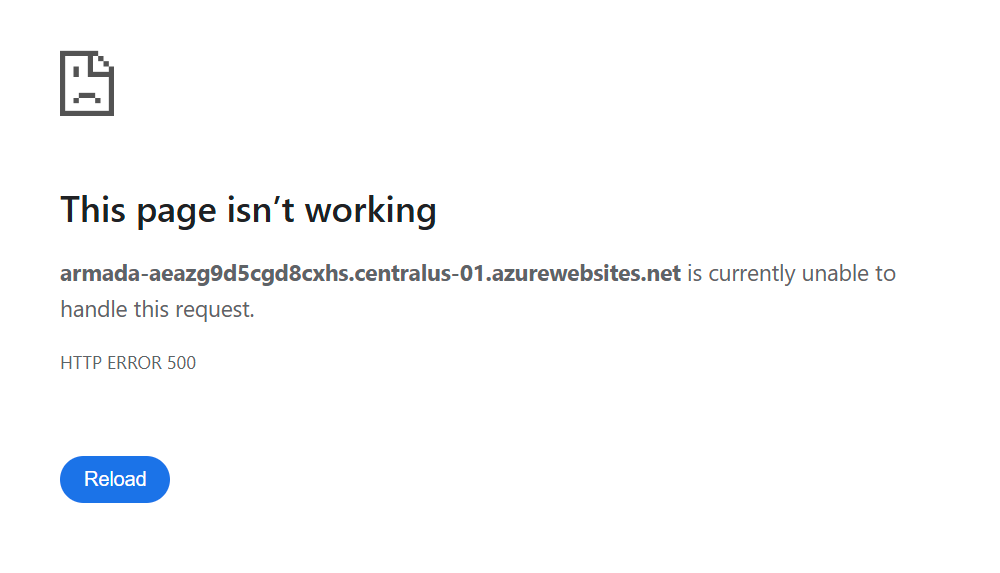 Here is my OnApplicationInitialization method:
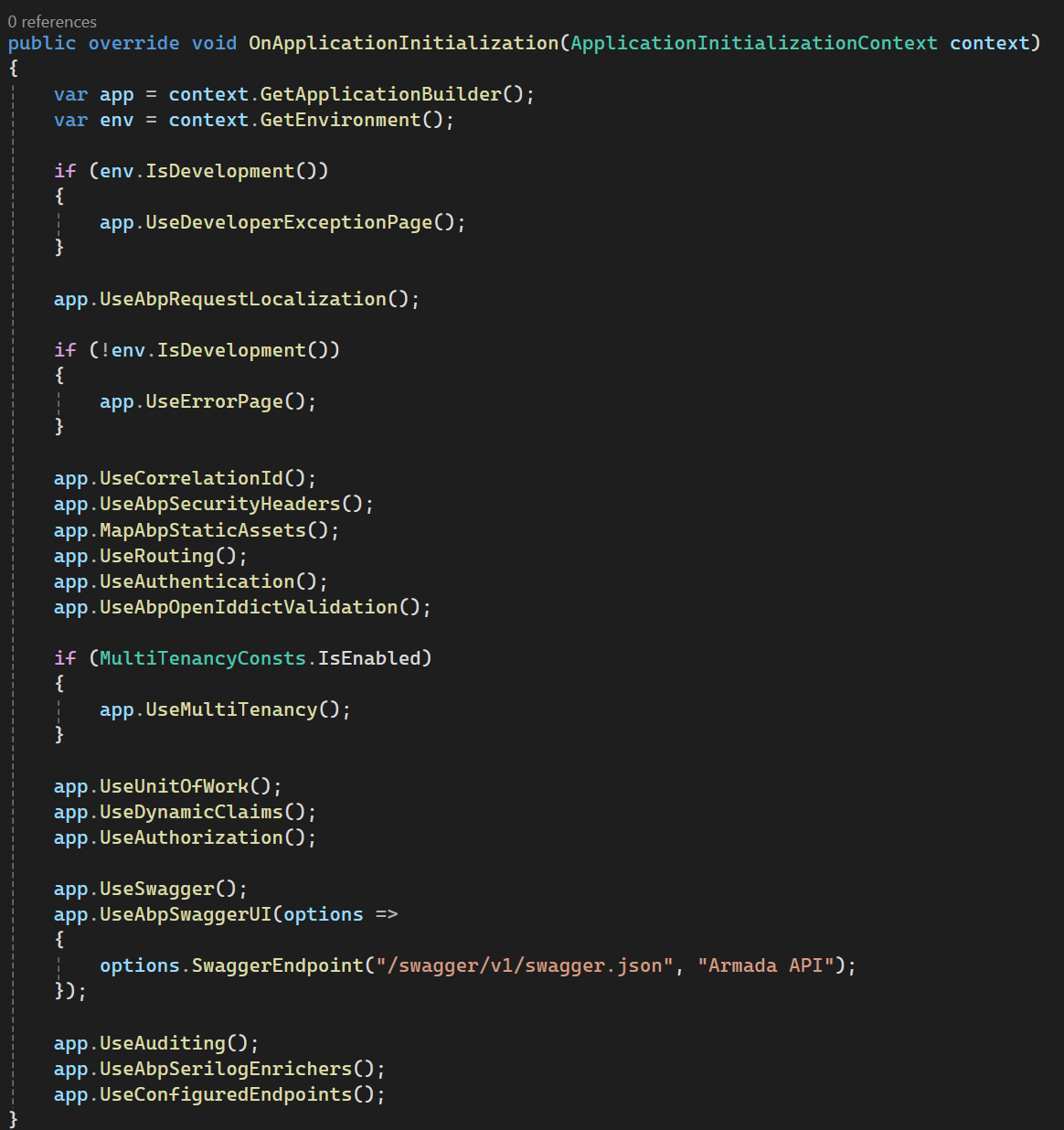
It is throwing the 500 error when it hits this line:

I didn't change anything here other than upgrading to Pro, so I think something must have gone awry (which wouldn't be surprising since I had other issues after upgrading). I don't think it should be throwing a 500 error when I throw a UserFriendlyException.
Would you mind spelling this out for me a bit more? Is this the ASPNETCORE_ENVIRONMENT variable, or another one? I tried experimenting with utilizing app.UseErrorPage() in dev rather than app.UserDeveloperExceptionPage(), and that didn't seem to do anything. It's very possible I am grossly misunderstanding how to go about this, but any advice would be appreciatd.









