Hello Support Team,
I used ABP Studio to create a new solution and it works. But when using ABP Suite to create a new entity, it successfully creates backend, but creates nothing in the Angular app.
Please, check and help me fix this. Urgent.
Thank you in advance
Hello Support Team,
I have deployed my application to Azure Kubernetes Service cluster. Now I have made changes to the database (adding new entities and modify existing entities). Please, advise me the best way to migrate the changes to the current running application in AKS cluster. I have read your document on seeding data using the dbmigrator console application. But it does not provide detail information. I would highly appreciate if you could show me how to do this step by step.
Thank you in advance. Best Regards Dzungle
Hi support team,
Please advise me how to customize the languages switch component in the Public.Web project. How can I find the source code? And explain the code flow of the Public.Web project that use the built-in Languages Management module.
Thank you in advance
Hi Support Team,
Please, show me how to adjust the space at the bottom of a page in Angular? See screenshot below:
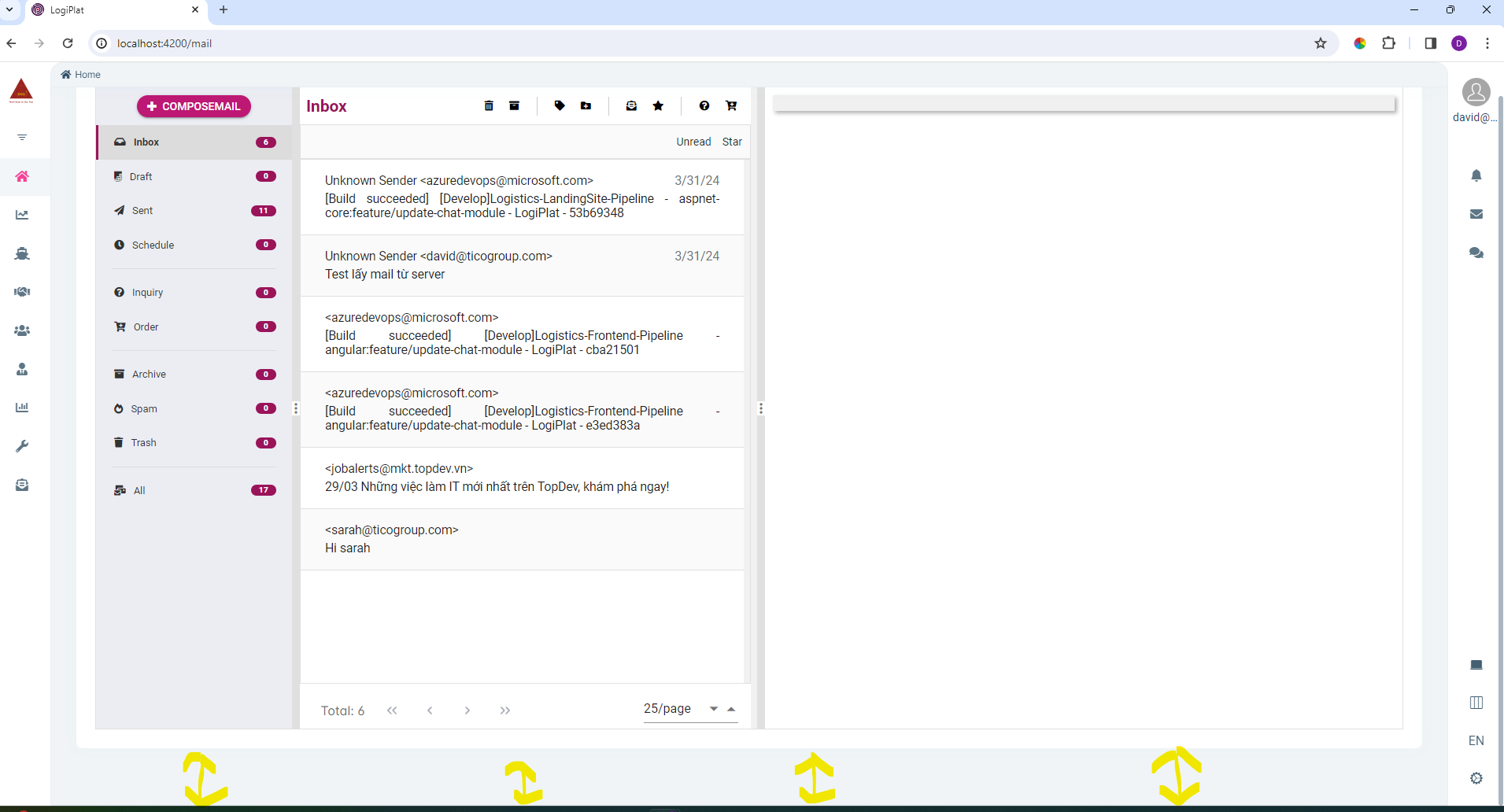
The template is as followed:
<abp-page> <div class="card"> <div class="card-body"> <app-mail-box></app-mail-box> </div> </div> </abp-page>
I have triedto apply CSS but it does not work. I suppose the bottom space of the page is styled in the component abp-page. Show me how to adjust to narrow the bottom space as equal as the top space of a page or without space at the bottom of the page.
Thank you in dvance!
Hello Support Team,
I have defined a shared layout for email template using CSS classes in the HTML document. But it does not render the styles.
1. Here is my shared layout template:
<!DOCTYPE html>
<html lang="en">

<head>
    <meta charset="UTF-8">
    <meta name="viewport" content="width=device-width, initial-scale=1.0">
    <title>Welcome to TICO International Corporation</title>
    <style type="text/css">
        body {
            font-family: Arial, sans-serif;
            margin: 0;
            padding: 0;
            background-color: #fafafa;
        }

        .email-container {
            max-width: 600px;
            width: 100%;
            margin: 0 auto;
            background-color: #ffffff;
            border: 1px solid #cccccc;
        }

        .header {
            padding: 0;
            text-align: center;
            color: #ffffff;
            background-image: url('headerbackgroud.jpg');
            background-size: cover;
            background-position: center;
        }

        .header-content {
            padding: 20px;
            background: rgba(0, 86, 168, 0.8);
        }

        .header img {
            max-width: 100%;
            width: 120px;
        }

        .header p {
            font-size: 1.4em;
            font-weight: bold;
            text-transform: uppercase;
            margin: 10px 0;
        }

        .content {
            padding: 36px 30px;
            background-color: #ffffff;
        }

        .content p {
            color: #000000;
        }

        .button {
            display: inline-block;
            background-color: #D32F2F;
            color: #ffffff;
            padding: 10px 16px;
            border-radius: 10px;
            text-decoration: none;
        }

        .footer {
            background-color: #f2f2f2;
            padding: 20px 0;
            text-align: center;
        }

        .footer-info {
            display: flex;
            flex-direction: column;
            align-items: center;
            font-size: 10px;
        }

        .footer-info p,
        .footer-info a {
            margin: 2px;
        }

        .footer-info a {
            color: #0867ec;
        }

        @media screen and (max-width: 600px) {
            .header {
                background-image: none;
            }
            .header-content {
                padding: 20px 10px;
            }
            .email-container {
                width: 100%;
                border: none;
            }
            .content,
            .header,
            .footer {
                padding: 20px 10px;
            }
            .footer-info {
                flex-direction: column;
            }
        }
    </style>
</head>

<body>
    <div class="email-container">
        <div class="header">
            <div class="header-content">
                <img src="https://testing.ticogroup.com/assets/images/template_email/tico.png" width="120" alt="TICO Logo" />
                <p>Tico International Corporation</p>
            </div>
        </div>
        <div class="content">
            {{content}}
        </div>
        <div class="footer">
            <div class="footer-info">
                <p><strong>Head Office</strong>: 14th Floor, Discovery Complex Building, 302 Cau Giay Str., Cau Giay Ward, Hanoi City.</p>
                <p><strong>Hotline:</strong> +84.24 3518 9999</p>
                <p><strong>Email:</strong> info@ticogroup.com</p>
                <p><strong>Website:</strong> <a href="https://testing.ticogroup.com/" target="_blank">https://testing.ticogroup.com</a></p>
            </div>
        </div>
    </div>
</body>

</html>
2. And here is my content template:
{{ include '/Localization/Template/Layout/email.tpl' }}
<p>Hello <strong>{{model.name}}</strong>,</p>
            <p>To complete the setup of your account on our software system, please click on below button to verify your email:
            </p>
            <p></p>
            <div style="text-align: center;">
                <a href="{{model.link}}" class="button">Verify Account</a>
            </div>
            <p>Use this password <strong>{{model.password}}</strong> to log in the system. This process takes only a minute and is an essential step to ensure you have full access to the necessary resources and tools to start your job efficiently.</p>
            <p>If you encounter any issues during the verification process, feel free to contact our IT department at tech@ticogroup.com.
            </p>
            <p>We wish you a productive workday and a great experience at TICO!</p>
            <p>Best regards,</p>
            <p><strong>{{model.fullname}}</strong></p>
            <p>Position: <strong>{{model.position}}</strong></p>
            <p>Tico International Corporation</p>
3. Here is my templates definition:
public class EmailTemplateDefinitionProvider : TemplateDefinitionProvider
{
    public override void Define(ITemplateDefinitionContext context)
    {
        context.Add(
            new TemplateDefinition(
                name: EmailTemplateNames.EmailLayout,
                displayName: new LocalizableString("EmailLayoutTemplate", "LogiPlatResource"),
                defaultCultureName: "en",
                isLayout: true)
            .WithVirtualFilePath("/Localization/Template/Layout/email.tpl", isInlineLocalized: true)
            .WithScribanEngine());

        context.Add(
            new TemplateDefinition(
                name: EmailTemplateNames.StaffEmailConfirmation,
                layout: EmailTemplateNames.EmailLayout,
                displayName: new LocalizableString("StaffEmailConfirmationTemplate", "LogiPlatResource"),
                defaultCultureName: "en")
            .WithVirtualFilePath("/Localization/Template/Register", isInlineLocalized: false)
            .WithScribanEngine());
    }
}
4. Here are screenshots:
Layout template: 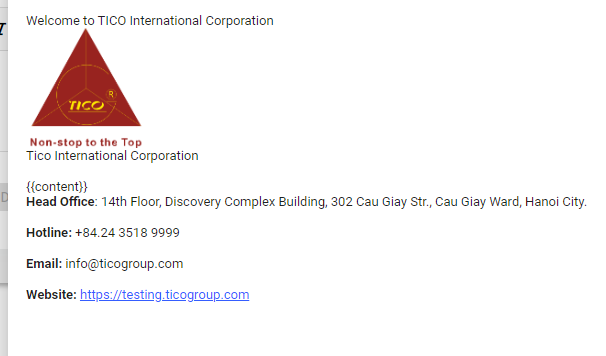 Content template: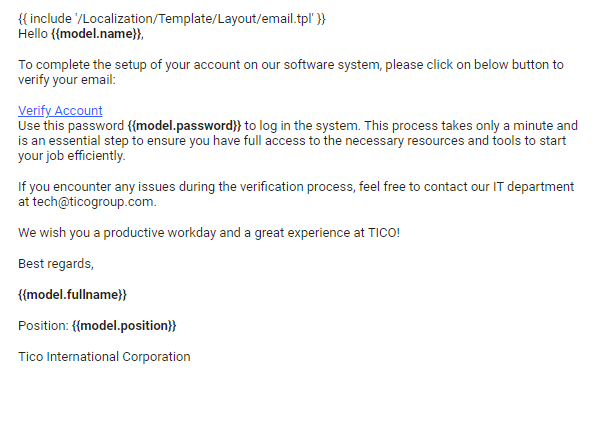
Please, help me solve this issue: the content template cannot get the shared layout template and can not render styles
Thank you in advance
Hi Support Team,
Please, show me how to add a new menu item to the right-side menu (after the Chat icon).
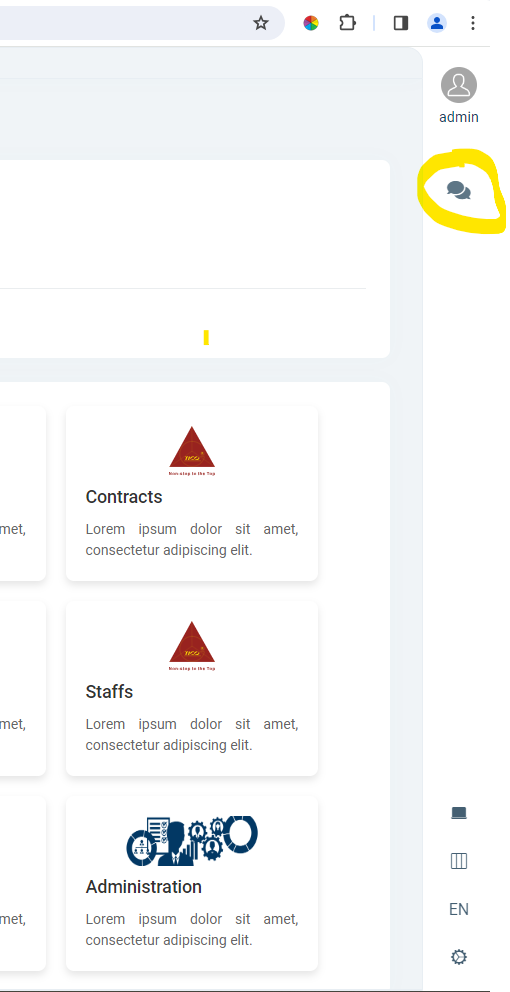
Thanh you in advance
Hello support team,
I want to update my solution to the latest version 7.4.3, but can not. See the image below:
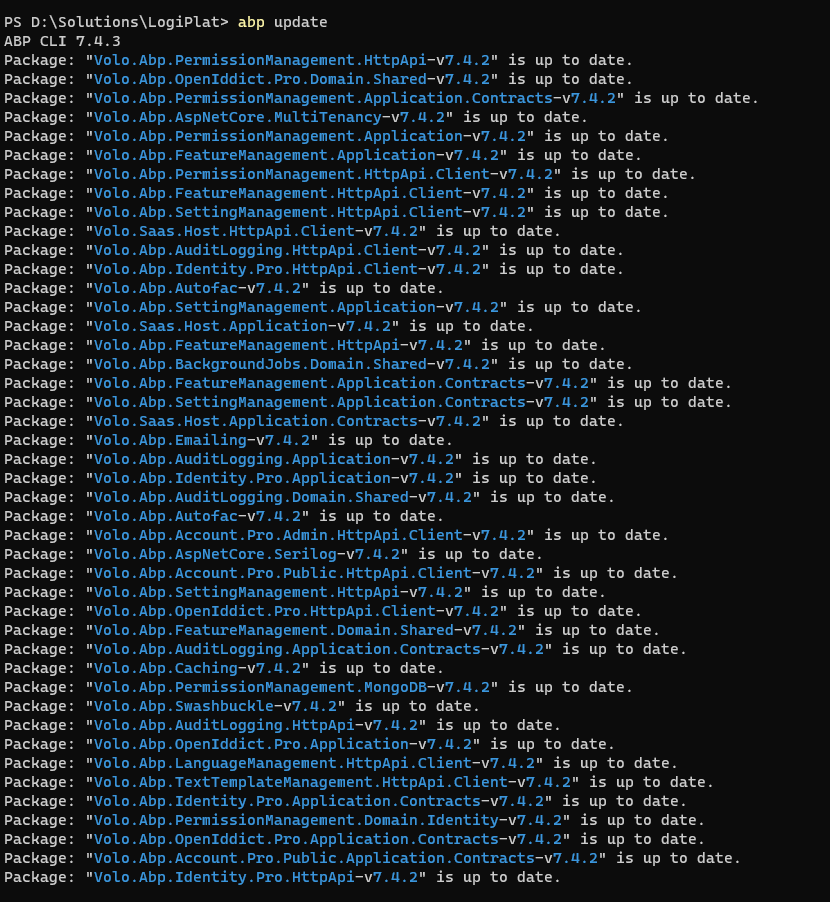
Also I got build error after runing update command:

Cannot start angular app
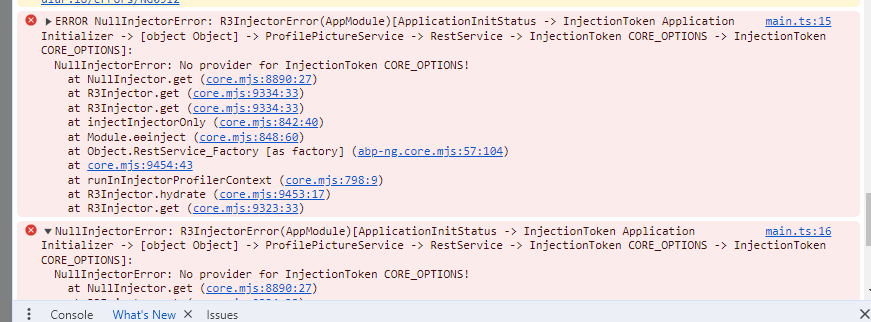
Please, help to solve this issue.
Hi Support Team,
I have disabled MultiTenancy in the server side.
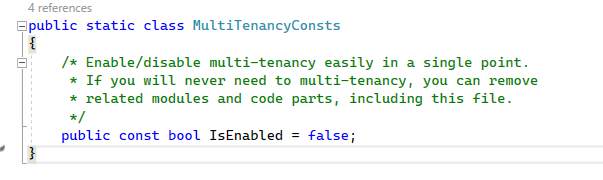
I suppose the SaaS menu item would disappear in the client side. But it's still there.
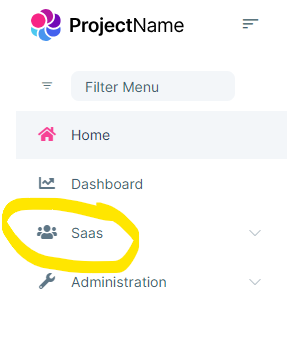
Is this a bug? Please, guide me how to hide the SaaS menu item. Thank you.
Hi Support Team,
I am using Application Template (ABP Commercial) for my solution. I want to deploy my soltuion to Azure Kubernetes Service using Helm chart. Could you provide me a working example of helm chart for Application Template solution?
Thank you
Hi team,
Do you plan to release version 7.4 on a specific date? We need the information for planning our next project. Thank you,









