






0
dzungle created
- ABP Framework version: v7.4.4
- UI Type: Angular
- Database System: MongoDB
- Tiered (for MVC) or Auth Server Separated (for Angular): no
- Exception message and full stack trace:
- Steps to reproduce the issue:
Hi Support Team,
Please, show me how to adjust the space at the bottom of a page in Angular? See screenshot below:
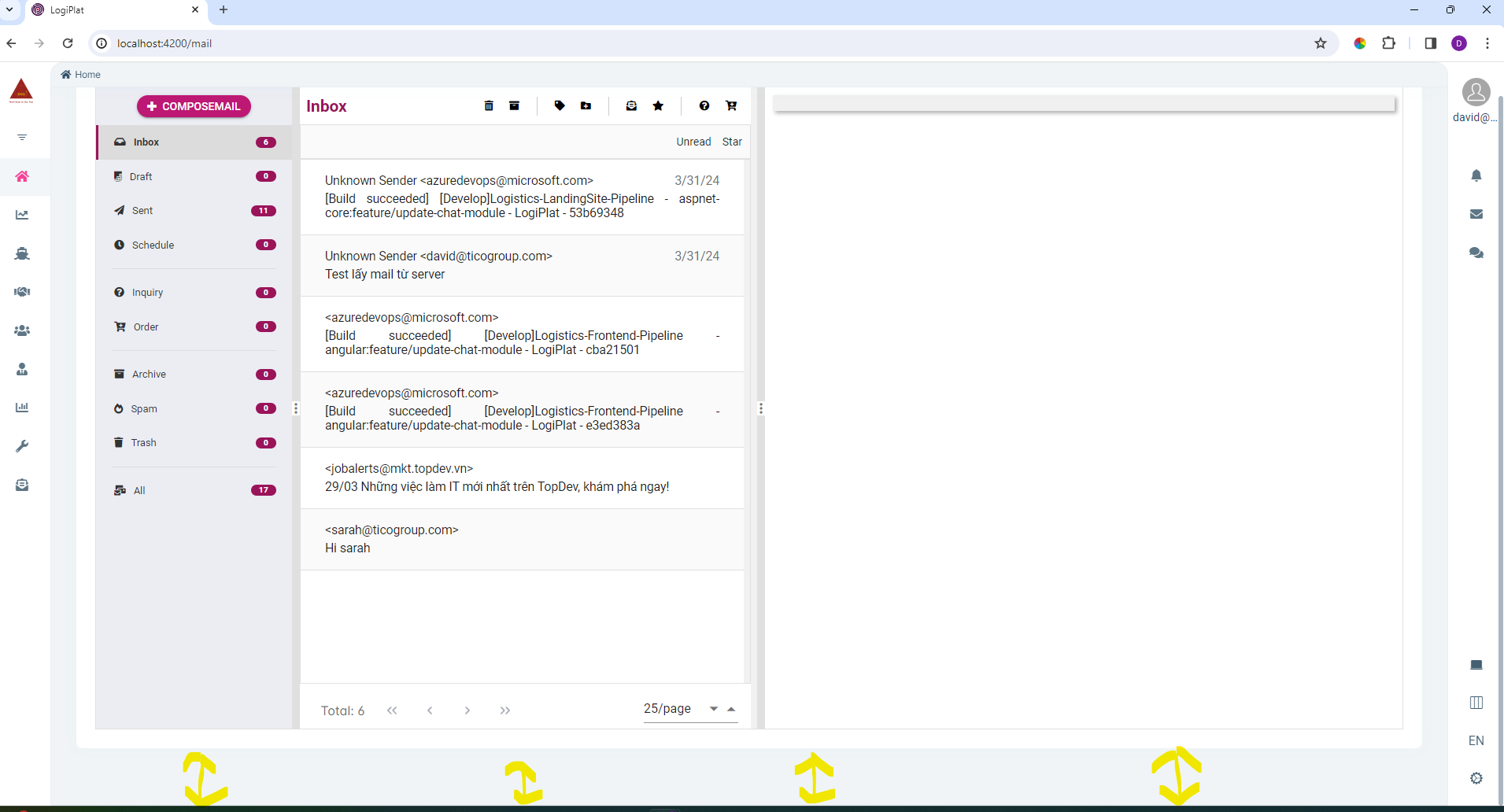
The template is as followed:
<abp-page> <div class="card"> <div class="card-body"> <app-mail-box></app-mail-box> </div> </div> </abp-page>
I have triedto apply CSS but it does not work. I suppose the bottom space of the page is styled in the component abp-page. Show me how to adjust to narrow the bottom space as equal as the top space of a page or without space at the bottom of the page.
Thank you in dvance!
Markdown supported.
Copy, paste, or drag & drop images and files (max 100 MB per file, 100 MB total per post)
1 Answer(s)
-
0
Hello, you can try customizing the default css values inside your global css file as follows,
.lpx-content-container .lpx-content {
  padding: 1.25em 1.5em 1.5em;
  margin: 0 auto;
}
Markdown supported.Copy, paste, or drag & drop images and files (max 100 MB per file, 100 MB total per post)


