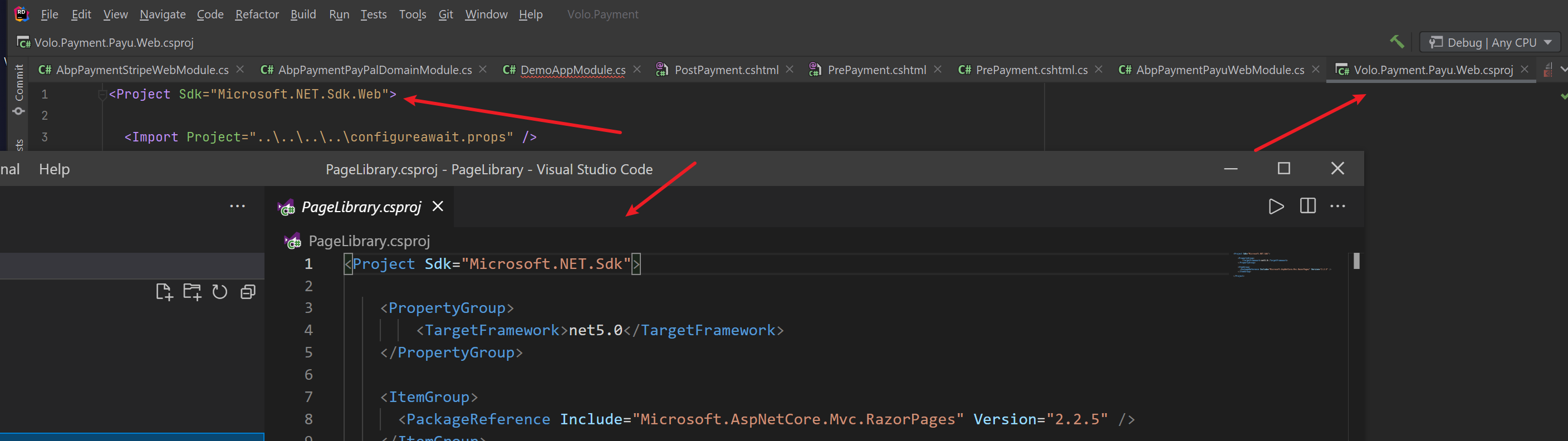
Hi,
You need remove all nuget packages of account pro module and reference to the source code.
Maybe you have do it but still get error, I can help you remotely. shiwei.liang@volosoft.com
sovled
Hi,
I think you can try throw a UserFriendlyException, see https://docs.abp.io/en/abp/latest/Exception-Handling#user-friendly-exception
Hi,
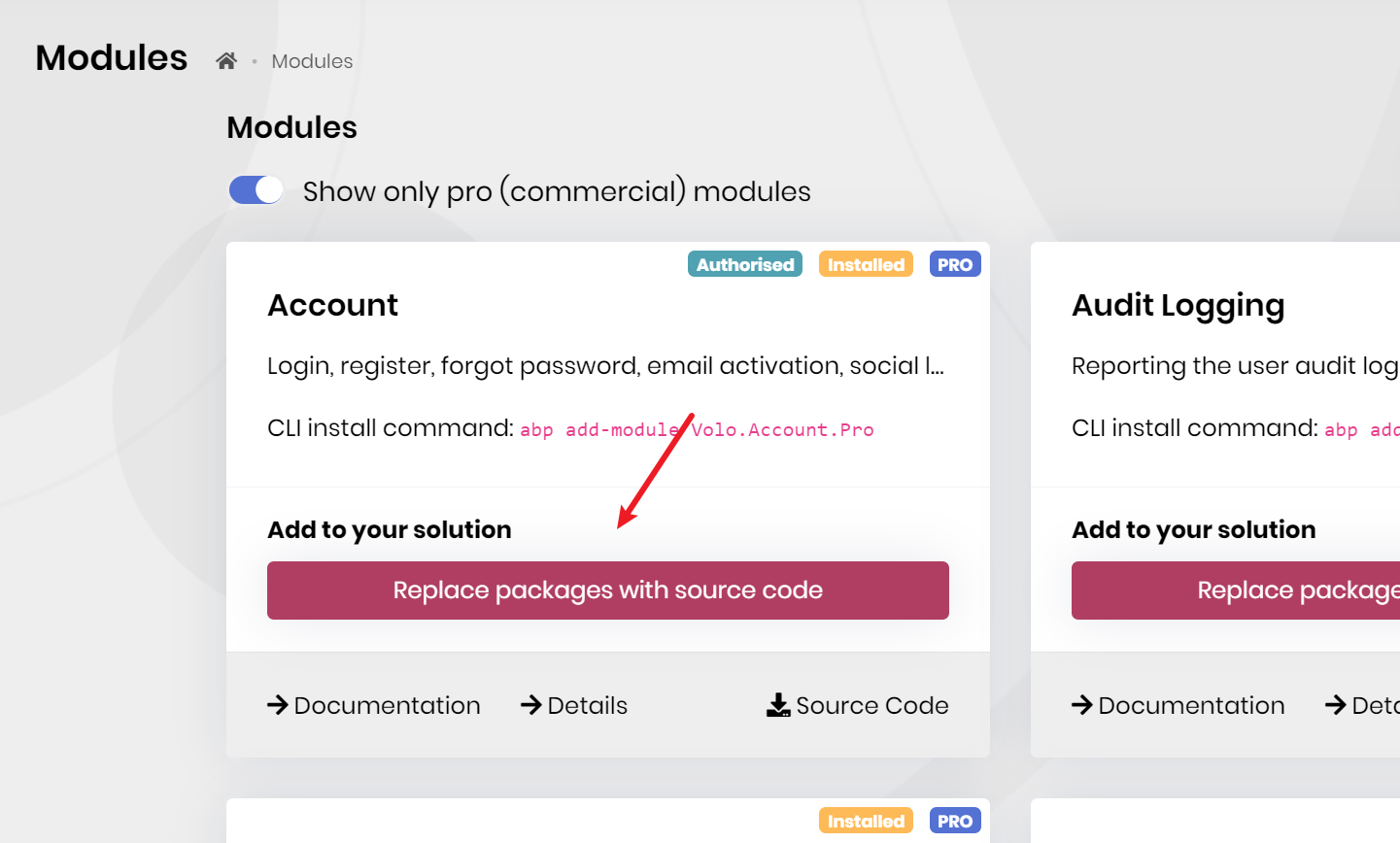
You can try use the Replace packages with source code feature.
I found an issue when user does first login with external login provider, the security log has logged one record with Action = 'LoginFailed' even I had logged in successfully.
This is expected because of the need to full the email address
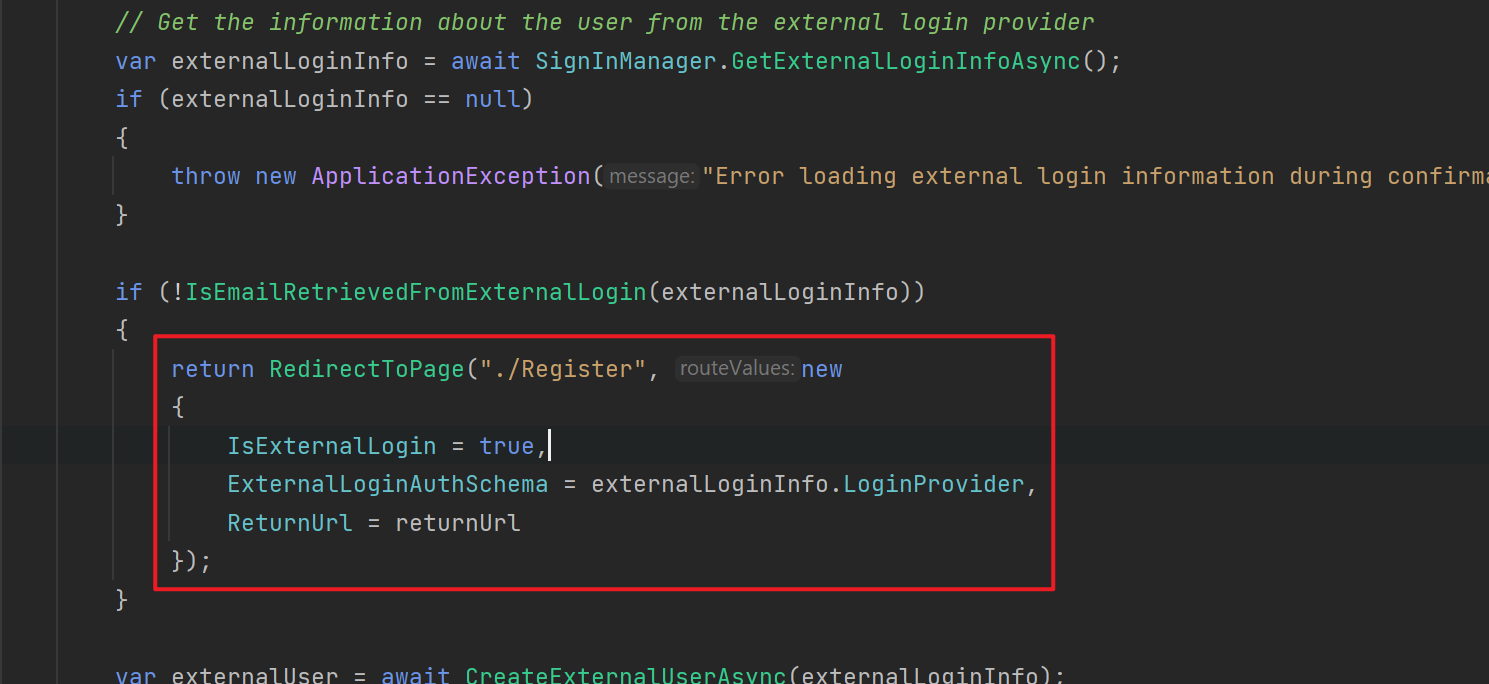
Another question, after I completed the registration for new user, the new user has been inserted into AbpUsers table but the flag IsExternal = 0, it should be 1, right?
See https://github.com/abpframework/abp/pull/8983
Hi,
https://docs.abp.io/en/abp/latest/Data-Filtering, just work for a single database.
If a tenant has own database, you need to query all tenants, and then switch each tenant.
example:
var tenants = await _tenantRepository.GetListAsync();

foreach(var tenant in tenants)
{
    using(CurrentTenant.Change(tenant.Id))
    {
        var books = await _bookRepository.GetListAsync();
    }
}
Hi,
You can refer the tenant module: https://github.com/abpframework/abp/blob/dev/modules/tenant-management/src/Volo.Abp.TenantManagement.Application/Volo/Abp/TenantManagement/TenantAppService.cs#L59
Hi,
What version and distributed event bus provider are you using?
Hi,
Sorry, there is no good way to do this, you must wait for the blazor app loading. this is a limitation of blazor.
Maybe you can try put the static resources(dll, js etc..) to CDN: https://docs.microsoft.com/en-us/aspnet/core/blazor/fundamentals/startup?view=aspnetcore-5.0#load-boot-resources.