Sure.You can use this option.
hi
Can you try the same steps with a new project that create by CLI?
abp new BookStore -t app-pro -u angular -d mongodb
hi
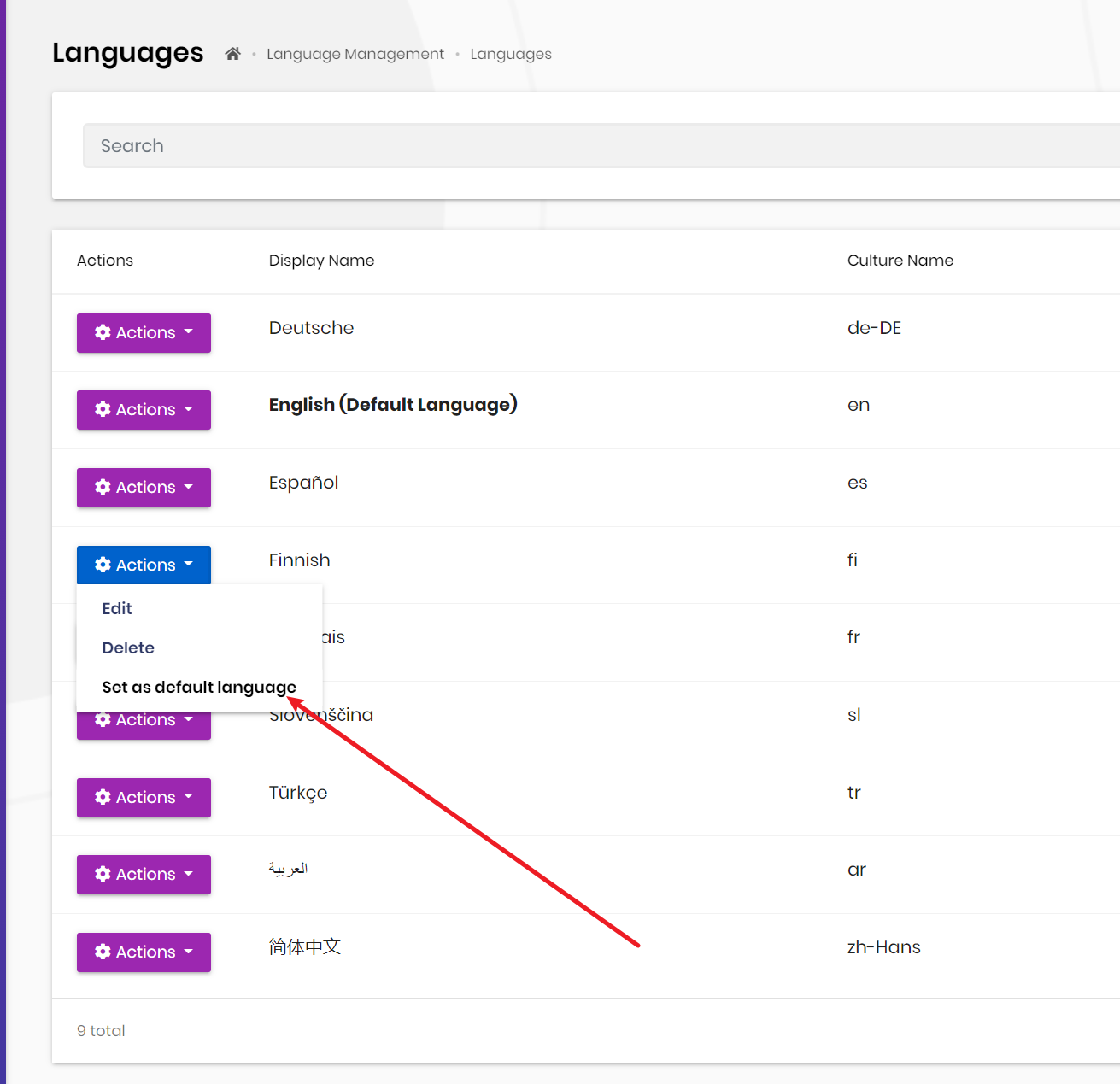
You can set the default language in language mangement page.
Ensure that your appsettings.json has "AbpLicenseCode" key with your license code.
Can you check the appsettings.json file?
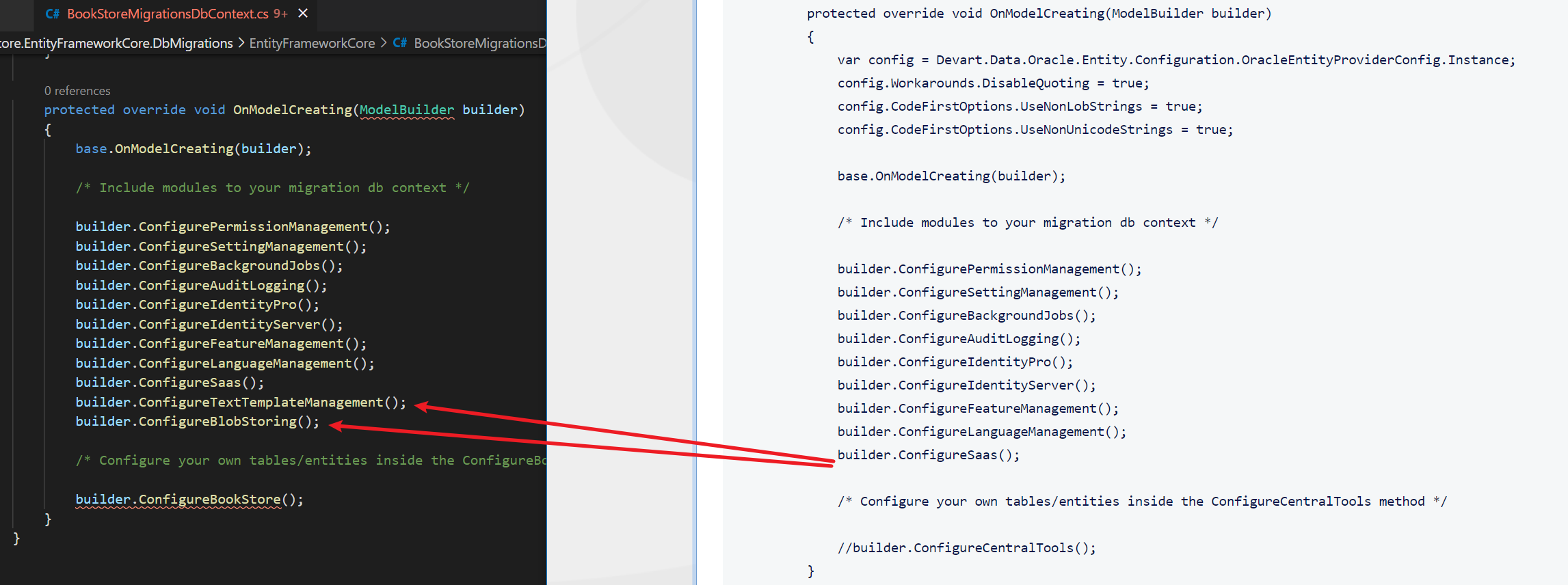
I have added those configuring methods. I already had corresponding modules included into DependsOn on all layers.
You need add new migration file before run DbMigrator.
I just create a new project and compare the xxxMigrationsDbContext with your.
hi
Please share the code of xxxMigrationsDbContext and xxxEntityFrameworkCoreModule.
hi
You can create a new project via CLI. then compare the code.
eg: xxxMigrationsDbContext xxxEntityFrameworkCoreModule
hi
I suggest you check all migration guides first. There are lot of changes.
https://docs.abp.io/en/abp/latest/Migration-Guides/Index https://docs.abp.io/en/commercial/latest/migration-guides/index
hi ]Can you share the error stack?
using (var uow = _unitOfWorkManager.Begin(true))
This is recommend way, because you can't assume there is uow.
var query = await _repository.GetQueryableAsync();
The method will start a new uow and then the dbcontext will be disposed.









