I have confirmed. You can't use layer-template. We will fix this in the next Studio version.
hi
There isn't much information in the logs. Can your website be changed so that I can access it? That way I can reproduce the problem online.
hi
the angular can use the access_token to get application configuration
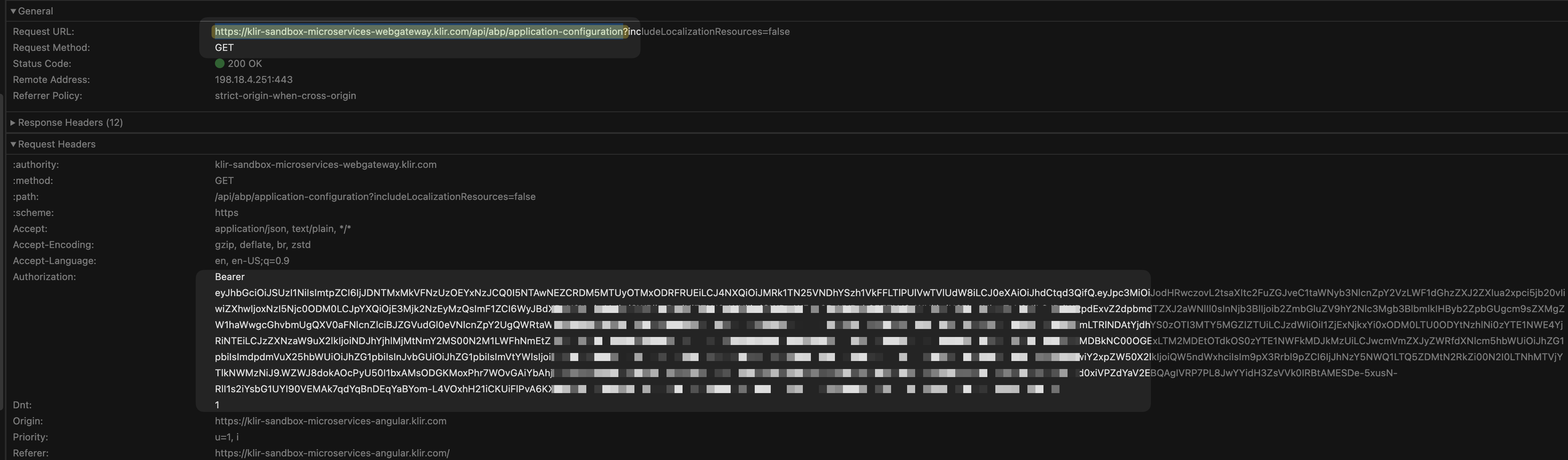
Can you share the logs for https://klir-sandbox-microservices-webgateway.klir.com/api/abp/application-configuration?
The logs you have shared don't include it.
Thanks
hi
In this case, you will get error 400 because of the "reused token" issue. This is what I am trying to avoid.
2024-10-23 11:09:42.807 +03:00 [INF] Antiforgery token validation failed. The antiforgery cookie token and request token do not match.
Microsoft.AspNetCore.Antiforgery.AntiforgeryValidationException: The antiforgery cookie token and request token do not match.
   at Microsoft.AspNetCore.Antiforgery.DefaultAntiforgery.ValidateTokens(HttpContext httpContext, AntiforgeryTokenSet antiforgeryTokenSet)
   at Microsoft.AspNetCore.Antiforgery.DefaultAntiforgery.ValidateRequestAsync(HttpContext httpContext)
   at Microsoft.AspNetCore.Mvc.ViewFeatures.Filters.ValidateAntiforgeryTokenAuthorizationFilter.OnAuthorizationAsync(AuthorizationFilterContext context)
2024-10-23 11:09:42.809 +03:00 [INF] Authorization failed for the request at filter 'Microsoft.AspNetCore.Mvc.ViewFeatures.Filters.AutoValidateAntiforgeryTokenAuthorizationFilter'.
2024-10-23 11:09:42.813 +03:00 [INF] Executing StatusCodeResult, setting HTTP status code 400
This is the AntiforgeryToken error.
When you log in in tab-a, your cookies will be refreshed, and the old antiforgery token is still saved in tab-b HTML from.
see https://learn.microsoft.com/en-us/aspnet/core/security/anti-request-forgery?view=aspnetcore-8.0#multiple-browser-tabs-and-the-synchronizer-token-pattern
hi
500.30 error
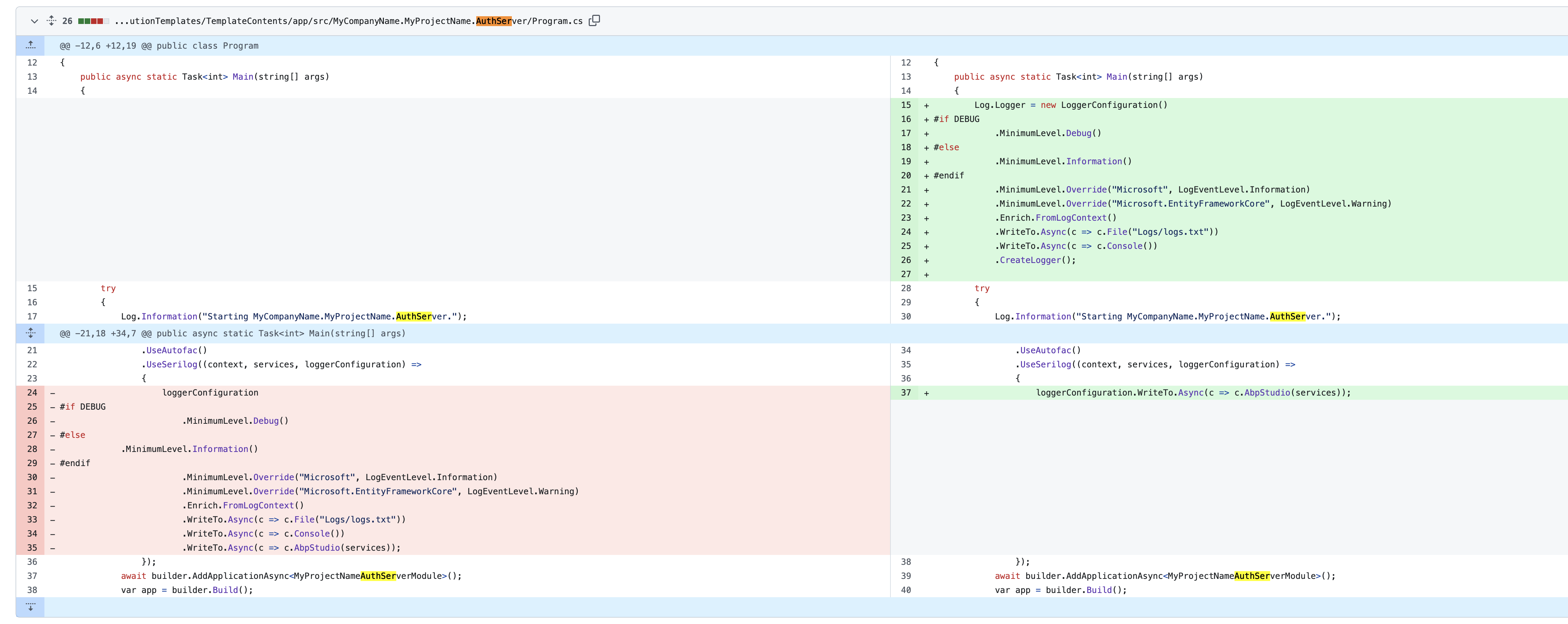
We have changed the Log code. Please add the new code to your Program.cs and check the exception of the 500.30 error
public async static Task<int> Main(string[] args)
{
    Log.Logger = new LoggerConfiguration()
#if DEBUG
        .MinimumLevel.Debug()
#else
        .MinimumLevel.Information()
#endif
        .MinimumLevel.Override("Microsoft", LogEventLevel.Information)
        .MinimumLevel.Override("Microsoft.EntityFrameworkCore", LogEventLevel.Warning)
        .Enrich.FromLogContext()
        .WriteTo.Async(c => c.File("Logs/logs.txt"))
        .WriteTo.Async(c => c.Console())
        .CreateLogger();
hi
Sorry for that, Maybe the app needs permission to create new txt file
When you get Logs/logs.txt and Logs/identitymodel.txt please share them with me, and I will check them out.
Thanks.
hi
Can you check this https://serverfault.com/a/933281 ?
the Trusted_Connection=True in IIS needs more settings.
How to fix this issue with SSO OIDC ?
I don't know about your SSO OIDC code.
Can you share the details and logs during the login?
ok, I see, our angular team will reply you a solution.
The request header doesn't contain the Authorization: bearer *.
so the current user doesn't have values.
Has your angular app been successful in getting access_token?