hello support, would you take a look at a project? Do you have a guide that shows the settings between prod and dev operational for us new devs?
Hi gterdem,
I had already tried the strictdiscoverydocumentvalidation one but not the skipissuercheck. When I use skipissuercheck it does not throw the error but it just doesnt go to the identity server login page. anything else i need to check ?
Generate a new standard abp solution using blazor, add angular project as well.
In dev everything works correct since the backend is running on localhost:44325 and the frontend on localhost:4200, same network, they can talk.
Update appsettings App -> SelfUrl, RedirectAllowedUrl, and CorsOrigins per https://docs.abp.io/en/commercial/6.0/guides/identityserver-deployment.
Deploy the backend to this new address. Update the environment on the angular app as well.
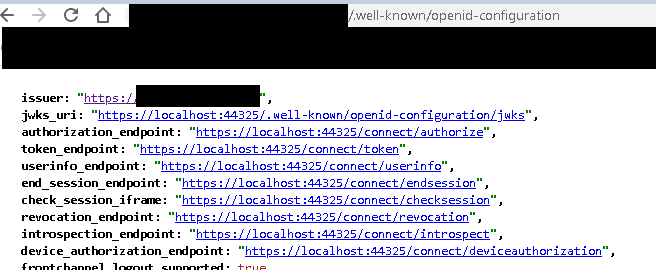
Although the settings are updated on the backend, when the frontend retrieves the https://myurl/.well-known/openid-configuration the endpoints still say localhost:44325 so the frontend doesn't redirect to the login screen. This error is present
 Okay so we can add this to our oAuthConfig on frontend
 strictDiscoveryDocumentValidation: false this way it doesn't validate, but in the end it of course can't reach those localhost endpoints.
Is there anything else to change other than the information at https://docs.abp.io/en/commercial/6.0/guides/identityserver-deployment?
The issue turned out to be use of async via AsyncHelper.RunSync in a singleton constructor: my bad.
Thanks!
Hi Liang,
Yes the recurring worker jobs are okay, in my sample i triggered queued for processing various non-recurring worker jobs that take TransactionProcessingArgs. You can see in the screenshots above, maybe trigger a bunch of these. You should get failures since you dont have keys to use the domain service and these will end up in retry states. Stop the application and try again? Any time I have jobs in the hangfire.jobs table it wouldnt start back up
Shared via mail, thanks
Create a new app-nolayers-pro solution. Add dependies and depends on related modules
    // Hangfire Background worker
    typeof(AbpBackgroundWorkersHangfireModule),

    // Hangfire background jobs
    typeof(AbpBackgroundJobsModule),
    typeof(AbpBackgroundJobsHangfireModule)
    private void ConfigureHangfire(ServiceConfigurationContext context, IConfiguration configuration)
    {
        context.Services.AddHangfire(config =>
        {
            config.UseSqlServerStorage(configuration.GetConnectionString("Default"));
        });
    }
public override void OnApplicationInitialization(ApplicationInitializationContext context)
{
    ..... other confs
    app.UseHangfireDashboard("/hangfire", new DashboardOptions
    {
        AsyncAuthorization = new[] { new AbpHangfireAuthorizationFilter() }
    });

    .... also register background workers
    await context.AddBackgroundWorkerAsync<worker1>();
    await context.AddBackgroundWorkerAsync<worker2>();
}
Start up the app. it works. queue some jobs. Your yourproject.hangfire.job table should have stuff in it now
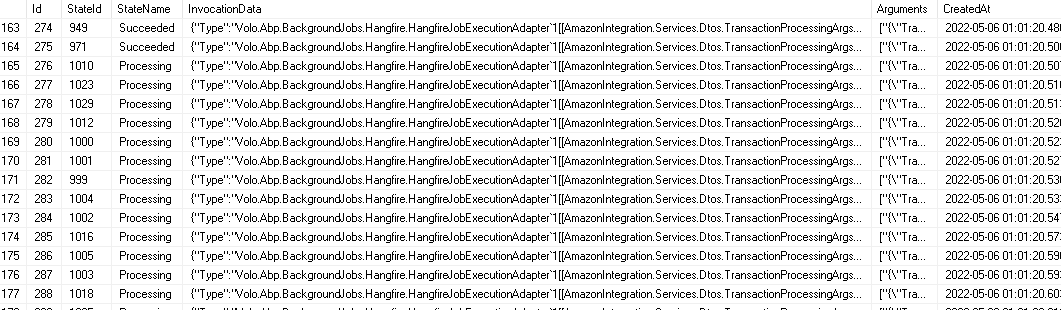
Stop app, next time application attempts startup, it just hangs, no errors. If you DELETE FROM hangfire.job table and start up app, it starts...
maliming, I also see other problems with the template. I've compared against standard app template.
In standard app template:
In nolayer
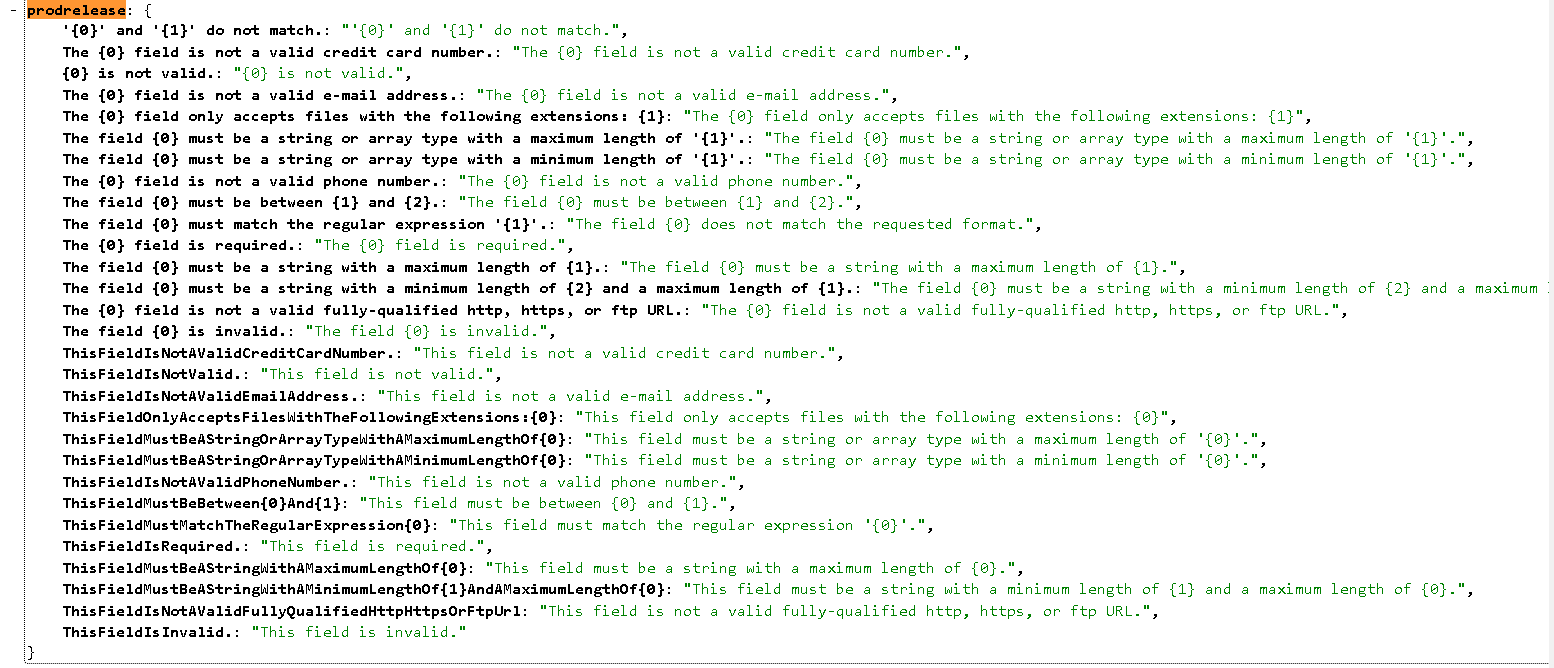
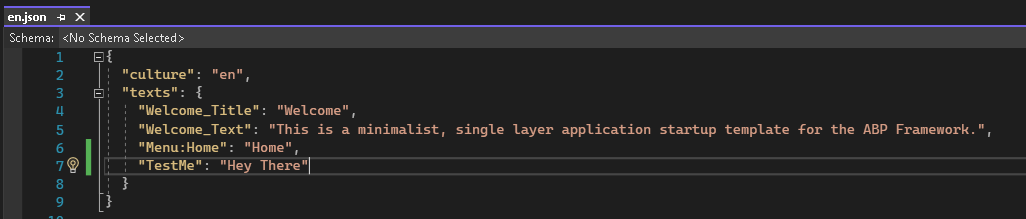
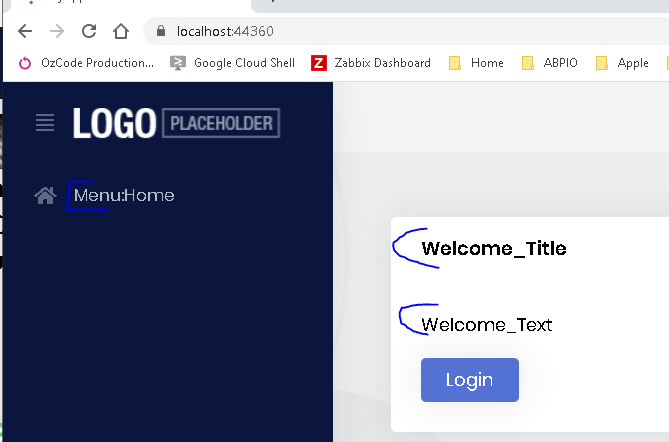
Thanks. In the snippet below, the template also seems to be missing the automapper module registration
private void ConfigureAutoMapper(IServiceCollection services)
    {
        services.AddAutoMapperObjectMapper<MyModule>(); // This line seems to be missing too
        Configure<AbpAutoMapperOptions>(options =>
        {
            /* Uncomment `validate: true` if you want to enable the Configuration Validation feature.
             * See AutoMapper's documentation to learn what it is:
             * https://docs.automapper.org/en/stable/Configuration-validation.html
             */
            options.AddMaps<MyModule>(/* validate: true */);
        });
    }
Can you confirm?
Yes this worked, should this be part of the standard template ?









