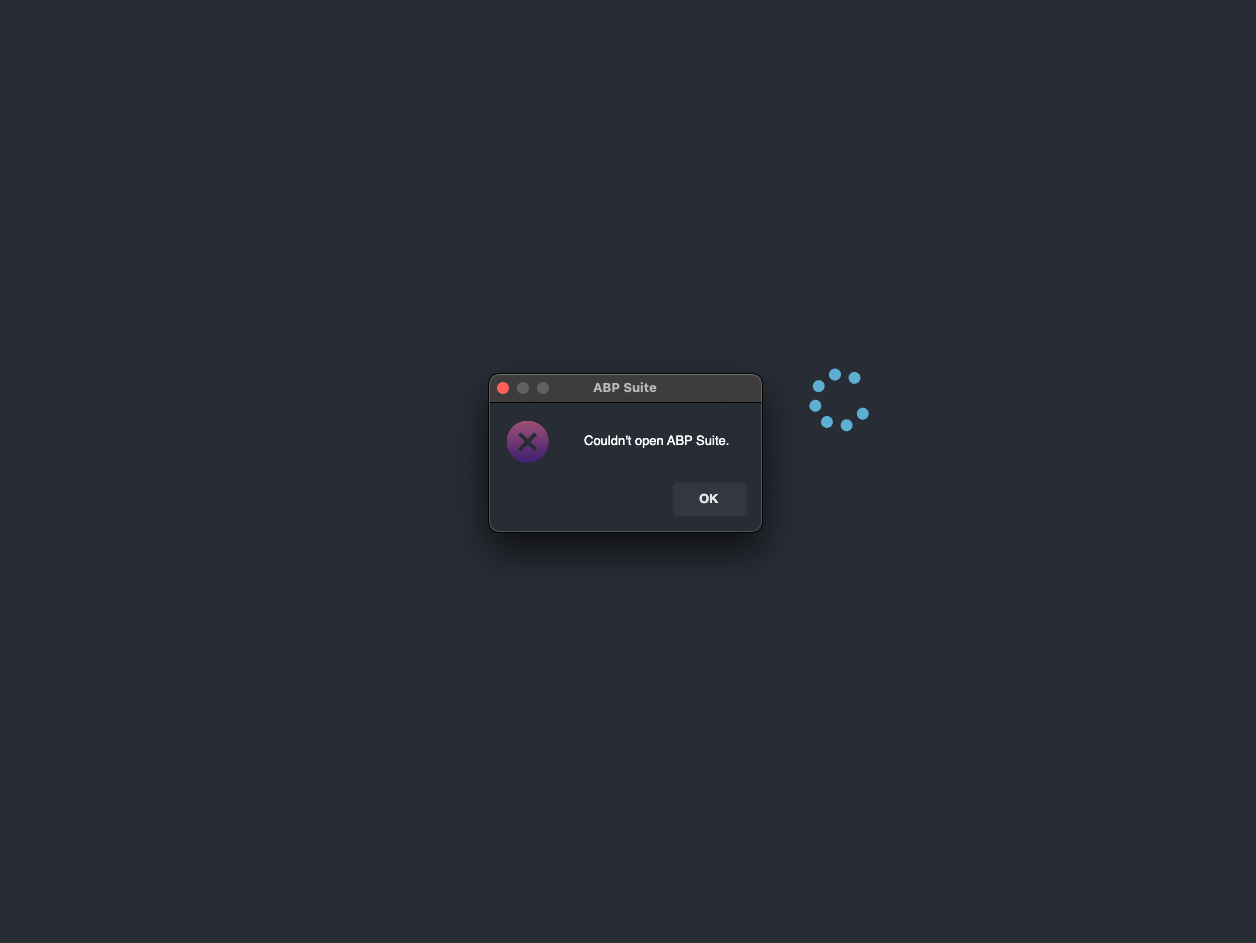
Solution Configuration
This just started happening, perhaps with my upgrade to Abp Studio Version 1.1.1.
If I create a new Microservice module in our existing solution created with the Micorservice Template, then use Abp Suite to generate the CRUD entities it isn't automatically seeding the permission grants database for the 'admin' role like it has in the past.
It is adding the permission group and permissions though.
Also, in the MVC web UI, the new permission group and permissions aren't showing so they can't be assigned to the manually.
Steps to reproduce:
Add a new Microservice module to an existing Microservice solution. Add a new entity and properties using Abp Suite. Generate the solution updates and migrations. Run the new microservice service on localhost Run a sql query to get the permission group, permissions and permission grants from the Administration database SELECT * FROM [CloverleafCMS__ST_Administration].[dbo].[AbpPermissionGroups] WHERE [DisplayName] LIKE '%TestS%' ORDER BY [Name]
SELECT * FROM [CloverleafCMS__ST_Administration].[dbo].[AbpPermissions] WHERE [Name] LIKE '%Items%' ORDER BY [GroupName], [Name]
SELECT * FROM [CloverleafCMS__ST_Administration].[dbo].[AbpPermissionGrants] -- WHERE [TenantId] IS NOT NULL -- AND [ProviderKey] != 'admin' WHERE [Name] LIKE '%.Items%' ORDER BY [TenantId], [ProviderKey], [Name]
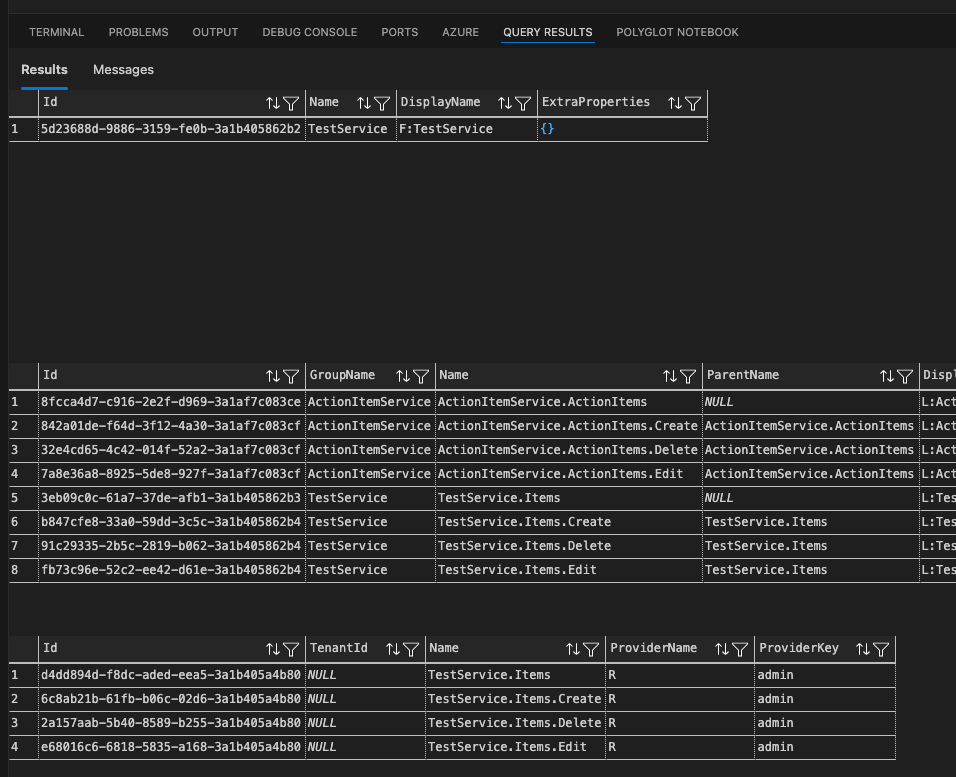
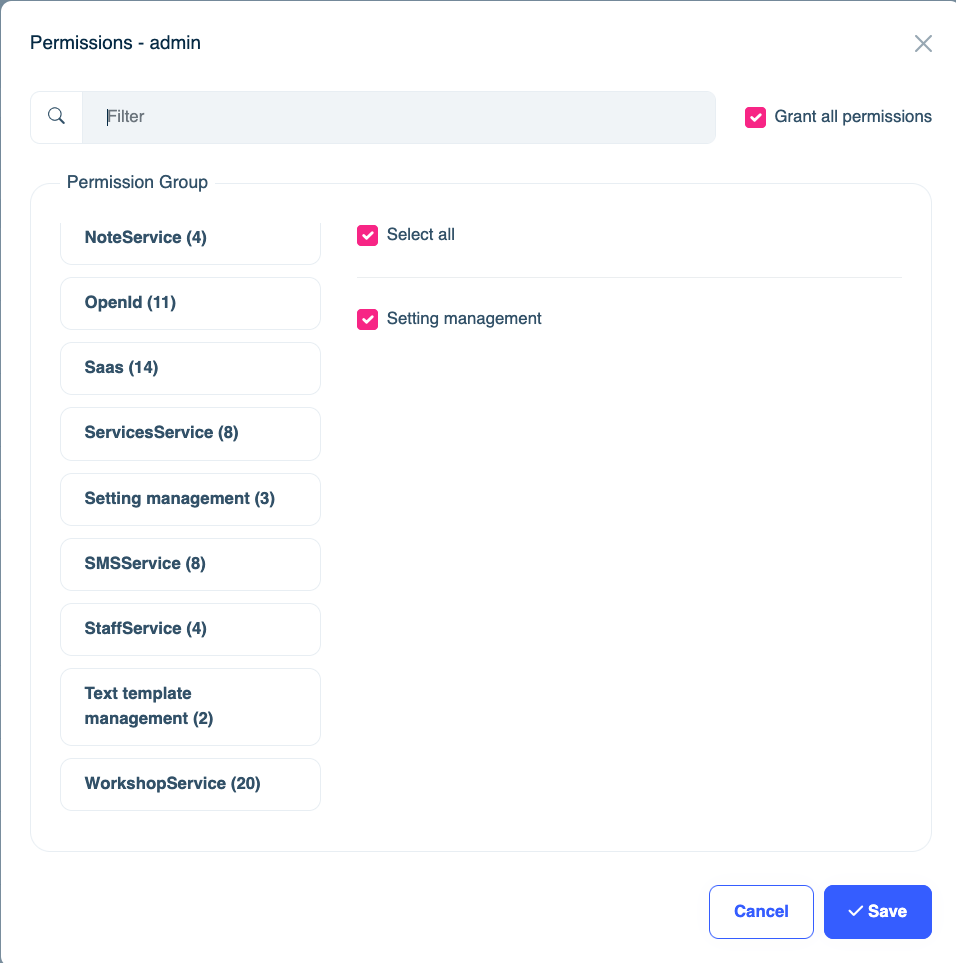
However when I log in as admin in the host tenant the new permission group isn't available for assigning to a role.
I cleared my browser cache and it's still not showing.
My mistake. (Copy/Paste error)
I was able to install and upgrade to the latest version.
Thank you for working through this with me.
Hi,
Different error this time:
dotnet tool install -g Volo.Abp.Suite --add-source https://nuget.abp.io/***/index.json
Unhandled exception: NuGet.Protocol.Core.Types.FatalProtocolException: Unable to load the service index for source https://nuget.abp.io/XXX/index.json.
---> System.Net.Http.HttpRequestException: Response status code does not indicate success: 404 (Not Found).
at System.Net.Http.HttpResponseMessage.EnsureSuccessStatusCode()
at NuGet.Protocol.HttpSource.<>c__DisplayClass15_01.<<GetAsync>b__0>d.MoveNext() --- End of stack trace from previous location --- at NuGet.Common.ConcurrencyUtilities.ExecuteWithFileLockedAsync[T](String filePath, Func2 action, CancellationToken token)
at NuGet.Common.ConcurrencyUtilities.ExecuteWithFileLockedAsync[T](String filePath, Func2 action, CancellationToken token) at NuGet.Protocol.HttpSource.GetAsync[T](HttpSourceCachedRequest request, Func2 processAsync, ILogger log, CancellationToken token)
at NuGet.Protocol.ServiceIndexResourceV3Provider.GetServiceIndexResourceV3(SourceRepository source, DateTime utcNow, ILogger log, CancellationToken token)
--- End of inner exception stack trace ---
at NuGet.Protocol.ServiceIndexResourceV3Provider.GetServiceIndexResourceV3(SourceRepository source, DateTime utcNow, ILogger log, CancellationToken token)
at NuGet.Protocol.ServiceIndexResourceV3Provider.TryCreate(SourceRepository source, CancellationToken token)
at NuGet.Protocol.Core.Types.SourceRepository.GetResourceAsync[T](CancellationToken token)
at NuGet.Protocol.PackageMetadataResourceV3Provider.TryCreate(SourceRepository source, CancellationToken token)
at NuGet.Protocol.Core.Types.SourceRepository.GetResourceAsync[T](CancellationToken token)
at Microsoft.DotNet.Cli.NuGetPackageDownloader.NuGetPackageDownloader.GetPackageMetadataAsync(PackageSource source, String packageIdentifier, Boolean includePrerelease, Boolean includeUnlisted, CancellationToken cancellationToken)
at Microsoft.DotNet.Cli.NuGetPackageDownloader.NuGetPackageDownloader.GetMatchingVersionInternalAsync(String packageIdentifier, IEnumerable1 packageSources, VersionRange versionRange, CancellationToken cancellationToken) at Microsoft.DotNet.Cli.NuGetPackageDownloader.NuGetPackageDownloader.GetBestPackageVersionAsync(PackageId packageId, VersionRange versionRange, PackageSourceLocation packageSourceLocation) at Microsoft.DotNet.Cli.ToolPackage.ToolPackageDownloader.<>c__DisplayClass8_0.<InstallPackage>b__0() at Microsoft.DotNet.Cli.TransactionalAction.Run[T](Func1 action, Action commit, Action rollback)
at Microsoft.DotNet.Tools.Tool.Install.ToolInstallGlobalOrToolPathCommand.<>c__DisplayClass22_0.<ExecuteInstallCommand>b__1()
at Microsoft.DotNet.Tools.Tool.Install.ToolInstallGlobalOrToolPathCommand.RunWithHandlingInstallError(Action installAction, PackageId packageId)
at Microsoft.DotNet.Tools.Tool.Install.ToolInstallGlobalOrToolPathCommand.ExecuteInstallCommand(PackageId packageId)
at Microsoft.DotNet.Tools.Tool.Install.ToolInstallGlobalOrToolPathCommand.Execute()
at Microsoft.DotNet.Tools.Tool.Install.ToolInstallCommand.Execute()
at System.CommandLine.Invocation.InvocationPipeline.Invoke(ParseResult parseResult)
at System.CommandLine.ParseResult.Invoke()
at Microsoft.DotNet.Cli.Program.ProcessArgs(String[] args, TimeSpan startupTime, ITelemetry telemetryClient)
Why was this closed? I still don't have a resolution.
Hi, I followed the steps above but still no luck.
% dotnet nuget locals all --clear Clearing NuGet HTTP cache: /Users/rogerhopkins/.local/share/NuGet/http-cache Clearing NuGet global packages folder: /Users/rogerhopkins/.nuget/packages/ Clearing NuGet Temp cache: /var/folders/cn/j4xfhgq91m3ft78bmt00pg6c0000gn/T/NuGetScratch Clearing NuGet plugins cache: /Users/rogerhopkins/.local/share/NuGet/plugin-cache Local resources cleared. rogerhopkins@Rs-MBP-3 tools % dotnet tool install -g Volo.Abp.Suite --add-source https://nuget.abp.io/**** /index.json Tool 'volo.abp.suite' failed to update due to the following: The settings file in the tool's NuGet package is invalid: Entry point file 'Volo.Abp.Suite.dll' for command 'abp-suite' was not found in the package. Tool 'volo.abp.suite' failed to install. Contact the tool author for assistance. rogerhopkins@Rs-MBP-3 tools %
Yes. rogerhopkins@Rs-MBP-3 ~ % abp login-info [07:06:12 INF] You are running the second generation of the ABP CLI. If you're interested in the legacy CLI, see https://abp.io/new-cli 📌 ABP CLI 1.0.1 [07:06:14 INF] Login info: Name: Roger Surname: Hopkins Username: rogercprops Email Address: roger@cprops.com Organization: Cooperative Processing Resources
Tried both commands and they failed dotnet tool install -g Volo.Abp.Suite --add-source https://nuget.abp.io/<mykey>/v3/index.json Tool 'volo.abp.suite' failed to update due to the following: The settings file in the tool's NuGet package is invalid: Entry point file 'Volo.Abp.Suite.dll' for command 'abp-suite' was not found in the package. Tool 'volo.abp.suite' failed to install. Contact the tool author for assistance. rogerhopkins@Rs-MBP-3 .store % dotnet nuget add source https://nuget.abp.io/<mykey>/index.json error: The source specified has already been added to the list of available package sources. Provide a unique source.
I ran the abp suite command abp suite [07:59:30 INF] You are running the second generation of the ABP CLI. If you're interested in the legacy CLI, see https://abp.io/new-cli Checking extensions... 📌 ABP CLI 1.0.1 The application to execute does not exist: '/Users/rogerhopkins/.dotnet/tools/.store/volo.abp.suite/9.2.0/volo.abp.suite/9.2.0/tools/net9.0/any/Volo.Abp.Suite.dll'.
So I went through the steps to do a clean uninstall here: https://abp.io/docs/latest/suite/how-to-uninstall
I tried reinstalling and got this message: abp suite install [08:06:44 INF] You are running the second generation of the ABP CLI. If you're interested in the legacy CLI, see https://abp.io/new-cli Checking extensions... [08:06:46 INF] Installing ABP Suite latest version... Tool 'volo.abp.suite' failed to update due to the following: The settings file in the tool's NuGet package is invalid: Entry point file 'Volo.Abp.Suite.dll' for command 'abp-suite' was not found in the package. Tool 'volo.abp.suite' failed to install. Contact the tool author for assistance.
So then I uninstalled ABP Studio, downloaded the install package and reinstalled. In Studio I tried to open Abp Suite and got a prompt that it wasn't installed and asked if I wanted to install. I accepted and that install failed.
So I ran abp suite from terminal and got this message: abp suite install [08:08:27 INF] You are running the second generation of the ABP CLI. If you're interested in the legacy CLI, see https://abp.io/new-cli Checking extensions... [08:08:28 INF] Installing ABP Suite latest version... Tool 'volo.abp.suite' failed to update due to the following: The settings file in the tool's NuGet package is invalid: Entry point file 'Volo.Abp.Suite.dll' for command 'abp-suite' was not found in the package. Tool 'volo.abp.suite' failed to install. Contact the tool author for assistance. [08:08:36 INF] You can also run the following command to install ABP Suite. [08:08:36 INF] dotnet tool install -g Volo.Abp.Suite --add-source https://nuget.abp.io/<your-private-key>/v3/index.json
The above steps didn't resolve the problem