Every option in one guided wizardPick a color theme for your React appPick the architecture that fitsAdd pre-built modules in a clickYour solution, ready to developPlan first, code laterThe agent asks before it decidesReview the plan, then apply itThe agent follows the plan step by stepYou approve every commandBuilt and ready to reviewReview every change before you commitAI writes the commit messageOn GitHub in one clickRun the whole solution with one clickEvery app, its health and its requestsThe page the agent built, running
ABP Studio Enterprise EditionABP Studio Enterprise Edition - Acme.BookStore
ADArthur Dent Acme Corp
HomeAcme.BookStore - READMEPlan: Book managementFile DiffMonitorBrowser
Start
New solutionOpen solution
Recent Solutions
Acme.CrmNov 03, 2026
C:\Projects\Acme.Crm\Acme.Crm.abpsln
Acme.InventoryOct 21, 2026
C:\Projects\Acme.Inventory\Acme.Inventory.abpsln
Tutorials
Getting started with ABP
Introduction to ABP Studio
Latest Posts
Building a Modular Monolith with ABP
What's new in ABP Studio
Acme.BookStore
This is a layered startup solution based on Domain Driven Design (DDD) practices. All the fundamental ABP modules are already installed.
Before running the application
Run abp install-libs command on your solution folder to install client-side package dependencies.
Run Acme.BookStore.DbMigrator to create the initial database.
Solution structure
Acme.BookStore.Domain: entities, domain services and repositories
Acme.BookStore.Application: application services
Acme.BookStore.HttpApi.Host: the backend host
react: the React application (Vite, Shadcn UI, Purple theme)
0/52/54/55/5
Plan: Book management
Add a Book aggregate with categories and stock tracking, expose it through an application service with a new price permission, and add a Books page to the React application.
Decisions
Stock: one global count per book (StockCount)
Prices: only admins, with the new BookStore.Books.ChangePrice permission
Files
src/Acme.BookStore.Domain/Books/Book.cs, Category.cs — new aggregates
Actions The Hitchhiker's GuideScience Fiction12.9942
Actions 1984Dystopian9.5018
Actions DuneScience Fiction14.203
Actions The Pragmatic ProgrammerSoftware39.9025
Background TasksTerminal NEWNotificationsLogs
Create new solution
ModernClassic
Basics
Solution Properties
Applications
UI
React Theme Options
Architecture
Backend Architecture
Database Provider
Database Configurations
Multi-Tenancy
Solution Structure
Features
Module Selection
AI Integration
BLOB Storing
Public Website
Language Selection
Low-Code System
Elsa Workflows
Finalize
Additional Options
Admin Password
Solution Properties
You can use different levels of namespaces; e.g. MyProjectName, MyCompanyName.MyProjectName or Acme.Retail.MyProjectName.
C:\Projects\...
Create solution folder
Creates the solution inside a folder with the name of the solution in the output directory.
React Theme Options
Choose a theme preset for your React project.
SlatePinkBlueTurquoiseOrangePurple
Theme Mode
Choose the default color mode for your React application. 'Both' follows the system preference and allows users to toggle manually. 'Light' or 'Dark' locks the application to that specific mode.
BothLightDark
Backend Architecture
Simple Monolith
A single-layer application with all code in one project. Easy to understand and quick to start.
Best for: Small apps, prototypes, MVPsScaling: VerticalComplexity: Low
Layered Monolith
A multi-layered application with clear separation of concerns (Domain, Application, Infrastructure, HTTP API).
Best for: Medium-to-large apps with team collaborationScaling: VerticalComplexity: Medium
Modular Monolith
A modular application where each module is self-contained but deployed as a single unit.
Best for: Large apps requiring module isolationScaling: Vertical + Limited HorizontalComplexity: Medium-High
Microservice
Independently deployable services communicating over the network. Maximum scalability and team autonomy.
Best for: Enterprise-scale distributed systemsScaling: HorizontalComplexity: High
Module Selection
Account & Identity Management & OpenIddict
Provides Account and Identity modules for user authentication and management, with built-in OIDC support via OpenIddict.
Include Account & Identity modulesOptional Modules
Contains at least one number (0-9)Contains at least one letter (a-z or A-Z)Contains at least one uppercase letter or special character
CancelAsk AI about this stepBackNextCreate
Publish to GitHub
Aacme-inc
Acme.BookStore
Book store application built with ABP
Private repository
CancelPublishPublishing...
Ready.Creating the solution Acme.BookStore...
Solution createdAcme.BookStore was created successfully.
Published to GitHubgithub.com/acme-inc/Acme.BookStore
Create a production-ready solution with a guided wizard: React theme, architecture, database and modules.In plan mode, the ABP AI Agent researches your solution, asks what it needs to know and proposes a plan.Apply the plan and the agent writes the code, runs migrations and builds, asking before every command.Review the changes, let AI write the commit message and publish the repository to GitHub.Start the whole solution with one click, monitor every application and open it in the built-in browser.
Create New Solutions
Start from a production-ready simple app, modular monolith or microservice solution. Use the guided wizard or describe your app and let the Solution Architect set it up.
Create new solution
ModernClassic
Basics
Solution Properties
Applications
UI
React Theme Options
Architecture
Backend Architecture
Database Provider
Database Configurations
Multi-Tenancy
Solution Structure
Features
Module Selection
AI Integration
BLOB Storing
Public Website
Language Selection
Finalize
Additional Options
Admin Password
React Theme Options
Choose a theme preset for your React project.
SlatePinkBlueTurquoiseOrangePurple
Theme Mode
Choose the default color mode for your React application. 'Both' follows the system preference and allows users to toggle manually. 'Light' or 'Dark' locks the application to that specific mode.
BothLightDark
Backend Architecture
Simple Monolith
A single-layer application with all code in one project. Easy to understand and quick to start.
Best for: Small apps, prototypes, MVPsScaling: VerticalComplexity: Low
Layered Monolith
A multi-layered application with clear separation of concerns (Domain, Application, Infrastructure, HTTP API).
Best for: Medium-to-large apps with team collaborationScaling: VerticalComplexity: Medium
Modular Monolith
A modular application where each module is self-contained but deployed as a single unit.
Best for: Large apps requiring module isolationScaling: Vertical + Limited HorizontalComplexity: Medium-High
Microservice
Independently deployable services communicating over the network. Maximum scalability and team autonomy.
Best for: Enterprise-scale distributed systemsScaling: HorizontalComplexity: High
Database Provider
Select your database provider
Entity Framework Core
Supports various database management systems, including relational and non-relational ones.
MongoDB
A popular NoSQL database.
Ask AI about this stepBackNext
Create new solution
ModernClassic
Basics
Solution Template
Solution Properties
UI
UI Framework
UI Theme
Architecture
Database Provider
Database Configurations
Multi-Tenancy
Solution Structure
Features
Mobile Framework
Public Website
Optional Modules
AI Integration
BLOB Storing
Finalize
Additional Options
Additional Services
Admin Password
Pick a solution template
Application (Single Layer)app-nolayers
Creates a single-layer web application with the essential modules are installed. Recommended for building an application with a simpler and easy to understand architecture.
Application (Layered)app
Creates a web application with the essential modules are installed. Recommended for long-term projects that need a maintainable and extensible codebase.
Microservicemicroservice
Creates a microservice with the essential services available. Consists of multiple applications, API gateways, microservices and databases to build a scalable microservice solution with the latest technologies.
Or starts with an empty solution
Not sure which template? Read our guide to pick the best for you!
Select your UI framework
MVC / Razor Pages
ASP.NET Core MVC is a rich framework for building web apps and APIs using the Model-View-Controller design pattern.
Angular
Angular is an application design framework and development platform for creating efficient and sophisticated single-page apps.
Blazor WebAssembly
Blazor is a framework for building interactive client-side web UI with .NET. With Blazor WebAssembly (WASM) apps run client-side in the browser on a WebAssembly-based .NET runtime.
Blazor Server
Blazor is a framework for building interactive client-side web UI with .NET. With the Blazor Server hosting model, the app is executed on the server from within an ASP.NET Core app.
Blazor WebApp
Blazor is a framework for building interactive client-side web UI with .NET. With the Blazor WebApp hosting model, the app supports both server-side rendering and client interactivity.
Maui Blazor (Hybrid)
A project for creating a .NET MAUI application for IOS, Android, Mac Catalyst, WinUI, and Tizen using Blazor Hybrid.
No UI
Not include the UI.
Select your UI theme
LeptonXBasic
Sidebar menuTop menu
SystemLightDimDark
CancelAsk AI about this stepBackNext
Describe your app in your own wordsThe agent asks before it decidesNothing is created until you approveDesigned and created from your description
ABP Studio Enterprise EditionABP Studio Enterprise Edition - Acme.Clinic
ADArthur Dent Acme Corp
HomeAcme.Clinic - README
Start
New solutionOpen solution
Recent Solutions
Acme.CrmNov 03, 2026
C:\Projects\Acme.Crm\Acme.Crm.abpsln
Acme.InventoryOct 21, 2026
C:\Projects\Acme.Inventory\Acme.Inventory.abpsln
Acme.Clinic
A multi-tenant clinic appointment application. Every clinic is a tenant with its own isolated data.
Before running the application
Run Acme.Clinic.DbMigrator to create the initial database.
Solution structure
Acme.Clinic.HttpApi.Host: the backend host
react: the application doctors and clinic staff use
react-public-web: the public website where patients book visits
Background TasksTerminal NEWNotifications
Choose Solution System
Pick how you want to create your new solution.
Use a solution wizard
ModernRecommended
Architecture-first: you pick the backend architecture and ABP Studio maps it to the matching template. React or no UI, with React Native for mobile.
Classic
Template-first: you pick the template, then configure UI, database, mobile and modules yourself. Widest UI choice — MVC, Angular and Blazor variants — plus MAUI and React Native for mobile.
or
Describe your application
Tell the Solution Architect what you want to build. The conversation continues in the AI Agent panel on the right.
Describe the application you want to build in your own words...
Press Enter to start, Shift+Enter for a new line.
Start with AI
Ready.Creating the solution Acme.Clinic...
Modern Solution System
For new solutions with a React frontend. Choose your backend architecture first and Studio picks the matching template.
React UI with TypeScript, Vite and shadcn/ui in six color themes
Simple, layered, modular monolith or microservice architectures
React Native for mobile and an "Ask AI about this step" helper on every page
Classic Solution System
For teams building with MVC, Angular, Blazor or MAUI. Choose a template first and shape it with the widest range of UI and mobile options.
MVC / Razor Pages, Angular, Blazor (WebAssembly, Server, Web App) and MAUI Blazor
MudBlazor or Blazorise for Blazor
Single-layer, layered and microservice templates
Solution Architect
Skip the wizard and describe the application you want to build in your own words. The Solution Architect asks what it needs to know, proposes a configuration and creates the solution once you approve it.
Start from a plain-language description instead of picking templates and options yourself
Asks follow-up questions instead of guessing
Shows the full configuration and creates nothing until you approve it
Needs ABP AI credits.
Architect and Explore Your Solution
Shape your solution with modules, packages and pre-built application modules, then see what every package contains without opening the code.
Architect Your Solution
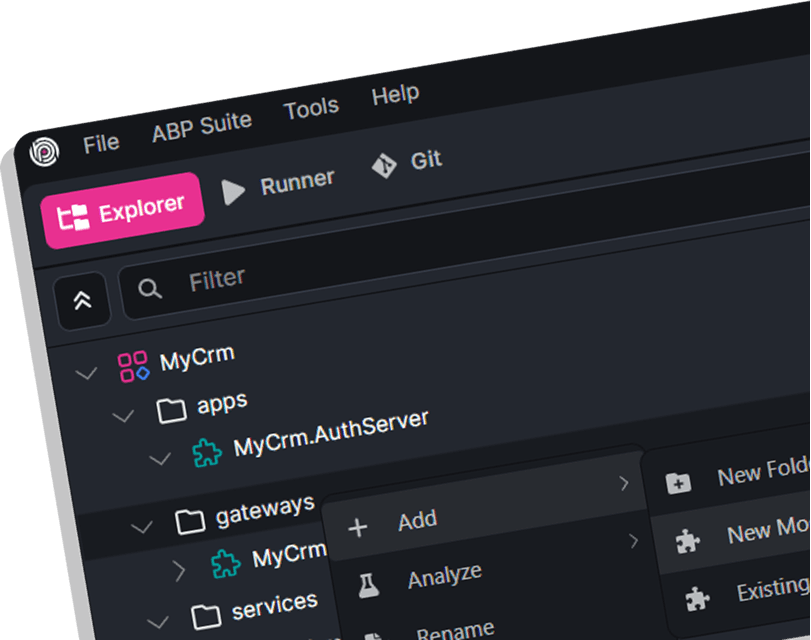
Design modular monolith and microservice solutions. Add modules and services, define how they depend on each other and install pre-built application modules from the Explorer.
ExplorerRunnerGit
Filter
Explore Your Solution
ABP Studio shows a high-level view of the components in your solution and the modules it depends on. Explore its entities, services and HTTP APIs without opening your codebase.
ExplorerRunnerGit
Book
Theme Builder New
Give your LeptonX-based application its own look without touching CSS. Start from a built-in theme or create your own, adjust colors and styles with a live preview and apply it to the projects you choose.
ABP Studio Enterprise Edition - Acme.BookStore
ADArthur Dent Acme Corp
HomeAcme.BookStore - READMETheme Builder
Themes
Themes apply to LeptonX-based UIs only. They have no effect on projects without LeptonX.
Your coding agent built into ABP Studio. It knows your solution and ABP. It picks up your GitHub issues, writes the code and runs the tests to check it. You stay in control through review all the way to the pull request.
Your GitHub issues inside StudioWork on its own branchSend the issue to the agentThe issue and its comments become the taskImplemented, built and testedAI reviews every changeAdd your own review notesThe agent works through your notesAI writes the commit messageOpened as a pull request on GitHub
ABP Studio Enterprise Edition - Acme.BookStore
ADArthur Dent Acme Corp
GitHub#42 Notify admins when a book is low on stockFile Diff
Select an issue or pull request to view details
Notify admins when a book is low on stock#42
Openenhancement
New branch for this issueOpen on GitHub
Ssarah-devNov 09, 2026
When an order reduces a book's stock to its threshold or below, admins should get a notification so they can reorder in time.
Acceptance criteria
A threshold per book, 5 by default
Notify when the stock is at or below the threshold
Users with the BookStore.Books permission get the notification
Comments1
Mmike-opsNov 09, 2026 14:32
The Admin app runs as a separate application, so it needs to receive these alerts too.
1+ using System.Threading.Tasks;2+ using Volo.Abp.DependencyInjection;3+ using Volo.Abp.EventBus.Distributed;4+5+ namespace Acme.BookStore.Books;6+7+ public classBookStockChecker(IDistributedEventBus distributedEventBus) : ITransientDependency8+ {9+ public asyncTaskCheckAsync(Book book)10+ {11+ if (book.StockCount <<= book.LowStockThreshold)WARNINGThe issue asks for a notification when the stock is at or below the threshold, but < skips the case where they are equal.Suggested changeApplyif (book.StockCount <= book.LowStockThreshold)12+ {13+ await distributedEventBus.PublishAsync(14+ newBookLowOnStockEto(book.Id, book.Name, book.StockCount, book.LowStockThreshold));Enter to save · Esc to cancelAdd the threshold to the event so the alert can show it.15+ }16+ }17+ }
Background TasksTerminal NEWNotificationsLogs
Ready.
Pushed to origin1 commit pushed to acme-inc/Acme.BookStore (issue/42)
The agent works across your whole development flow in ABP Studio, from a GitHub issue to the running application. It always stays within the rules and limits your team sets.
Three Modes, Your Call
You choose how far the agent goes. Ask only answers your questions. Plan designs the change without touching your code. Agent writes the code, builds it and fixes errors.
Knows ABP, Not Just Files
Reads the ABP documentation and explores your modules before it writes code. It adds database migrations, generates C# and Angular proxies and connects to your own tools through MCP.
Runs and Troubleshoots Your Apps
Starts your services and containers, follows logs, HTTP requests and exceptions to track down problems and checks the UI in the built-in browser.
Repeatable Workflows
Define the steps that run before and after the agent works: build, start containers, add migrations, generate proxies or restart apps. Studio runs them the same way every time.
Parallel Sessions
Run several agent sessions at once, each with its own mode and model. While one implements a feature, another can plan the next. New prompts wait in a queue until the session is free.
Generates Images and Videos
Ask for a logo, an illustration or a short video. You choose the model and the agent adds the result to your solution.
Your Choice of Models
Use the built-in models with your ABP AI credits without any API keys. Let Auto pick the right model for each message. With an Enterprise license you can connect your own OpenAI-compatible service or run models locally with Ollama.
Learns Your Team’s Way
Share rules and skills with your team through the solution. When the agent finds a mistake, it saves a lesson so it doesn’t repeat it. You can edit or clear lessons anytime.
Your Code, Your Limits
Keep the agent to one part of the codebase with scopes. Hide sensitive files with .abpignore and approve risky commands and web requests before they run.
Let AI Test What You Build
Studio uses AI to test your application the way an expert would. It checks your code and the running app to catch security holes and UI/UX problems before your users do. The agent fixes them for you.
CriticalSQL injection in the book search querysrc/Acme.BookStore.EntityFrameworkCore/Books/EfCoreBookRepository.cs:42ConfirmedSent to agentRe-verifying…Fixed
HighBookAppService.DeleteAsync has no authorizationsrc/Acme.BookStore.Application/Books/BookAppService.cs:88ConfirmedSent to agentRe-verifying…Fixed
HighStored XSS in the book descriptionhttps://localhost:44303/BooksConfirmed
MediumAccess tokens are written to the logssrc/Acme.BookStore.HttpApi.Host/BookStoreHttpApiHostModule.cs:131Confirmed
Findings are found, verified and fixed by AI, so they can be wrong or incomplete. Review them before relying on them.
FileABP SuiteTheme BuilderSecurity Test NEWToolsHelpABP Studio Enterprise Edition - Acme.Crm
UI/UX Test
Security TestUI/UX TestCodebase + RuntimeCodebaseRuntimeTest withClaude Sonnet 5.5Start TestStop Test
Apps to Test (1)IncrementalConfigure Inputs
Runtime test in progress...UI/UX test in progress...
Elapsed: 1 min 18 sec
Findings (4)Last test 11.11.2026 07:00Clear ResultsView ResultsExport Results
Testing...Findings will appear here when the test finishes.
Select AllSeverityAllStatusAll
HighWCAG 1.3.1: Form fields have no accessible labels/Customers/CreateConfirmedSent to agentFixed
MediumWCAG 1.4.3: Table text contrast is below 4.5:1/CustomersConfirmedSent to agentFixed
MediumUsability: Deleting a customer has no confirmation step/CustomersConfirmedSent to agentFixed
LowWCAG 1.1.1: Icon buttons have no text alternative/CustomersConfirmedSent to agentFixed
Runtime Test StatisticsRe-verify Selected (0)Fix withGPT-5.3-CodexFix Selected (034)
Findings are found, verified and fixed by AI, so they can be wrong or incomplete. Review them before relying on them.
Security Test New
Scan your solution for vulnerabilities without leaving Studio. It reviews your code, attacks the apps you run in Studio like a penetration tester, re-checks each finding against the running app and lets the agent fix what it finds.
Scan the codebase, the running apps or both together
Sign in with your test accounts to reach protected pages
Findings ranked by severity and verified against the running app
Send findings to the agent to fix and re-verify them
UI/UX Test New
UI/UX Test reviews your frontend code and walks through your running app in the built-in browser to find layout, accessibility and usability issues the way your users would.
Checks the UI code for accessibility and consistency issues
Explores your pages in the built-in browser like a real user
Shows each finding on the page with the code behind it
Hands the findings to the agent to fix
Run Multi-Application or Microservice Solutions
Run every application, container and service with one click. Watch the requests, exceptions and logs from all of them live in one place.
Try it: click an application, a tab or a request to explore.
Integrate with Your Kubernetes Cluster
Develop one service on your machine while the rest of your microservice solution keeps running in Kubernetes. ABP Studio connects the two, so your code talks to the cluster and the cluster talks to your code.
ABP Studio - MyCrm
HomeBrowser
Recent Solutions
MyCrmNov 10, 2026
C:\Projects\MyCrm\MyCrm.abpsln
Acme.BookStoreNov 09, 2026
C:\Projects\Acme.BookStore\Acme.BookStore.abpsln
https://mycrm-local-web/
MyCrmHomeAdministrationSaas
Homeadmin
Welcome to MyCrm
Served by the cluster at mycrm-local-web, opened from your machine.





 Acme.BookStore.HttpApi.Host
StartingRunning
N/AHealthy
1
-00:00:0400:00:07
01431
0
 Acme.BookStore.React
StartingRunning
N/A
1
-00:00:0300:00:06
-
-
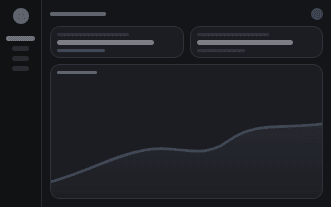 Slate
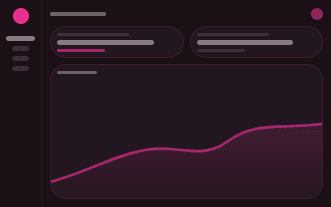 Pink
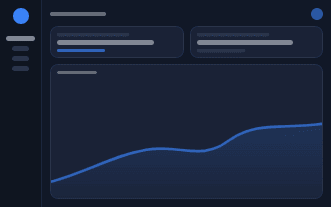 Blue
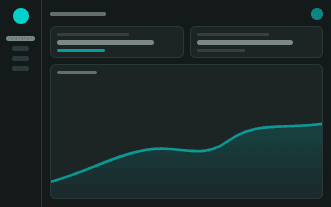 Turquoise
 Orange
 Purple