






I followed the documentation below to enable MFA for a specific tenant: https://abp.io/docs/commercial/8.1/modules/identity/two-factor-authentication
However, even after enabling all the options mentioned in the documentation, the authenticator options are still not visible for the tenant user.
30 Answer(s)
-
0
[maliming] said: hi
Can you try to use
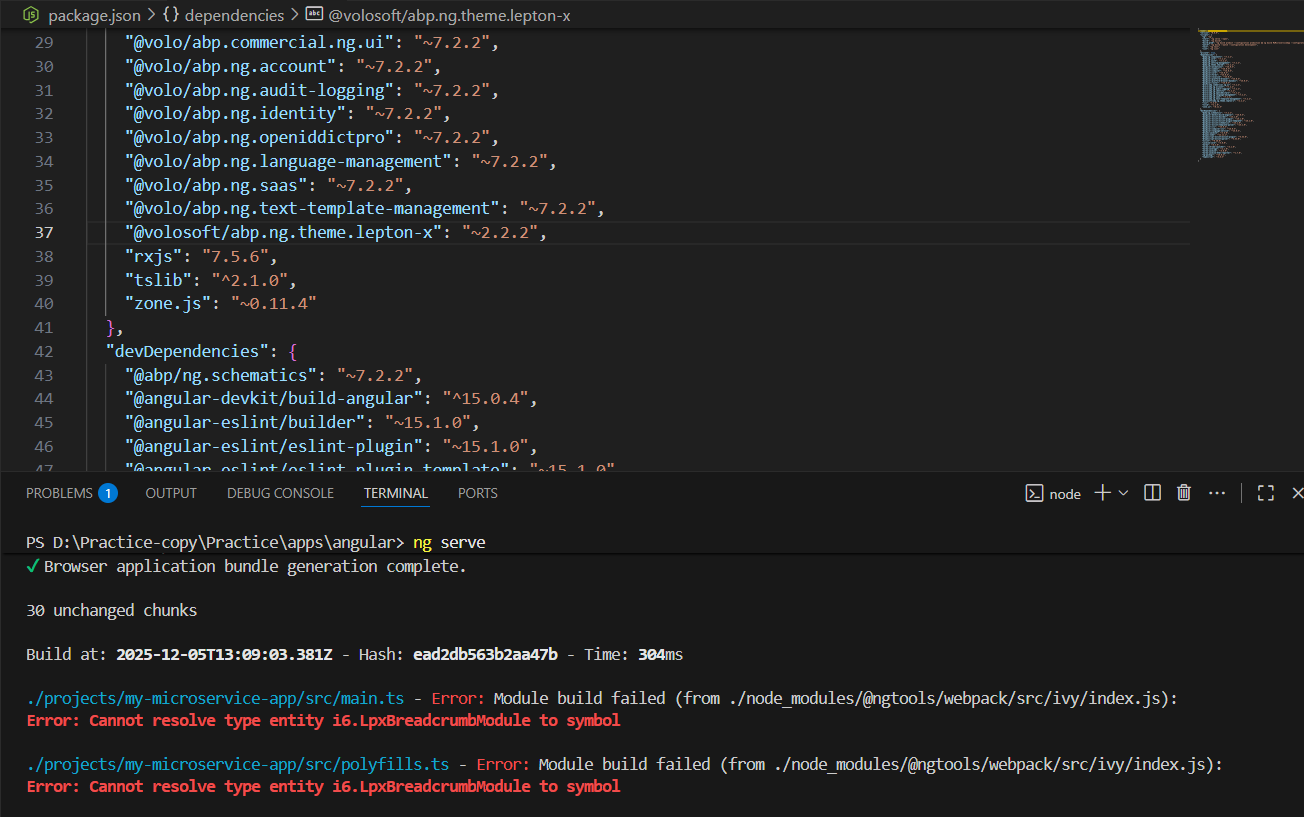
@volosoft/abp.ng.theme.lepton-x": "~2.2.2, also restore npm packages again.2.2.2Thanks.
I’ve applied the suggested fix, but unfortunately the issue still remains.
 Markdown supported.Copy, paste, or drag & drop images and files (max 100 MB per file, 100 MB total per post)
 -
0
This issue is related to the package manager that you have used since I produced the same problem after using
npminstead ofyarn. I can suggest you to try again after explicitly adding this dependency"@volosoft/abp.ng.theme.lepton-x": "~2.2.2",Markdown supported.Copy, paste, or drag & drop images and files (max 100 MB per file, 100 MB total per post) -
0
[sumeyye.kurtulus] said: This issue is related to the package manager that you have used since I produced the same problem after using
npminstead ofyarn. I can suggest you to try again after explicitly adding this dependency"@volosoft/abp.ng.theme.lepton-x": "~2.2.2",Hi,
The previous issue is resolved. However, after upgrading to version 8.2.1, I can see the authenticator app options in a newly created project, but they are not working in my current project. I’m not authorize to share my project, so if we could schedule a call to discuss this issue, it would be really helpful.
Markdown supported.Copy, paste, or drag & drop images and files (max 100 MB per file, 100 MB total per post) -
0
hi
Troubleshooting problems remotely will be slow and difficult
We always hope to reproduce the problem locally. Please share a minimal project so we can quickly confirm the problem after receiving it.
Thanks.
Markdown supported.Copy, paste, or drag & drop images and files (max 100 MB per file, 100 MB total per post)



