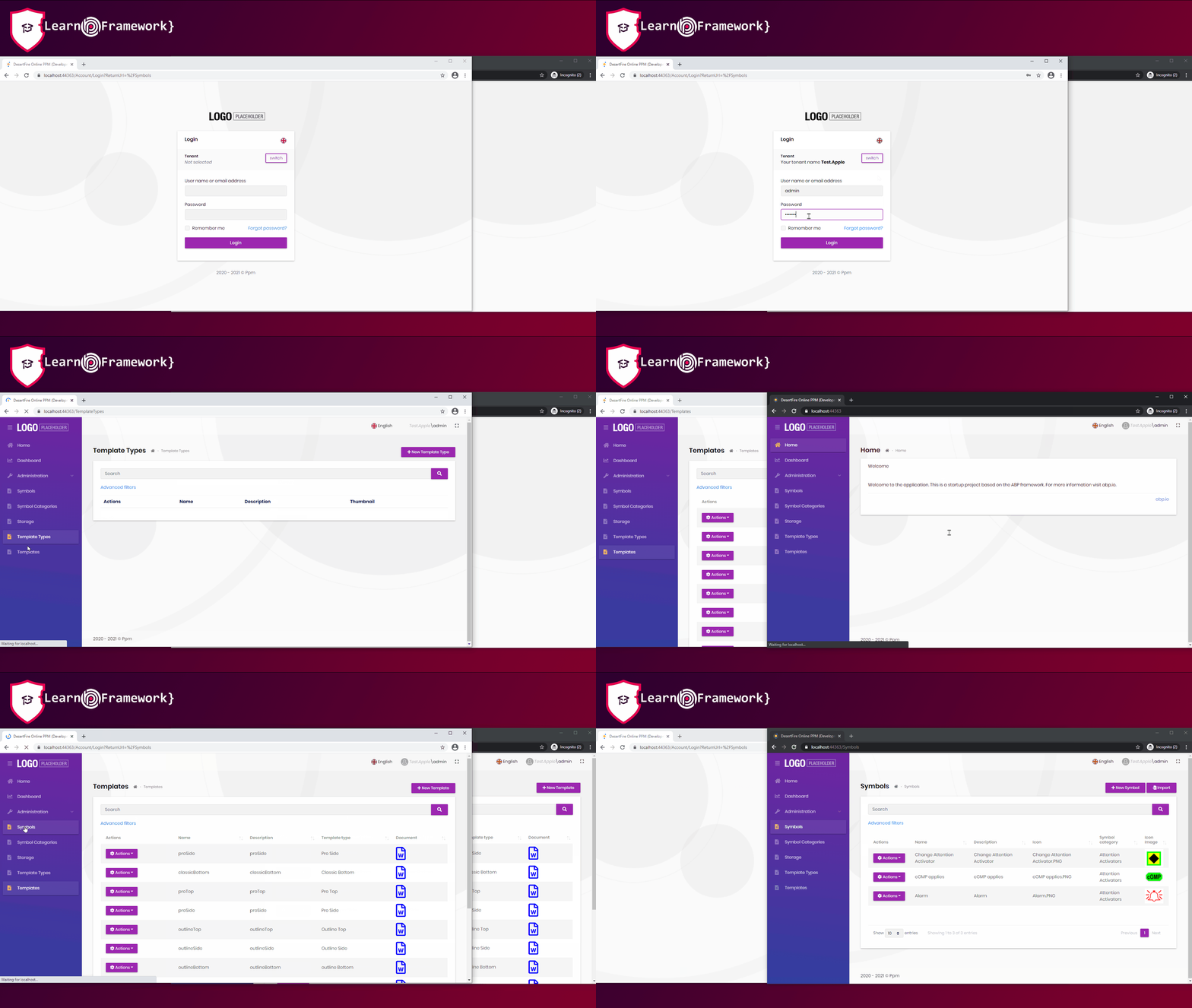
- ABP Framework version: v4.2.0
- UI type: MVC
- DB provider: EF Core
- Tiered (MVC) or Identity Server Separated (Angular): no
- Exception message and stack trace:
- Steps to reproduce the issue:
I have managed to add an property to User called ConCurrentUserId of type GUID, I have also created my own cutom Signin manager.
Can you tell me:
Which method I should use and How I can add a claim How I can get the claim to check the user property ConCurrentUserID, so that I can block login?
20 Answer(s)
-
0
Hi,
You can try:
public class MyAbpClaimsPrincipalContributor : IAbpClaimsPrincipalContributor, ITransientDependency
{
    public Task ContributeAsync(AbpClaimsPrincipalContributorContext context)
    {
        var claimsIdentity = new ClaimsIdentity();
        claimsIdentity.AddIfNotContains(new Claim("ConCurrentUserId", "value"));
        context.ClaimsPrincipal.AddIdentity(claimsIdentity);

        return Task.CompletedTask;
    }
}

public class MyAbpClaimsService : AbpClaimsService
{
    public MyAbpClaimsService(IProfileService profile, ILogger<DefaultClaimsService> logger) : base(profile, logger)
    {
    }

    protected override IEnumerable<string> FilterRequestedClaimTypes(IEnumerable<string> claimTypes)
    {
        return base.FilterRequestedClaimTypes(claimTypes)
            .Union(new []{
                AbpClaimTypes.TenantId,
                AbpClaimTypes.EditionId,
                "ConCurrentUserId"
            });
    }
}


context.Services.Replace(ServiceDescriptor.Transient<IClaimsService, MyAbpClaimsService>());
Markdown supported.Copy, paste, or drag & drop images and files (max 100 MB per file, 100 MB total per post) -
0
@liangshiwei can you please let me know which project I put these Class's in
*.application? . and where does do i put the following line in ...Configure Servcies?context.Services.Replace(ServiceDescriptor.Transient<IClaimsService, MyAbpClaimsService>());if I am right this just adds the Custom Claim ..... I still have to modify the
SignInManagerto check if the value of ConCurrentUserId has changed and block login .... am i correct?If so which Method in the
SignInManagershould i use?Markdown supported.Copy, paste, or drag & drop images and files (max 100 MB per file, 100 MB total per post) -
0
Hi,
You can put the class these Class to
.Webproject.Add the following code to the
ConfigureServicesmethod of.WebModulecontext.Services.Replace(ServiceDescriptor.Transient<IClaimsService, MyAbpClaimsService>());How I can get the claim to check the user property ConCurrentUserID, so that I can block login?
If you are not logged in, you cannot get the user claim, You should query the database values.
Markdown supported.Copy, paste, or drag & drop images and files (max 100 MB per file, 100 MB total per post) -
0
Having a GUID stored as i previously thought will not be a good solution. I am trying to update the security stamp as done in aspnetzero but it doesn't appear towork in abp.io
public override async Task SignInWithClaimsAsync(Volo.Abp.Identity.IdentityUser user, AuthenticationProperties authenticationProperties, IEnumerable<Claim> additionalClaims)
        {

            var userPrincipal = await CreateUserPrincipalAsync(user);

            foreach (var claim in additionalClaims)
            {
                userPrincipal.Identities.First().AddClaim(claim);
            }

            await Context.SignInAsync(IdentityConstants.ApplicationScheme,
                userPrincipal,
                authenticationProperties ?? new AuthenticationProperties());

            await UserManager.UpdateSecurityStampAsync(user);
        }
can you please let me know why the above code doesn't work, when ii test my presios sessions in other browsers are not loged out and invalidated
Markdown supported.Copy, paste, or drag & drop images and files (max 100 MB per file, 100 MB total per post) -
0
Hi,
Try:
Configure<SecurityStampValidatorOptions>(options =>
{
    options.ValidationInterval = TimeSpan.FromSeconds(5);
});
Markdown supported.Copy, paste, or drag & drop images and files (max 100 MB per file, 100 MB total per post) -
0
Okay The Validate methods are now hitting in my cutom SiginManager but i can't login as a current user seems i get a user is null
what is the best place to call the below so that i can make all previous sessions in all browsers invalid and just let the current user login?
if (user != null) { await UserManager.UpdateSecurityStampAsync(user); }Markdown supported.Copy, paste, or drag & drop images and files (max 100 MB per file, 100 MB total per post) -
0
Hi,
You can override the
CheckPasswordSignInAsyncmethod ofSignInManagerclasspublic override async Task<SignInResult> CheckPasswordSignInAsync( IdentityUser user, string password, bool lockoutOnFailure) { if (user == null) { throw new ArgumentNullException(nameof(user)); } var error = await PreSignInCheck(user); if (error != null) { return error; } if (await UserManager.CheckPasswordAsync(user, password)) { var alwaysLockout = AppContext .TryGetSwitch("Microsoft.AspNetCore.Identity.CheckPasswordSignInAlwaysResetLockoutOnSuccess", out var enabled) && enabled; // Only reset the lockout when not in quirks mode if either TFA is not enabled or the client is remembered for TFA. if (alwaysLockout || !await IsTfaEnabled(user) || await IsTwoFactorClientRememberedAsync(user)) { await ResetLockout(user); } await UserManager.UpdateSecurityStampAsync(user); return SignInResult.Success; } Logger.LogWarning(2, "User failed to provide the correct password."); if (UserManager.SupportsUserLockout && lockoutOnFailure) { // If lockout is requested, increment access failed count which might lock out the user await UserManager.AccessFailedAsync(user); if (await UserManager.IsLockedOutAsync(user)) { return await LockedOut(user); } } return SignInResult.Failed; }Markdown supported.Copy, paste, or drag & drop images and files (max 100 MB per file, 100 MB total per post) -
-1
It works for me.
public class MySignInManager : AbpSignInManager
{

    public MySignInManager(
        IdentityUserManager userManager,
        IHttpContextAccessor contextAccessor,
        IUserClaimsPrincipalFactory<IdentityUser> claimsFactory,
        IOptions<IdentityOptions> optionsAccessor,
        ILogger<SignInManager<IdentityUser>> logger,
        IAuthenticationSchemeProvider schemes,
        IUserConfirmation<IdentityUser> confirmation,
        IOptions<AbpIdentityOptions> options) :
        base(userManager, contextAccessor, claimsFactory, optionsAccessor, logger, schemes, confirmation, options)
    {
    }

    private async Task<bool> IsTfaEnabled(IdentityUser user)
        => UserManager.SupportsUserTwoFactor &&
           await UserManager.GetTwoFactorEnabledAsync(user) &&
           (await UserManager.GetValidTwoFactorProvidersAsync(user)).Count > 0;

    public override async Task<SignInResult> CheckPasswordSignInAsync(
                IdentityUser user,
                string password,
                bool lockoutOnFailure)
    {
        if (user == null)
        {
            throw new ArgumentNullException(nameof(user));
        }

        var error = await PreSignInCheck(user);
        if (error != null)
        {
            return error;
        }

        if (await UserManager.CheckPasswordAsync(user, password))
        {
            var alwaysLockout = AppContext
                .TryGetSwitch("Microsoft.AspNetCore.Identity.CheckPasswordSignInAlwaysResetLockoutOnSuccess", out var enabled) && enabled;
            // Only reset the lockout when not in quirks mode if either TFA is not enabled or the client is remembered for TFA.
            if (alwaysLockout || !await IsTfaEnabled(user) || await IsTwoFactorClientRememberedAsync(user))
            {
                await ResetLockout(user);
            }

            await UserManager.UpdateSecurityStampAsync(user);

            return SignInResult.Success;
        }
        Logger.LogWarning(2, "User failed to provide the correct password.");

        if (UserManager.SupportsUserLockout && lockoutOnFailure)
        {
            // If lockout is requested, increment access failed count which might lock out the user
            await UserManager.AccessFailedAsync(user);
            if (await UserManager.IsLockedOutAsync(user))
            {
                return await LockedOut(user);
            }
        }
        return SignInResult.Failed;
    }
}


public override void PreConfigureServices(ServiceConfigurationContext context)
{
     ..................
    PreConfigure<IdentityBuilder>(builder =>
    {
        builder
            .AddSignInManager<MySignInManager>();
    });
}

public override void ConfigureServices(ServiceConfigurationContext context)
{
    ............
    Configure<SecurityStampValidatorOptions>(options =>
    {
        options.ValidationInterval = TimeSpan.FromSeconds(5);
    });
    ...........
}
Markdown supported.Copy, paste, or drag & drop images and files (max 100 MB per file, 100 MB total per post) -
0
I have done exactly what you have done but it doesn't work i am logged out after 5 seconds
using IdentityServer4.Events;
using Microsoft.AspNetCore.Authentication;
using Microsoft.AspNetCore.Http;
using Microsoft.AspNetCore.Identity;
using Microsoft.Extensions.Logging;
using Microsoft.Extensions.Options;
using System;
using System.Collections.Generic;
using System.Linq;
using System.Security.Claims;
using System.Threading.Tasks;
using Volo.Abp;
using Volo.Abp.Data;
using Volo.Abp.Guids;
using Volo.Abp.Identity;
using Volo.Abp.Identity.AspNetCore;
using Volo.Abp.Security.Claims;
using IdentityUser = Volo.Abp.Identity.IdentityUser;

namespace DesertFire.Ppm.Web
{
    public class PpmSignInManager : AbpSignInManager
    {

        public PpmSignInManager(
            IdentityUserManager userManager,
            IHttpContextAccessor contextAccessor,
            IUserClaimsPrincipalFactory<IdentityUser> claimsFactory,
            IOptions<IdentityOptions> optionsAccessor,
            ILogger<SignInManager<IdentityUser>> logger,
            IAuthenticationSchemeProvider schemes,
            IUserConfirmation<IdentityUser> confirmation,
            IOptions<AbpIdentityOptions> options) :
            base(userManager, contextAccessor, claimsFactory, optionsAccessor, logger, schemes, confirmation, options)
        {
        }

        private async Task<bool> IsTfaEnabled(IdentityUser user)
                => UserManager.SupportsUserTwoFactor &&
                   await UserManager.GetTwoFactorEnabledAsync(user) &&
                   (await UserManager.GetValidTwoFactorProvidersAsync(user)).Count > 0;

        public override async Task<SignInResult> CheckPasswordSignInAsync(IdentityUser user, string password, bool lockoutOnFailure)
        {
            if (user == null)
            {
                throw new ArgumentNullException(nameof(user));
            }

            var error = await PreSignInCheck(user);
            if (error != null)
            {
                return error;
            }

            if (await UserManager.CheckPasswordAsync(user, password))
            {
                var alwaysLockout = AppContext.TryGetSwitch("Microsoft.AspNetCore.Identity.CheckPasswordSignInAlwaysResetLockoutOnSuccess", out var enabled) && enabled;
                // Only reset the lockout when TFA is not enabled when not in quirks mode
                if (alwaysLockout || !await IsTfaEnabled(user) || await IsTwoFactorClientRememberedAsync(user))
                {
                    await ResetLockout(user);
                }

                await UserManager.UpdateSecurityStampAsync(user);

                return SignInResult.Success;
            }
            Logger.LogWarning(2, "User {userId} failed to provide the correct password.", await UserManager.GetUserIdAsync(user));

            if (UserManager.SupportsUserLockout && lockoutOnFailure)
            {
                // If lockout is requested, increment access failed count which might lock out the user
                await UserManager.AccessFailedAsync(user);
                if (await UserManager.IsLockedOutAsync(user))
                {
                    return await LockedOut(user);
                }
            }
            return SignInResult.Failed;
        }

    }
}


        public override void PreConfigureServices(ServiceConfigurationContext context)
        {
            context.Services.PreConfigure<AbpMvcDataAnnotationsLocalizationOptions>(options =>
            {
                options.AddAssemblyResource(
                    typeof(PpmResource),
                    typeof(PpmDomainModule).Assembly,
                    typeof(PpmDomainSharedModule).Assembly,
                    typeof(PpmApplicationModule).Assembly,
                    typeof(PpmApplicationContractsModule).Assembly,
                    typeof(PpmWebModule).Assembly
                );
            });

            PreConfigure<IdentityBuilder>(identityBuilder =>
            {
                identityBuilder.AddSignInManager<PpmSignInManager>();
            });
        }

        public override void ConfigureServices(ServiceConfigurationContext context)
        {
            var hostingEnvironment = context.Services.GetHostingEnvironment();
            var configuration = context.Services.GetConfiguration();

            ConfigureBundles();
            ConfigureUrls(configuration);
            ConfigurePages(configuration);
            ConfigureCache(configuration);
            ConfigureAuthentication(context, configuration);
            ConfigureAutoMapper();
            ConfigureVirtualFileSystem(hostingEnvironment);
            ConfigureNavigationServices();
            ConfigureAutoApiControllers();
            ConfigureSwaggerServices(context.Services);
            ConfigureCors(context, configuration);
            ConfigureExternalProviders(context);

            //context.Services.Replace(ServiceDescriptor.Transient<IClaimsService, PpmAbpClaimsService>());

            Configure<SecurityStampValidatorOptions>(options =>
            {
                options.ValidationInterval = TimeSpan.FromSeconds(5);
            });
        }
Markdown supported.Copy, paste, or drag & drop images and files (max 100 MB per file, 100 MB total per post) -
0
Can I check it remotely? shiwei.liang@volosoft.com
Markdown supported.Copy, paste, or drag & drop images and files (max 100 MB per file, 100 MB total per post) -
1
Hi,
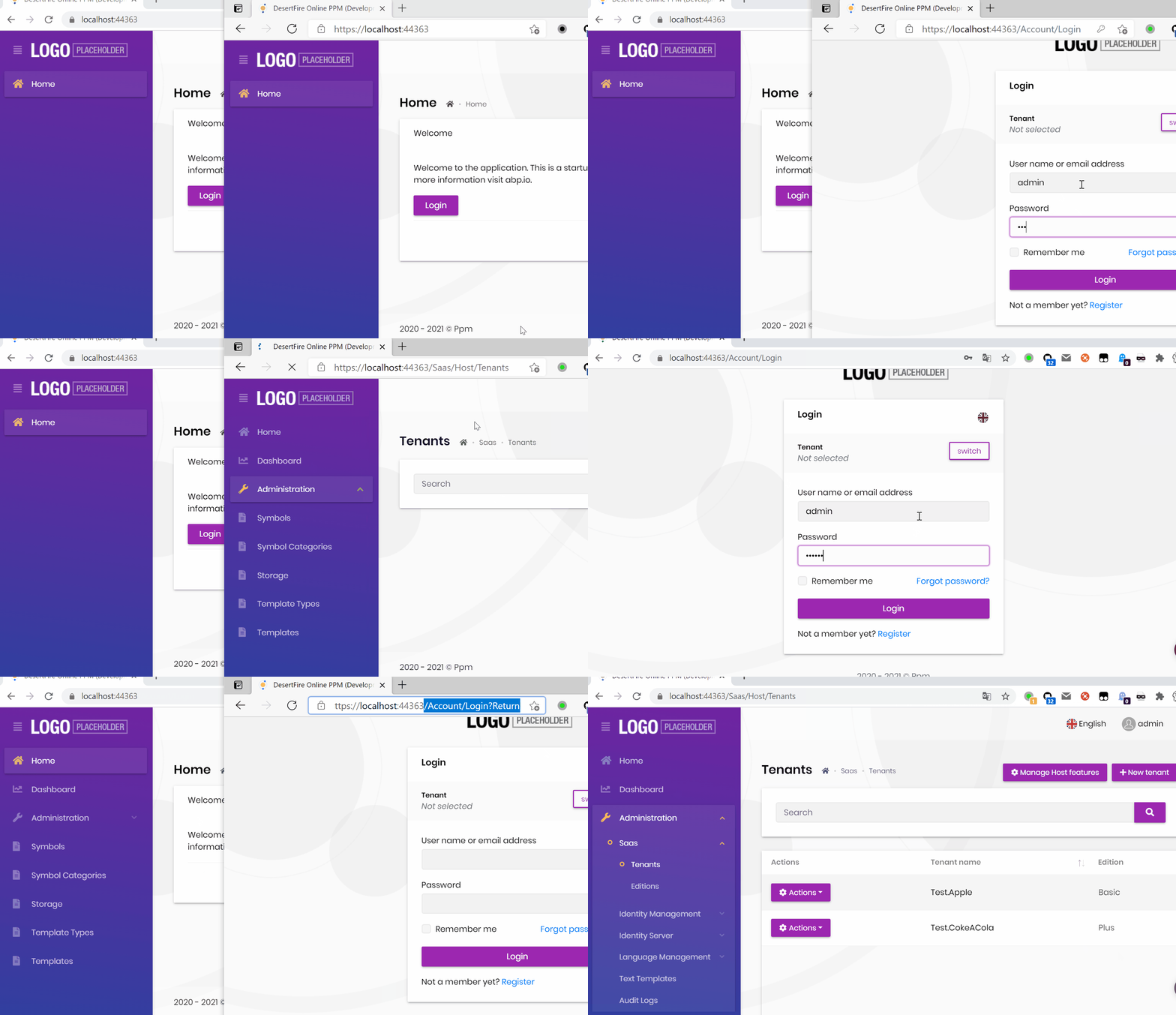
I use the project you provided and it works for me.
I have send the proejct zip file to your email, you can check it.
 Markdown supported.Copy, paste, or drag & drop images and files (max 100 MB per file, 100 MB total per post)
 -
0
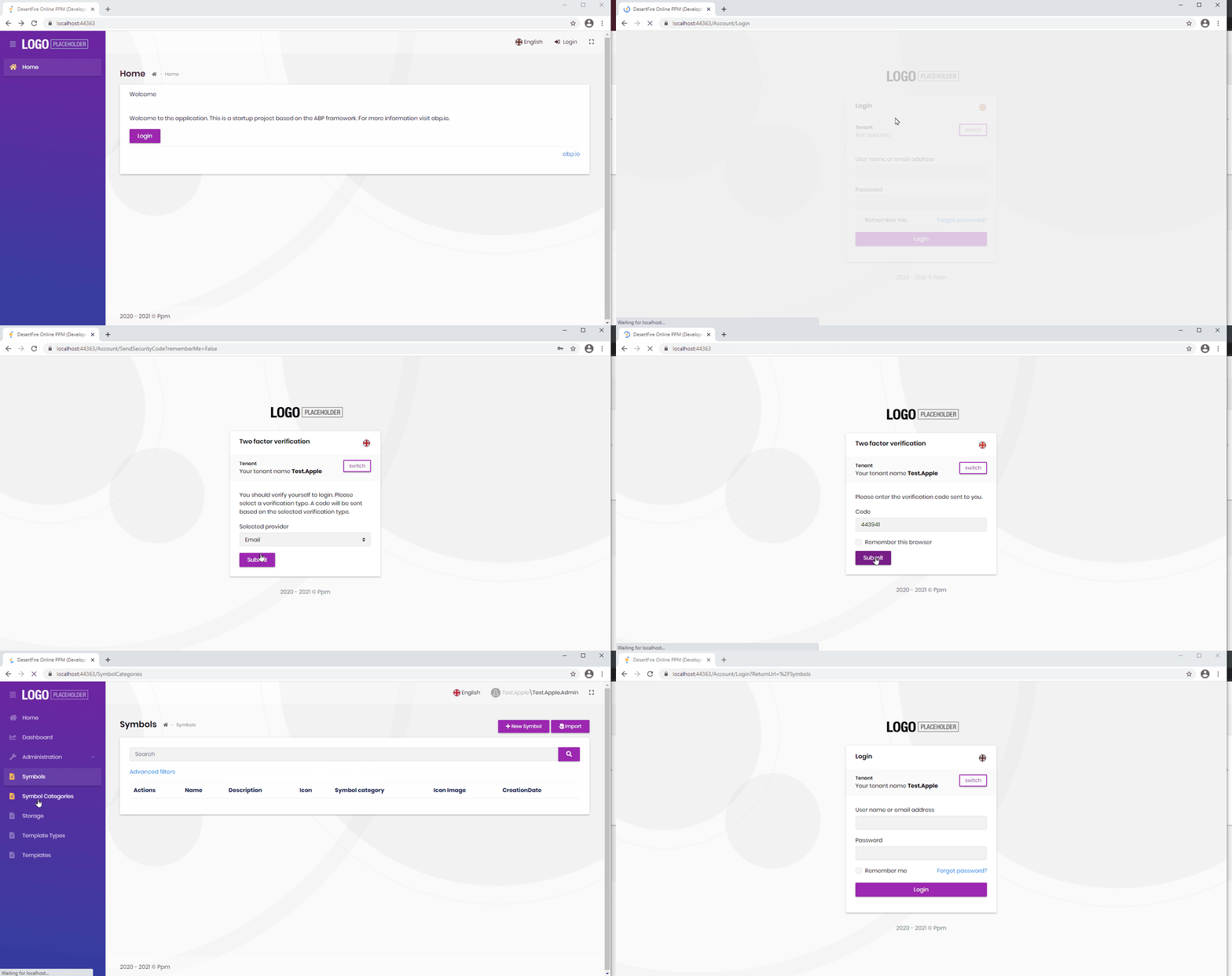
I can Confirm it works for the host admin, but it is not working for tenants
Why would this be ?? I dont even get a chance to go to second browser ..... to try and log in it just logs out after 5 seconds please see below screen capture
 Markdown supported.Copy, paste, or drag & drop images and files (max 100 MB per file, 100 MB total per post)
 -
0
Hi,
I find the problem, see : https://github.com/abpframework/abp/pull/7814/files
For now , you need to :
public class MyAbpSecurityStampValidator : AbpSecurityStampValidator
{
    protected ITenantConfigurationProvider TenantConfigurationProvider { get; }
    protected ICurrentTenant CurrentTenant { get; }

    public MyAbpSecurityStampValidator(
        IOptions<SecurityStampValidatorOptions> options,
        SignInManager<IdentityUser> signInManager,
        ISystemClock systemClock,
        ILoggerFactory loggerFactory,
        ITenantConfigurationProvider tenantConfigurationProvider,
        ICurrentTenant currentTenant) : base(options, signInManager, systemClock, loggerFactory)
    {
        TenantConfigurationProvider = tenantConfigurationProvider;
        CurrentTenant = currentTenant;
    }

    [UnitOfWork]
    public override async Task ValidateAsync(CookieValidatePrincipalContext context)
    {
        var tenant = await TenantConfigurationProvider.GetAsync(saveResolveResult: false);
        using (CurrentTenant.Change(tenant?.Id, tenant?.Name))
        {
            await base.ValidateAsync(context);
        }
    }
}

context.Services.AddScoped<MyAbpSecurityStampValidator>();
context.Services.AddScoped(typeof(SecurityStampValidator<IdentityUser>), provider => provider.GetService(typeof(MyAbpSecurityStampValidator)));
context.Services.AddScoped(typeof(ISecurityStampValidator), provider => provider.GetService(typeof(MyAbpSecurityStampValidator)));
Markdown supported.Copy, paste, or drag & drop images and files (max 100 MB per file, 100 MB total per post) -
0
Should i put the following in ConfigureServices or PreConfigureServices in the
*WebModule*.webprojectcontext.Services.AddScoped<MyAbpSecurityStampValidator>(); context.Services.AddScoped(typeof(SecurityStampValidator<IdentityUser>), provider => provider.GetService(typeof(MyAbpSecurityStampValidator))); context.Services.AddScoped(typeof(ISecurityStampValidator), provider => provider.GetService(typeof(MyAbpSecurityStampValidator)));Markdown supported.Copy, paste, or drag & drop images and files (max 100 MB per file, 100 MB total per post) -
0
I have discoverd a side effect when implementing this in our application to deal with concurrent user.
It seems when we updated the user via his profile or in the users table under Identity the security stamp is updated and the user is logged out.
can you please suggest how we can over come this, if the user is updating his profile or via the user table the user shouldn't update its seucirty stamp.
Markdown supported.Copy, paste, or drag & drop images and files (max 100 MB per file, 100 MB total per post) -
0
Hi,
You can override these methods and not update security token
Markdown supported.Copy, paste, or drag & drop images and files (max 100 MB per file, 100 MB total per post) -
0
In our use case the users are not allowed to change their username so i have override the UpdatAsync to be as follows
(await UserManager.SetUserNameAsync(user, input.UserName)).CheckErrors();The above line is what changes the SecurityStamp which forces the user out because we are using
AbpSecurityStampValidatorto ensure that the same user cant be signed in concurrently using the same username.public override async Task<IdentityUserDto> UpdateAsync(Guid id, IdentityUserUpdateDto input) { //ADDED BY VB: To check if all Roles avalible as per license have been consumed. if (CurrentUser.UserName != "dfo.admin") { await CheckCurrentTenantsLicenseConsumed(id, input); } await IdentityOptions.SetAsync(); var user = await UserManager.GetByIdAsync(id); user.ConcurrencyStamp = input.ConcurrencyStamp; if (!string.Equals(user.UserName, input.UserName, StringComparison.InvariantCultureIgnoreCase)) { if (await SettingProvider.IsTrueAsync(IdentitySettingNames.User.IsUserNameUpdateEnabled)) { (await UserManager.SetUserNameAsync(user, input.UserName)).CheckErrors(); } } await UpdateUserByInput(user, input); input.MapExtraPropertiesTo(user); (await UserManager.UpdateAsync(user)).CheckErrors(); await CurrentUnitOfWork.SaveChangesAsync(); var userDto = ObjectMapper.Map<Volo.Abp.Identity.IdentityUser, IdentityUserDto>(user); //ADDED BY VB: To send an email to the user notifying their prifile has changed var ppmUser = await GetUserByEmail(input.Email); await _subscriptionEmailer.SendPpmUserUpdatedEmailAsync(ppmUser, "MVC"); return userDto; }Thanks for you help @liangshiwei
Markdown supported.Copy, paste, or drag & drop images and files (max 100 MB per file, 100 MB total per post)