






Hi,
I followed the instructions that you provided and moved from AutoMapper to Mapperly. I used the AI prompt that you provided to generate the initial Mappers files for Mapperly. I immediately had the same issues everyone else seems to have had with ABP Suite generating bad Mapperly map code and appending it to the end of the Mappers files. When this happens, the build fails and ABP Suite does not generate Migrations. This is just a show stopper for me now, and I need to get it fixed.
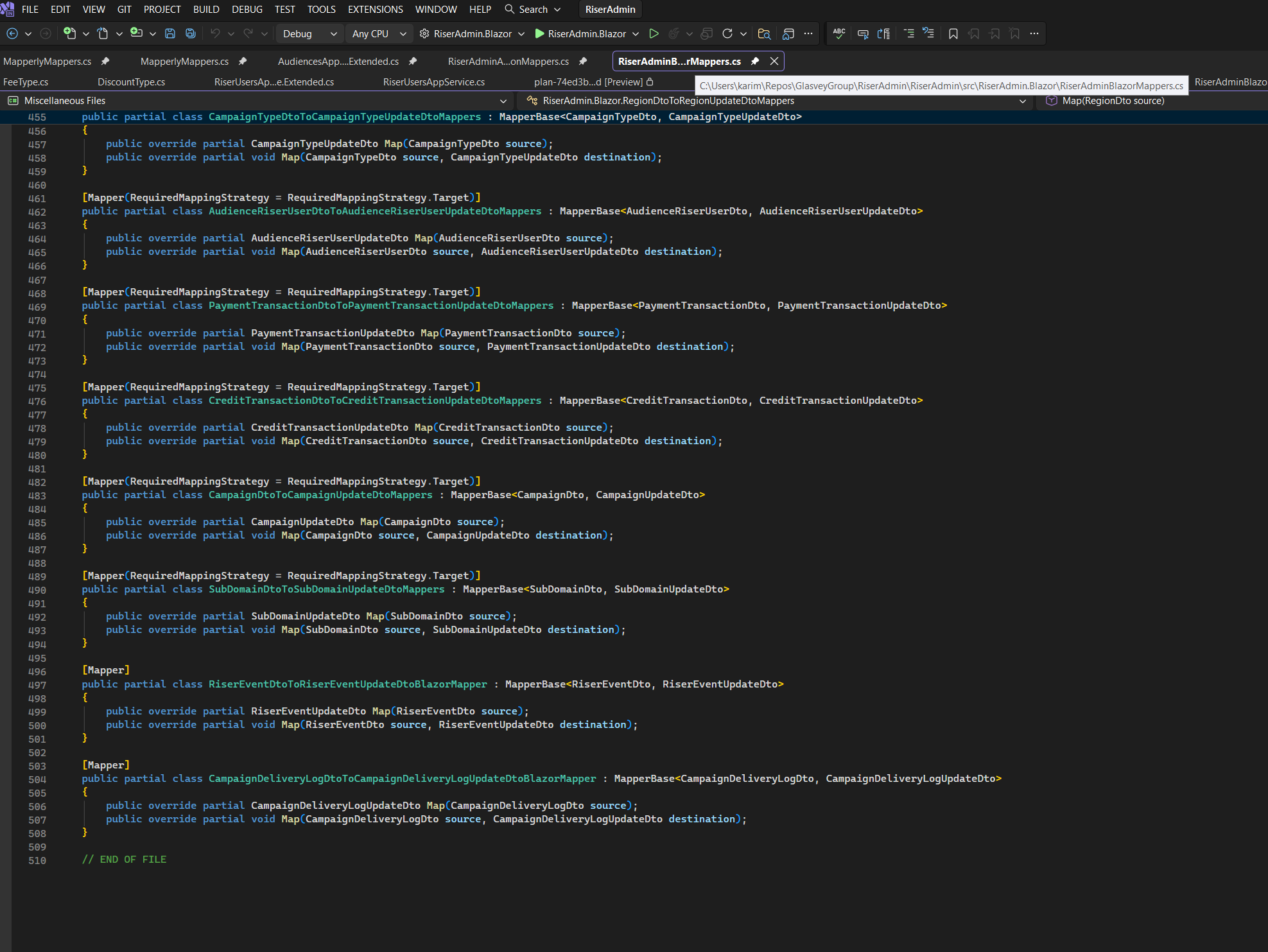
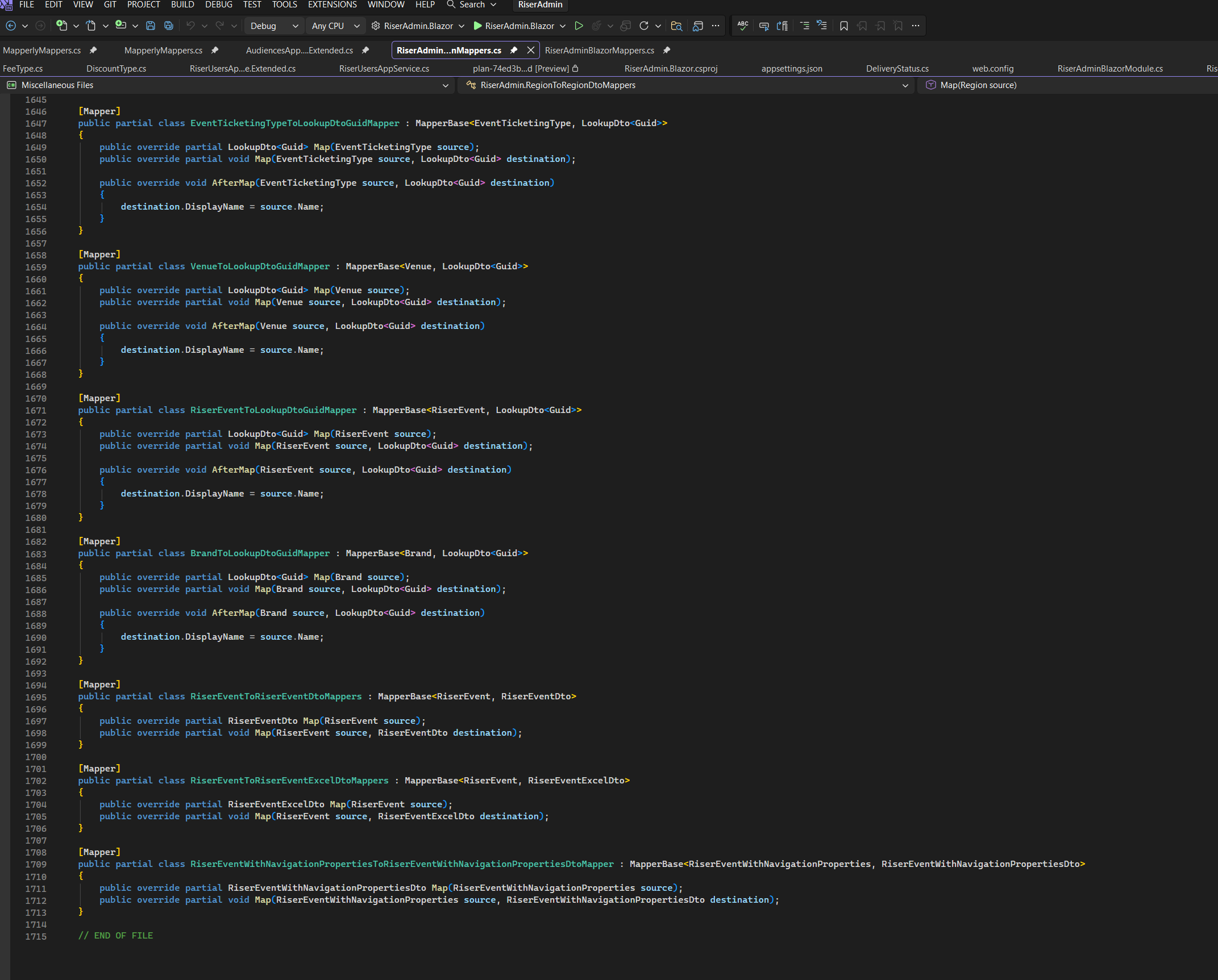
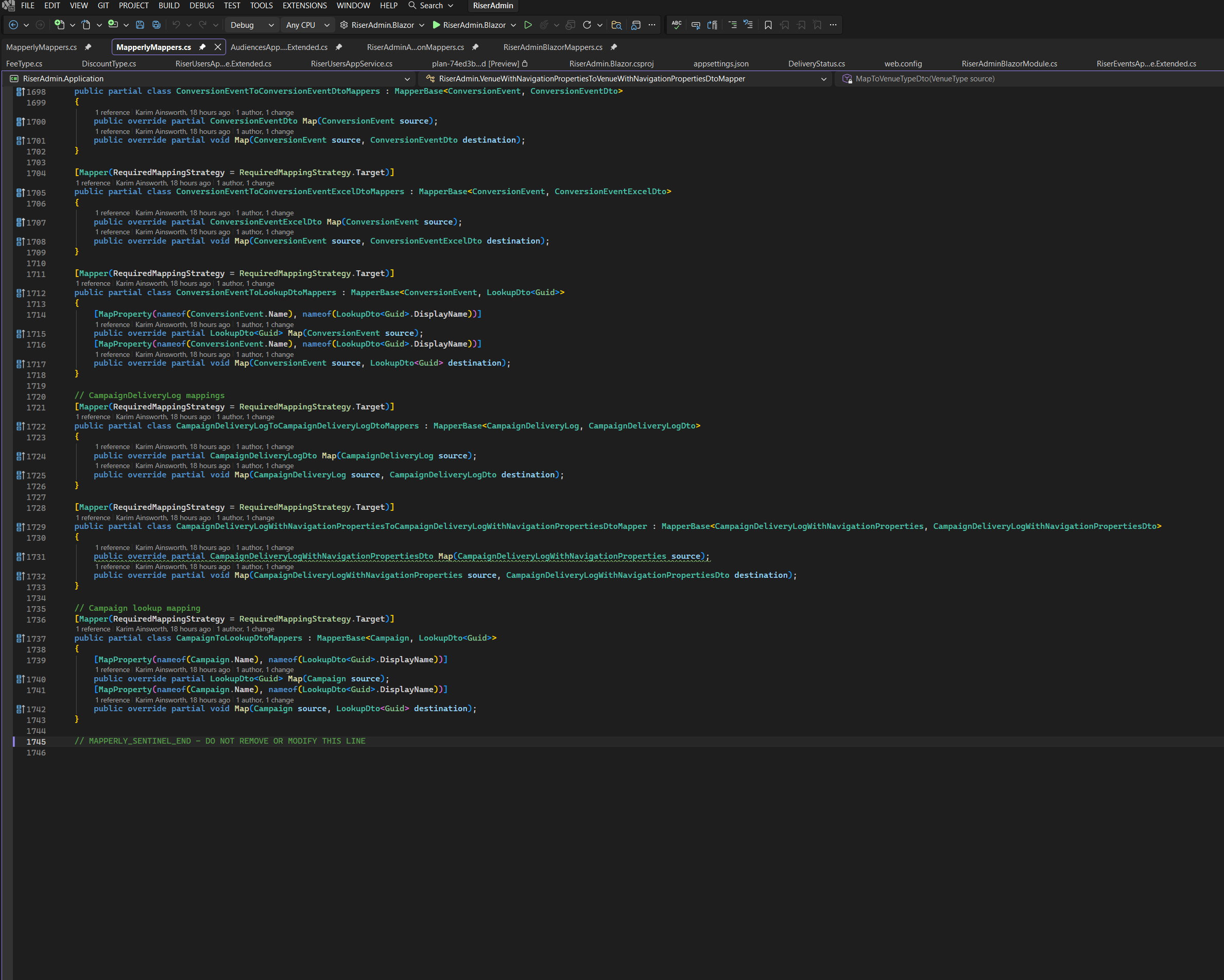
I have read through all other tickets, and I did rename all of the existing Mapperly classes and added a trailing 's' as suggested. But I have found that sometimes new Map classes have the plural s, and sometimes they don't. In all cases ABP Suite fails. I have copied some of the newly generated Maps to show the state of things.
I have a hack in place, where I have removed the BlazorMappers.cs and ApplicationMappers.cs files from the build, so that I can use ABP Suite. But I have to then manually add mapping classes for any new entities into a separate MapperlyMap file, and this is not a long term solution, I need ABP Suite to work as it should.
Please provide a step by step solution to this problem.
Thanks,
Karim
4 Answer(s)
-
0
Hi,
Thanks for the detailed explanation and the screenshots.
What you are seeing is most likely not a Mapperly problem itself. The issue is that ABP Suite currently updates Mapperly files by looking for very specific file names, class names, and mapper declarations. After an AutoMapper -> Mapperly migration, especially when the old profile files are renamed to
*Mappers.csand contain AI-generated mapper classes, Suite can no longer reliably match the existing classes, so it appends new mappings to the end of the file instead. That is why the file grows and the generated code becomes inconsistent or fails to build.This is also why adding only a trailing
sto some class names does not fully solve the problem. The mismatch is not only about singular/plural naming. It is also about which file Suite chooses to update and whether the existing mapper declarations still match the patterns Suite expects.Your screenshots support this diagnosis because the same mapper files contain a mix of
...Mapperand...Mappersclasses, and several mappings are already manually migrated rather than Suite-generated. The screenshots also show custom Mapperly attributes such asRequiredMappingStrategy, which is another sign that the files are no longer in the simple shape Suite expects when it tries to update them.We recommend the following steps:
- Keep ABP Suite in control of only the main Suite-managed files, such as
YourProjectApplicationMappers.cs,YourProjectBlazorMappers.cs, andYourProjectWebMappers.csif you have MVC. - Move your manually migrated Mapperly classes out of those files into separate files.
- Rename those manual files so they do not end with
Mappers.cs,BlazorMappers.cs, orWebMappers.cs. For example, names likeIdentityUserMapperlyMappings.csorCustomObjectMappings.csare safer. - Leave the Suite-managed mapper files as the files that ABP Suite can update.
- Re-include
ApplicationMappers.cs/BlazorMappers.csin the build if you excluded them temporarily. - Clean the solution, rebuild it, and then try generating a single entity again from ABP Suite.
So, the practical workaround is:
- keep custom migrated Mapperly code in separate files,
- keep the default Suite mapper files reserved for ABP Suite,
- and do not let multiple migrated
*Mappers.csfiles compete with the files that Suite scans and updates.
If you want, you can also simplify this further by keeping your existing migrated mapper classes untouched and creating one dedicated Suite-only file per layer for new CRUD generation.
If the problem continues after this cleanup, please send us these 3 items:
- your exact ABP version,
- the full content of your
ApplicationMappers.cs, - the full content of your
BlazorMappers.cs.
Then we can check whether there is an additional naming mismatch in your generated classes.
Best regards,
ABP Support Team
Markdown supported.Copy, paste, or drag & drop images and files (max 100 MB per file, 100 MB total per post) - Keep ABP Suite in control of only the main Suite-managed files, such as
-
0
Hi,
Thanks for the detailed step by step, this has been helpful. I followed the instructions, and copied all of the existing Mapperly classes into a CustomMapperlyMappings.cs file in the Application and Blazor projects. I have attached all 4 files here for reference.
However I am still having issues and I think I have narrowed it down in this case anyway. I added a brand new entity called FEE. This entity has a nav property to ORGANIZER. ABP Suite has generated a lookup mapper class for this FK relationship, but this class already exists in my CustomMapperlyMappings due to another entity where ORGANIZER is a nav property.


This scenario will obviously continue to resurface, any time I add a nav property to an entity that already exists somewhere else.
How do we work around this? I am Using version 10.1.1.
Thanks,
Karim
RiserAdminApplicationMappers.cs + CustomMapperlyMappers.cs
using RiserAdmin.Fees;
using System.Linq;
using System.Collections.Generic;
using RiserAdmin.SubDomains;
using RiserAdmin.Campaigns;
using RiserAdmin.CreditTransactions;
using RiserAdmin.PaymentTransactions;
using RiserAdmin.AudienceRiserUsers;
using RiserAdmin.CampaignTypes;
using RiserAdmin.Currencies;
using RiserAdmin.Audiences;
using RiserAdmin.RiserUserActions;
using RiserAdmin.CreditWallets;
using RiserAdmin.CampaignChannels;
using RiserAdmin.MessageTemplates;
using RiserAdmin.PaymentProcessors;
using RiserAdmin.SocialMediaBrandPosts;
using RiserAdmin.SocialMediaBrandApps;
using RiserAdmin.BrandFeaturedEvents;
using RiserAdmin.BrandPerformers;
using RiserAdmin.EventPerformers;
using RiserAdmin.EventFeatures;
using RiserAdmin.PerformerMusicGenres;
using RiserAdmin.EventMusicGenres;
using RiserAdmin.TicketAudits;
using RiserAdmin.AttendeeDetails;
using RiserAdmin.TicketOrders;
using RiserAdmin.Tickets;
using RiserAdmin.EventStageSchedules;
using RiserAdmin.EventStages;
using RiserAdmin.EventTicketingAdditonalInfos;
using RiserAdmin.FeaturedEvents;
using RiserAdmin.RiserEvents;
using RiserAdmin.Brands;
using RiserAdmin.UserConsents;
using RiserAdmin.Fans;
using RiserAdmin.TeamMembers;
using RiserAdmin.Promoters;
using RiserAdmin.Performers;
using RiserAdmin.VenueSchedules;
using RiserAdmin.Venues;
using RiserAdmin.Organizers;
using Volo.Abp.Identity;
using RiserAdmin.RiserUsers;
using RiserAdmin.Locations;
using RiserAdmin.SocialMedias;
using RiserAdmin.Medias;
using RiserAdmin.Faqs;
using RiserAdmin.TeamMemberRoles;
using RiserAdmin.Teams;
using RiserAdmin.OrganizerCategories;
using RiserAdmin.EventCategories;
using RiserAdmin.Features;
using RiserAdmin.MusicGenres;
using RiserAdmin.SocialMediaTypes;
using RiserAdmin.TicketTypes;
using RiserAdmin.MediaTypes;
using RiserAdmin.PromoterTypes;
using RiserAdmin.PerformerTypes;
using RiserAdmin.EventTicketingTypes;
using RiserAdmin.VenueTypes;
using RiserAdmin.Cities;
using RiserAdmin.GGTimeZones;
using RiserAdmin.Countries;
using System;
using RiserAdmin.Shared;
using Riok.Mapperly.Abstractions;
using Volo.Abp.Mapperly;
using RiserAdmin.Regions;
using RiserAdmin.CampaignDeliveryLogs;
using RiserAdmin.ConversionEvents;

namespace RiserAdmin;

// This file is managed by ABP Suite. New entity mappers will be added here automatically.
[Mapper]
public partial class FeeToFeeDtoMappers : MapperBase<Fee, FeeDto>
{
    public override partial FeeDto Map(Fee source);
    public override partial void Map(Fee source, FeeDto destination);
}

[Mapper]
public partial class FeeToFeeExcelDtoMappers : MapperBase<Fee, FeeExcelDto>
{
    public override partial FeeExcelDto Map(Fee source);
    public override partial void Map(Fee source, FeeExcelDto destination);
}

[Mapper]
public partial class FeeWithNavigationPropertiesToFeeWithNavigationPropertiesDtoMapper : MapperBase<FeeWithNavigationProperties, FeeWithNavigationPropertiesDto>
{
    public override partial FeeWithNavigationPropertiesDto Map(FeeWithNavigationProperties source);
    public override partial void Map(FeeWithNavigationProperties source, FeeWithNavigationPropertiesDto destination);
}

[Mapper]
public partial class OrganizerToLookupDtoGuidMapper : MapperBase<Organizer, LookupDto<Guid>>
{
    public override partial LookupDto<Guid> Map(Organizer source);
    public override partial void Map(Organizer source, LookupDto<Guid> destination);

    public override void AfterMap(Organizer source, LookupDto<Guid> destination)
    {
        destination.DisplayName = source.Name;
    }
}
OK I can't copy and paste the entire code, it is too long. Don't see a way to attach a file here. In any case, hopefully the problem is clear enough for an answer.
Markdown supported.Copy, paste, or drag & drop images and files (max 100 MB per file, 100 MB total per post) -
0
Hi,
Thanks, the new example makes the remaining issue much clearer.
What you found is now a different collision than the first one.
OrganizerToLookupDtoGuidMapperis a shared lookup mapper, not aFee-specific mapper. ABP Suite generates that class name from only the referenced entity and key type, so any entity that has anOrganizerlookup will reuse the same mapper name.That means in your current setup:
OrganizerToLookupDtoGuidMapperalready exists in your custom Mapperly file,- ABP Suite generates
OrganizerToLookupDtoGuidMapperagain inRiserAdminApplicationMappers.cs, - and the project then fails because the same mapper class is defined twice.
So yes, your diagnosis is correct.
For
10.1.1, the practical workaround is:- Keep
RiserAdminApplicationMappers.csas the single owner of Suite-generated shared lookup mappers. - Remove
OrganizerToLookupDtoGuidMapperfrom your custom file and keep only the version inRiserAdminApplicationMappers.cs. - Apply the same rule to any other shared lookup mapper already copied into the custom file, such as
VenueToLookupDtoGuidMapper,EventCategoryToLookupDtoGuidMapper, etc. - Keep only truly manual mappers in the custom file - classes that ABP Suite will not generate again.
- If your custom file name still ends with
Mappers.cs, rename it to something safer likeCustomMapperlyMappings.csorManualObjectMappings.cs. - Clean the solution, rebuild, and then run ABP Suite again.
One important point: you do not need a separate
OrganizerToLookupDtoGuidMapperper entity. A single mapper forOrganizer -> LookupDto<Guid>is enough for the whole Application project.So in short, for shared lookup mappers:
- keep them in the Suite-managed file,
- do not keep a second copy in the custom file.
The same caution also applies to other shared fixed-name generated mappers, such as
AppFileDescriptorToAppFileDescriptorDtoMapperif your entities use file properties.At the moment, ABP Suite checks the selected Suite-managed mapper file when replacing/appending mapper classes, but it does not detect the same shared mapper class in a separate custom file. So this behavior is a current Suite limitation, not a mistake in your diagnosis.
If it still fails after removing the shared lookup mapper classes from the custom file, please send us these 3 items:
- the exact duplicate class name,
- which project it is in (
ApplicationorBlazor), - and 30-40 lines around that class from the Suite-managed mapper file.
Best regards,
ABP Support Team
Markdown supported.Copy, paste, or drag & drop images and files (max 100 MB per file, 100 MB total per post)


