






0
thaithiendi created
Dear support team,
I want to change status all of file in the folder.
I have a button Sign All like this
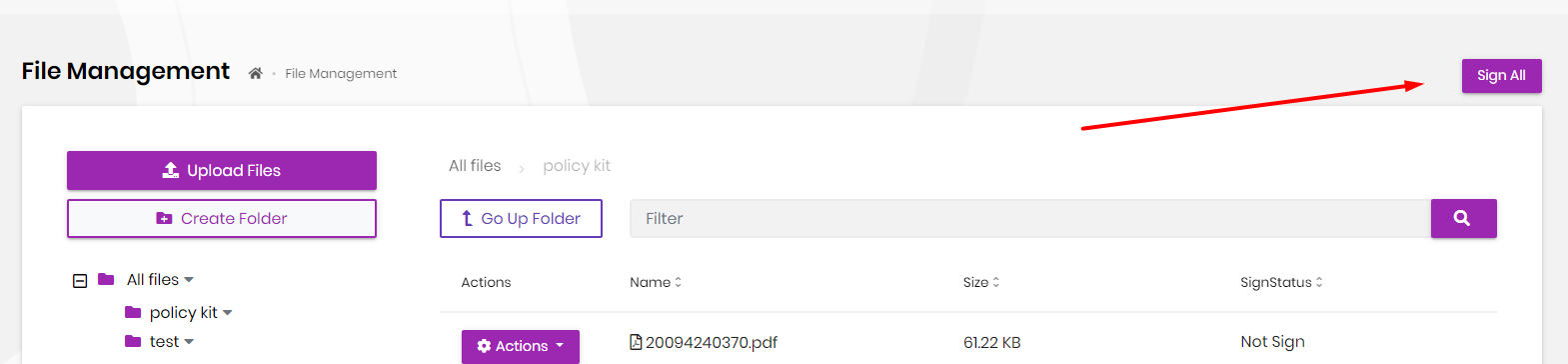 And I try to create signAllFile function in NavigatorService and FileManagementComponent but not success all.
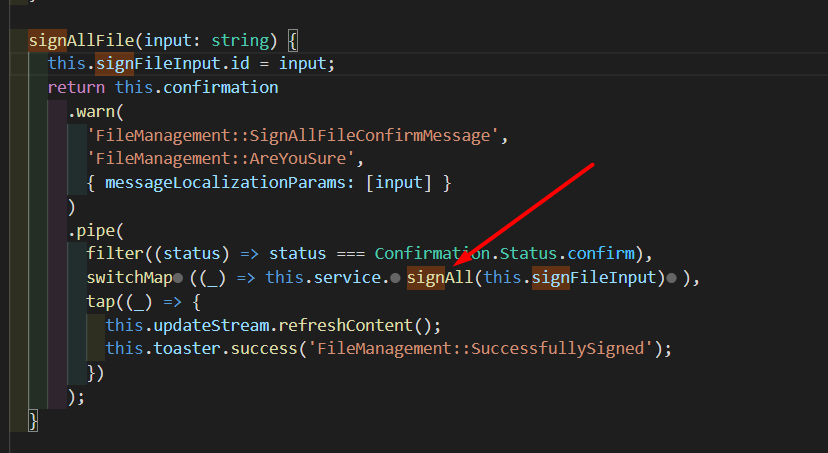
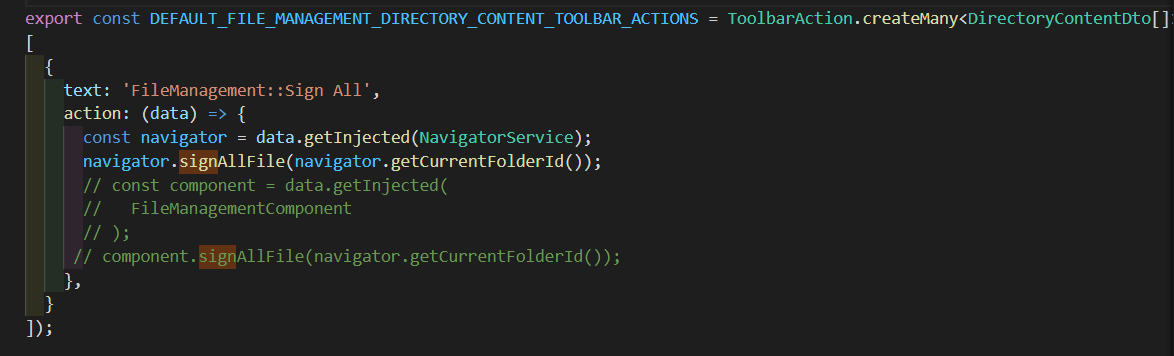 If I use signAllFile func in NavigatorService, code debug don't run into service "this.service.signAll(this.signFileInput))"
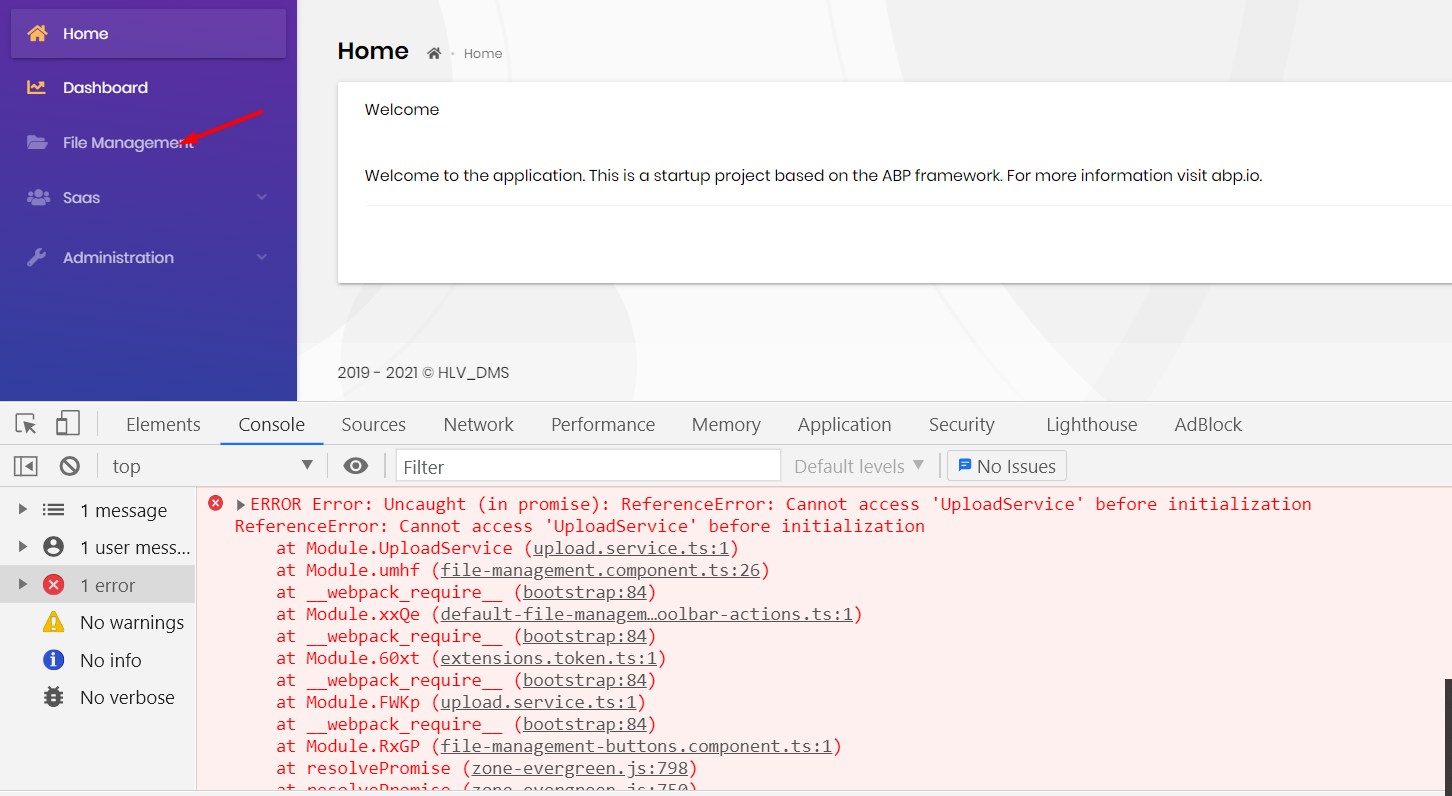
 And If I use signAllFile func in FileManagementComponent, my frontend has error like this
 Please show me how to call my func in default-file-management-toolbar-actions.
- ABP Framework version: v4.2.2
- UI type: Angular
- DB provider: EF Core
- Tiered (MVC) or Identity Server Separated (Angular): no
- Exception message and stack trace:
- Steps to reproduce the issue:
Markdown supported.
Copy, paste, or drag & drop images and files (max 100 MB per file, 100 MB total per post)
2 Answer(s)
-
0
Hello,
You seem to forget to subscribe to
signAllFile. Your first try looks good, just change it to the following:{ action: (data) => { const navigator = data.getInjected(NavigatorService); navigator.signAllFile(navigator.getCurrentFolderId()) .pipe(take(1)) // just in case, if the stream does not complete .subscribe(); } }Markdown supported.Copy, paste, or drag & drop images and files (max 100 MB per file, 100 MB total per post) -
0
Thanks bunyamin ,
It's work.
Markdown supported.Copy, paste, or drag & drop images and files (max 100 MB per file, 100 MB total per post)


