






Hi
Since this ticket is closed I´m forced to create a new one.
I have the exact problem with Blazor WASM 4.3.2, that the content on the Settings page is missing when logged in as tenant, but the suggested fix in the above ticket doesn´t solve it.
The following code doesn´t seem to do anything when placed (anywhere) in the Define() method in the PermissionDefinitionProvider class
var setting = context.GetPermissionOrNull(SettingManagementPermissions.Emailing);
setting.MultiTenancySide = MultiTenancySides.Both;
Am I missing something?
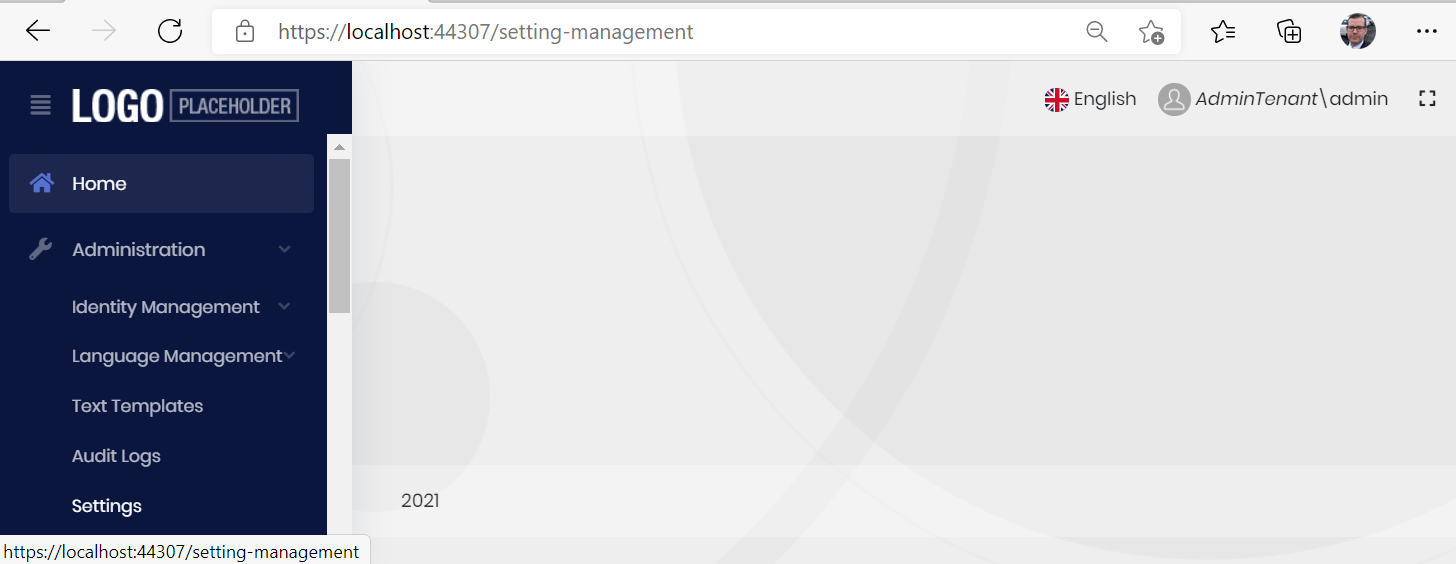
Here you can see the Settings menu item but totally empty page.
2 Answer(s)
-
0
-
0
Ok it works now. The email was checked with permissions but some combination of loging into the main admin and checking the tenant user loggin of and into the tenant it self and restart made this all click. I really tried this all yesterday as well... strange.... but oh well...closing this
Markdown supported.Copy, paste, or drag & drop images and files (max 100 MB per file, 100 MB total per post)


