






I'm using angular UI with abp commercial.I created a tenant in abp using the admin. But i was unable to login with the email address used in the tenant registration. I also queried the database and looks like it is not being saved.
8 Answer(s)
-
1
Hi,
Please provide more information
- ABP Framework version: vX.X.X
-
- DB provider: EF Core / MongoDB
-
- Steps to reproduce the issue:"
Markdown supported.Copy, paste, or drag & drop images and files (max 100 MB per file, 100 MB total per post) -
0
- ABP Framework version: v4.3
- UI type: Angular
- DB provider: EF Core
- Steps to reproduce the issue:
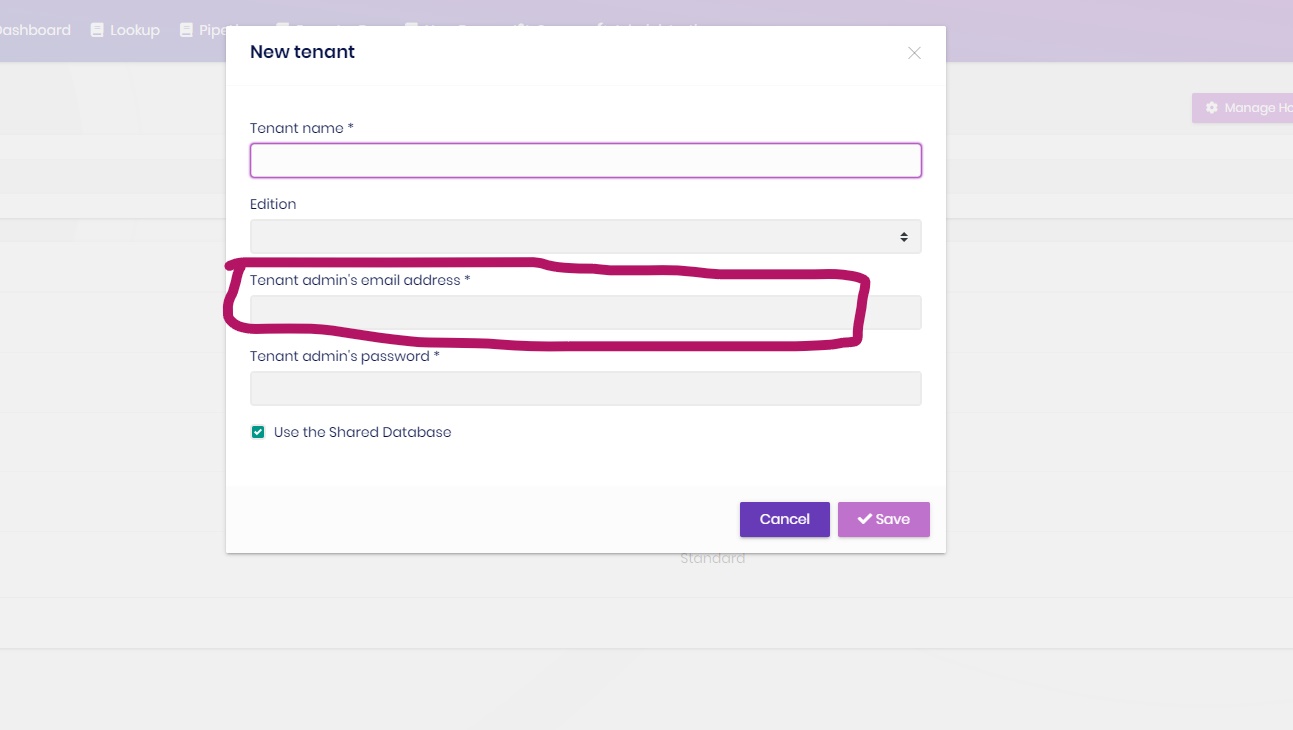
I was not able to login with tenant admin's email address
Markdown supported.Copy, paste, or drag & drop images and files (max 100 MB per file, 100 MB total per post) -
0
Hi,
I can't reproduce the problem. can you provide a project to reproduce? shiwei.liang@volosoft.com thanks.
Markdown supported.Copy, paste, or drag & drop images and files (max 100 MB per file, 100 MB total per post) -
0
Hello, I cannot provide project as it is our on going project. I have attached the screenshot step.
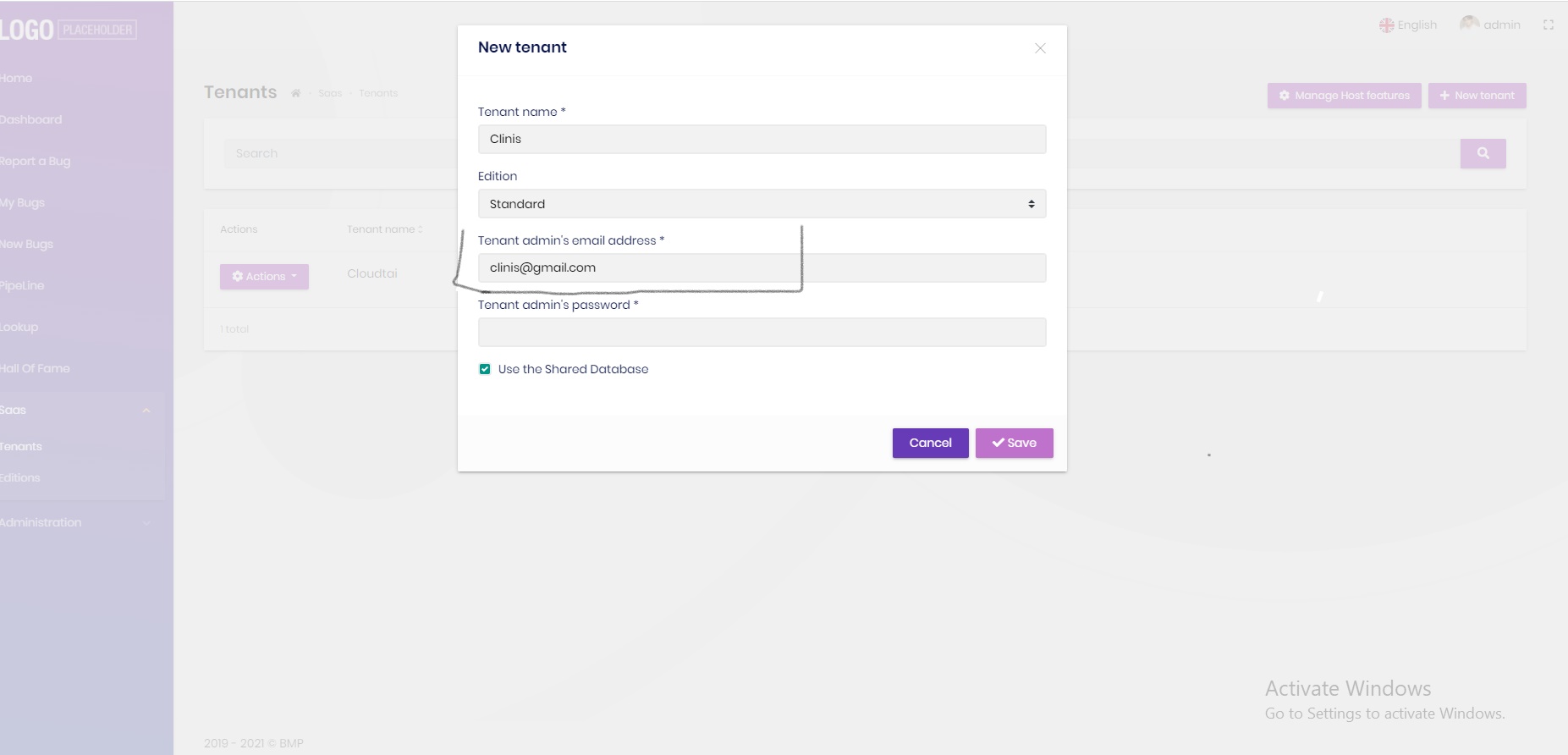 I created new tenant named Clinis with admin address clinis@gmail.com
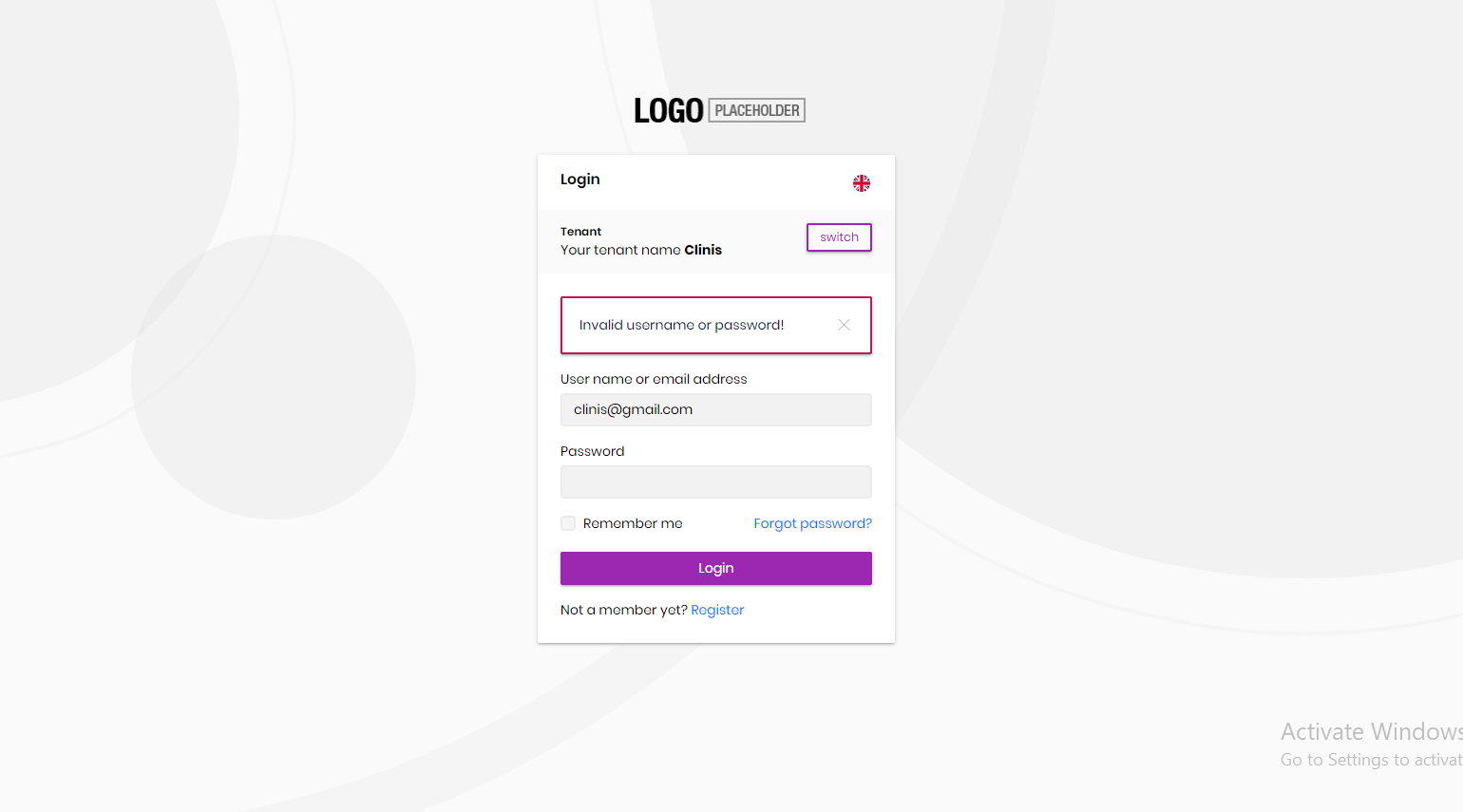 Then after that tried to login with the tenant's admin email but I could not login with the email. I checked the database as well and I found that the email that I provided while creating tenant was not saved.Markdown supported.Copy, paste, or drag & drop images and files (max 100 MB per file, 100 MB total per post)
 -
1
Hi,
Can I check it remotely?
Markdown supported.Copy, paste, or drag & drop images and files (max 100 MB per file, 100 MB total per post) -
0
Hi, Yes sure. How can I connect with you?
Markdown supported.Copy, paste, or drag & drop images and files (max 100 MB per file, 100 MB total per post) -
0
Please send email to me. shiwei.liang@volosoft.com
Markdown supported.Copy, paste, or drag & drop images and files (max 100 MB per file, 100 MB total per post) -
1
Solved.
Markdown supported.Copy, paste, or drag & drop images and files (max 100 MB per file, 100 MB total per post)


