






When using blazor server, Audit Logs shows "/_blazor" for each HttpRequest property. Altough websockets are used, there should still be proper information in the Auditlog, so we know for which request it is.
- ABP Framework version: v4.3.3
- UI type: Blazor Server
- DB provider: EF Core
- Tiered (MVC) or Identity Server Separated (Angular): yes
10 Answer(s)
-
0
Yes, that's right, for someone who currently has a blazor-server application, the audit-logs page looks like the picture below, which is not very meaningful.
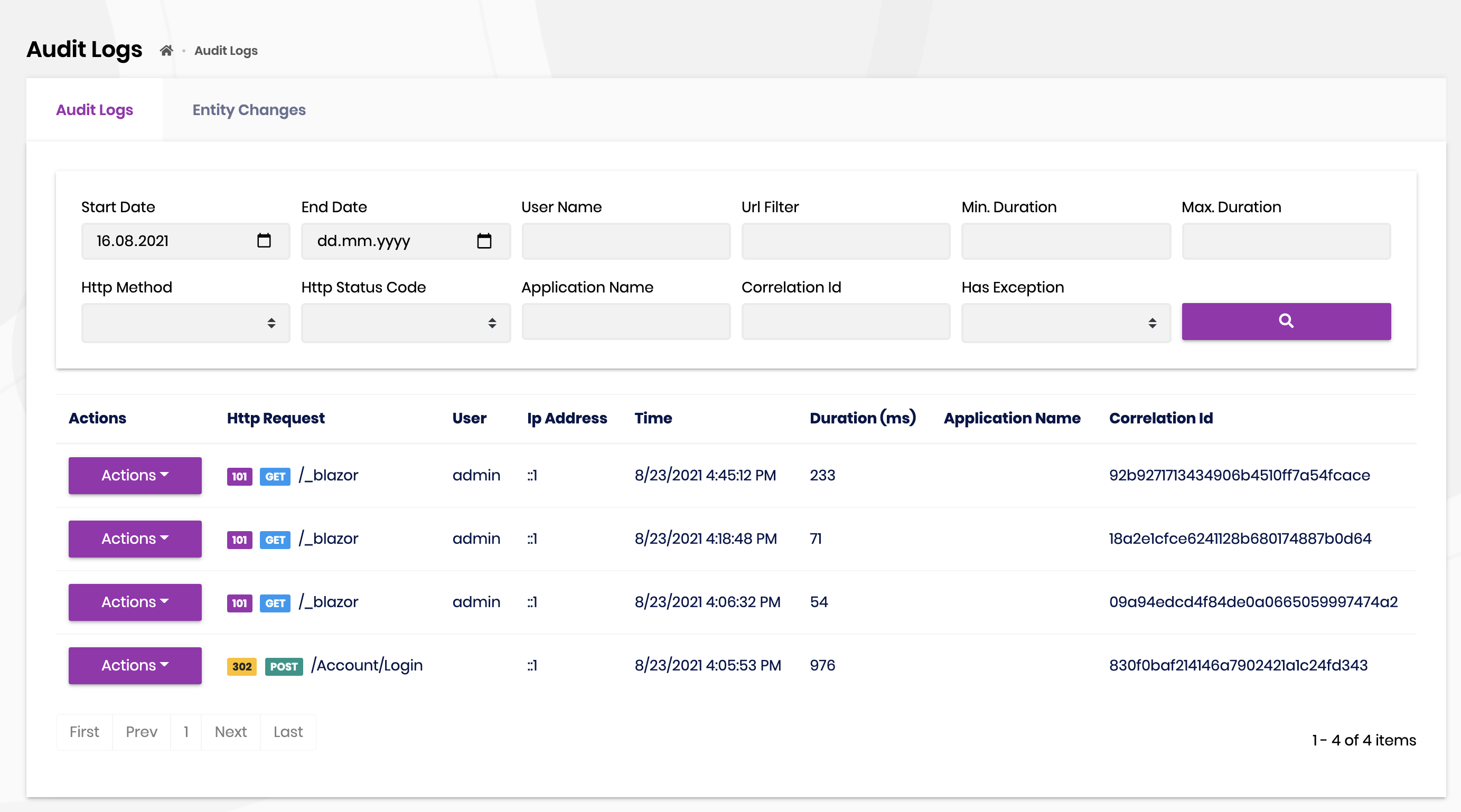
As a result of my short research on the subject, I encountered many arguments saying that the request path cannot be taken, but I am opening an internal issue for further investigation.
By the way, I'm closing the issue, however, I'll reply it here with the details when we reach a conclusion.
Markdown supported.Copy, paste, or drag & drop images and files (max 100 MB per file, 100 MB total per post) -
0
I dont think that is should be limited to the request path, there just should be something logged that make the log useful. E.g. The ApplicationService Name. In the current state the feature is really hard to use with blazor server (0 filtering possibility...).
Markdown supported.Copy, paste, or drag & drop images and files (max 100 MB per file, 100 MB total per post) -
0
This question has been automatically marked as stale because it has not had recent activity.
Markdown supported.Copy, paste, or drag & drop images and files (max 100 MB per file, 100 MB total per post) -
0
Please do not close :). I'm watching this issue, as the Audit Logs feature should be fully supported also on Blazor. Currently its nearly useless as filtering is not possible.
Markdown supported.Copy, paste, or drag & drop images and files (max 100 MB per file, 100 MB total per post) -
0
Also can we transfer client ip address from http. Example from blazor server IP Address is empty
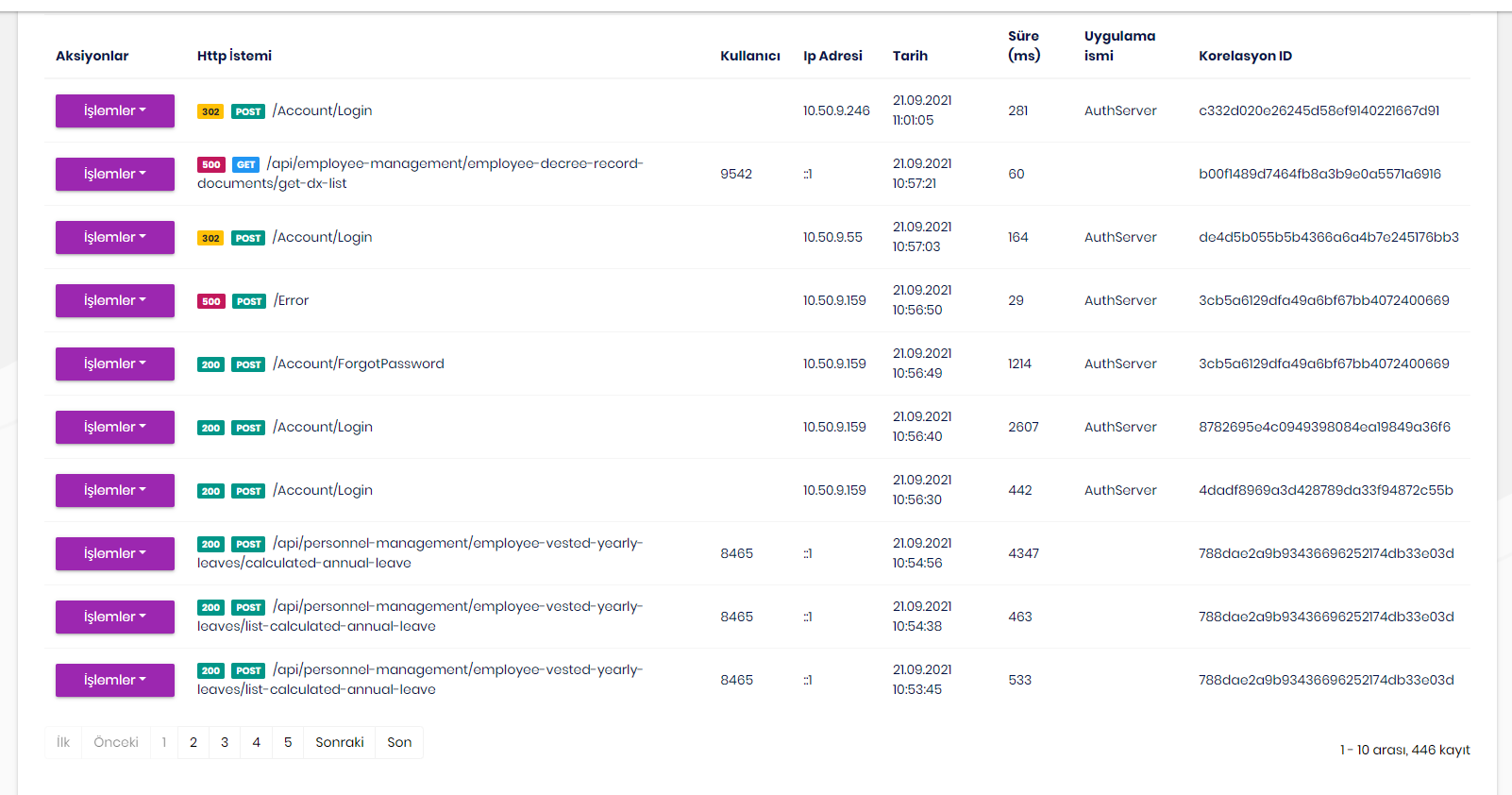 Markdown supported.Copy, paste, or drag & drop images and files (max 100 MB per file, 100 MB total per post)
 -
0
ip address from http. Example from blazor serv
Hi, How did you achive this on blazor server?
Markdown supported.Copy, paste, or drag & drop images and files (max 100 MB per file, 100 MB total per post) -
0
"this is not possible with the known methods right now" says Microsoft developer. See this comment https://github.com/dotnet/aspnetcore/issues/37728#issuecomment-948511840
Markdown supported.Copy, paste, or drag & drop images and files (max 100 MB per file, 100 MB total per post) -
0
"this is not possible with the known methods right now" says Microsoft developer. See this comment https://github.com/dotnet/aspnetcore/issues/37728#issuecomment-948511840
We do not need the IP addresses.
We just need something to be able to use the auditlogs. E.g. the app-service name that was called. There needs to be something that can be used for filtering.
Markdown supported.Copy, paste, or drag & drop images and files (max 100 MB per file, 100 MB total per post)



