






0
vincent.goh created
Is there an easy way to create a new microservice using the ABP Suite?
Instead of the standard "product" service created as part of the microservices solution template, I would like to create a microservice named something else.
Markdown supported.
Copy, paste, or drag & drop images and files (max 100 MB per file, 100 MB total per post)
3 Answer(s)
-
0
hi
Naming
productis not currently supported. You can create a new microserivce.https://docs.abp.io/en/commercial/latest/startup-templates/microservice/add-microservice
Markdown supported.Copy, paste, or drag & drop images and files (max 100 MB per file, 100 MB total per post) -
0
Hi @vincent.goh, after you've created the microservice startup template you can delete the example product service (and related parts with that) and add a new service by following this document.
- After created a new service, open the Suite and click the Add an existing solution button. Then, specify the new created service path and click Ok button.
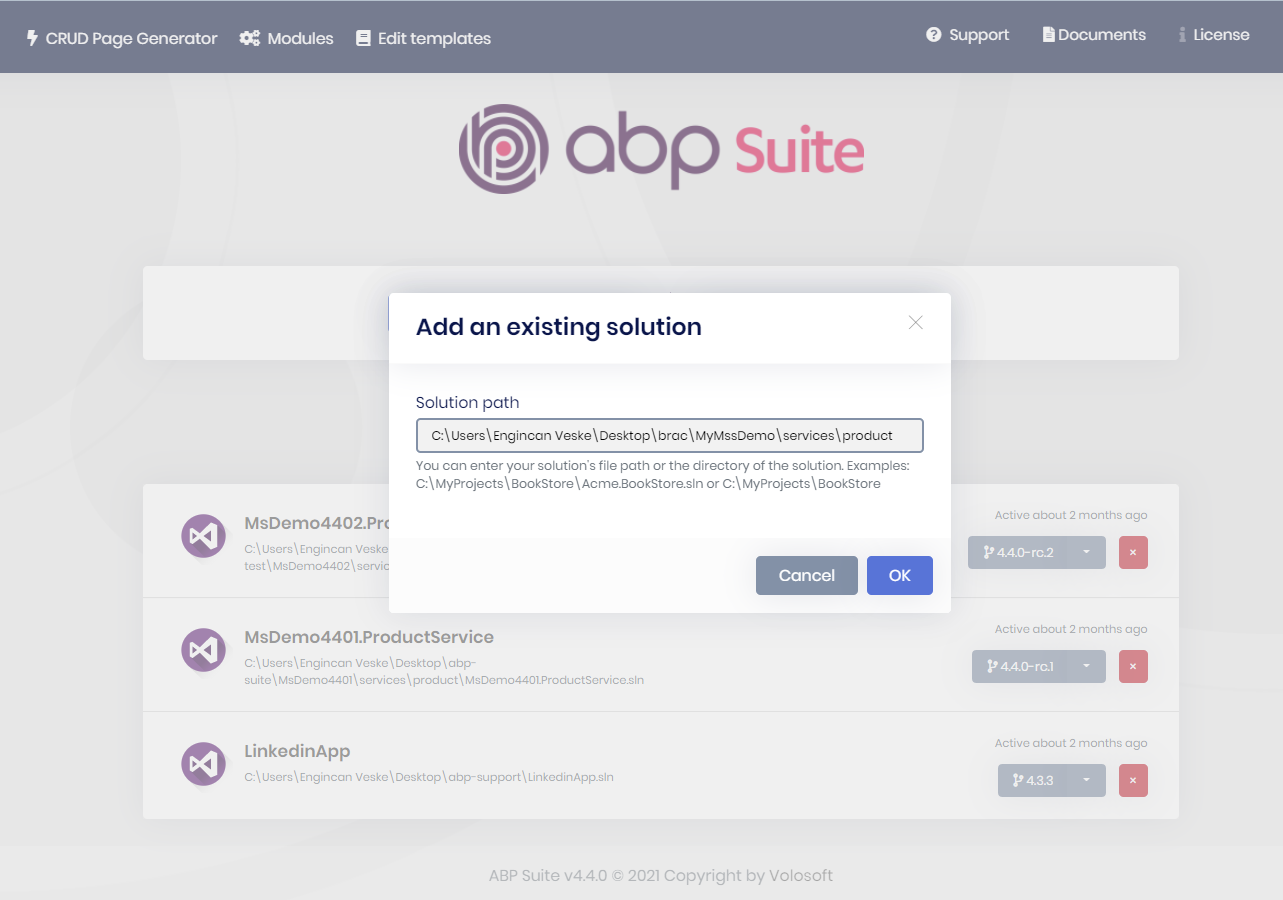
- Then you will be able to generate crud pages for your service.
 Markdown supported.Copy, paste, or drag & drop images and files (max 100 MB per file, 100 MB total per post)
 -
0
This question has been automatically marked as stale because it has not had recent activity.
Markdown supported.Copy, paste, or drag & drop images and files (max 100 MB per file, 100 MB total per post)



