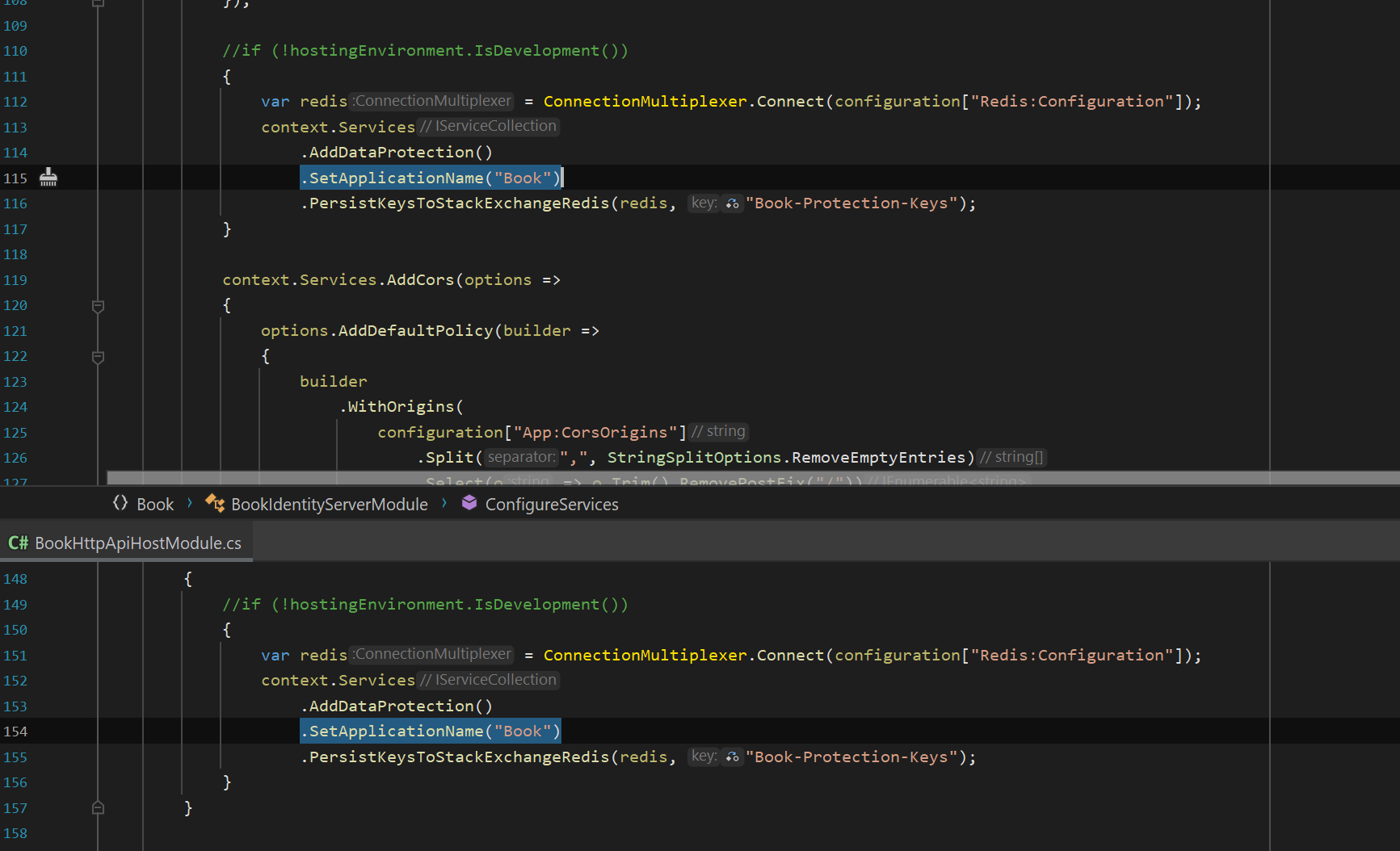
- ABP Framework version: v4.4.3
- UI type: Angular
- DB provider: EF Core
- Tiered (MVC) or Identity Server Separated (Angular): yes
- Exception message and stack trace:
- Steps to reproduce the issue:"
Hi, I was searching how to achieve the SSO for user when switching tenant and saw the linking user feature, could you please explain how does it work? I could not find any document about it.
I had logged in as user1 and selected "new link user" and logged in as user2, it prompted "The target user is not linked to you!", there was an error when request for the access token:
{"ClientId": null, "ClientName": null, "ValidateLifetime": true, "AccessTokenType": "Jwt", "ExpectedScope": null, "TokenHandle": null, "JwtId": null, "Claims": {"nbf": 1634111151, "exp": 1665647151, "iss": "https://localhost:44349", "aud": "abp_latest", "client_id": "abp_latest_App", "sub": "a8346126-26bd-e475-29df-39ff8ac671b5", "auth_time": 1634111150, "idp": "local", "preferred_username": "user1", "role": "user_role", "phone_number_verified": "False", "email": "user1@test.com.sg", "email_verified": "False", "name": "user1", "sid": "C9AD8A4E92DBF82F9D6A7A5900988C02", "iat": 1634111151, "scope": ["openid", "profile", "role", "email", "phone", "abp_latest", "offline_access"], "amr": "pwd"}, "$type": "TokenValidationLog"} [15:50:08 ERR] Invalid extension grant{"error": "The target user is not linked to you!"}, details: {"ClientId": "abp_latest_App", "ClientName": "abp_latest_App", "GrantType": "LinkLogin", "Scopes": "abp_latest email offline_access openid phone profile role", "AuthorizationCode": "********", "RefreshToken": "********", "UserName": null, "AuthenticationContextReferenceClasses": null, "Tenant": null, "IdP": null, "Raw": {"grant_type": "LinkLogin", "LinkUserId": "a8346126-26bd-e475-29df-39ff8ac671b5",
16 Answer(s)
-
0
this exception is thrown if only the target user is not linked to you. and the -link check- is done here https://github.com/abpframework/abp/blob/dev/modules/identity/src/Volo.Abp.Identity.Domain/Volo/Abp/Identity/IdentityLinkUserManager.cs#L96
check that your user.id and target user.id exist in
AbpLinkUsersdb table.Markdown supported.Copy, paste, or drag & drop images and files (max 100 MB per file, 100 MB total per post) -
0
Hi @albert, there is no record in AbpLinkUsers that's why I clicked the add new link user, it redirected me to the login screen, after login the verification failed and thew the exception. so, how to add the new link user and what is the criteria?
I have overrided and debugged the login method and found this one return false, but I dont understand what this method doing, can help explain?
        protected override async Task<bool> VerifyLinkTokenAsync()
        {
            if (LinkToken.IsNullOrWhiteSpace() || LinkUserId == null)
            {
                return false;
            }

            return await IdentityLinkUserAppService.VerifyLinkTokenAsync(new VerifyLinkTokenInput
            {
                UserId = LinkUserId.Value,
                TenantId = LinkTenantId,
                Token = LinkToken
            });
        }
Markdown supported.Copy, paste, or drag & drop images and files (max 100 MB per file, 100 MB total per post) -
0
after login the verification failed and thew the exception. so, how to add the new link user and what is the criteria?
Can you share the details? You can check the logs to see the error.
Markdown supported.Copy, paste, or drag & drop images and files (max 100 MB per file, 100 MB total per post) -
0
Hi @maliming, this is the log that I provided already:
{"ClientId": null, "ClientName": null, "ValidateLifetime": true, "AccessTokenType": "Jwt", "ExpectedScope": null, "TokenHandle": null, "JwtId": null, "Claims": {"nbf": 1634111151, "exp": 1665647151, "iss": "https://localhost:44349", "aud": "abp_latest", "client_id": "abp_latest_App", "sub": "a8346126-26bd-e475-29df-39ff8ac671b5", "auth_time": 1634111150, "idp": "local", "preferred_username": "user1", "role": "user_role", "phone_number_verified": "False", "email": "user1@test.com.sg", "email_verified": "False", "name": "user1", "sid": "C9AD8A4E92DBF82F9D6A7A5900988C02", "iat": 1634111151, "scope": ["openid", "profile", "role", "email", "phone", "abp_latest", "offline_access"], "amr": "pwd"}, "$type": "TokenValidationLog"} [15:50:08 ERR] Invalid extension grant{"error": "The target user is not linked to you!"}, details: {"ClientId": "abp_latest_App", "ClientName": "abp_latest_App", "GrantType": "LinkLogin", "Scopes": "abp_latest email offline_access openid phone profile role", "AuthorizationCode": "********", "RefreshToken": "********", "UserName": null, "AuthenticationContextReferenceClasses": null, "Tenant": null, "IdP": null, "Raw": {"grant_type": "LinkLogin", "LinkUserId": "a8346126-26bd-e475-29df-39ff8ac671b5",As I explained, I want to add "new link user", there was a popup asking me to log out and log in with the new user, two accounts will be linked:
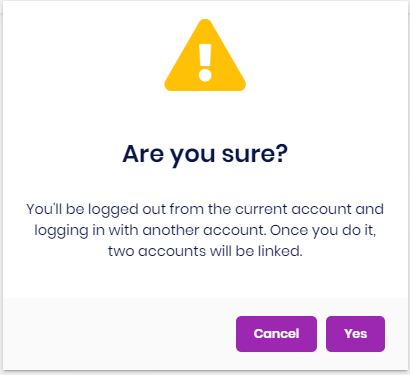
but I got the above exception after login as the new user, the problem is the VerifyLinkTokenAsync() return false in OnPostAsync() during the login new user, I just want to know why and what is the criteria for it to return true? both users do exist in the system with the same tenant.
Markdown supported.Copy, paste, or drag & drop images and files (max 100 MB per file, 100 MB total per post) -
0
hi
[09:54:50 WRN] VerifyUserTokenAsync() failed with purpose: AbpLinkUserLogin for user.
It seems that there is a problem with the Token. You can try:
- Clear the redis cache.
- Create a new project to try if 1 is not working.
Markdown supported.Copy, paste, or drag & drop images and files (max 100 MB per file, 100 MB total per post) -
0