






Hi,
How can I share the entities I have created using ABP Suite with other developers.
- ABP Framework version: v2.8.0
- UI type: MVC
- Tiered (MVC) or Identity Server Seperated (Angular): yes
- Exception message and stack trace:
- Steps to reproduce the issue:
13 Answer(s)
-
0
You can publish
.DomainNuget package to your private Nuget server.Markdown supported.Copy, paste, or drag & drop images and files (max 100 MB per file, 100 MB total per post) -
0
Hi Roop,
That feature is on the roadmap. We'll enable to export/import entities in a solution. But for now you can simply access the entites from this directory.
%UserProfile%\.abp\suite\solutions\{solution-id}\entities\You can see the solution id
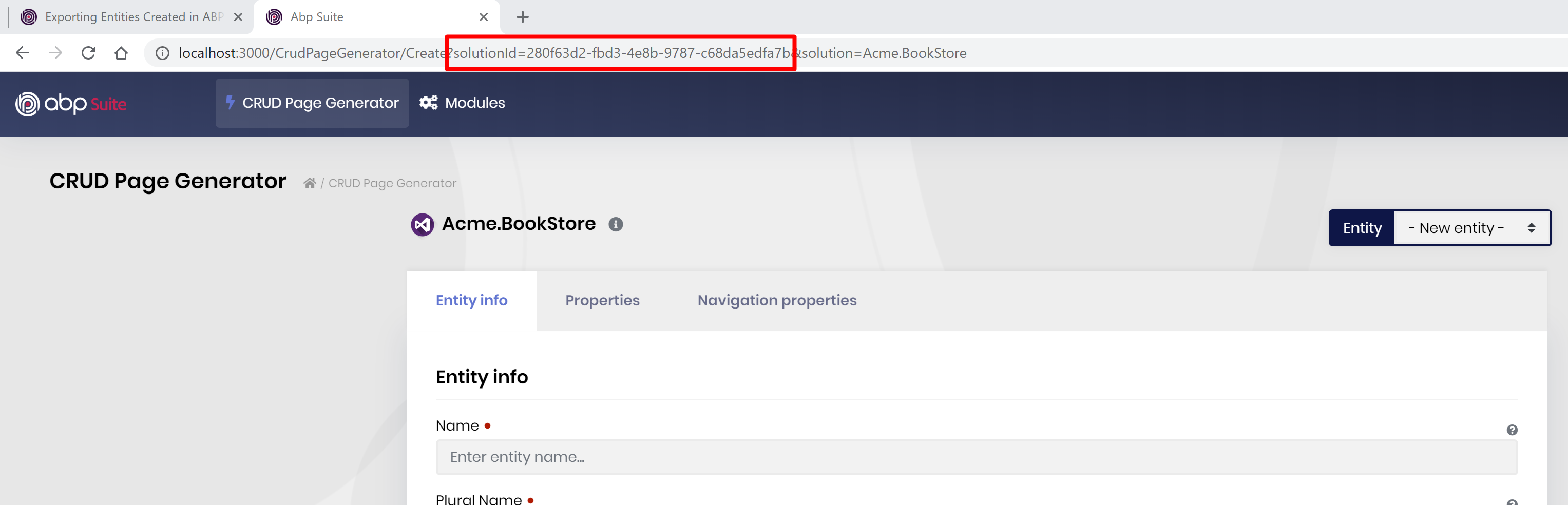
And your friend can save the entities in the same folder. But it might be a good idea to store entities in the solution folder itself .
Markdown supported.Copy, paste, or drag & drop images and files (max 100 MB per file, 100 MB total per post) -
0
Thanks @alper. I found the json files in my local machine. I like the idea of keeping them along with soure code. is there a way to change the default path for these json files?
Markdown supported.Copy, paste, or drag & drop images and files (max 100 MB per file, 100 MB total per post) -
0
so this will be added as a new feature in the future releases. there'll be probably a setting in ABP Suite for your entity locations. you can set it to your root directory of the solution so that it'll be included in your source-controller system.
Markdown supported.Copy, paste, or drag & drop images and files (max 100 MB per file, 100 MB total per post) -
0
This is a vitally-needed feature. It is too awkward to "share" entities by digging around in the file system. They need to be able to be saved in version control and thus need to be inside the solution folder.
Markdown supported.Copy, paste, or drag & drop images and files (max 100 MB per file, 100 MB total per post) -
0
@robb
I have a working version for the ABP, it is not perfect at a time but you can follow these steps
Copy and paste current entities and the appsettings.json from this place
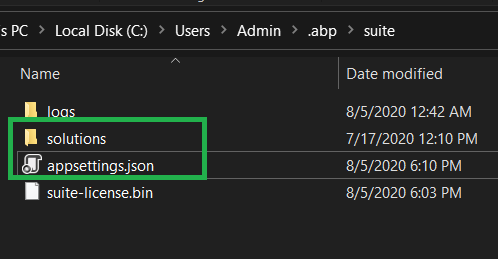 into your solution folder
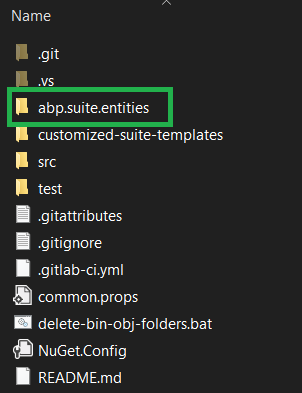
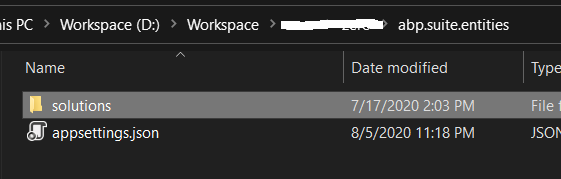
Change the ABP Suite path to use your solution entities at C:\Users\Admin.dotnet\tools.store\volo.abp.suite\3.0.5\volo.abp.suite\3.0.5\tools\netcoreapp3.1\any
Restart the abp suite tool. Thanks to step #2, abp suite will use config from the path in step #2.
Now for other devs, you can push the entities, and the new appsettings.json. Each machine will have different ABP Suite path so consider to update/check the path before start the suite. This means that other machines will need to update the path relevantly. For my case, we use same solution folder for all machines/devs, so we can just push and pull the changes from source control only.
Markdown supported.Copy, paste, or drag & drop images and files (max 100 MB per file, 100 MB total per post) -
0
robb@designitcorp.ca check out https://support.abp.io/QA/Questions/625/How-to-include-Suite-entities-in-my-source-control-system#answer-1287c0f9-c787-9953-f091-39f9374847bc
Markdown supported.Copy, paste, or drag & drop images and files (max 100 MB per file, 100 MB total per post) -
0
robb@designitcorp.ca it doesn't matter where the solution is located. the entites must be inside the root folder of the solution (in
.suite/entitiesfolder)Markdown supported.Copy, paste, or drag & drop images and files (max 100 MB per file, 100 MB total per post) -
0
Hi,
I need to export the Entities as well. From this thread, it mentioned the export function will be available on version 4.0.0, but I am unable to find the function in the Suite. Can help?
Markdown supported.Copy, paste, or drag & drop images and files (max 100 MB per file, 100 MB total per post) -
0
hi, I didn't mention a release date for exporting entities feature. I just say it's in the roadmap, maybe v4.1... for the workaround go to the following directory to get your entity json files.
%UserProfile%\.abp\suite\solutions\{solution-id}\entities\
if you have created a 4.0 project, the entities will be under your solution's root directory
YourSolution\Acme.Blazor1126\aspnet-core\.suite\entities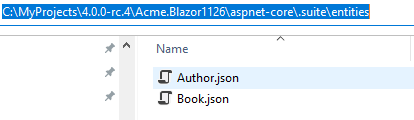 Markdown supported.Copy, paste, or drag & drop images and files (max 100 MB per file, 100 MB total per post)



