






Hello,
I have create a module for my project.
I am using EF core and dont have UI, my project structure is like this:
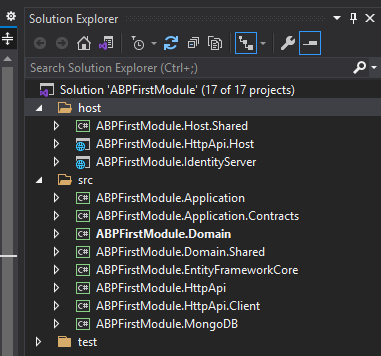
I have no experience at ABP development and Any doc on create module for abp framework from empty module template?
6 Answer(s)
-
0
Hi,
We have an exmaple: https://github.com/abpframework/abp-samples/tree/master/BookStore-Modular
Markdown supported.Copy, paste, or drag & drop images and files (max 100 MB per file, 100 MB total per post) -
0
I have no experience at ABP development
You can read the ABP document first: https://docs.abp.io/en/abp/latest, it will help you to understand ABP framework.
Markdown supported.Copy, paste, or drag & drop images and files (max 100 MB per file, 100 MB total per post) -
0
Hi,
We have an exmaple: https://github.com/abpframework/abp-samples/tree/master/BookStore-Modular
Anyway to debug the module?
Markdown supported.Copy, paste, or drag & drop images and files (max 100 MB per file, 100 MB total per post) -
0
See:
https://docs.abp.io/en/abp/latest/Startup-Templates/Application#how-to-run https://docs.abp.io/en/abp/latest/Startup-Templates/Module#how-to-run
Markdown supported.Copy, paste, or drag & drop images and files (max 100 MB per file, 100 MB total per post) -
0
See:
https://docs.abp.io/en/abp/latest/Startup-Templates/Application#how-to-run https://docs.abp.io/en/abp/latest/Startup-Templates/Module#how-to-run
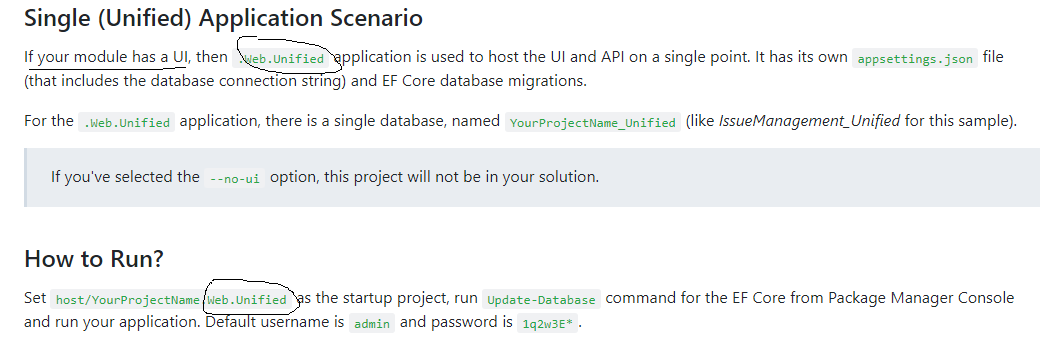
If my module dont have UI, how to start up? Recommand directly insert to the project?
Markdown supported.Copy, paste, or drag & drop images and files (max 100 MB per file, 100 MB total per post) -
0
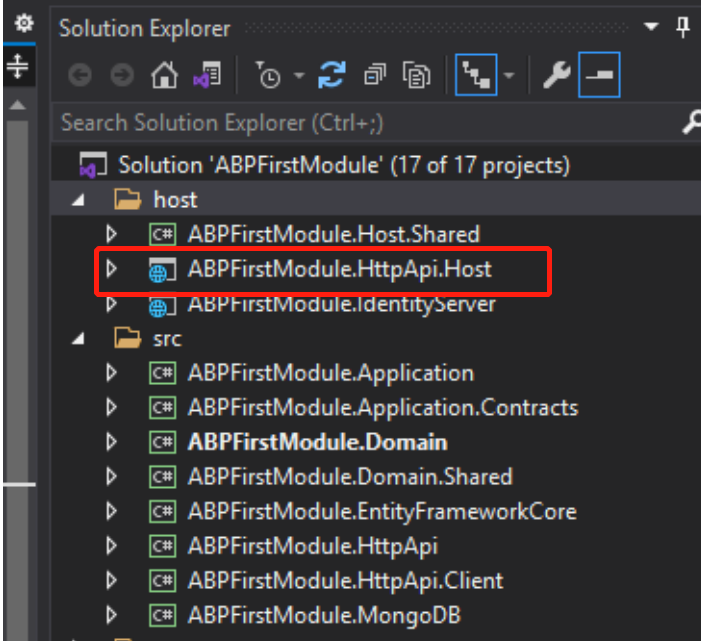
you can run the HttpApi.Host project to view see Swagger page.
 Markdown supported.Copy, paste, or drag & drop images and files (max 100 MB per file, 100 MB total per post)


