Check the docs before asking a question: https://docs.abp.io/en/commercial/latest/ Check the samples, to see the basic tasks: https://docs.abp.io/en/commercial/latest/samples/index The exact solution to your question may have been answered before, please use the search on the homepage.
- ABP Framework version: v2.8
- UI type: MVC
- Tiered (MVC) or Identity Server Seperated (Angular): no
- Exception message and stack trace:
- Steps to reproduce the issue: I have a problem with add button to datatable into index.js:
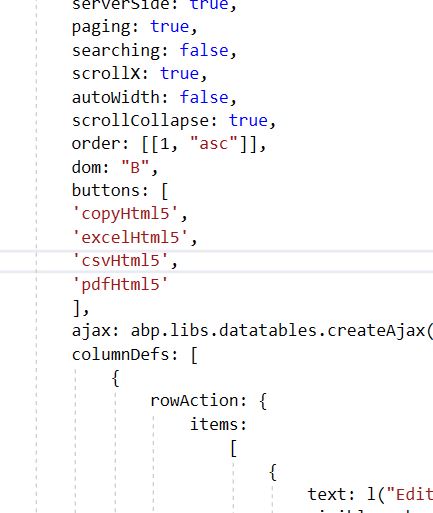
var dataTable = $("#DepartamentosTable").DataTable(abp.libs.datatables.normalizeConfiguration({
        processing: true,
        serverSide: true,
        paging: true,
        searching: false,
        scrollX: true,
        autoWidth: false,
        scrollCollapse: true,
        order: [[1, "asc"]],

        ajax: abp.libs.datatables.createAjax(departamentoService.getList, getFilter),
        columnDefs: [
            {
                rowAction: {
                    items:
                        [
                            {
                                text: l("Edit"),
                                visible: abp.auth.isGranted('BibliotecaWeb.Departamentos.Edit'),
                                action: function (data) {
                                    editModal.open({ id: data.record.departamento.id });
                                }
                            },
                            {
                                text: l("Delete"),
                                visible: abp.auth.isGranted('BibliotecaWeb.Departamentos.Delete'),
                                confirmMessage: function () {
                                    return l("DeleteConfirmationMessage");
                                },
                                action: function (data) {
                                    departamentoService.delete(data.record.departamento.id)
                                        .then(function () {
                                            abp.notify.info(l("SuccessfullyDeleted"));
                                            dataTable.ajax.reload();
                                        });
                                }
                            }
                        ]
                }
            },
			{ data: "departamento.nombre" }
,			{ data: "departamento.siglas" }
,
            {
                data: "regiones.nombre",
                defaultContent : ""
            }
        ]
    })

    );
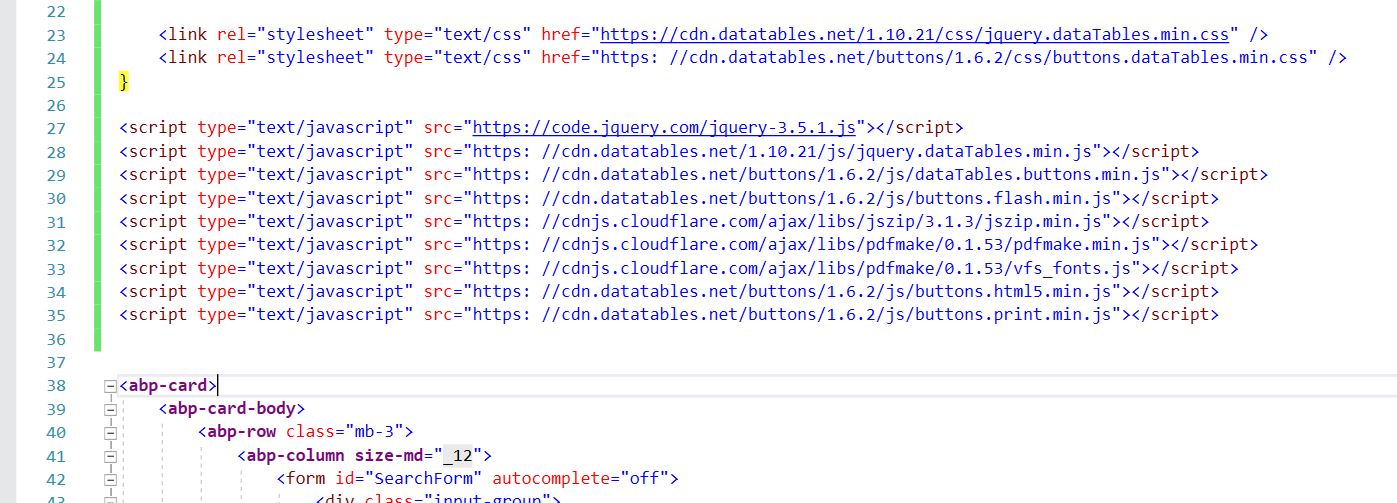
I see the following .js: datatables-extensions.js but is in package, i try to remove and add the same file with modifications in the LeptonThemeBundles.Scripts.Global but neither run.
How add the buttons from datatable in this abp framework ??? Thanks you.
18 Answer(s)
-
0
Hi
Please refer https://docs.abp.io/en/commercial/latest/ui/aspnetcore/entity-action-extensions
Markdown supported.Copy, paste, or drag & drop images and files (max 100 MB per file, 100 MB total per post) -
0
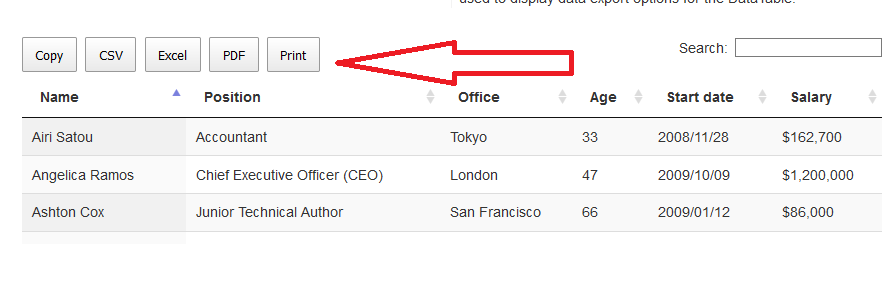
Maybe it doesn't explain me very well, the problem is that I need the buttons that have the DATATABLE that is in the datatables-extensions.js file where it is initialized with the normalizeConfiguration where it uses the DOM, but I cannot add the buttons (pdf, copy, excel), I already included all the js and all the css to be used, I have already done a single test of the datatable and it works correctly, but I want to include them in the DATATABLE, I tried to remove the file datatables-extensions.js and add a version of mine but it did not work for me , any ideas? Thank you.
 Markdown supported.Copy, paste, or drag & drop images and files (max 100 MB per file, 100 MB total per post)
 -
0
Hi,
Try
public class CustomDatatableExtensionsBundleContributor : BundleContributor
{
    public override void ConfigureBundle(BundleConfigurationContext context)
    {
        context.Files.ReplaceOne(
            "/libs/abp/aspnetcore-mvc-ui-theme-shared/datatables/datatables-extensions.js",
            "your datatables-extensions.js");
    }
}
Configure<AbpBundlingOptions>(options => { options.ScriptBundles .Configure(LeptonThemeBundles.Scripts.Global, bundle => { bundle.Contributors.Add(typeof(CustomDatatableExtensionsBundleContributor)); }); });Markdown supported.Copy, paste, or drag & drop images and files (max 100 MB per file, 100 MB total per post) -
0
Replacing or deleting that file on that path doesn't work for me.
Testing REMOVE with the new file after adding it, if it works, so the one that is packaged does not remove it or replace it for me.
Please any ideas?
Markdown supported.Copy, paste, or drag & drop images and files (max 100 MB per file, 100 MB total per post) -
0
Do you mean the file was replaced, but it didn't work?
Markdown supported.Copy, paste, or drag & drop images and files (max 100 MB per file, 100 MB total per post) -
0
Hi,
Downlown the source code and find
configuration.dom ....line , replace it with the followingvar dom = '<"dataTable_filters"f>rt<"row dataTable_footer"<"col-auto"l><"col-auto"i><"col"p>>'; if(configuration.dom){ configuration.dom += dom; }else{ configuration.dom = dom; }Use BundleContributor Replace files:
public class DataTablesScriptBundleContributor : BundleContributor
{
    public override void ConfigureBundle(BundleConfigurationContext context)
    {
        context.Files.ReplaceOne(
            "/libs/abp/aspnetcore-mvc-ui-theme-shared/datatables/datatables-extensions.js",
            "/js/databales-extensions.js");
    }
}
In your
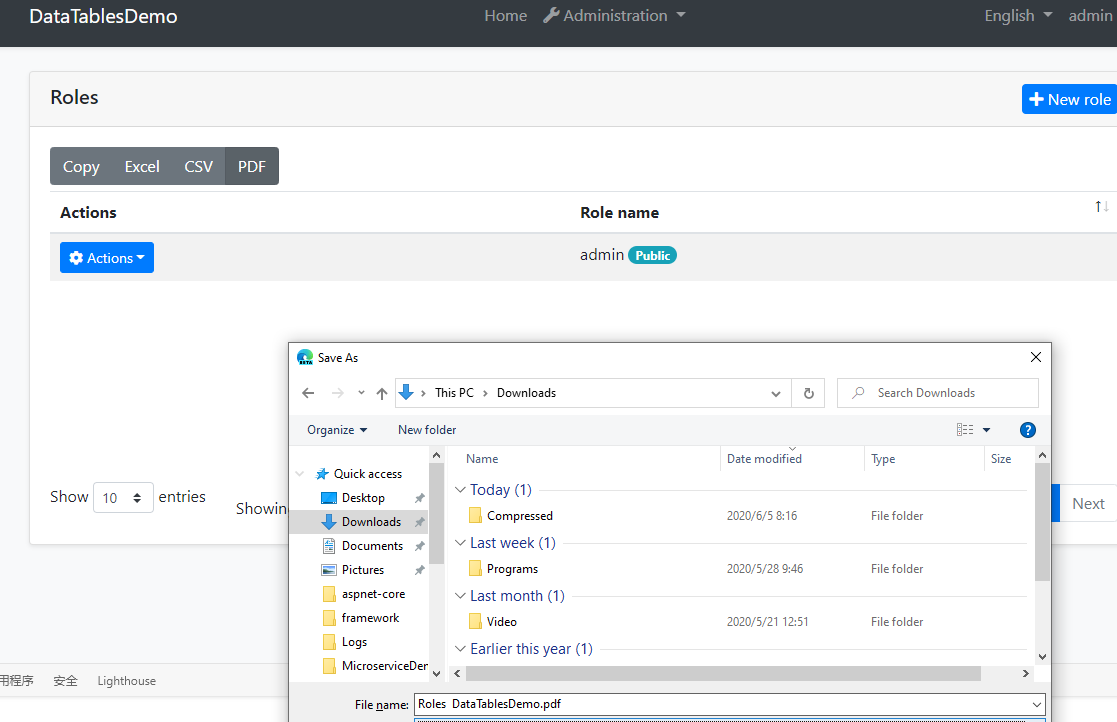
index.jsvar _dataTable = _$table.DataTable(abp.libs.datatables.normalizeConfiguration({ ...... dom :"B", buttons: [ 'copyHtml5', 'excelHtml5', 'csvHtml5', 'pdfHtml5' ] }));Now, it works.
 Markdown supported.Copy, paste, or drag & drop images and files (max 100 MB per file, 100 MB total per post)
 -
0
I created an issue https://github.com/abpframework/abp/issues/4232 for this.
Markdown supported.Copy, paste, or drag & drop images and files (max 100 MB per file, 100 MB total per post) -
0
Thanks, is work for me, but ReplaceOne not working yet, Remove worked for me after replaceone.
Por lo demás si me funcionó correctamente, muchas gracias. Cierro tema.
Markdown supported.Copy, paste, or drag & drop images and files (max 100 MB per file, 100 MB total per post) -
0
Hi liangshiwei,
I would like to add above button in DataTable but then I can't find configuration.dom ...., public class DataTablesScriptBundleContributor : BundleContributor in abp MVC Razor.
Thanks.
Regards, Leaf
Markdown supported.Copy, paste, or drag & drop images and files (max 100 MB per file, 100 MB total per post) -
0
Hi @leaf
you don't need do this, because I have fixed it. see https://github.com/abpframework/abp/pull/4234. You only need to pass parameters.
Markdown supported.Copy, paste, or drag & drop images and files (max 100 MB per file, 100 MB total per post) -
0
Yes, it looks good.
Markdown supported.Copy, paste, or drag & drop images and files (max 100 MB per file, 100 MB total per post) -
0
What version are you using?
Markdown supported.Copy, paste, or drag & drop images and files (max 100 MB per file, 100 MB total per post) -
0
Hi,
Export requires some js. Did you add it? See https://datatables.net/download/release
Markdown supported.Copy, paste, or drag & drop images and files (max 100 MB per file, 100 MB total per post) -
0
Please add js to
@section scripts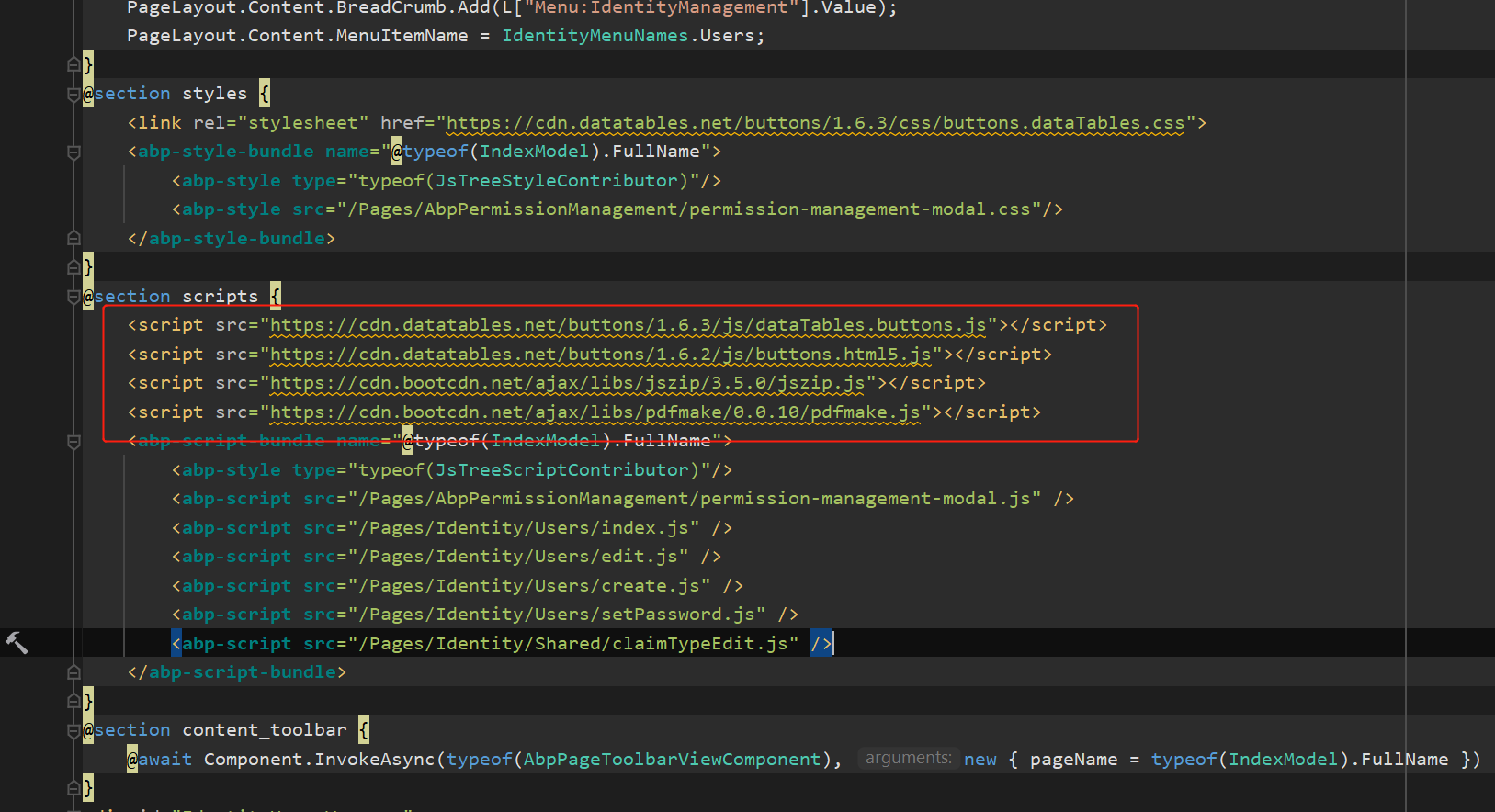 Markdown supported.Copy, paste, or drag & drop images and files (max 100 MB per file, 100 MB total per post)