






- ABP Framework version: v4.4.4
- UI type: Angular
- DB provider: EF Core
- Tiered (MVC) or Identity Server Separated (Angular): no
Hi
I'm trying to get my solution running locally in docker and having an issue with the authorization.
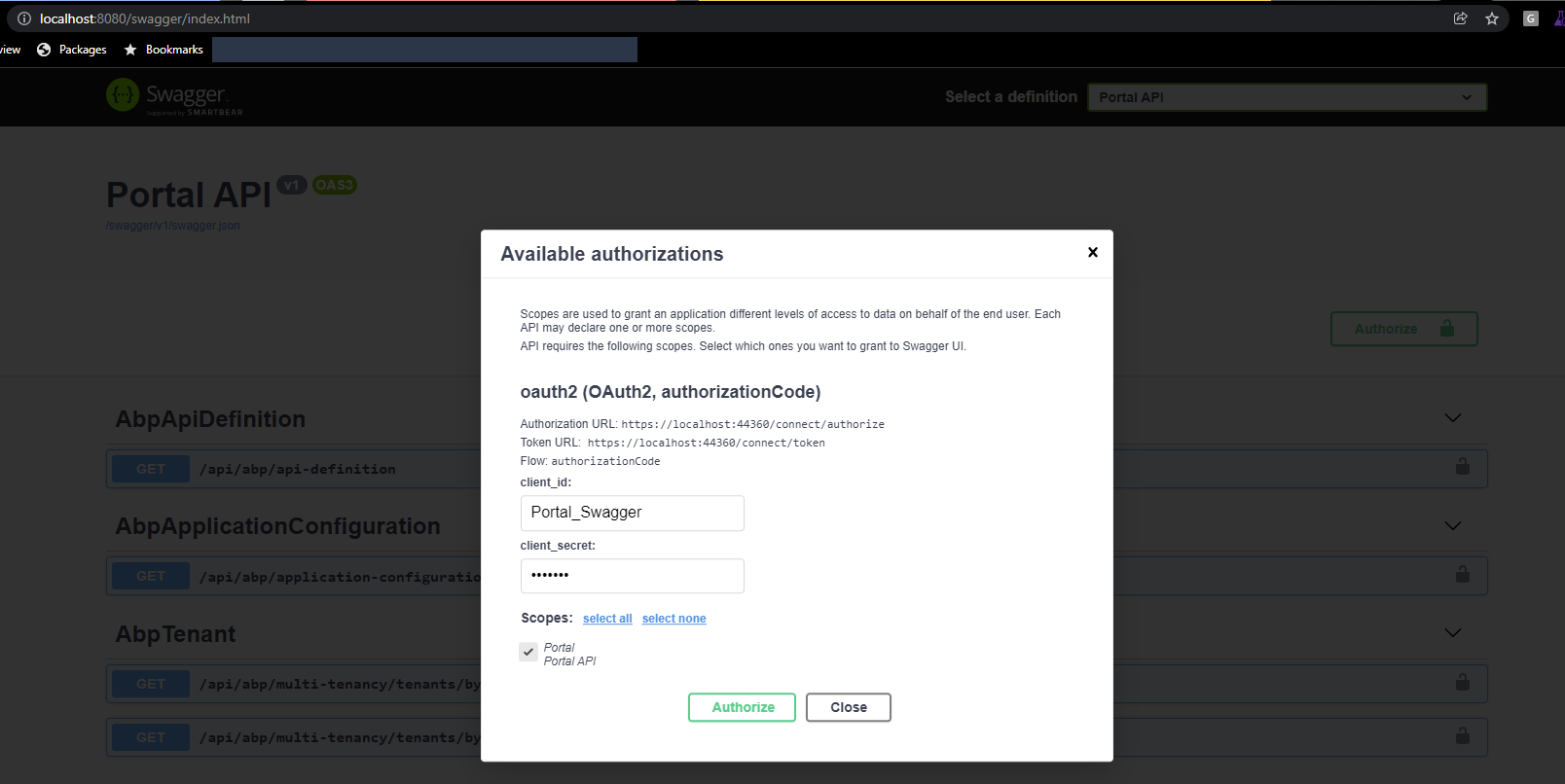
When I try to authorize:
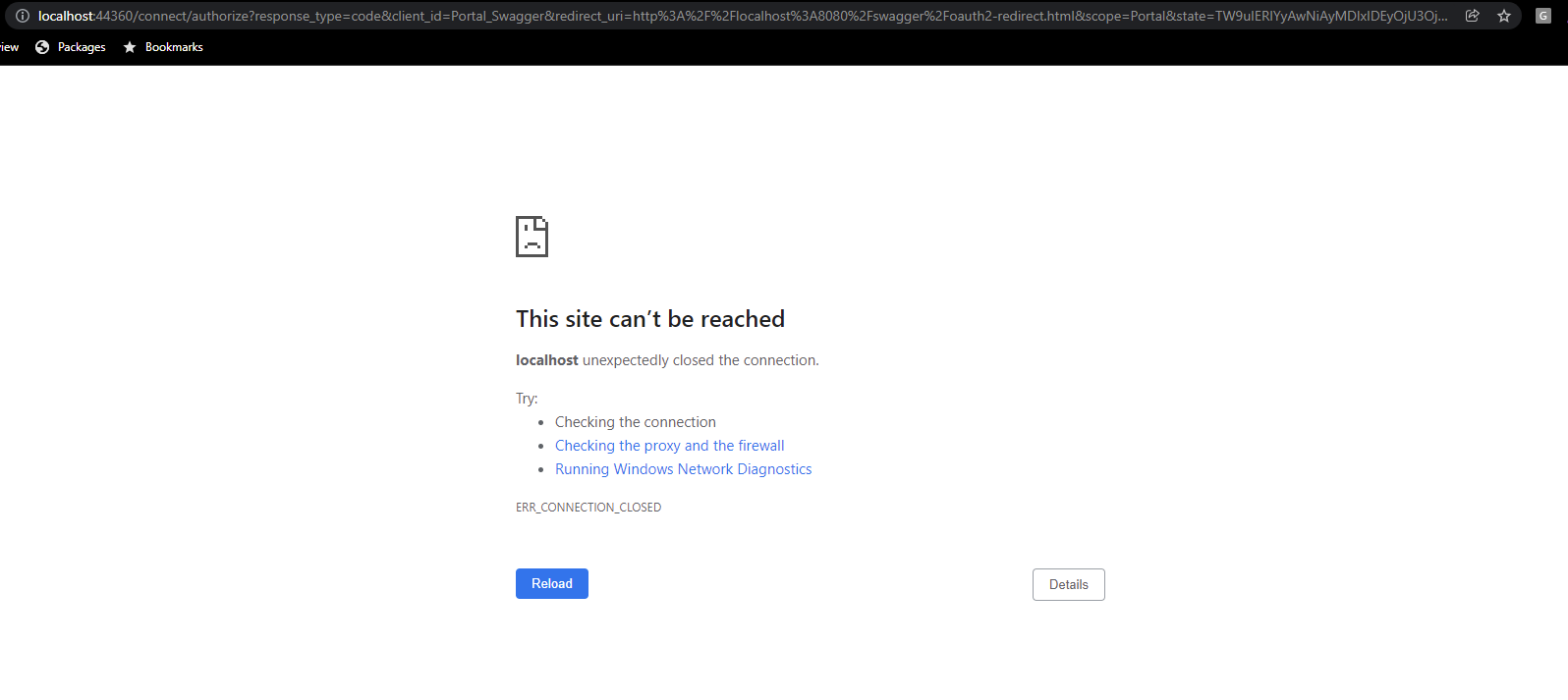
I think this is likely an issue with configuration in the appsettings.json or docker-compose.yml files but I need some help.
appsettings.json { "App": { "SelfUrl": "https://localhost:44360", "AngularUrl": "http://localhost:4200", "CorsOrigins": "https://.Portal.com,http://localhost:4200", "RedirectAllowedUrls": "http://localhost:4200,https://localhost:44307,http://localhost:8080" }, "Redis": { "Configuration": "127.0.0.1" }, "ConnectionStrings": { "Default": "Server=host.docker.internal; Database=CTSDb; User=docker; Password=dockertime; Max Pool Size=400;" }, "AuthServer": { "Authority": "https://localhost:44360", "RequireHttpsMetadata": "false", "SwaggerClientId": "Portal_Swagger", "SwaggerClientSecret": "1q2w3e" }, "StringEncryption": { "DefaultPassPhrase": "6MynJDJ1sxdTgSZD" }, "Settings": { "Volo.Abp.LeptonTheme.Style": "Style6", "Volo.Abp.LeptonTheme.Layout.MenuPlacement": "Left", "Volo.Abp.LeptonTheme.Layout.MenuStatus": "AlwaysOpened", "Volo.Abp.LeptonTheme.Layout.Boxed": "False" }, "Logging": { "LogLevel": { "Default": "Information", "Microsoft": "Warning", "Microsoft.Hosting.Lifetime": "Information" } }, "HealthChecksUI": { "HealthChecks": [ { "Name": "Portal Health Status AppSettings Config", "Uri": "http://localhost:80/health-status" } ], "EvaluationTimeOnSeconds": 10, "MinimumSecondsBetweenFailureNotifications": 60 } }
docker-compose.yml:
version: '3.8'
services:
portal_web_svr:
container_name: portal_web_dev
image: aldercovempn.azurecr.io/acs/portal_web_dev
networks:
- cts_portal_network
volumes:
- ./default.conf:/etc/nginx/conf.d/default.conf:z
ports:
- "4200:4200"
depends_on:
- portal_api_svr
portal_api_svr: container_name: portal_api_dev image: aldercovempn.azurecr.io/acs/portal_api_dev networks: - cts_portal_network environment: - ASPNETCORE_ENVIRONMENT=Production - ConnectionStrings__Default=Server=host.docker.internal;Database=Acs_Portal;User id=docker; Password=dockertime; volumes: - ./Host-Logs:/app/Logs - ./App_Data:/app/App_Data:z - ./appsettings.json:/app/appsettings.json:z ports: - "44360:44360" - "44307:44307" - "8080:80" - "44345:443"
links:
  - redis
redis: container_name: portal_redis # Container name image: redis networks: - cts_portal_network
networks: cts_portal_network:
Thanks


