






Check the docs before asking a question: https://docs.abp.io/en/commercial/latest/ Check the samples, to see the basic tasks: https://docs.abp.io/en/commercial/latest/samples/index The exact solution to your question may have been answered before, please use the search on the homepage.
- ABP Framework version: v2.7
- UI type: Angular
- Tiered (MVC) or Identity Server Seperated (Angular): yes
- Exception message and stack trace:
- Steps to reproduce the issue:
How to use exsiting abp identity server\service for newly added module based service. what configuartion needs to be done in Identity server and DB. i tried add entry into db tables like IdentityServerApiResources but it didnt work and it thorws the unauthentication exception on module service.
13 Answer(s)
-
0
Hi,
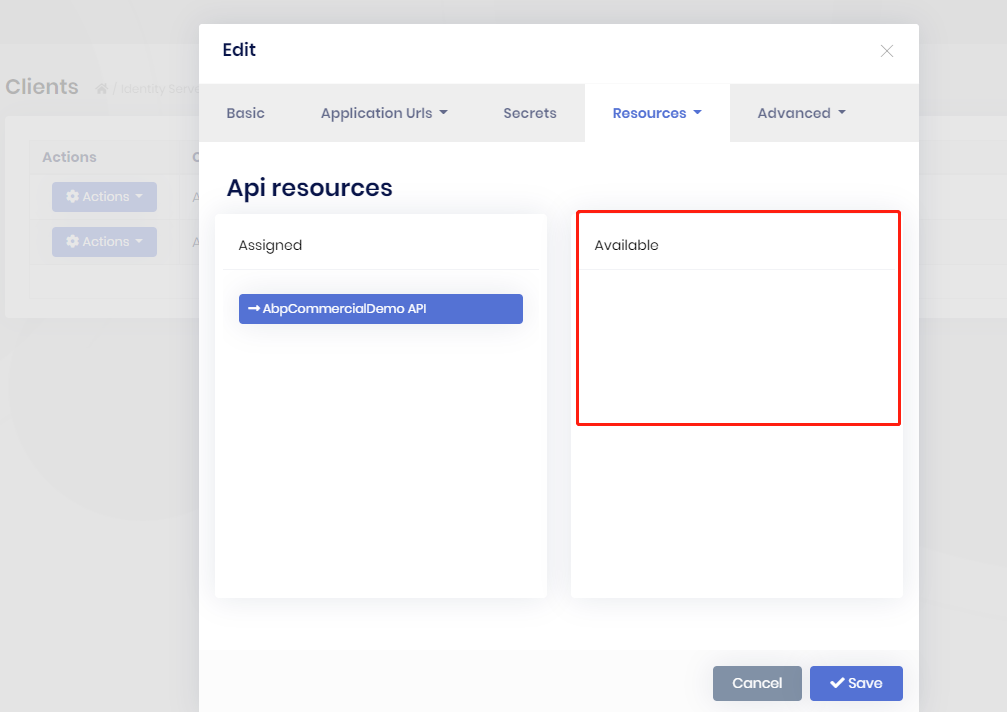
After adding API resources, you need to add API resources that are accessible to the client
 Markdown supported.Copy, paste, or drag & drop images and files (max 100 MB per file, 100 MB total per post)
 -
0
I did it
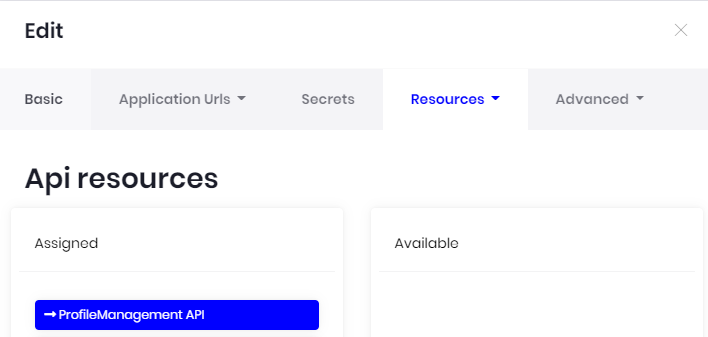 for both Application_Web and Application_App
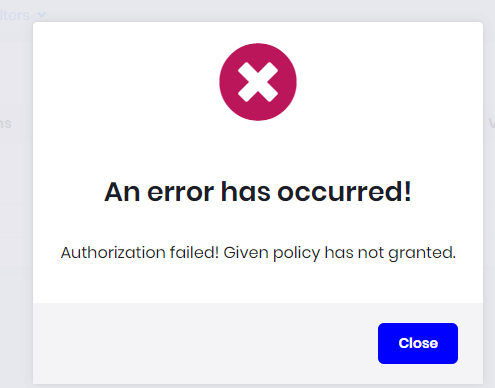
but same error
for both Application_Web and Application_App
but same error
 Markdown supported.Copy, paste, or drag & drop images and files (max 100 MB per file, 100 MB total per post)
 -
0
Hi,
Find
AddOpenIdConnectmethod in your client application module class and add the following code:.AddOpenIdConnect("oidc", options => { -------- // add this line options.Scope.Add(Your API Resources Name); -------- });Markdown supported.Copy, paste, or drag & drop images and files (max 100 MB per file, 100 MB total per post) -
0
didn't find any method AddOpenIdConnect in the any module. I am using ABP default template with sepearte Identity server and Angular UI, created seperate ProfileMangement module service and wanted to use Identity server of ABP default template in ProfileMangement service. Same token should be used to validate the user.
Markdown supported.Copy, paste, or drag & drop images and files (max 100 MB per file, 100 MB total per post) -
0
Sorry I forgot you used angularUI.
Find
environment.ts(and environment.prod.ts)in your angular project.oAuthConfig: { issuer: 'https://localhost:44305', clientId: 'MyProjectName_App', dummyClientSecret: '1q2w3e*', scope: 'MyProjectName Your API Resources Name', // add your API Resources Name showDebugInformation: true, oidc: false, requireHttps: true, }Markdown supported.Copy, paste, or drag & drop images and files (max 100 MB per file, 100 MB total per post) -
0
oAuthConfig: { issuer: 'https://localhost:44350', clientId: 'MyProject_App', dummyClientSecret: '1q2w3e*', scope: 'MyProject ProfileManagement', showDebugInformation: true, oidc: false, requireHttps: true } i did this but same issue
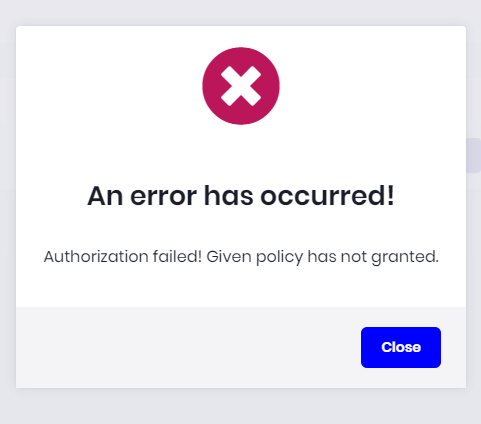
One thing is that now i am not getting logout after this error pop up. Also, i am using default database (ABP default template) for permission mangament. Not sure, why same token is not validated on the module service
Markdown supported.Copy, paste, or drag & drop images and files (max 100 MB per file, 100 MB total per post) -
0
Hi,
I can't reproduce your problem. Can you use ABP CLI to create a free template to reproduce this problem?
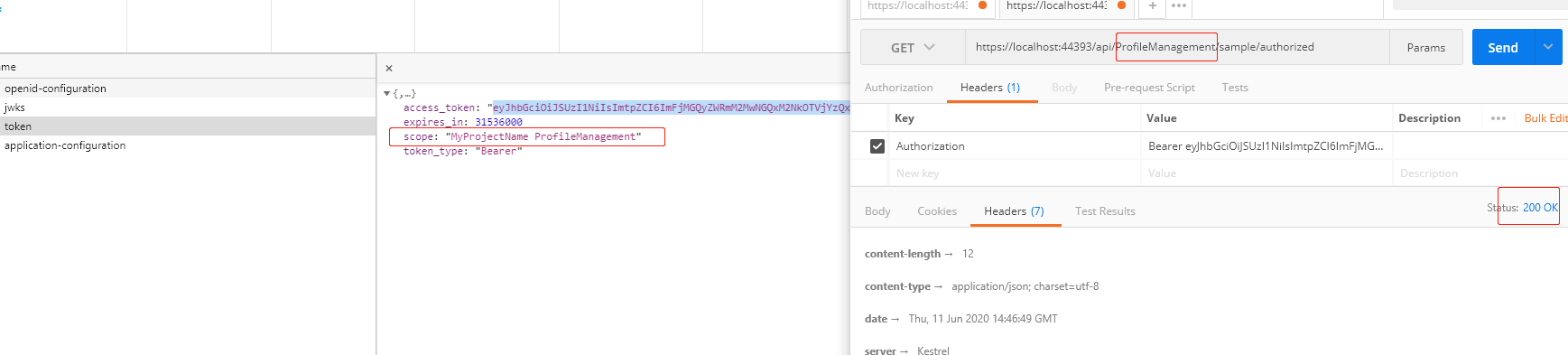 Markdown supported.Copy, paste, or drag & drop images and files (max 100 MB per file, 100 MB total per post)
 -
0
I am also getting the reponse without Autorization attribute. Default module template service doesnt have authorize attribute.
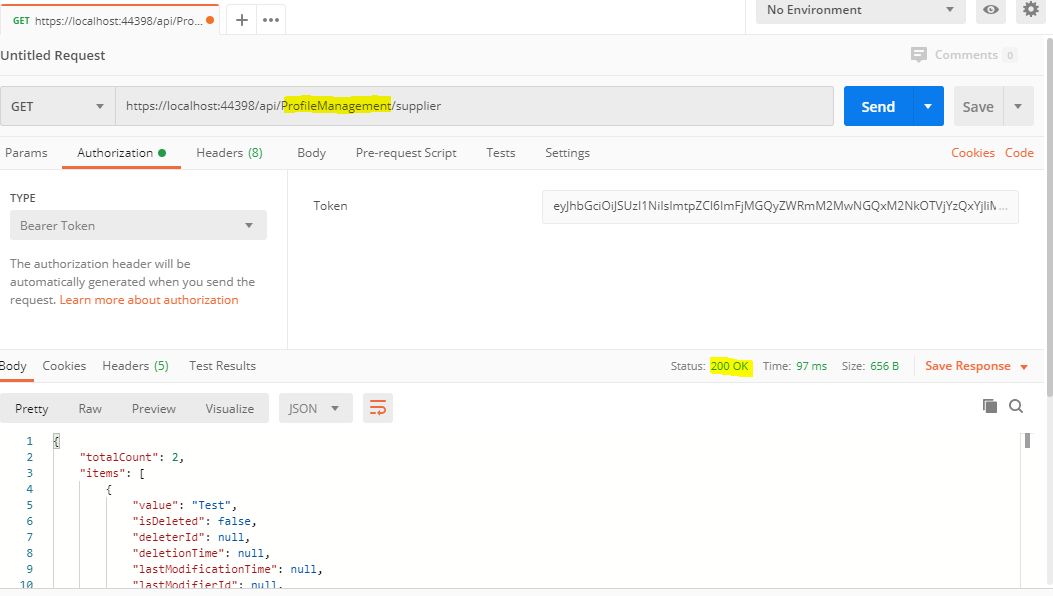
Give try with authorize attribute [Authorize(ProfileManagementPermissions.Supplier.Default)] or [Authorize(ProfileManagementPermissions.Supplier.Create)]
Can we have Skype to share the screen. let me know
Markdown supported.Copy, paste, or drag & drop images and files (max 100 MB per file, 100 MB total per post) -
0
I am calling a service that requires authorization.
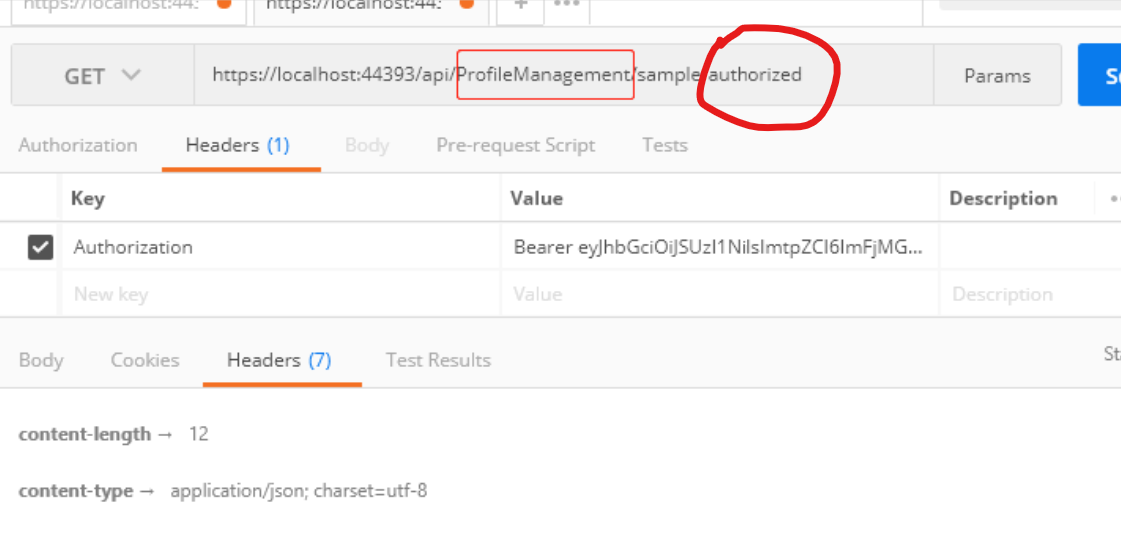
Sure. We can use skype. What is your skype name? you can send email to me: liangshiw@outlook.com
Markdown supported.Copy, paste, or drag & drop images and files (max 100 MB per file, 100 MB total per post) -
0
Fixed. Thanks a lot.
Markdown supported.Copy, paste, or drag & drop images and files (max 100 MB per file, 100 MB total per post) -
0
It is not working for Tenant but working for Host application.
Markdown supported.Copy, paste, or drag & drop images and files (max 100 MB per file, 100 MB total per post) -
0
Can you explain in detail?
Markdown supported.Copy, paste, or drag & drop images and files (max 100 MB per file, 100 MB total per post) -
0
2020-07-11 19:53:14.820 +05:30 [DBG] Setting the cache item: pn:R,pk:anchor,n:ProfileManagement.Sample 2020-07-11 19:53:14.820 +05:30 [DBG] Finished setting the cache item: pn:R,pk:anchor,n:ProfileManagement.Sample 2020-07-11 19:53:14.820 +05:30 [DBG] PermissionStore.GetCacheItemAsync: pn:R,pk:anchor,n:ProfileManagement.Sample 2020-07-11 19:53:14.821 +05:30 [DBG] Found in the cache: pn:R,pk:anchor,n:ProfileManagement.Sample 2020-07-11 19:53:14.821 +05:30 [DBG] PermissionStore.GetCacheItemAsync: pn:C,pk:Litmus_App,n:ProfileManagement.Sample 2020-07-11 19:53:14.822 +05:30 [DBG] Found in the cache: pn:C,pk:Litmus_App,n:ProfileManagement.Sample 2020-07-11 19:53:14.822 +05:30 [INF] Authorization failed. 2020-07-11 19:53:16.836 +05:30 [WRN] ---------- RemoteServiceErrorInfo ---------- 2020-07-11 19:53:16.840 +05:30 [WRN] { "code": null, "message": "Authorization failed! Given policy has not granted.", "details": null, "validationErrors": null } 2020-07-11 19:53:16.841 +05:30 [WRN] Authorization failed! Given policy has not granted. Volo.Abp.Authorization.AbpAuthorizationException: Authorization failed! Given policy has not granted. at Microsoft.AspNetCore.Authorization.AbpAuthorizationServiceExtensions.CheckAsync(IAuthorizationService authorizationService, AuthorizationPolicy policy) at Volo.Abp.Authorization.MethodInvocationAuthorizationService.CheckAsync(MethodInvocationAuthorizationContext context) at Volo.Abp.Authorization.AuthorizationInterceptor.AuthorizeAsync(IAbpMethodInvocation invocation) at Volo.Abp.Authorization.AuthorizationInterceptor.InterceptAsync(IAbpMethodInvocation invocation) at Volo.Abp.Castle.DynamicProxy.CastleAsyncAbpInterceptorAdapter
1.InterceptAsync[TResult](IInvocation invocation, IInvocationProceedInfo proceedInfo, Func3 proceed) at Castle.DynamicProxy.AsyncInterceptorBase.ProceedAsynchronous[TResult](IInvocation invocation, IInvocationProceedInfo proceedInfo) at Volo.Abp.Castle.DynamicProxy.CastleAbpMethodInvocationAdapterWithReturnValue1.ProceedAsync() at Volo.Abp.Auditing.AuditingInterceptor.InterceptAsync(IAbpMethodInvocation invocation) at Volo.Abp.Castle.DynamicProxy.CastleAsyncAbpInterceptorAdapter1.InterceptAsync[TResult](IInvocation invocation, IInvocationProceedInfo proceedInfo, Func3 proceed) at Castle.DynamicProxy.AsyncInterceptorBase.ProceedAsynchronous[TResult](IInvocation invocation, IInvocationProceedInfo proceedInfo) at Volo.Abp.Castle.DynamicProxy.CastleAbpMethodInvocationAdapterWithReturnValue1.ProceedAsync() at Volo.Abp.Validation.ValidationInterceptor.InterceptAsync(IAbpMethodInvocation invocation) at Volo.Abp.Castle.DynamicProxy.CastleAsyncAbpInterceptorAdapter1.InterceptAsync[TResult](IInvocation invocation, IInvocationProceedInfo proceedInfo, Func3 proceed) at Castle.DynamicProxy.AsyncInterceptorBase.ProceedAsynchronous[TResult](IInvocation invocation, IInvocationProceedInfo proceedInfo) at Volo.Abp.Castle.DynamicProxy.CastleAbpMethodInvocationAdapterWithReturnValue1.ProceedAsync() at Volo.Abp.Uow.UnitOfWorkInterceptor.InterceptAsync(IAbpMethodInvocation invocation) at Volo.Abp.Castle.DynamicProxy.CastleAsyncAbpInterceptorAdapter1.InterceptAsync[TResult](IInvocation invocation, IInvocationProceedInfo proceedInfo, Func`3 proceed) at lambda_method(Closure , Object )Markdown supported.Copy, paste, or drag & drop images and files (max 100 MB per file, 100 MB total per post)


