






Hi,
We are trying to set up SignalR for our project. When we trigger the message from the server side, client does not receive the first message but it receives the second. It does not receive the third, either. And it receives the fourth, it goes like this. Trigger is in the IDistributedEventHandler implemented class.
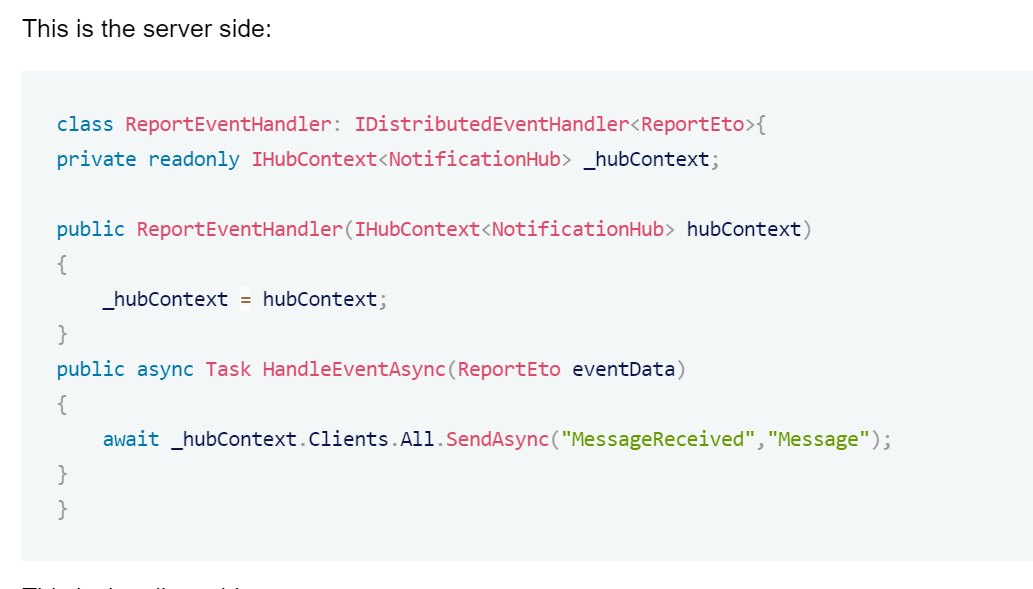
This is the server side:
class ReportEventHandler: IDistributedEventHandler<ReportEto>{
private readonly IHubContext<NotificationHub> _hubContext;

public ReportEventHandler(IHubContext<NotificationHub> hubContext)
{
    _hubContext = hubContext;
}
public async Task HandleEventAsync(ReportEto eventData)
{
    await _hubContext.Clients.All.SendAsync("MessageReceived","Message");
}
}
This is the client side:
const connection = new signalR.HubConnectionBuilder()
.withUrl(environment.apis.default.url + '/signalr-hubs/notification')
.withAutomaticReconnect() .configureLogging(signalR.LogLevel.Information)
 .build();
connection.on('MessageReceived', () => { this.toastNotificationService.queueToastNotification('info', 'New Message!', 'message'); });
connection.start().catch(err => console.log(err));
Our Hub.
using Volo.Abp.AspNetCore.SignalR;

namespace PCDMS.SignalR
{
    public class NotificationHub : AbpHub
    {
    }
}
What could be the reason? Please help me understand and fix this. If we don't trigger signalr from event handler, it is working properly. If we add authorize keyword to hub, we can not receive any message.
- ABP Framework version: v4.4.2
- UI type: Angular
- DB provider: EF Core
6 Answer(s)
-
0
Hi,
Are you sure that you can receive the message sometimes?
It looks like you have not added event handler to DI.
Can you try:
public class ReportEventHandler: IDistributedEventHandler<ReportEto> , ITransientDependency
{
    private readonly IHubContext<NotificationHub> _hubContext;

    public ReportEventHandler(IHubContext<NotificationHub> hubContext)
    {
        _hubContext = hubContext;
    }
    public async Task HandleEventAsync(ReportEto eventData)
    {
        await _hubContext.Clients.All.SendAsync("MessageReceived",eventData.Message);
    }
}
Markdown supported.Copy, paste, or drag & drop images and files (max 100 MB per file, 100 MB total per post) -
0
Sorry, ITransientDependency is added at our implementation. I forgot to write it when creating question. So, yes we can receive events.
Markdown supported.Copy, paste, or drag & drop images and files (max 100 MB per file, 100 MB total per post) -
0
Hi,
I can't reproduce the problem, can you share a simple project with me? shiwei.liang@volosoft.com thanks.
Markdown supported.Copy, paste, or drag & drop images and files (max 100 MB per file, 100 MB total per post) -
0
Hi,
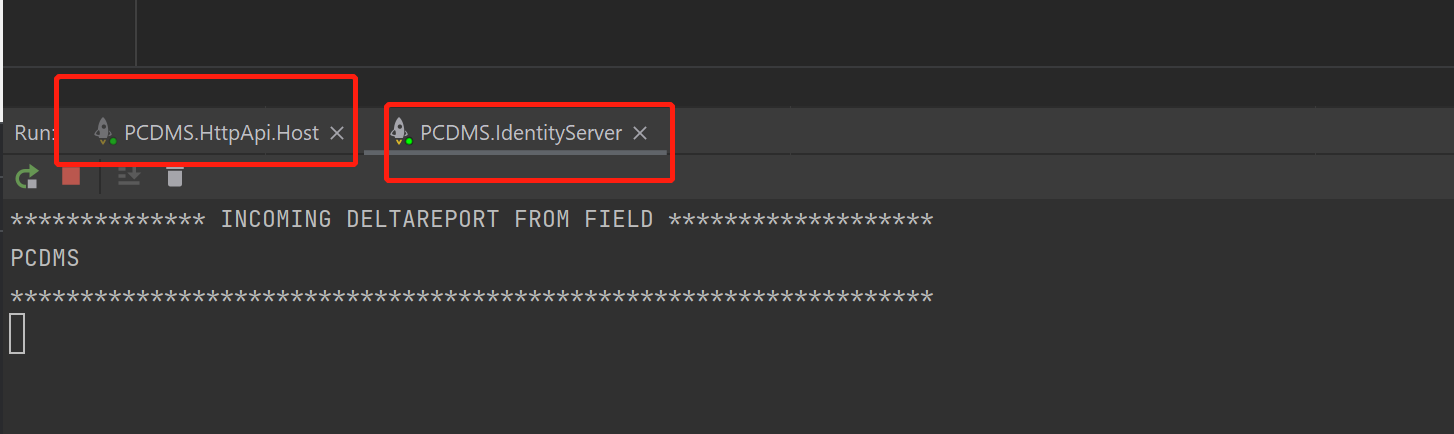
Because the
IdentityServeralso is an Event consumer, but the front-end connection toHttpApi.Host(SignalR server).You need make HttpApi.Host as the only Event consumer
 Markdown supported.Copy, paste, or drag & drop images and files (max 100 MB per file, 100 MB total per post)
 -
0
Or you can try SignalR backplane: https://docs.microsoft.com/en-us/aspnet/signalr/overview/performance/scaleout-in-signalr
Markdown supported.Copy, paste, or drag & drop images and files (max 100 MB per file, 100 MB total per post) -
0
Hi liangshiwei ,
Thx for your support. Your first solution is enouh for me. I think domain project is not right place for signalr. I will move it to application. It seems solving the problem.
Markdown supported.Copy, paste, or drag & drop images and files (max 100 MB per file, 100 MB total per post)


