






0
shijo created
- ABP Framework version: v5.103
- UI type: MVC
- DB provider: EF Core
- Tiered (MVC) or Identity Server Separated (Angular): yes
- Exception message and stack trace: An object accessor is registered before for type: Microsoft.AspNetCore.Builder.IApplicationBuilder, Microsoft.AspNetCore.Http.Abstractions, Version=6.0.0.0, Culture=neutral, PublicKeyToken=adb9793829ddae60
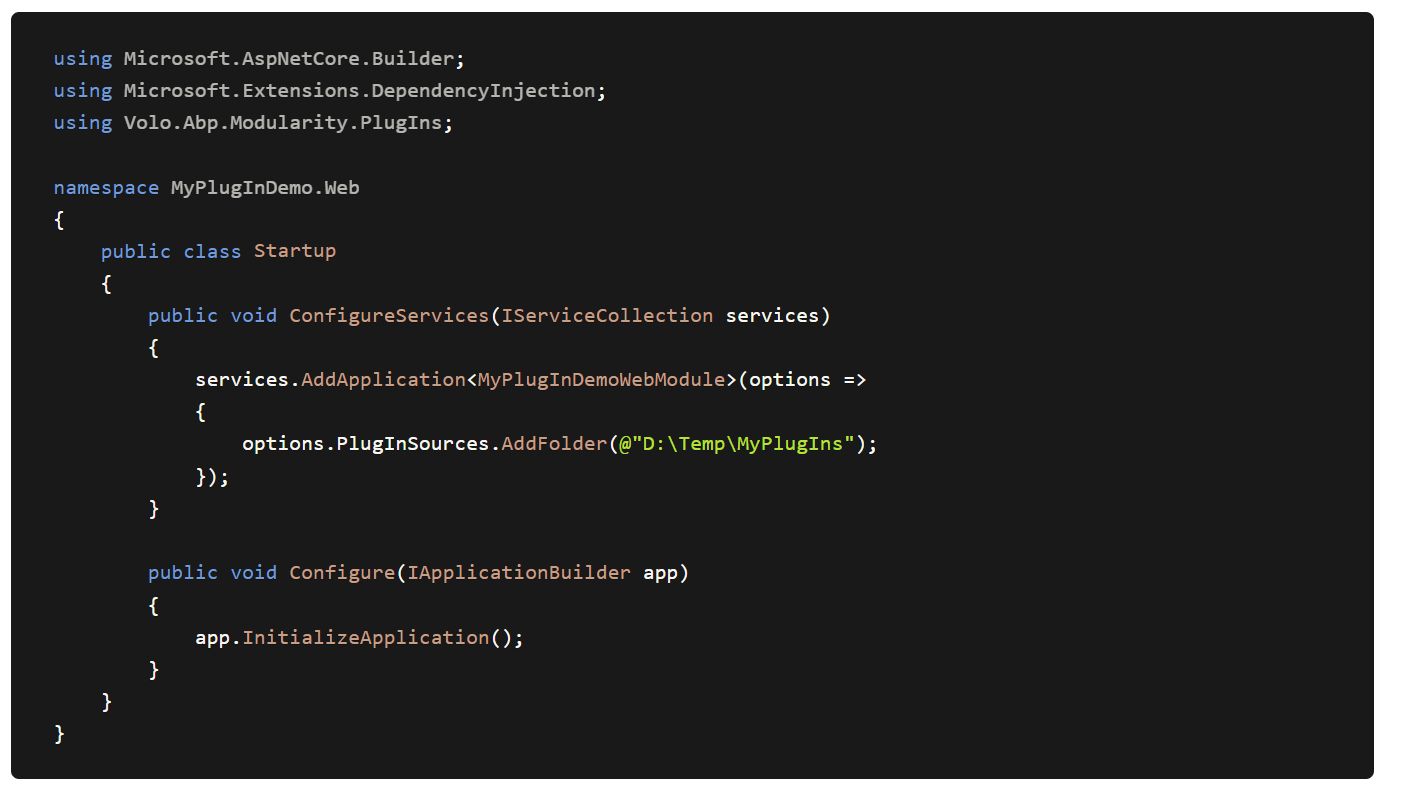
- Steps to reproduce the issue: As per the attached documentation, I am not able to find any startup file in MVC. I tried to implement this code in my ApplicationModule class "ConfigureServices" method, but I am getting exceptions. Where exactly do I have to place this code in MVC ?
*
Markdown supported.
Copy, paste, or drag & drop images and files (max 100 MB per file, 100 MB total per post)
2 Answer(s)
-
0
I placed the code in Program class Main Method, now its loading.
await builder.AddApplicationAsync<PlugInPOCWebModule>(options => { options.PlugInSources.Add(new FolderPlugInSource( @"D:\POCs\MyPlugIns")); });The issue is all plugins are loading on program start, How do I load plugins dynamically and lazily?
Markdown supported.Copy, paste, or drag & drop images and files (max 100 MB per file, 100 MB total per post) -
0


