10 Answer(s)
-
2
ABP Suite is served from the private NuGet webservice at https://nuget.abp.io So you need to add the parameter
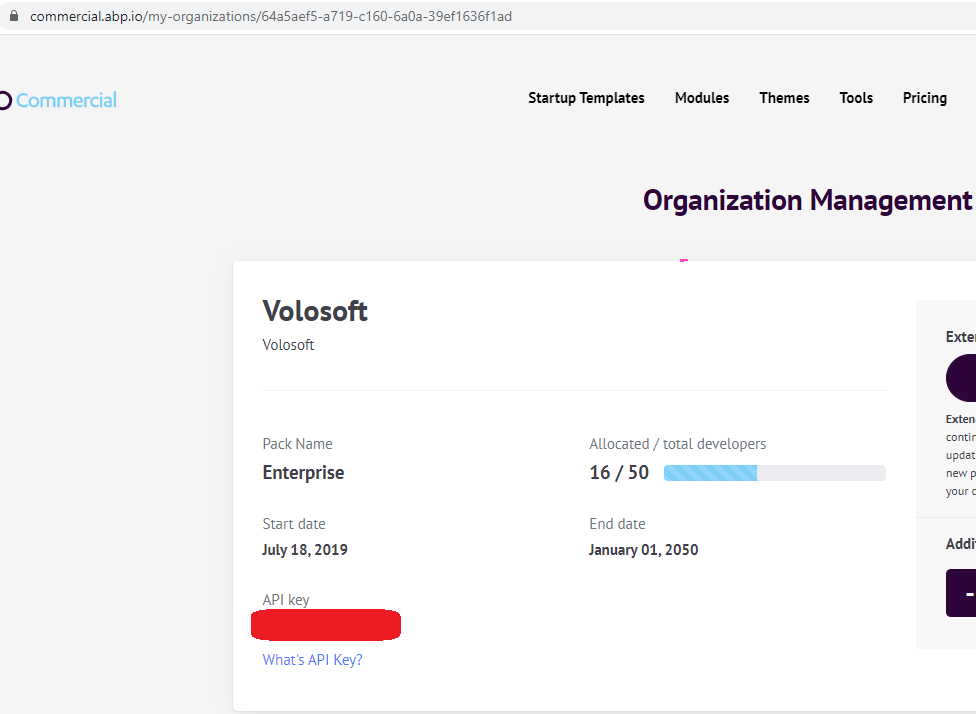
add-sourceto your command.dotnet tool install -g volo.abp.suite --version 2.9 --add-source https://nuget.abp.io/xxxxxxxxxxxxxx/v3/index.jsonYou need to add your private NuGet API key. You can find it from https://commercial.abp.io/my-organizations
 Markdown supported.Copy, paste, or drag & drop images and files (max 100 MB per file, 100 MB total per post)
 -
0
As of ABP CLI v4.0, you can use the following commands to install or update to a specific version of the Suite.
INSTALL SUITE
abp suite install --version 3.3.1UPDATE SUITE
abp suite update --v 4.0.0-rc.5Markdown supported.Copy, paste, or drag & drop images and files (max 100 MB per file, 100 MB total per post) -
0
Hi alper,
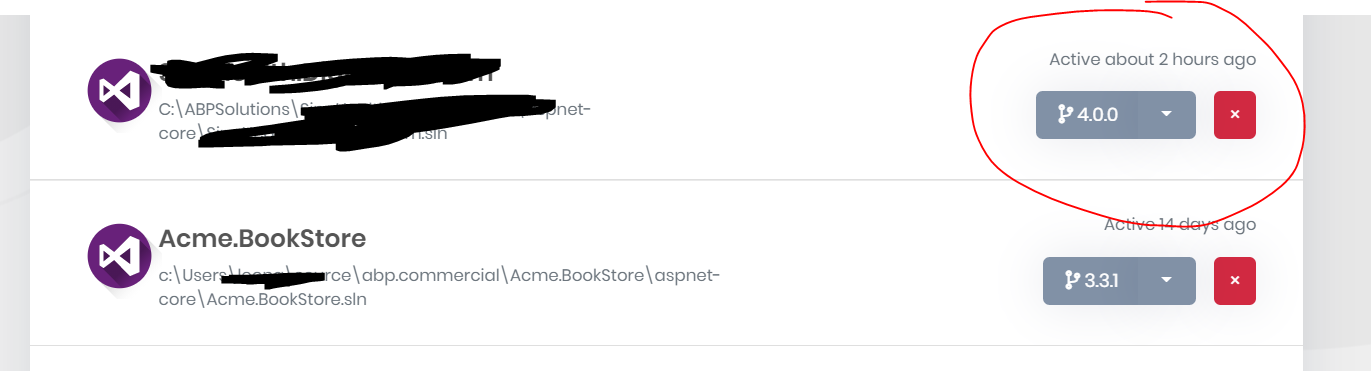
We need to use ABP version 3.3.2 in .NET Core 3.1 environment. As the ABP Suite automatically switch the version to 4.0.0, I have no way to do that. I got compilation error in generated code in VS 2019 as all Nuget packages required 4.0.0 Nuget packages.
I tried to follow your way to switch the version, but it didn't work. Can help?
PS C:> dotnet tool update -g Volo.Abp.Cli Tool 'volo.abp.cli' was successfully updated from version '3.3.1' to version '4.0.0'. PS C:> abp suite update --v 3.3.2 [15:34:40 INF] ABP CLI (https://abp.io) [15:34:41 INF] Version 4.0.0 (Stable) [15:34:43 INF] Updating ABP Suite... Tool 'volo.abp.suite' was reinstalled with the latest stable version (version '4.0.0').
Markdown supported.Copy, paste, or drag & drop images and files (max 100 MB per file, 100 MB total per post) -
0
Ok, I uninstall CLI, uninstall the Suite, and install the CLI 3.3.2 and the suite 3.3.2. They still generate the code targeting 4.0.0. I have also manually change the project version target in the appsettings.json. All cannot work. Please help.
Markdown supported.Copy, paste, or drag & drop images and files (max 100 MB per file, 100 MB total per post) -
0
@LeonTee
first of all you cannot use abp suite update command to downgrade to a specific Suite version. It only works at upgrade as I see you have installed the v3.3.2 sucessfully. but there's still ABP 4.0 packages in your bin & obj folder. close your Visual Studio and delete all bin & obj folders and make sure you have 3.3.2 in your *.csproj files.
Markdown supported.Copy, paste, or drag & drop images and files (max 100 MB per file, 100 MB total per post) -
0
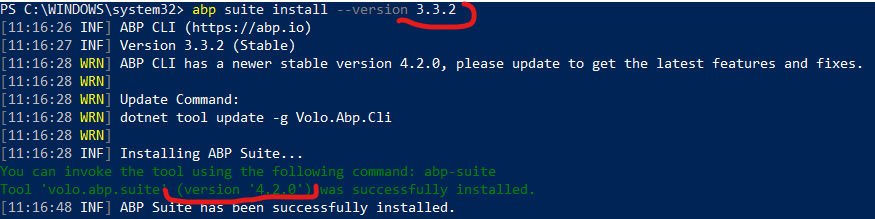
I also need ABP Suite 3.3.2 - I have all packages in the project and Abp Cli of this version. However, after I've uninstalled Abp Suite of the newest version (4.x) and try to install it again - supplying specific version parameter - I end up with this:
 Markdown supported.Copy, paste, or drag & drop images and files (max 100 MB per file, 100 MB total per post)
 -
0
@alexander,
the
--versionparameter came to ABP CLI after v4.0. so when you are using an older version than 4.0 you cannot use--versionparameter. use the below command:dotnet tool uninstall --global Volo.Abp.Suite dotnet tool install -g Volo.Abp.Suite --version 3.3.2 --add-source https://nuget.abp.io/<your-api-key>/v3/index.jsonMarkdown supported.Copy, paste, or drag & drop images and files (max 100 MB per file, 100 MB total per post) -
0
@alper,
thank you - I've installed version 3.3.2. But when I try to download "Modules" in Abp Suite - I still keep getting this animated progressbar and empty page:
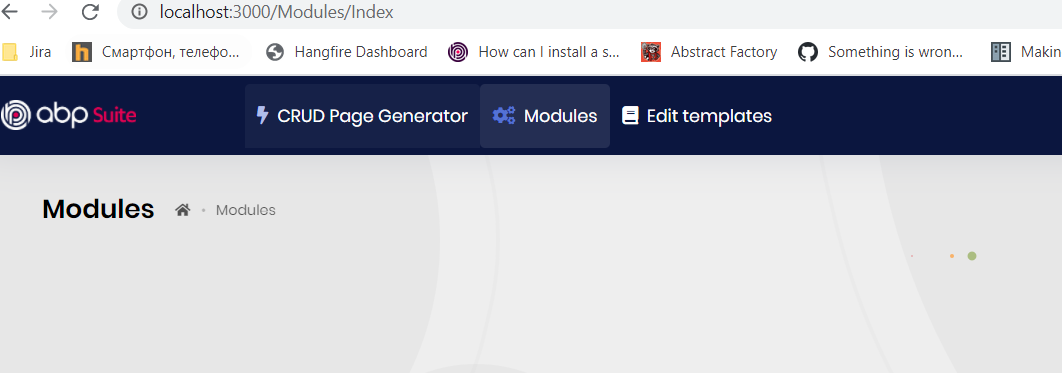
I have this issue for a while, but before I had incompatible version of CLI, packages, Suite. Now I have everything 3.3.2 and still the issue is there... Page refresh does not help, just in case.
Markdown supported.Copy, paste, or drag & drop images and files (max 100 MB per file, 100 MB total per post)