






Check the docs before asking a question: https://docs.abp.io/en/commercial/latest/ Check the samples, to see the basic tasks: https://docs.abp.io/en/commercial/latest/samples/index The exact solution to your question may have been answered before, please use the search on the homepage.
- ABP Framework version: vX.X.X
- UI type: Angular / MVC
- Tiered (MVC) or Identity Server Seperated (Angular): yes / no
- Exception message and stack trace:
- Steps to reproduce the issue:
I am getting the following eeror while running the Dashboard Demo from abp-samples.master
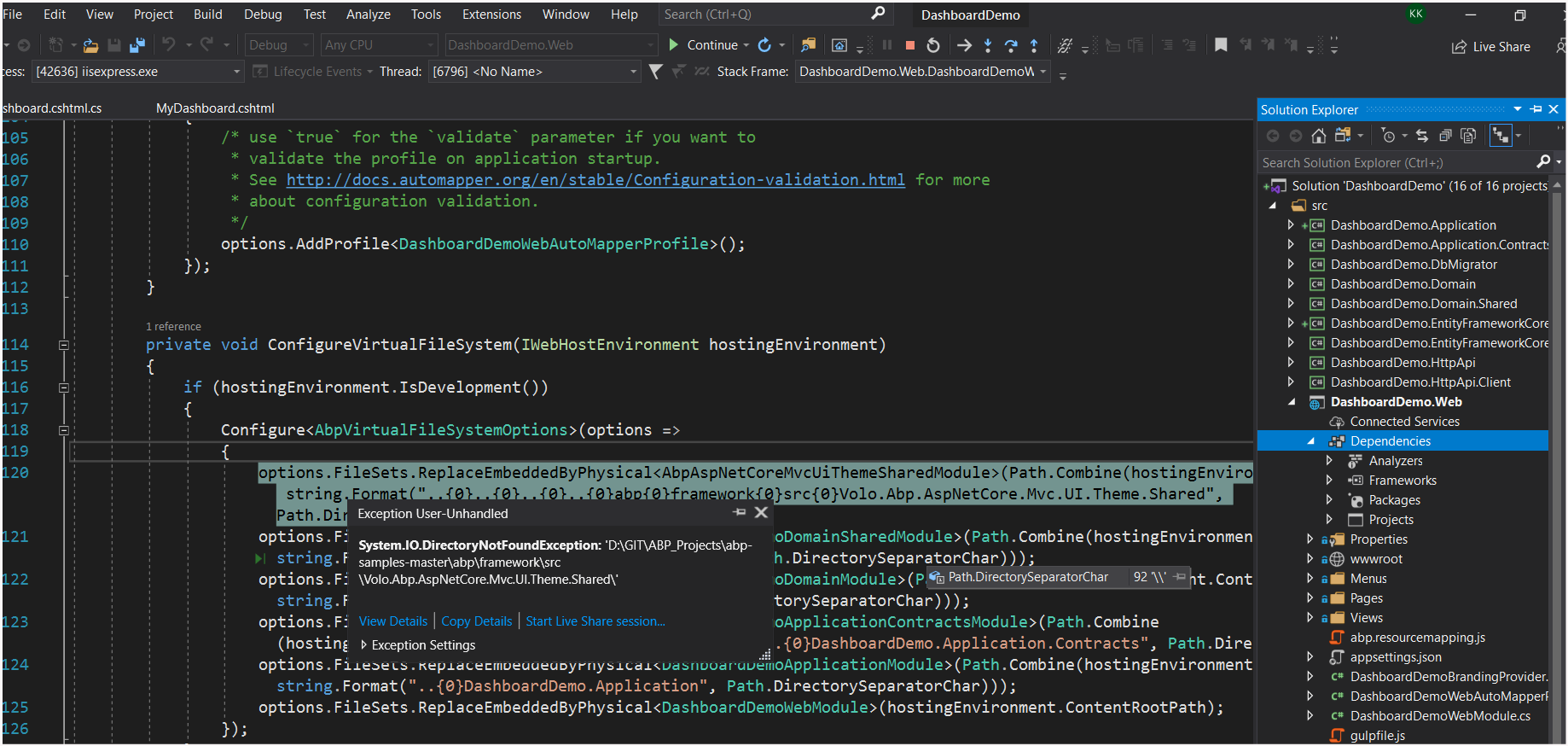
I just opened and run the demo without any changes.
I need to run this for refrence in order to build a custom dashboard.
4 Answer(s)
-
0
HI,
I will check it out.
Markdown supported.Copy, paste, or drag & drop images and files (max 100 MB per file, 100 MB total per post) -
0
Hi,
You can two options:
- Remove
options.FileSets.ReplaceEmbeddedByPhysical<AbpAspNetCoreMvcUiThemeSharedModule>.....code. - Download the abp source code and put it in the same directory as abp-samples.
Markdown supported.Copy, paste, or drag & drop images and files (max 100 MB per file, 100 MB total per post) - Remove
-
0
Yes i removed the above code and its working now. I can see the following dashboard
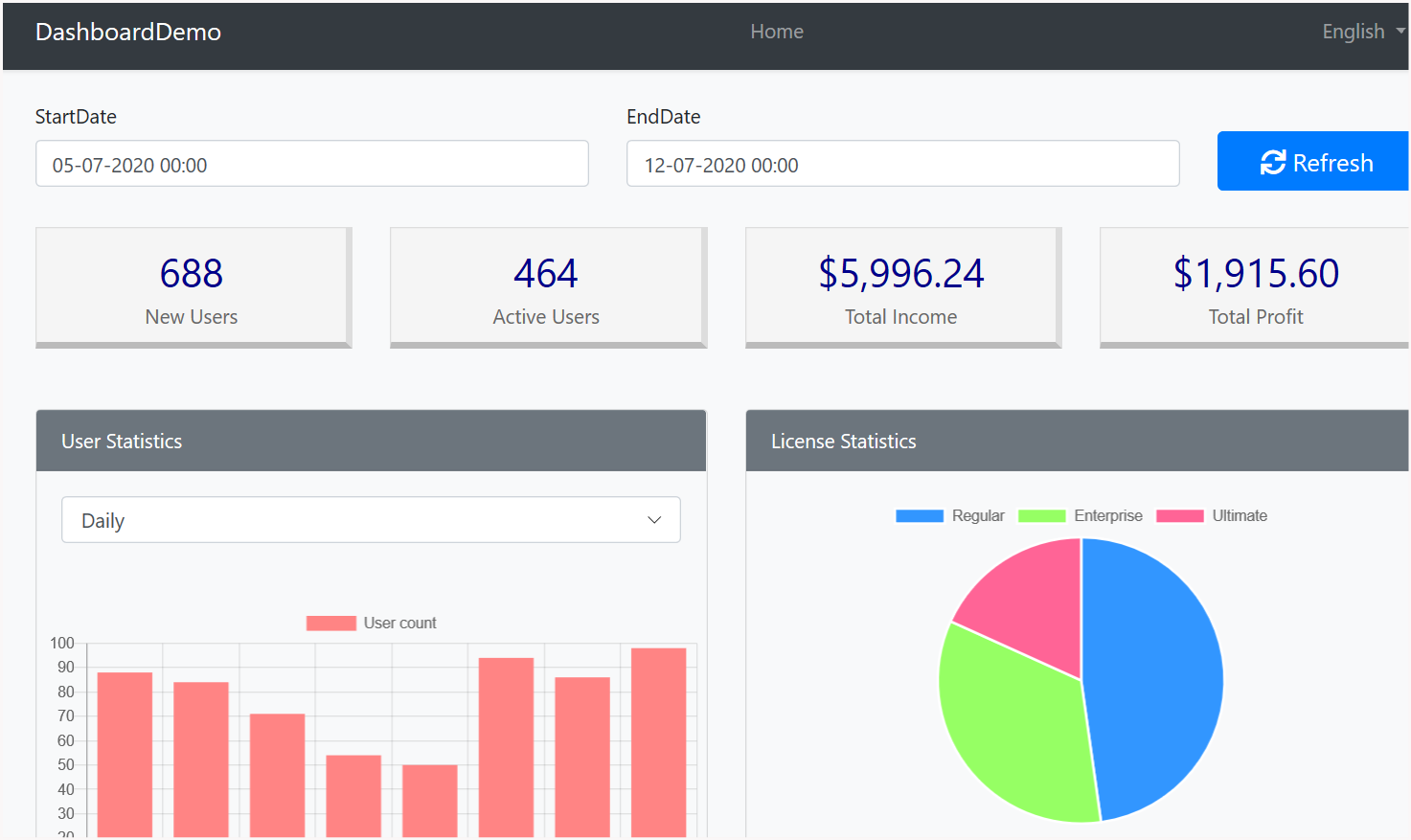
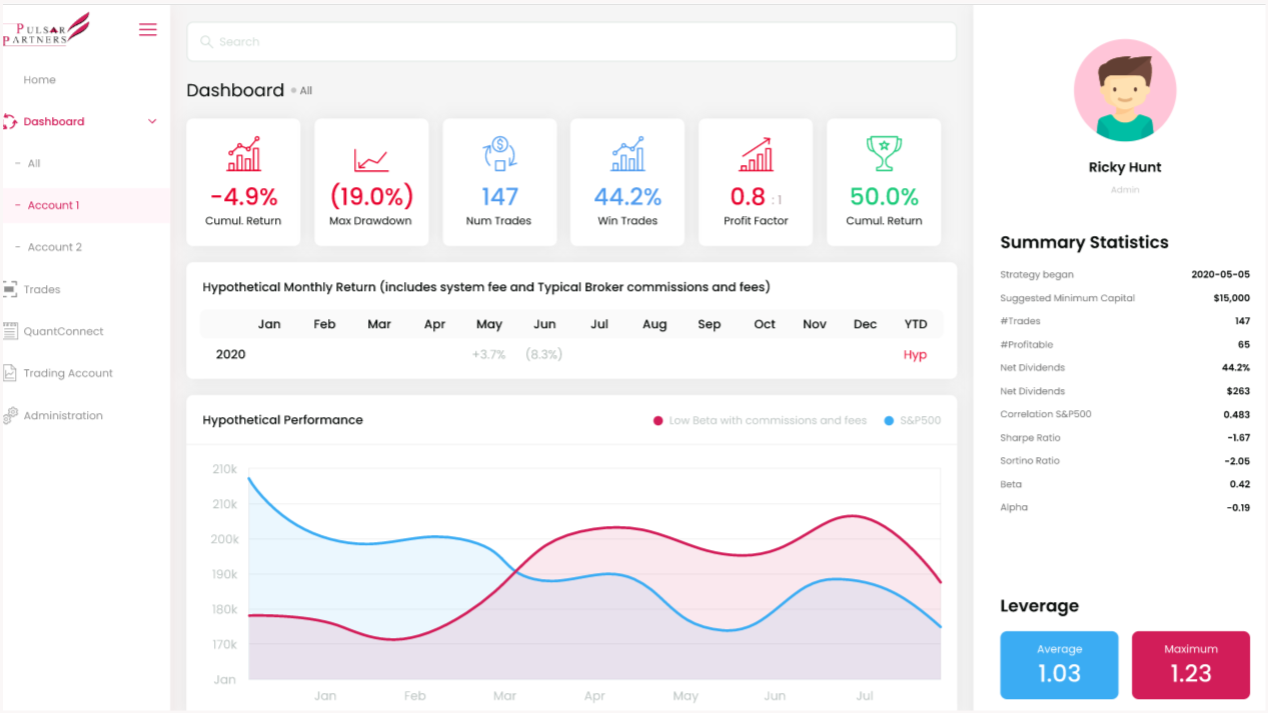
**I want to build a custom layout like the figure below for the dashboard. What is the best way to go ahead ? which source code module will i need to download to 1. modify existing dashboard layout or 2. To build a custom layout. Can you please provide some pointers ? **
 Markdown supported.Copy, paste, or drag & drop images and files (max 100 MB per file, 100 MB total per post)
 -
0
Hi,
You can customize the page, see : https://docs.abp.io/en/abp/latest/Customizing-Application-Modules-Overriding-User-Interface.
If you are using MVC UI, you can use virtual file explorer to see dashboard page source code.
Markdown supported.Copy, paste, or drag & drop images and files (max 100 MB per file, 100 MB total per post)


