






- ABP Framework version: v5.3.0-RC2
- UI type: MVC
- DB provider: EF Core
- Tiered (MVC) or Identity Server Separated (Angular): no
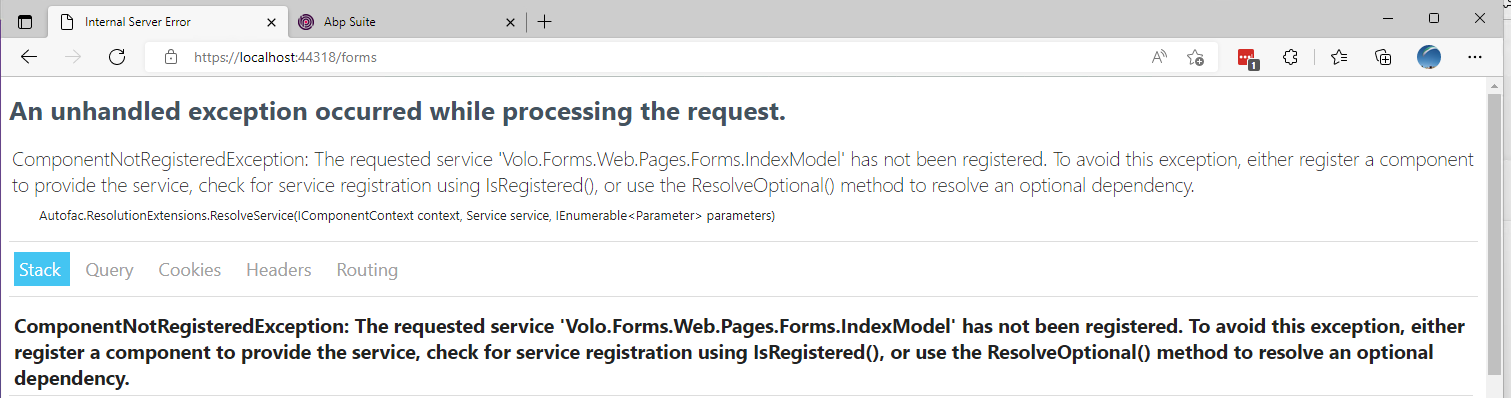
- Exception message and stack trace: An unhandled exception occurred while processing the request. ComponentNotRegisteredException: The requested service 'Volo.Forms.Web.Pages.Forms.IndexModel' has not been registered. To avoid this exception, either register a component to provide the service, check for service registration using IsRegistered(), or use the ResolveOptional() method to resolve an optional dependency. Autofac.ResolutionExtensions.ResolveService(IComponentContext context, Service service, IEnumerable<Parameter> parameters)
ComponentNotRegisteredException: The requested service 'Volo.Forms.Web.Pages.Forms.IndexModel' has not been registered. To avoid this exception, either register a component to provide the service, check for service registration using IsRegistered(), or use the ResolveOptional() method to resolve an optional dependency. Autofac.ResolutionExtensions.ResolveService(IComponentContext context, Service service, IEnumerable<Parameter> parameters) Volo.Abp.AspNetCore.Mvc.UI.RazorPages.ServiceBasedPageModelActivatorProvider+<>c__DisplayClass0_0.<CreateActivator>b__0(PageContext context) Microsoft.AspNetCore.Mvc.RazorPages.Infrastructure.DefaultPageModelFactoryProvider+<>c__DisplayClass3_0.<CreateModelFactory>b__0(PageContext pageContext) Microsoft.AspNetCore.Mvc.RazorPages.Infrastructure.PageActionInvoker.CreateInstance() Microsoft.AspNetCore.Mvc.RazorPages.Infrastructure.PageActionInvoker.Next(ref State next, ref Scope scope, ref object state, ref bool isCompleted) Microsoft.AspNetCore.Mvc.RazorPages.Infrastructure.PageActionInvoker.InvokeInnerFilterAsync()
- Steps to reproduce the issue:"
- Create a new project with ABP Suite 5.3.0-RC2
- Add the FROMS module using GUI (also tried with CLI)
- Forms is not present in the Menu. Trying with Path /Forms result in the error
Mikael
7 Answer(s)
-
0
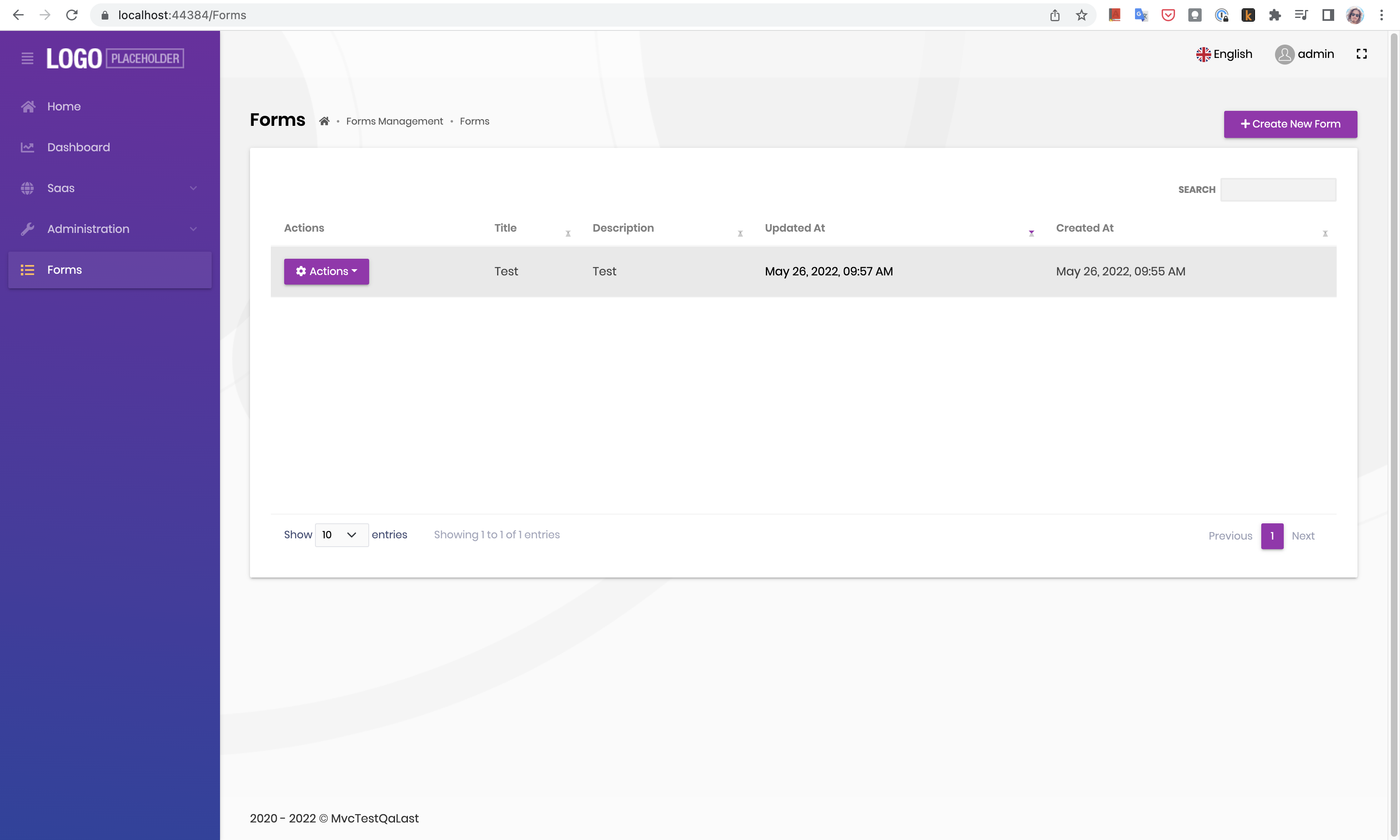
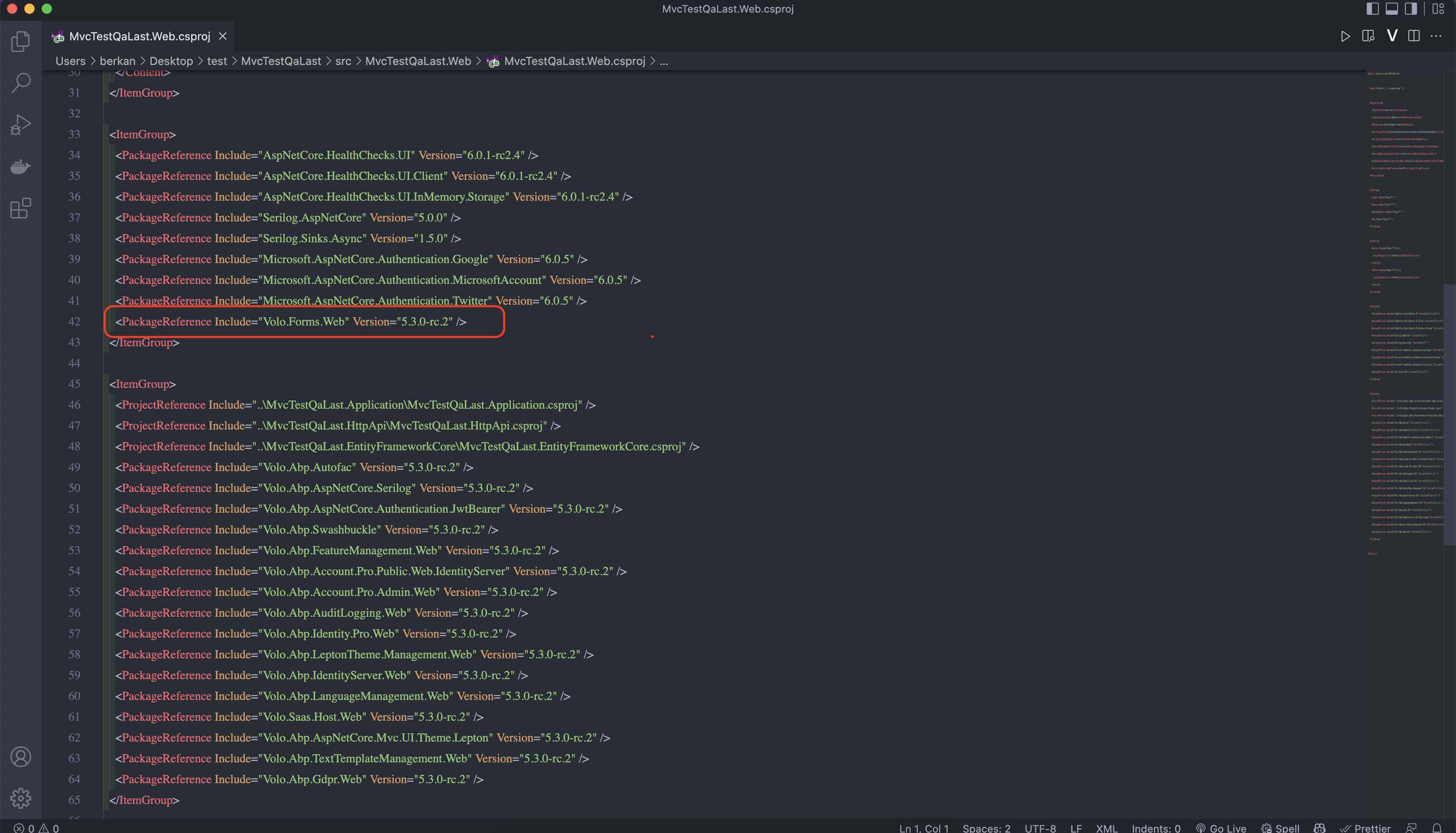
I could not reproduce the problem.
Here are my steps:
- Download template with
abp new MvcTestQaLast -t app-pro -cs -csf --previewcommand. - Run
MvcTestQaLast.DbMigratorproject. - Run
abp add-module Volo.Formscommand. - Run
MvcTestQaLast.Webproject.
Result:
 Markdown supported.Copy, paste, or drag & drop images and files (max 100 MB per file, 100 MB total per post)
 - Download template with
-
0
Hi, I tested again and now the Forms appears in the menu BUT when I publish a form WITHIN a tenant, the following message appears when trying to fill the form:
This issue is fixed and will be available in the next release.
Markdown supported.Copy, paste, or drag & drop images and files (max 100 MB per file, 100 MB total per post) -
0
5.3 final release ?
Markdown supported.Copy, paste, or drag & drop images and files (max 100 MB per file, 100 MB total per post) -
0
5.3 final release ?
It is under Q&A test right now. There are lots of upgrades related to multi-tenancy. If tests are succeeded, these updates will be released in 5.3 final.
Markdown supported.Copy, paste, or drag & drop images and files (max 100 MB per file, 100 MB total per post) -
0
Hi,
Thanks for the confirmation.
So, I close the question.
Markdown supported.Copy, paste, or drag & drop images and files (max 100 MB per file, 100 MB total per post)



