






Hi,
I want to do customization at the Users page, for now i want to change the format of some of returned data (creation date format or zone, user name or email...)
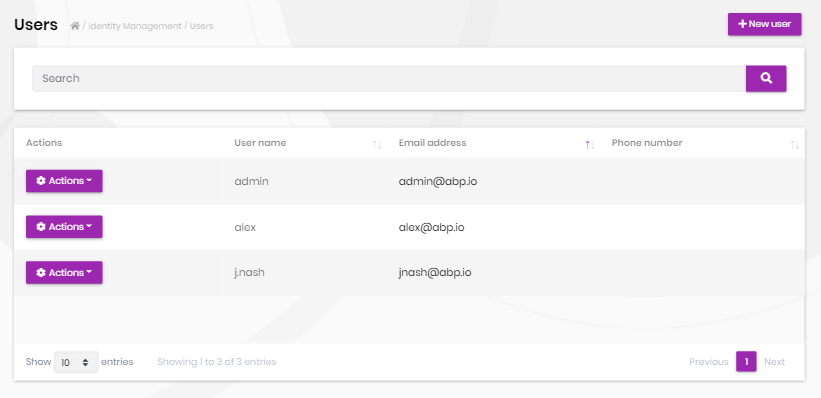
How can i do this please?
Thanks in advance
3 Answer(s)
-
0
Hi, you can override it by creating an Index.js file in the same directory of the module file (/Pages/Identity/Users/index.js) and copy the module content to that newly created file and make your changes.
- Index.js (/Pages/Identity/Users/index.js)
(function ($) {

    var l = abp.localization.getResource('AbpIdentity');

    //...

    abp.ui.extensions.tableColumns.get("identity.user").addContributor(
        function (columnList) {
            columnList.addManyTail(
                [
                    {
                        title: l('Actions'),
                        rowAction: {
                            items: abp.ui.extensions.entityActions.get("identity.user").actions.toArray()
                        }
                    },
                    //other fields
                    {
                        title: l('CreationTime'),
                        data: "creationTime",
                        dataFormat: "datetime" //change data format by your needs
                    },
                ]
            );
        },
        0 //adds as the first contributor
    );

    //...
})(jQuery);
Please see the following resources for more:
- https://docs.abp.io/en/abp/5.3/UI/AspNetCore/Customization-User-Interface
- https://docs.abp.io/en/abp/5.3/UI/AspNetCore/Entity-Action-Extensions
- https://docs.abp.io/en/abp/5.3/UI/AspNetCore/Data-Table-Column-Extensions
Markdown supported.Copy, paste, or drag & drop images and files (max 100 MB per file, 100 MB total per post) -
0
what if I wanted to do my changes at server side not JavaScript?
The same is also valid for razor pages and etc.. You only need to create a new razor page/class on the same path and change by your needs.
Please check the https://docs.abp.io/en/abp/5.3/UI/AspNetCore/Customization-User-Interface?_ga=2.135766769.1926299507.1654164050-344190752.1654164050#overriding-a-page .
Markdown supported.Copy, paste, or drag & drop images and files (max 100 MB per file, 100 MB total per post)


