






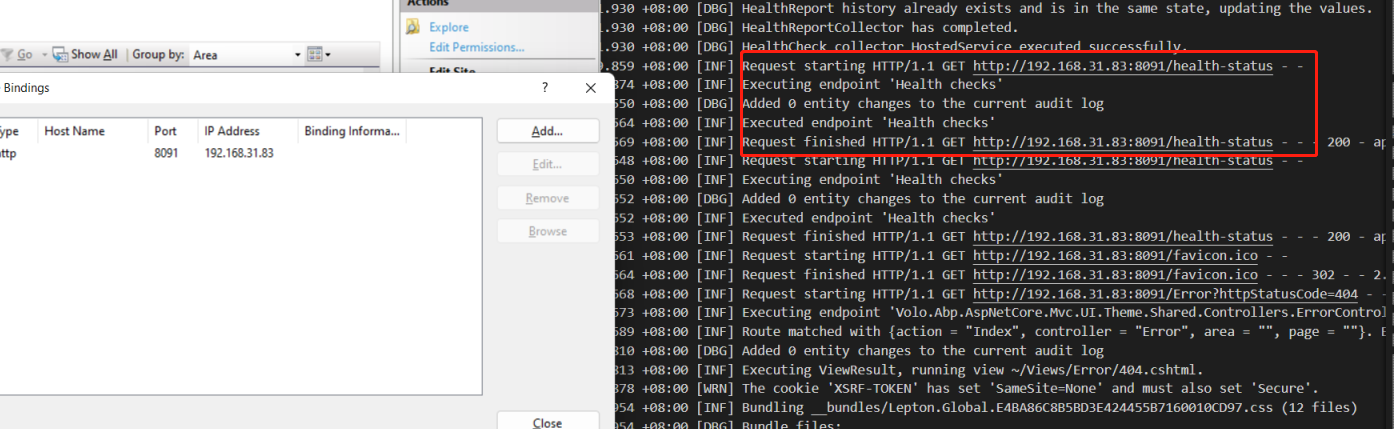
I have a domain name, and the following is my binding info.
 Please note that I have to configure binding like that, so i want to fix the following log:
2022-06-26 18:58:58.423 +03:00 [INF] Executing endpoint 'Health checks' 2022-06-26 18:58:58.428 +03:00 [INF] Executed endpoint 'Health checks' 2022-06-26 18:58:58.428 +03:00 [INF] Request finished HTTP/0.9 GET https:///health-check - - - 200 - - 8.5607ms 2022-06-26 18:59:00.180 +03:00 [INF] Request starting HTTP/0.9 GET https:///health-check - - 2022-06-26 18:59:00.184 +03:00 [WRN] Invalid URI: The hostname could not be parsed. System.UriFormatException: Invalid URI: The hostname could not be parsed. at System.Uri.CreateThis(String uri, Boolean dontEscape, UriKind uriKind, UriCreationOptions& creationOptions) at System.Uri..ctor(String uriString) at System.UriBuilder.get_Uri() at Volo.Abp.AspNetCore.Auditing.AspNetCoreAuditLogContributor.BuildUrl(HttpContext httpContext) at Volo.Abp.AspNetCore.Auditing.AspNetCoreAuditLogContributor.PreContribute(AuditLogContributionContext context) at Volo.Abp.Auditing.AuditingHelper.ExecutePreContributors(AuditLogInfo auditLogInfo)
9 Answer(s)
-
0
Hi,
- Steps to reproduce the issue:"
Markdown supported.Copy, paste, or drag & drop images and files (max 100 MB per file, 100 MB total per post) -
0
Hi,
I could not reproduce the problem. can you please provide the steps? thanks.
 Markdown supported.Copy, paste, or drag & drop images and files (max 100 MB per file, 100 MB total per post)
 -
0
Hi,
I could not reproduce the problem. can you please provide the steps? thanks.
In Bindings, i want you don't provide IP address and make it "*" inside IP address? For me on port 443, i don't provide IP address. Plz see the below image
 Markdown supported.Copy, paste, or drag & drop images and files (max 100 MB per file, 100 MB total per post)
 -
0
Hi,
You can check the discussion here: https://github.com/Xabaril/AspNetCore.Diagnostics.HealthChecks/issues/700#issuecomment-745881226
You can try:
var healthChecksUiBuilder = services.AddHealthChecksUI(settings =>
{
    settings.AddHealthCheckEndpoint("MyProjectName Health Status", "https://yourwebsite.com/health-status");
});

services.MapHealthChecksUiEndpoints(options =>
{
    options.UIPath = "https://yourwebsite.com/health-ui";
    options.ApiPath = "https://yourwebsite.com/health-api";
});
Markdown supported.Copy, paste, or drag & drop images and files (max 100 MB per file, 100 MB total per post) -
0
Hi,
You can check the discussion here: https://github.com/Xabaril/AspNetCore.Diagnostics.HealthChecks/issues/700#issuecomment-745881226
You can try:
var healthChecksUiBuilder = services.AddHealthChecksUI(settings =>
{
    settings.AddHealthCheckEndpoint("MyProjectName Health Status", "https://yourwebsite.com/health-status");
});

services.MapHealthChecksUiEndpoints(options =>
{
    options.UIPath = "https://yourwebsite.com/health-ui";
    options.ApiPath = "https://yourwebsite.com/health-api";
});
Hi,
Sorry for my late reply. Thanks for your info.
If i input full url like the following. I will get an error
var healthChecksUiBuilder = services.AddHealthChecksUI(settings => { settings.AddHealthCheckEndpoint("MyProjectName Health Status", "https://yourwebsite.com/health-status"); });
services.MapHealthChecksUiEndpoints(options => { options.UIPath = "https://yourwebsite.com/health-ui"; options.ApiPath = "https://yourwebsite.com/health-api"; });
Here is error:
Volo.Abp.AbpInitializationException: An error occurred during the initialize Volo.Abp.Modularity.OnApplicationInitializationModuleLifecycleContributor phase of the module MyProject.Web.MyProjectWebModule, MyProject.Web, Version=1.0.0.0, Culture=neutral, PublicKeyToken=null: The value for customized path can't be null and need to start with / character. (Parameter 'ApiPath'). See the inner exception for details. ---> System.ArgumentException: The value for customized path can't be null and need to start with / character. (Parameter 'ApiPath') at Microsoft.AspNetCore.Builder.EndpointRouteBuilderExtensions.<>c.<EnsureValidApiOptions>b__1_0(String path, String argument) at Microsoft.AspNetCore.Builder.EndpointRouteBuilderExtensions.EnsureValidApiOptions(Options options) at Microsoft.AspNetCore.Builder.EndpointRouteBuilderExtensions.MapHealthChecksUI(IEndpointRouteBuilder builder, Action
1 setupOptions) at MyProject.Web.HealthChecks.HealthChecksBuilderExtensions.<>c__DisplayClass4_0.<MapHealthChecksUiEndpoints>b__1(EndpointRouteBuilderContext endpointContext) in D:\app\dotnet6\Backup\MyProject - 5.2\dashboard-master\src\MyProject.Web\HealthChecks\HealthChecksBuilderExtensions.cs:line 93 at Microsoft.AspNetCore.Builder.AbpAspNetCoreApplicationBuilderExtensions.<>c__DisplayClass0_0.<UseConfiguredEndpoints>b__0(IEndpointRouteBuilder endpoints) at Microsoft.AspNetCore.Builder.EndpointRoutingApplicationBuilderExtensions.UseEndpoints(IApplicationBuilder builder, Action1 configure) at Microsoft.AspNetCore.Builder.AbpAspNetCoreApplicationBuilderExtensions.UseConfiguredEndpoints(IApplicationBuilder app, Action`1 additionalConfigurationAction) at MyProject.Web.MyProjectWebModule.OnApplicationInitialization(ApplicationInitializationContext context) in D:\app\dotnet6\Backup\MyProject - 5.2\dashboard-master\src\MyProject.Web\MyProjectWebModule.cs:line 811 at Volo.Abp.Modularity.AbpModule.OnApplicationInitializationAsync(ApplicationInitializationContext context) at Volo.Abp.Modularity.OnApplicationInitializationModuleLifecycleContributor.InitializeAsync(ApplicationInitializationContext context, IAbpModule module) at Volo.Abp.Modularity.ModuleManager.InitializeModulesAsync(ApplicationInitializationContext context) --- End of inner exception stack trace --- at Volo.Abp.Modularity.ModuleManager.InitializeModulesAsync(ApplicationInitializationContext context) at Volo.Abp.AbpApplicationBase.InitializeModulesAsync() at Volo.Abp.AbpApplicationWithExternalServiceProvider.InitializeAsync(IServiceProvider serviceProvider) at Microsoft.AspNetCore.Builder.AbpApplicationBuilderExtensions.InitializeApplicationAsync(IApplicationBuilder app) at MyProject.Web.Program.Main(String[] args) in D:\app\dotnet6\Backup\MyProject - 5.2\dashboard-master\src\MyProject.Web\Program.cs:line 40Markdown supported.Copy, paste, or drag & drop images and files (max 100 MB per file, 100 MB total per post) -
0
Hi,
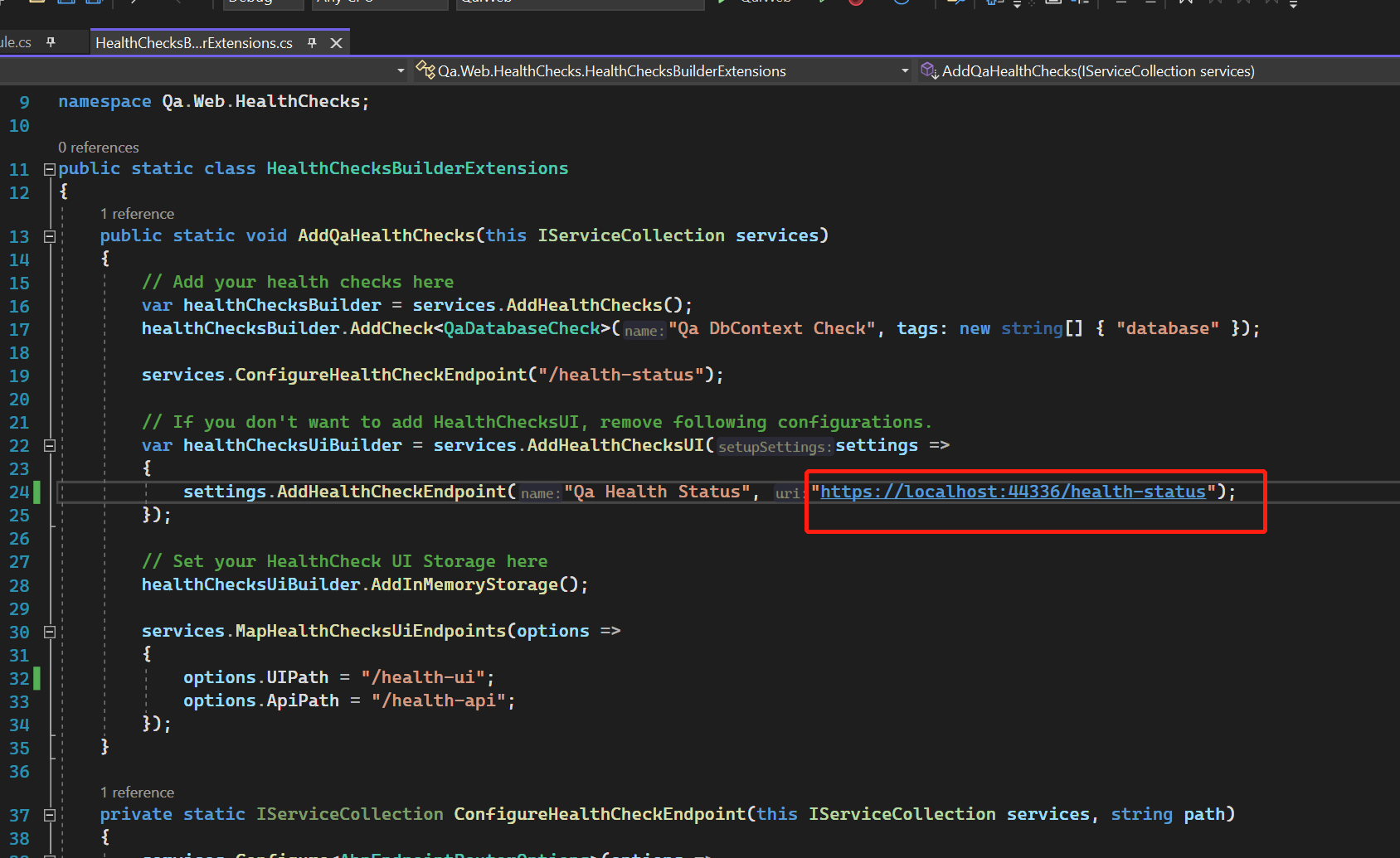
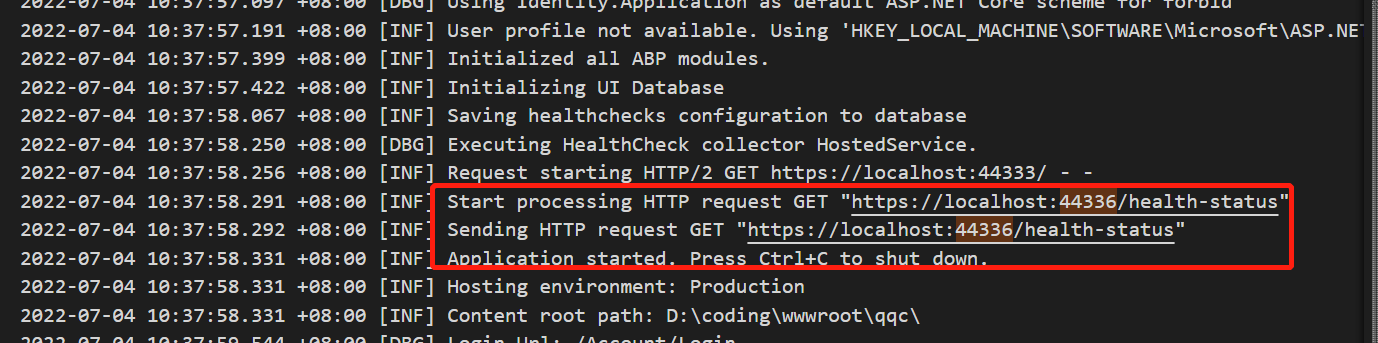
Is this work for you?
 Markdown supported.Copy, paste, or drag & drop images and files (max 100 MB per file, 100 MB total per post)
 -
0
Hi,
You can try this:
{
    "HealthChecks":{
        "Name": "MyProjectName Health Status",
        "Uri": "https://xxxxxx/health-status"
      }
}
.... var configuration = services.GetConfiguration(); ... var healthChecksUiBuilder = services.AddHealthChecksUI(settings => { settings.AddHealthCheckEndpoint(configuration["HealthChecks:Name"], configuration["HealthChecks:Uri"]); });Markdown supported.Copy, paste, or drag & drop images and files (max 100 MB per file, 100 MB total per post)


