






0
lizhaofeng created
- ABP Framework version: v5.3.3
- UI type: Blazor
- DB provider: EF Core
- Tiered (MVC) or Identity Server Separated (Angular): yes
- Exception message and stack trace:
- Steps to reproduce the issue:"
Hi,
The same code that uses the Modal control in the commercial version of the Autocomplete control will show an exception, and the following is the code block
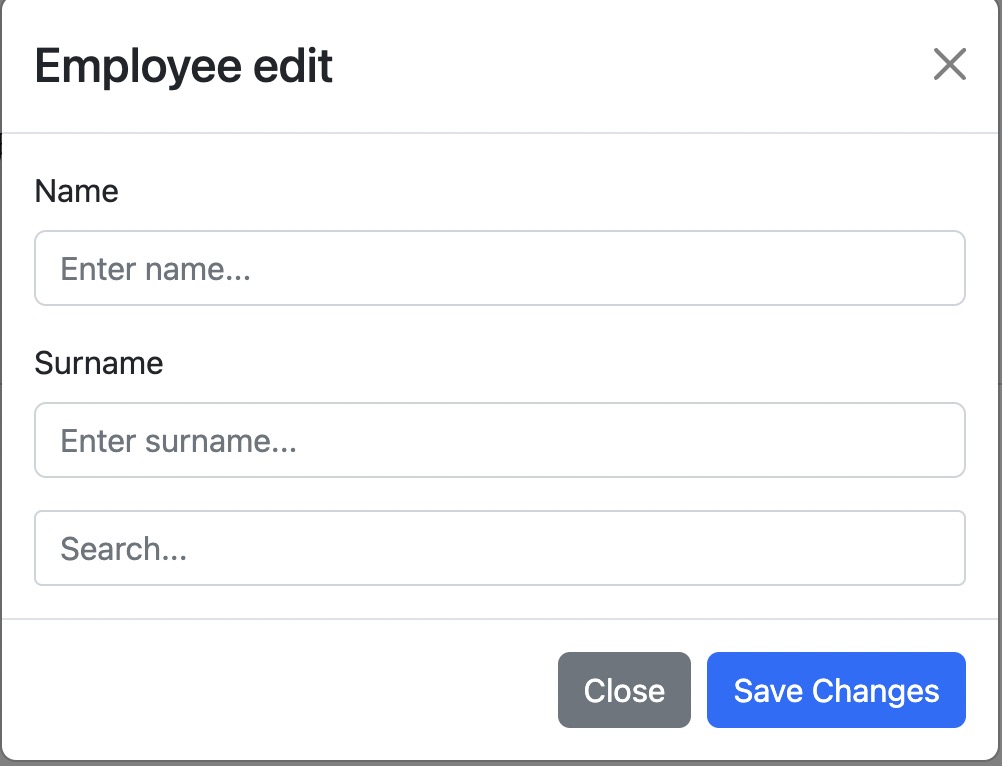
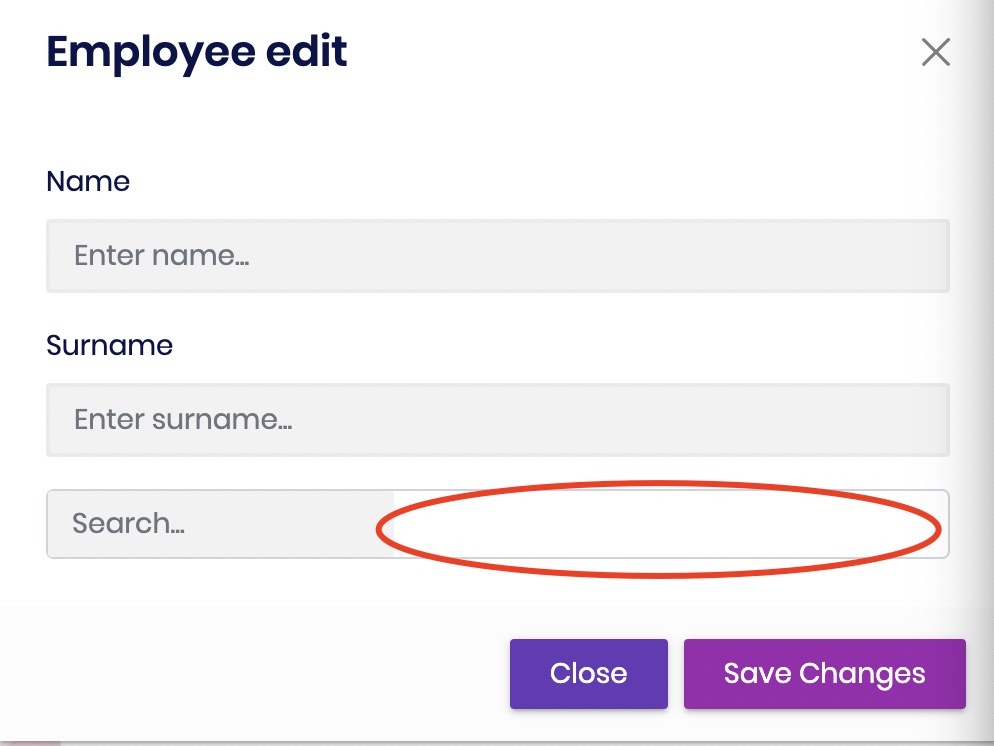
<Button Color="Color.Primary" Clicked="@ShowModal" >@L["Approval"]</Button>
<Modal @ref="modalRef">
    <ModalContent Centered>
        <ModalHeader>
            <ModalTitle>Employee edit</ModalTitle>
            <CloseButton />
        </ModalHeader>
        <ModalBody>
            <Field>
                <FieldLabel>Name</FieldLabel>
                <TextEdit Placeholder="Enter name..." />
            </Field>
            <Field>
                <FieldLabel>Surname</FieldLabel>
                <TextEdit Placeholder="Enter surname..." />
            </Field>
            <Autocomplete TItem="Country"
                          TValue="string"
                          Data="@Countries"
                          TextField="@(( item ) => item.Name)"
                          ValueField="@(( item ) => item.NameValue)"
                          Placeholder="Search..."
                          Multiple
                          FreeTyping
                          @bind-SelectedValues="multipleSelectionData"
                          @bind-SelectedTexts="multipleSelectionTexts">
            </Autocomplete>
        </ModalBody>
        <ModalFooter>
            <Button Color="Color.Secondary" Clicked="@HideModal">Close</Button>
            <Button Color="Color.Primary" Clicked="@HideModal">Save Changes</Button>
        </ModalFooter>
    </ModalContent>
</Modal>
public class Country
{
    public string Name { get; set; }

    public string NameValue { get; set; }
}


private Modal modalRef;
public IEnumerable<Country> Countries;

protected override async Task OnInitializedAsync()
{

    multipleSelectionData = new List<string>() {  };
    await base.OnInitializedAsync();
}

List<string> multipleSelectionData;
List<string> multipleSelectionTexts = new();


private async Task ShowModal()
{
    await modalRef.Show();
}

private Task HideModal()
{
    return modalRef.Hide();
}
Markdown supported.
Copy, paste, or drag & drop images and files (max 100 MB per file, 100 MB total per post)
6 Answer(s)
-
0
Hi,
I will check it out.
Markdown supported.Copy, paste, or drag & drop images and files (max 100 MB per file, 100 MB total per post) -
0
Hi,
You can add the following code to
blazor-global-styles.css.b-is-autocomplete.b-is-autocomplete-multipleselection > input.form-control { width: 100% !important; }Markdown supported.Copy, paste, or drag & drop images and files (max 100 MB per file, 100 MB total per post) -
0
it's normal without entering any content. but there is still a problem with control display when content were selected.
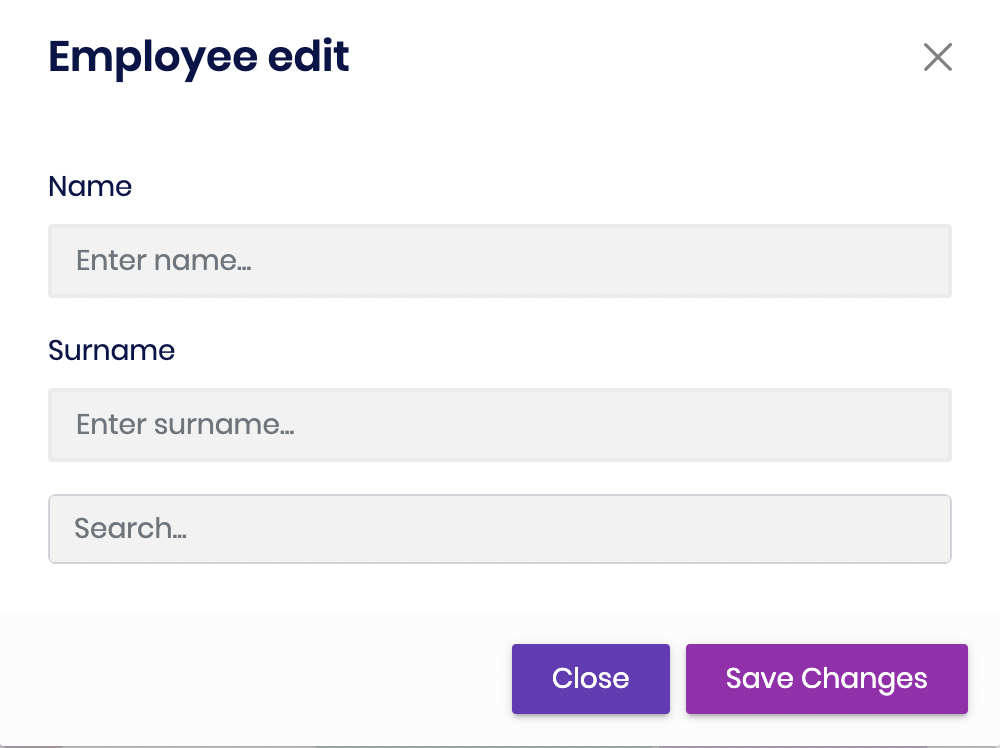
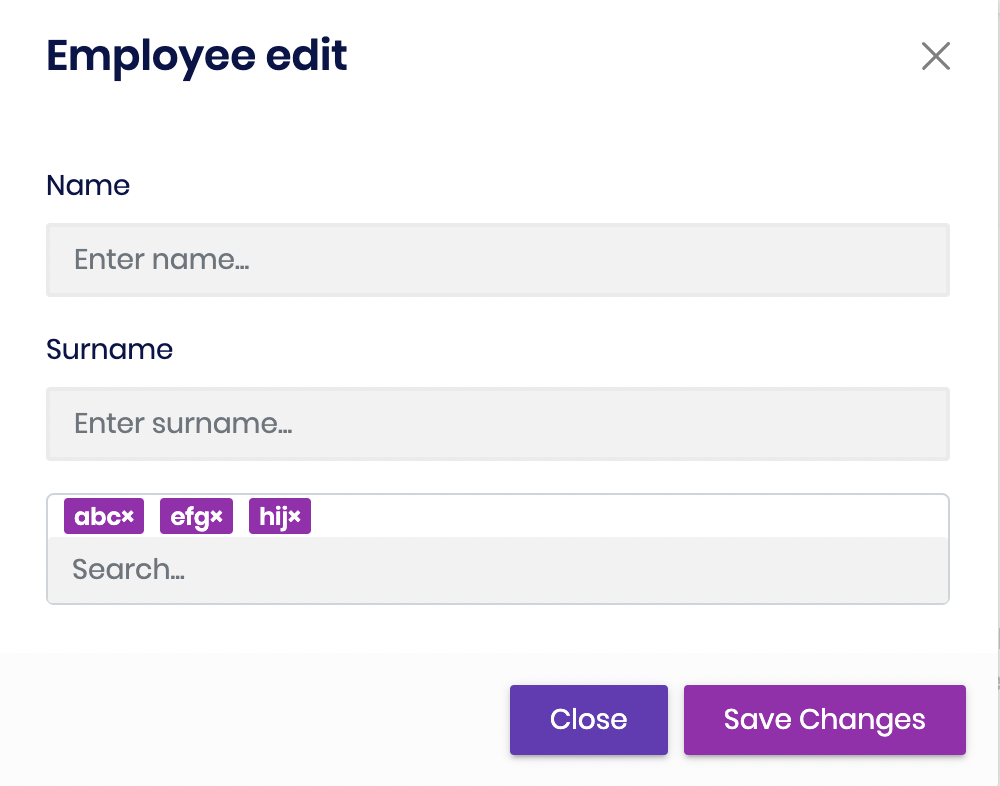 Markdown supported.Copy, paste, or drag & drop images and files (max 100 MB per file, 100 MB total per post)
 -
0
Hi,
This is a style problem, we will try fix it.
Please delete the previous code try this:
.b-is-autocomplete.b-is-autocomplete-multipleselection
{
    background: #f2f2f2 !important;
}

.b-is-autocomplete.b-is-autocomplete-multipleselection > input.form-control:focus, .b-is-autocomplete.b-is-autocomplete-multipleselection > input.form-control:active{
    background: #f2f2f2 !important;
    border: 0 !important;
    box-shadow: 0 0 0 0 !important;
}
Markdown supported.Copy, paste, or drag & drop images and files (max 100 MB per file, 100 MB total per post) -
0
Your ticket refunded.
Markdown supported.Copy, paste, or drag & drop images and files (max 100 MB per file, 100 MB total per post) -
0
Hi,
This is a style problem, we will try fix it.
Please delete the previous code try this:
.b-is-autocomplete.b-is-autocomplete-multipleselection
{
    background: #f2f2f2 !important;
}

.b-is-autocomplete.b-is-autocomplete-multipleselection > input.form-control:focus, .b-is-autocomplete.b-is-autocomplete-multipleselection > input.form-control:active{
    background: #f2f2f2 !important;
    border: 0 !important;
    box-shadow: 0 0 0 0 !important;
}
Thank you so much.
Markdown supported.Copy, paste, or drag & drop images and files (max 100 MB per file, 100 MB total per post)


