






I have a problem with add File Management module to exist abp solution. So I try to add File Management to newly create abp solution instead. By the way after following the steps in File Management Module document(here). I still cannot add File Management menu to abp solution. Please advise.
- ABP Framework version: v3.0.5
- UI type: Angular
- Tiered (MVC) or Identity Server Seperated (Angular): no
- Exception message and stack trace:
- Steps to reproduce the issue:
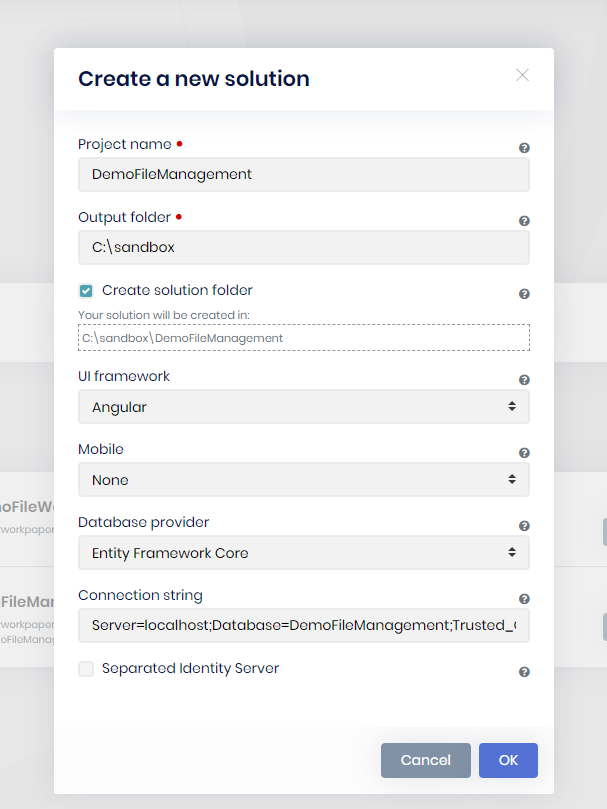
1)Create new abp solution from abp suite and choose setting as below image.
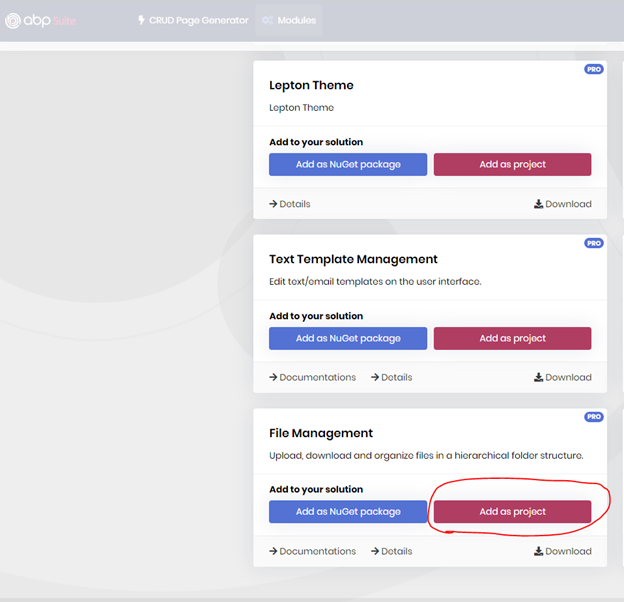
 2)Go to Modules menu and add File Management module by "Add as project" as below image.
3)Run DbMigrator in aspnet-core solution.
4)Run HttpApi.Host project in aspnet-core solution.
5)Run yarn install in angular folder.
6)Run yarn start to start local server.
7)Log in using admin username and use default password.
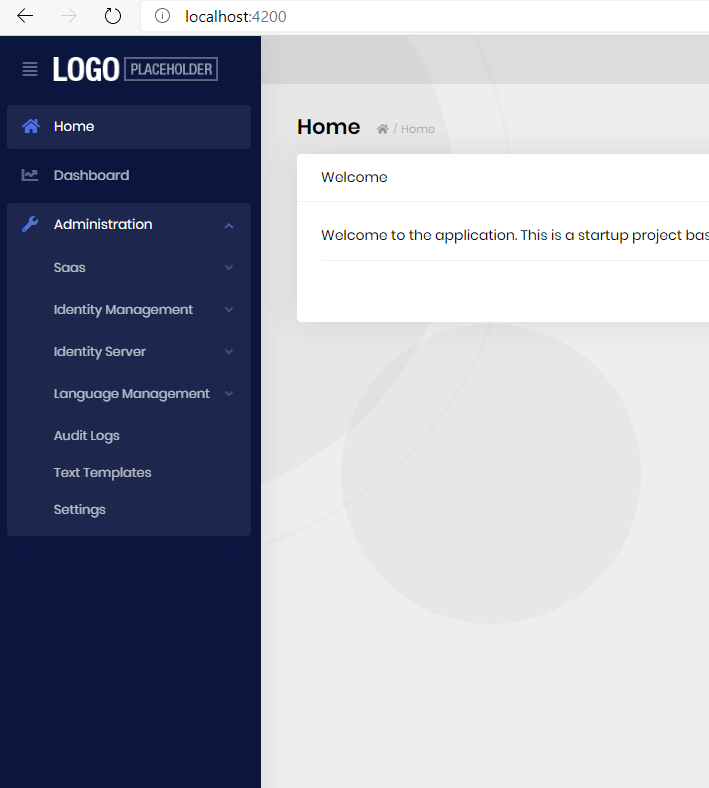
8)Cannot find any File Management menu inside any left side menu.
5 Answer(s)
-
0
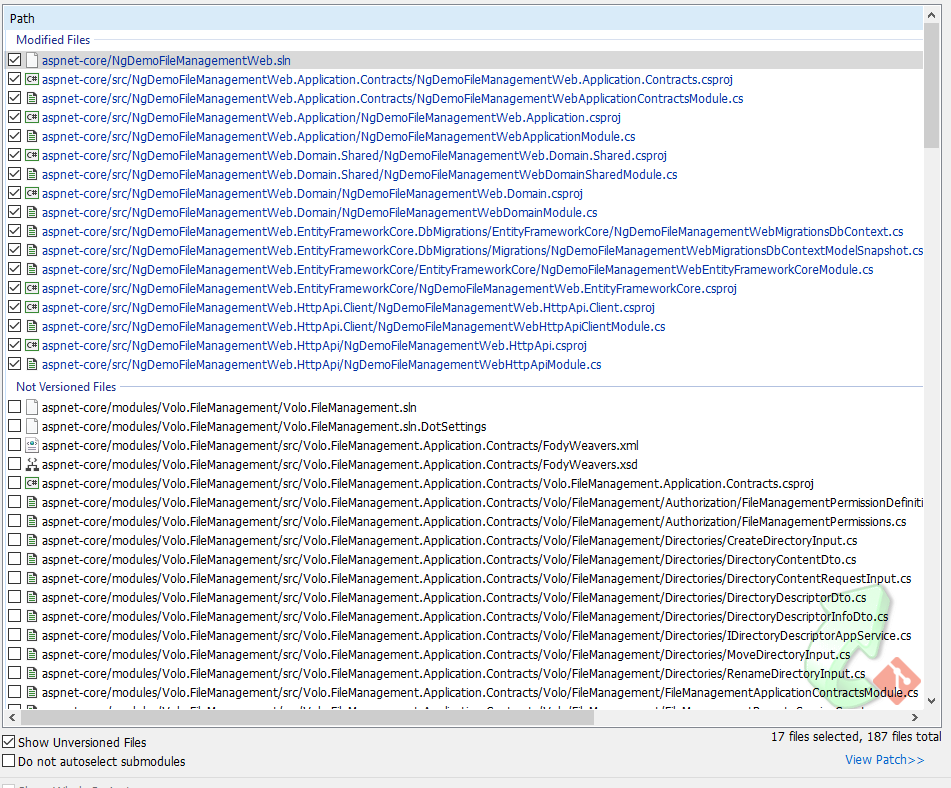
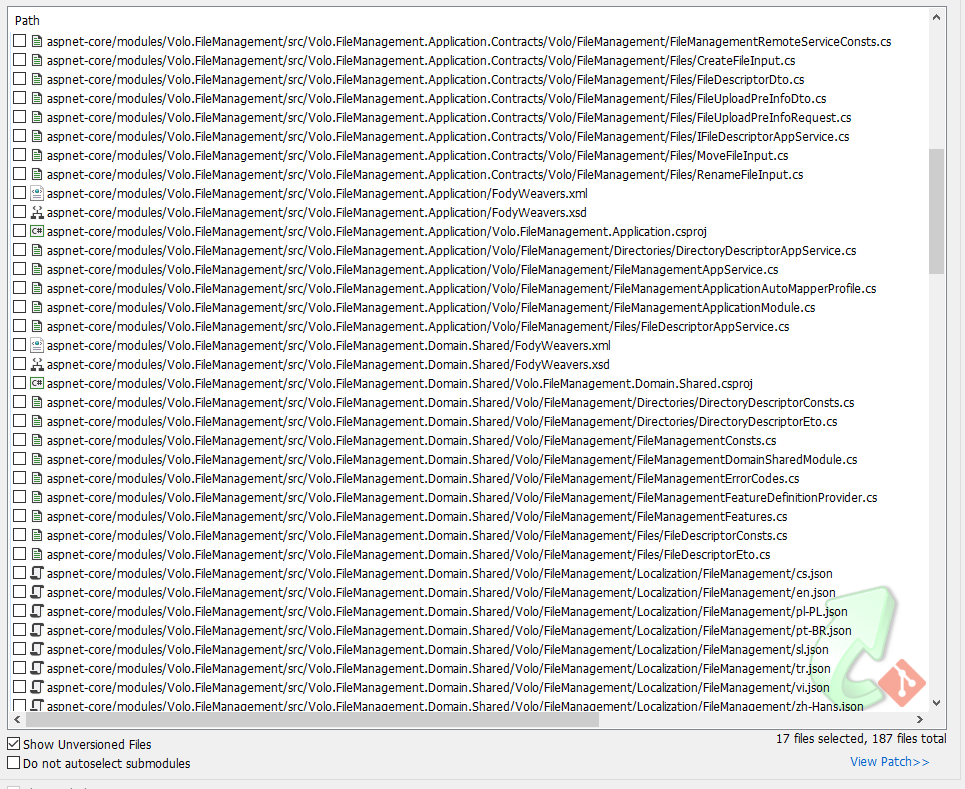
Yes it was added and change many files as following images.
 Markdown supported.Copy, paste, or drag & drop images and files (max 100 MB per file, 100 MB total per post)
 -
0
I think if you follow my reproduce steps. It should get same result.
Markdown supported.Copy, paste, or drag & drop images and files (max 100 MB per file, 100 MB total per post) -
0
closing the question... the File Management Angular UI is under development. the plan is releasing it on v3.2 so you'll try to add it when we release 3.2, if you face any issues, you can reopen this question.
Markdown supported.Copy, paste, or drag & drop images and files (max 100 MB per file, 100 MB total per post)



